
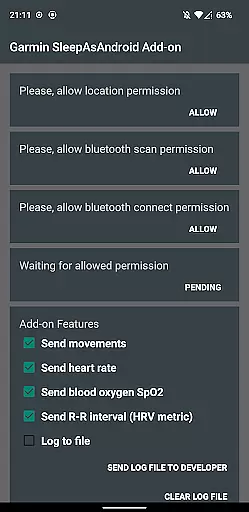
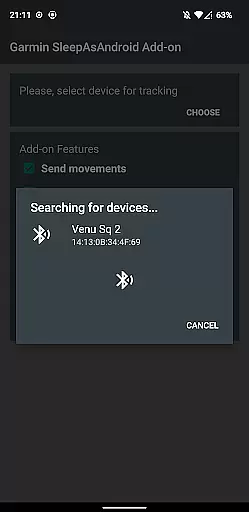
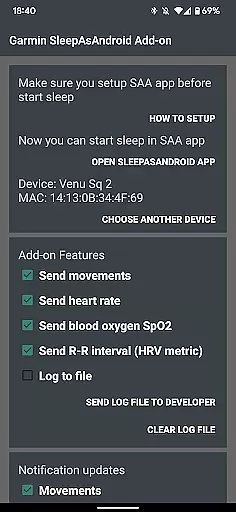
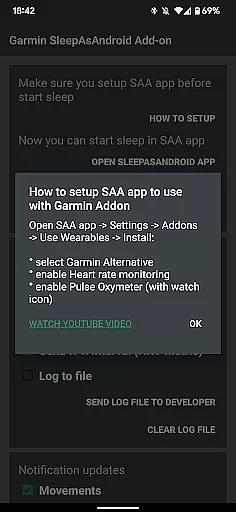
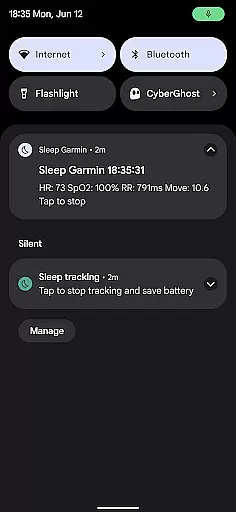
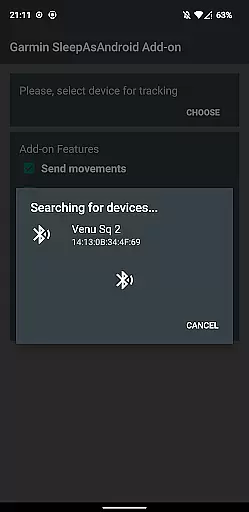
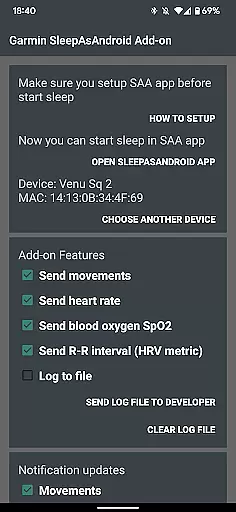
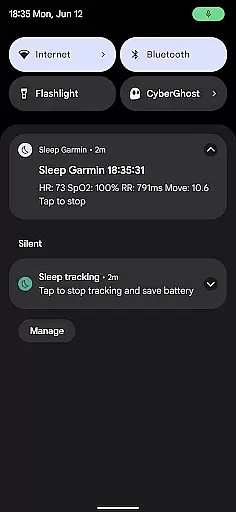
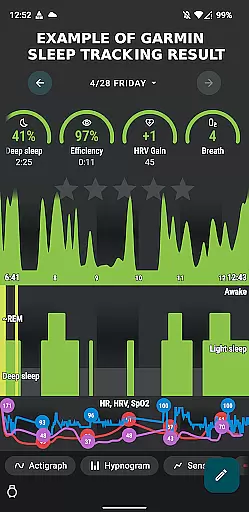
Garmin Sleep Advanced is a specialized health and fitness application designed to enhance sleep tracking by utilizing real-time data from compatible Garmin wearables. The app integrates seamlessly with the Sleep As Android app, providing advanced metrics like HRV, SpO2, heart rate, and motion data. This integration allows users to gain deeper insights into their sleep patterns, helping them optimize their rest and overall wellness.
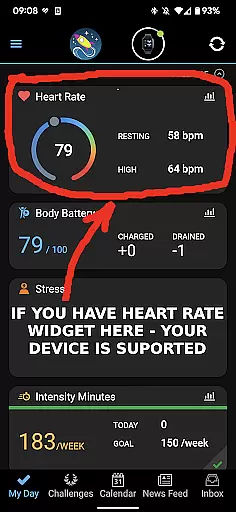
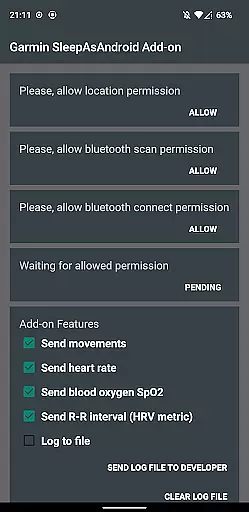
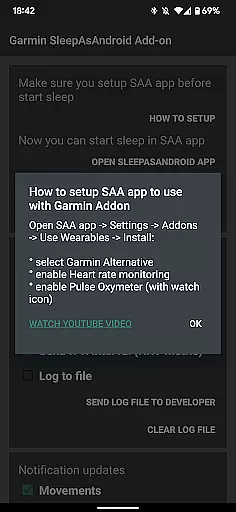
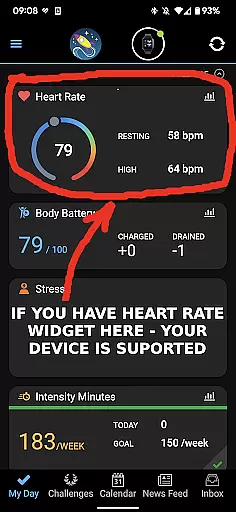
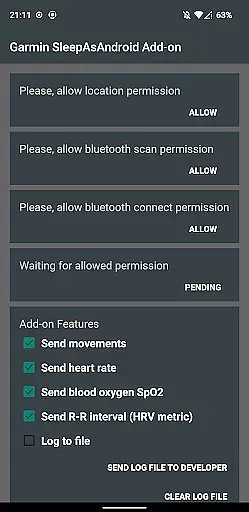
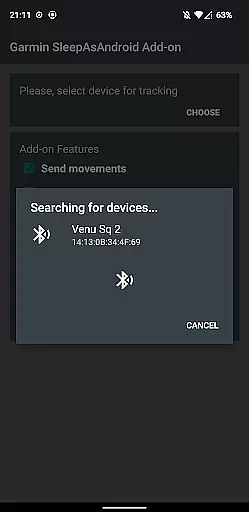
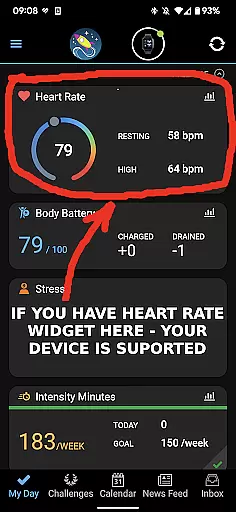
The app supports all Garmin devices with Bluetooth streaming, making it versatile for a wide range of users. By connecting your Garmin device through the Garmin Connect app and enabling necessary permissions within Garmin Sleep, users can unlock comprehensive sleep analysis features. Whether you're an athlete monitoring recovery or someone focused on improving sleep quality, this app delivers valuable data to support your goals.
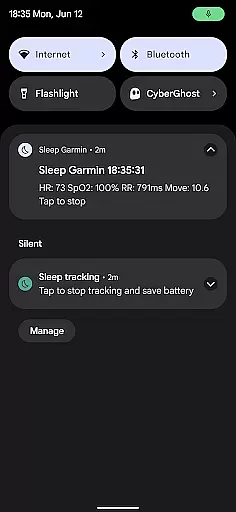
Garmin Sleep Advanced offers a robust set of features that cater to those interested in detailed health metrics related to sleep. One of its standout capabilities is the real-time monitoring of various physiological parameters including heart rate variability (HRV), blood oxygen saturation (SpO2), heart rate, and movement. These metrics are crucial for understanding sleep quality and identifying potential areas for improvement.
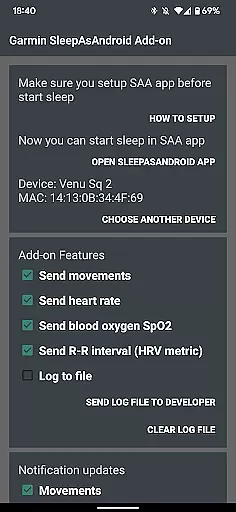
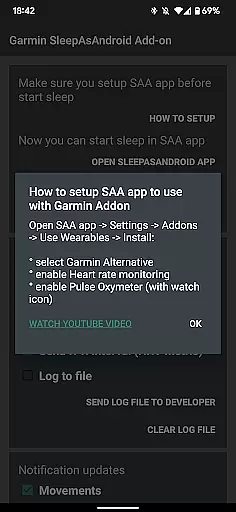
Users benefit from seamless integration with both the Garmin Connect and Sleep As Android apps, ensuring a smooth setup process. Once configured, the app provides continuous data streaming during sleep, which is then analyzed to offer actionable insights. The ability to customize tracking preferences such as enabling heart rate and pulse oximeter monitoring adds another layer of personalization, allowing users to tailor the experience to their specific needs.
This app's reliance on accurate data from Garmin hardware ensures reliability, although it is important to note that it is intended for wellness purposes rather than medical use. Overall, Garmin Sleep Advanced stands out as a powerful tool for anyone looking to better understand and improve their sleep through advanced analytics.
Personalized planning in Garmin Sleep Advanced involves the use of advanced metrics to tailor sleep tracking and wellness insights specifically for the user. This app leverages real-time data such as Heart Rate Variability (HRV), blood oxygen saturation (SpO2), heart rate, and motion to provide a comprehensive analysis of sleep quality.
The application's compatibility with all Garmin wearables that support Bluetooth streaming allows users to gather detailed information about their sleep patterns. By integrating with the Sleep as Android app, it enables personalized feedback based on individual sleep data, thus empowering users to make informed decisions regarding their rest and recovery.
Users benefit from the app's ability to offer actionable insights into their sleep health. With features like HRV and SpO2 monitoring, individuals can understand how different factors affect their sleep and can adjust their lifestyle accordingly. The tailored advice helps in optimizing sleep schedules and improving overall well-being.
This level of personalization ensures that each user receives relevant and timely information, enhancing the effectiveness of their sleep management strategy. As a result, Garmin Sleep Advanced stands out by providing customized solutions that adapt to each user's unique physiological data, promoting better health outcomes.
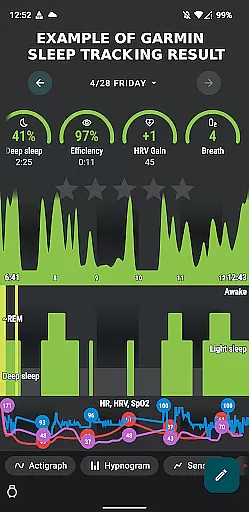
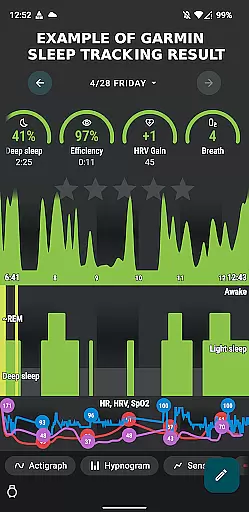
Progress visualization within Garmin Sleep Advanced offers users an intuitive way to track improvements in their sleep quality over time. By presenting data through clear and informative graphs and charts, the app makes it easier for users to comprehend their sleep trends and patterns.
Visual representations include detailed analyses of movements, heart rate, SpO2 levels, and R-R intervals, which are critical indicators of sleep quality. These visual tools allow users to quickly identify changes in their sleep behavior and correlate them with lifestyle choices or environmental factors.
The advantage of progress visualization is the motivation and awareness it provides to users. Seeing tangible evidence of improvement encourages continued adherence to healthy sleep practices. Additionally, visual milestones create a sense of achievement, prompting sustained engagement with the app and commitment to personal wellness goals.
By transforming complex data sets into digestible visuals, Garmin Sleep Advanced empowers users to take control of their sleep health effectively. This innovative approach not only simplifies data interpretation but also enhances the user experience, making sleep management more accessible and engaging.
Real-time data streaming
Wide device compatibility
Comprehensive sleep metrics
Seamless app integrations
User-friendly setup process
Not for medical use
Dependent on Garmin hardware
Requires multiple apps
Limited customization options
Potential connectivity issues

Pack of 66 calming lullabies for smooth fall asleep and relaxation
 4.10
4.10
Use your watch as a bike computer, heart rate monitor and cycling power meter
2.50
Show your support for the development of FitNotes - Gym Workout Log
4.90
The Official Blood Type Diet® App - know your categorized foods anytime.
4.50
Measure your Pupil Distance for Eyeglasses and VR headsets in 3 quick steps.
4.70
Your AI pet BFF. Talk, play, and beat anxiety in this calming game.
4.60
Track heart rate & HRV in 30s! Get live health insights and anomaly alerts
4.40
Your portable blood pressure tracker. Record, monitor, and analyze BP anytime.
4.30
Dexcom G7 Continuous Glucose Monitoring
3.70
Build Healthy Habits!
4.60
Personal Measurements - Track your gains!
4.50
The OFFICIAL Couch to 5K® running training app! A 9 week walk-run workout plan.
4.50
Pilates, Calisthenics, Yoga
4.50
Grow with self-tests and personal routine.
4.30
Interval timer for High Intensity Interval Training, Tabata and Circuit Training
4.20
Get alert about getting out of desired heart rate zone.
4.10
Focus on BP & Health
3.80
Enjoy the Gluten Free living with the best app. SCAN the barcodes & SEARCH.
3.60
The app helps you address digestive symptoms based on the Fast Tract Diet.
3.50


User Reviews