
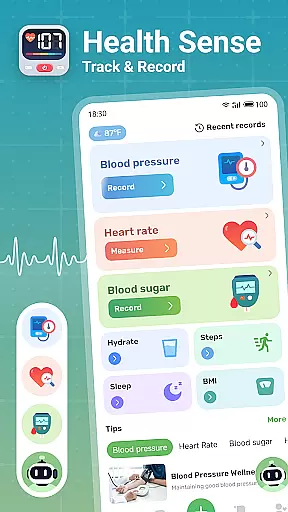
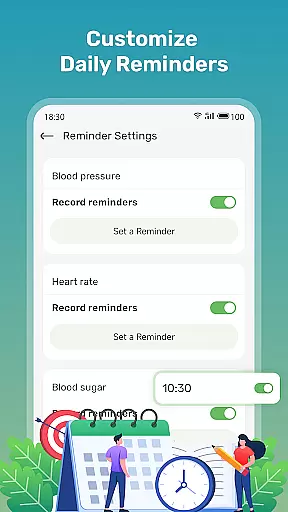
Health Sense is a comprehensive health tracking application designed to help users monitor essential health metrics. The app allows users to record and track blood sugar levels, blood pressure, heart rate, BMI, daily steps, and water intake. With its user-friendly interface, it provides an efficient way to log health data anytime, anywhere.
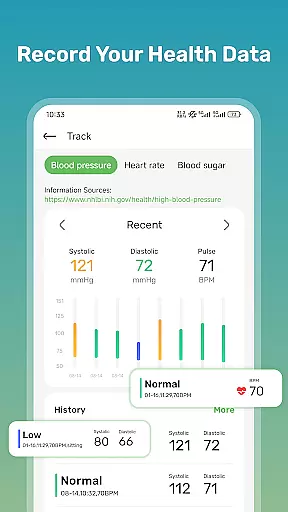
The app creates personalized health diaries for users, displaying all recorded data in easy-to-understand charts and graphs. This feature helps users visualize trends in their health metrics over time, empowering them to maintain these levels within a healthy range. Additionally, Health Sense offers scientifically-backed health insights and tips, aiding users in making informed lifestyle choices.
While not intended for medical diagnosis or emergencies, Health Sense serves as a valuable tool for proactive health management. It's particularly beneficial for individuals looking to manage conditions like diabetes or hypertension through consistent monitoring and lifestyle adjustments.
One of Health Sense's standout features is its intuitive data input system. Users can effortlessly log various health metrics such as systolic and diastolic blood pressure, pulse rate, blood glucose levels, daily step count, and water consumption. This ease of use encourages regular usage, ensuring that users maintain an accurate and up-to-date health record.
The app excels in data visualization, presenting users' health information through clear and informative charts. These visual tools highlight trends and fluctuations in blood sugar, blood pressure, heart rate, and BMI, enabling users to identify patterns and make necessary lifestyle changes. Furthermore, the inclusion of step and water intake trackers promotes overall wellness by encouraging physical activity and proper hydration.
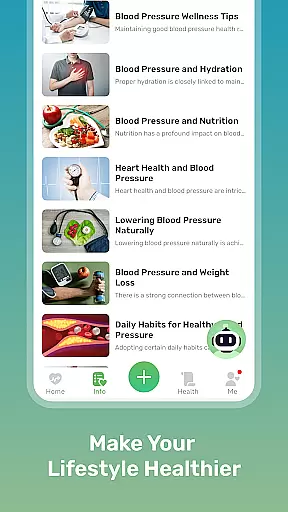
Health Sense goes beyond mere data tracking by offering a wealth of health-related knowledge. Users gain access to reliable information and practical advice on managing blood sugar, maintaining healthy blood pressure, and improving heart health. These educational resources support long-term health improvements, making the app a holistic health companion rather than just a tracking tool.
Personalized planning in health applications refers to the ability to create tailored health strategies based on individual user data. Health Sense excels in this area by offering users the capability to track essential metrics such as blood sugar, blood pressure, heart rate, and BMI.
The app employs a user-friendly interface that simplifies the recording of various health parameters. Users can input their systolic and diastolic blood pressure, pulse rate, blood glucose levels, daily steps, and water intake effortlessly. This functionality enables users to monitor their health data continuously and conveniently.
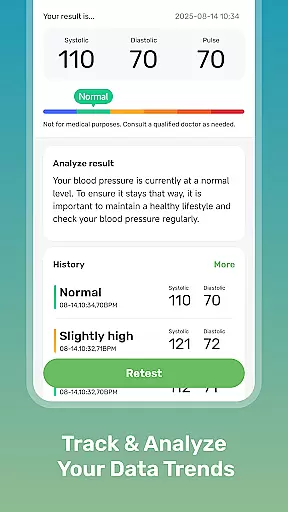
By aggregating this data, Health Sense provides personalized insights and trends over time. The app displays this information through clear graphs and charts, allowing users to observe fluctuations and patterns in their health metrics. These visual aids are crucial for understanding how different factors affect personal health and for making informed lifestyle adjustments.
Ultimately, the personalized planning feature empowers users to take charge of their health proactively. With access to detailed tracking and analysis, users can collaborate more effectively with healthcare providers, ensuring that they receive customized care and advice suited to their unique health profiles.
Progress visualization is a critical component of health and fitness apps, providing users with graphical representations of their health journey. Health Sense offers robust progress visualization tools that display trends in blood sugar, blood pressure, heart rate, and BMI, enabling users to maintain these vital signs within healthy ranges.
The app's intuitive charting system transforms raw health data into easy-to-understand visuals. Users can view their metrics over time, gaining insights into how lifestyle choices impact their overall well-being. This ongoing record serves as a motivational tool, encouraging users to adhere to healthier habits consistently.
Beyond basic tracking, Health Sense incorporates features like step and water intake trackers. These additional elements contribute to a holistic view of one's health status, promoting comprehensive wellness management. By integrating diverse health indicators, the app ensures that users have a complete picture of their physical condition.
With its focus on progress visualization, Health Sense not only tracks but also interprets health data, guiding users toward better health outcomes. This approach fosters long-term engagement and empowers individuals to make sustainable lifestyle changes based on concrete evidence of their progress.
User-friendly interface
Comprehensive health tracking
Informative data visualization
Personalized health insights
Scientifically-backed content
No medical device certification
Limited emergency support
Potential LED overheating
Cannot measure blood pressure
Dependent on manual input

Text notifications, button control, heart monitor & more for your Amazfit.
 2.40
2.40
The simplest way to track your 21 Day Program containers, exercises, and water.
4.50
The app helps you address digestive symptoms based on the Fast Tract Diet.
3.50
Effortlessly and naturally release anxiety by harnessing the power of your brain
4.60
Binaural Beats - Fully Customizable Waves - Pure Sound - No Loops
4.50
Mind on steroids - relaxation, productivity, meditation and sleep!
4.60
The Crunch Mobile app - Find a gym, manage favorites, reserve & cancel classes.
4.60
FitCloudPro takes care of your health every minute.
3.70
Jogging app for calorie counter and distance tracker. Running app to lose weight
4.20
Meditation app, head space app provides calm music to help you meditate & sleep
5.00
Weight loss app: home workout for women to lose weight & burn calories.
4.80
Walk. Earn: Get rewarded for every step! Walk, move, and earn real rewards.
4.70
Step Counter, track steps when you walk or run
4.70
FODMAP, Gluten, Allergy, Vegan
4.50
Your portable blood pressure tracker. Record, monitor, and analyze BP anytime.
4.30
“Overcoming pain based on EMDR” helps you to alleviate chronic pain and stress.
4.10
Your personal BP tracking companion, focus on helping you achieve wellness goal.
4.10
Histamine intolerance, low FODMAP diet and irritable bowel syndrome (IBS)
4.00
Sync your activities of the most popular sports tracking services
2.70


User Reviews