
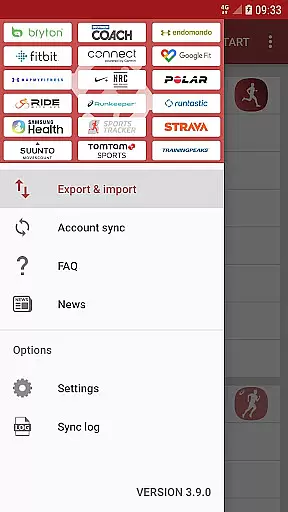
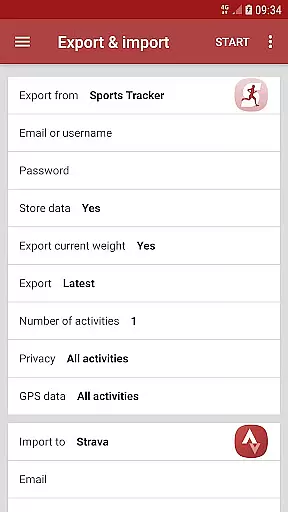
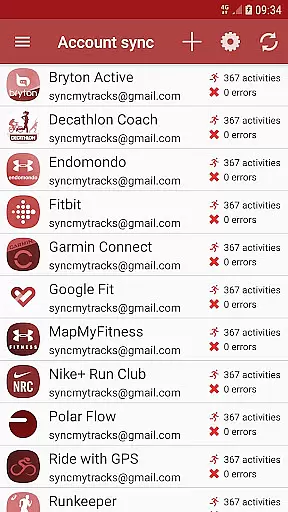
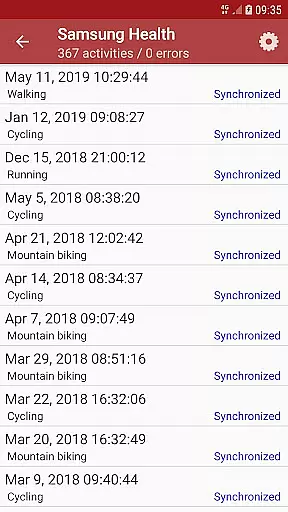
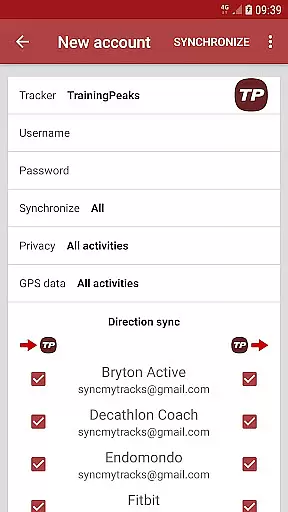
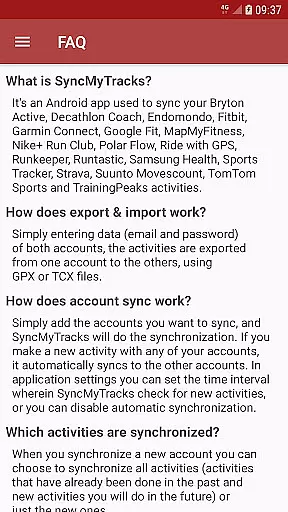
SyncMyTracks is a powerful Android application designed to synchronize fitness activities across multiple sports tracking platforms. The app supports the most popular tracking services, allowing users to seamlessly transfer their workout data between different accounts. By using standardized GPX or TCX file formats, SyncMyTracks ensures accurate transfer of detailed activity information including GPS paths, time, duration, distance, pace, and even advanced metrics like heart rate, cadence, and power when supported by the services.
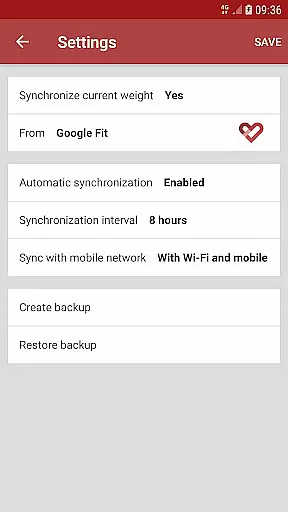
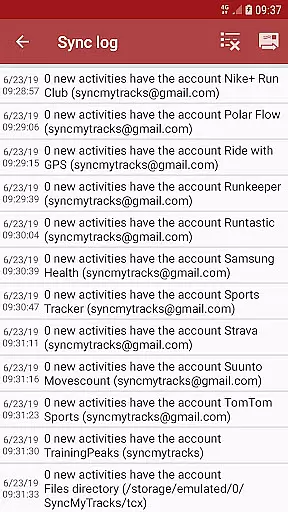
The application's key strength lies in its automated synchronization capabilities. Users can connect multiple accounts and set preferred sync intervals through the app's settings. SyncMyTracks intelligently prevents activity duplication by analyzing start times and only adds new activities without modifying or deleting existing records. This makes it an ideal solution for athletes and fitness enthusiasts who use several tracking platforms simultaneously.
While the free version offers basic export/import functionality for up to 40 recent activities, the paid version provides unlimited synchronization capabilities and removes advertisements. All user credentials are securely encrypted and stored locally on the device, ensuring maximum privacy protection. Whether you're switching tracking applications or maintaining multiple accounts, SyncMyTracks streamlines the process while maintaining data integrity.
SyncMyTracks distinguishes itself through its comprehensive feature set tailored for fitness enthusiasts. The application's primary feature is its ability to synchronize activities across multiple accounts automatically. Users can configure synchronization intervals or manually trigger updates, providing flexibility in managing their fitness data. The app maintains exceptional data accuracy by transferring complete activity details including GPS coordinates, timestamps, and performance metrics such as heart rate and cadence when available.
A notable security feature is the local encryption of user credentials. Unlike many cloud-based solutions, SyncMyTracks stores email addresses and passwords directly on the user's device using robust encryption protocols. This approach minimizes data exposure while maintaining seamless account connectivity. Additionally, the application implements intelligent duplication prevention mechanisms that analyze activity start times to avoid creating duplicate entries during synchronization.
The app offers both free and premium versions, catering to different user needs. While the free version allows manual export/import of activities with a limit of 40 recent entries, the paid version unlocks unlimited automatic synchronization and removes advertisements. Users can choose to synchronize all historical activities or only new ones when adding accounts, providing granular control over data management. These features make SyncMyTracks a versatile tool for managing fitness data across multiple platforms.
SyncMyTracks offers a personalized approach to fitness tracking by allowing users to sync their activities across multiple sports tracking services. This ensures that all your workout data is consolidated in one place, providing a comprehensive overview of your fitness journey.
The app supports the most popular sports tracking platforms, enabling you to choose which activities to synchronize. Whether you want to sync past activities or only future ones, SyncMyTracks adapts to your specific needs. This flexibility allows for a tailored experience that aligns with individual fitness goals.
By syncing detailed activity metrics such as time, duration, distance, pace, and even heart rate, SyncMyTracks helps users maintain an accurate record of their progress. This level of detail supports informed decision-making and adjustments to personal fitness plans.
One of the standout features of SyncMyTracks is its ability to visualize your fitness progress through synchronized data. By exporting and importing activities using GPX or TCX files, users can see their performance metrics in a clear and organized manner.
The app provides options to set synchronization intervals, ensuring that your progress is updated regularly. This feature allows users to track their improvements over time, offering visual feedback that motivates continued effort and dedication to personal fitness goals.
With SyncMyTracks, users can be confident that their data is presented accurately without duplication. The app's intelligent system prevents activity duplication by considering the start time, thus maintaining a clean and precise visualization of your fitness journey.
User-friendly interface
Secure data encryption
Automatic sync options
Comprehensive activity data
Local credential storage
Limited free version
No social login
Premium subscription
Manual setup required
Device dependency

Your Health Has Met Its App (℠)
 3.90
3.90
Relax to calm sounds, white noise, music, guided meditation and bedtime stories
4.40
For Absolute Novices to Strength Training. Simple. Effective.
4.40
a fun app full of surprises :)
4.70
Get alert about getting out of desired heart rate zone.
4.10
The Official Blood Type Diet® App - know your categorized foods anytime.
4.50
Medbridge GO gets you moving - get back to doing what you love, faster!
4.90
Drink water reminder app. Track water intake. Smart simple hydration tracker.
4.70
Control your blood pressure, heart rate and blood sugar in a fast way.
4.00
Easy access to health benefits
4.70
When the night comes, we prepare your eyes for deep, sweet dreams
4.70
A brain game that moves you
4.70
You deserve easy access to important insurance information. Download for FREE.
4.70
The simplest way to track your 21 Day Program containers, exercises, and water.
4.50
Chair Workout: Women's Edition for safe, flexible, and personalized fitness.
4.40
Eat smarter with Eato, your personal calorie counter and nutrition tracker!
4.40
Track heart rate & HRV in 30s! Get live health insights and anomaly alerts
4.40
The most accurate heart rate app to monitor and track your heart rate & pulse.
4.40
Download MadMuscles to start your positive body transformation!
4.30


User Reviews