
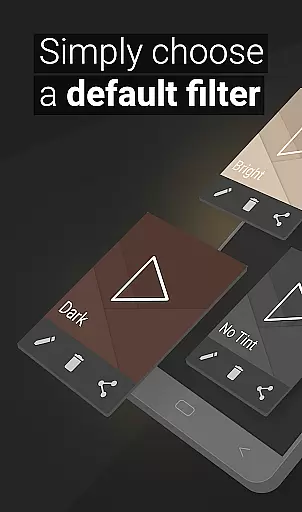
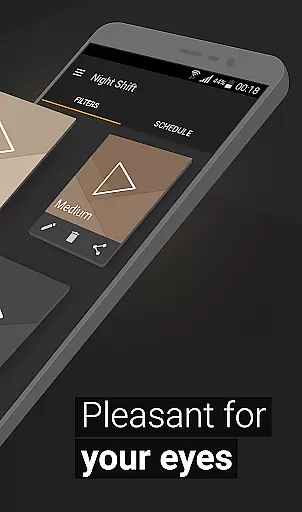
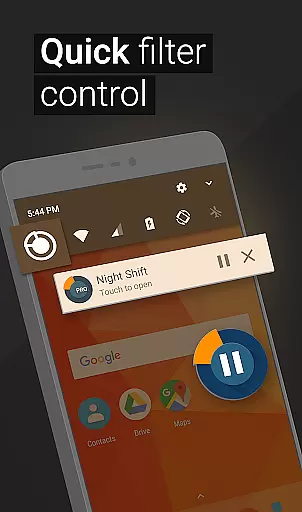
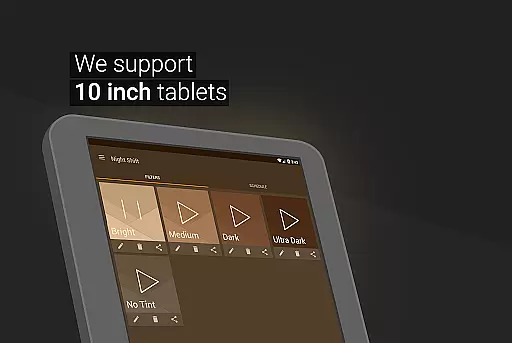
Night Shift is a specialized Health & Fitness application designed to protect users' eyes during nighttime device usage. The app functions as an advanced blue light filter that not only improves sleep quality but also helps alleviate headaches caused by screen exposure. By dimming the screen below system minimum levels and offering customizable temperature, color, and RGB settings, it creates an optimal viewing experience without negative side effects.
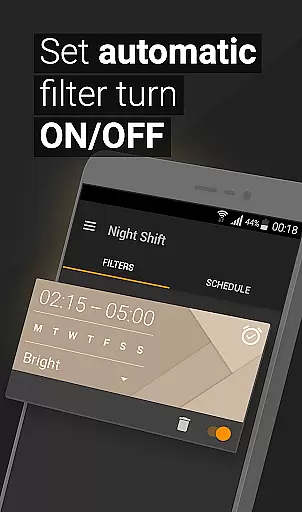
One of the standout features of Night Shift is its ability to automatically schedule filter activation based on user preferences. This ensures that your device adapts to different lighting conditions throughout the day. Additionally, the app includes premade filters and allows users to create unlimited custom dark mode filters tailored to their specific needs. Whether you're reading, gaming, or browsing at night, this app provides comprehensive eye protection while maintaining visual comfort.
The application's accessibility service further enhances its functionality by enabling notification and lock screen filtering without compromising user privacy. With its robust feature set, Night Shift serves as an essential tool for anyone looking to maintain good eye health and prevent issues like glaucoma or cataracts caused by prolonged screen time in low-light environments.
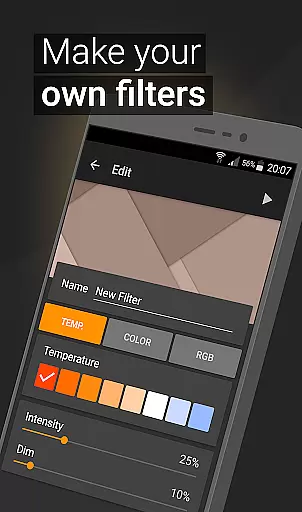
Night Shift offers an extensive range of features that make it stand out among other Health & Fitness applications. The app provides premade blue light filters that can be instantly applied to dim screens effectively. These filters are designed to protect users from harmful night brightness while maintaining optimal visibility. For those seeking more customization, the app allows users to create unlimited personalized dark mode filters with adjustable intensity levels.
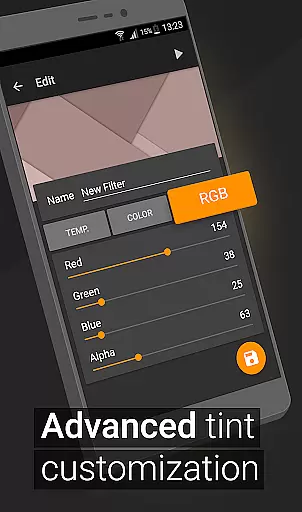
A key innovation of Night Shift is its ability to dim screens beyond the system's minimum threshold. This feature, combined with temperature and color customization options, enables users to fine-tune their display settings for maximum comfort. The RGB customization tool gives precise control over red, green, and blue color channels, allowing users to create perfectly balanced filters. The automatic filter scheduling system adds convenience by activating the night mode according to predetermined times.
The app's accessibility service represents another significant advantage, extending filtering capabilities to notifications and lock screens without collecting or sharing user data. This comprehensive approach to eye protection makes Night Shift particularly valuable for users who spend extended periods on their devices during nighttime hours. The combination of these features creates a powerful tool for maintaining eye health while enjoying digital content in low-light conditions.
In today's digital age, personalized planning for eye care is crucial, especially with prolonged screen time. Night Shift offers a comprehensive solution tailored to individual needs, ensuring optimal eye health.
The app provides premade filters and customizable options, allowing users to create their blue light filters. This feature enables a personalized approach to reducing eye strain, headaches, and insomnia caused by excessive screen exposure.
With temperature and color customization, users can adjust the screen's intensity and hue to match their comfort levels. RGB customization further refines this personalization, letting users control red, green, and blue color amounts for a dimly lit screen that suits their specific requirements.
By scheduling automatic filter activation, Night Shift adapts to users' daily routines, providing a personalized experience that anticipates their needs and protects their eyes throughout the day.
Monitoring progress is essential for maintaining motivation and ensuring the effectiveness of health interventions. Night Shift addresses this by offering clear progress visualization tools for its users.
Through the app's interface, users can observe changes in their screen time habits and the impact of different filters on their eye health over time. This visual feedback helps users understand the benefits they're receiving from using Night Shift's features.
Night Shift's tracking capabilities extend to usage statistics, presenting data in an easily digestible format. Users can see how often they utilize specific filters or custom settings, encouraging continued use and refinement of their eye care routine.
Ultimately, these visualization tools empower users to make informed decisions about their screen time and eye protection strategies, leading to better overall health outcomes and increased satisfaction with the app's impact on their well-being.
Effective blue light reduction
Customizable filter options
Automatic scheduling feature
Comprehensive eye protection
User-friendly interface design
May affect color accuracy
Requires regular adjustments
Limited daytime functionality
Accessibility service needed
Premium features cost extra

The simplest way to track your 21 Day Program containers, exercises, and water.
 4.50
4.50
Power-lifting, weightlifting and Wendler 531 app to track your workout program.
4.90
Effortlessly and naturally release anxiety by harnessing the power of your brain
4.60
Show your support for the development of FitNotes - Gym Workout Log
4.90
Relax. Sleep Better. Feel Better.
4.50
Monitor, analyze, track, and convert blood sugar & help you control diabetes.
4.10
Your personal BP tracking companion, focus on helping you achieve wellness goal.
4.10
Jogging app for calorie counter and distance tracker. Running app to lose weight
4.20
Mood journal, habits, self-care tracker, self-love
4.90
App to stop smoking slowly or now with a motivational badges and helpful tips
4.80
Get lasting results with Chair Yoga, Wall Pilates, and Walking workouts!
4.60
Personal Measurements - Track your gains!
4.50
Grow with self-tests and personal routine.
4.30
“Overcoming pain based on EMDR” helps you to alleviate chronic pain and stress.
4.10
Turn your steps into cash, gift cards & rewards with our step counting pedometer
3.80
HRV4Training helps you optimize goals and improve performance. No sensors needed
3.30
Live Heart Rate Pro - Real Time Heart & Workout Data For Wear OS & Bluetooth BLE
3.20
Sync your activities of the most popular sports tracking services
2.70
Using Recognise™ has been shown to reduce pain and improve performance.
4.4


User Reviews