
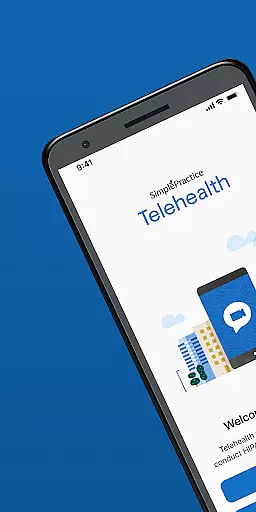



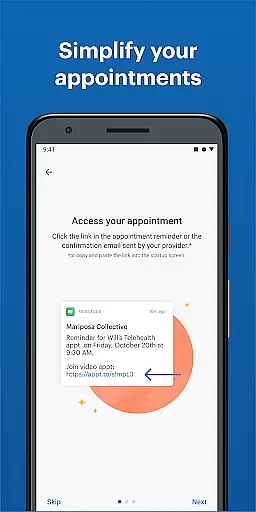
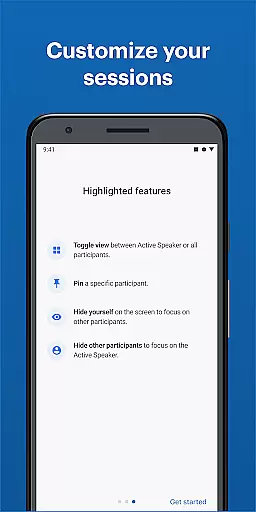
Telehealth by SimplePractice is a medical app that enables secure, HIPAA-compliant therapy sessions from any location. It allows clients and clinicians to attend appointments via video without the need for login credentials or passwords. This flexibility ensures that users can access therapy from home, office, or even while on the go.
The app's core functionality revolves around its ability to provide instant video sessions with complete privacy and security. By eliminating geographical barriers, it makes mental health services more accessible. The platform is particularly valuable for those who require remote care options due to distance or mobility issues.
One of the standout features of Telehealth by SimplePractice is its seamless integration with various devices, allowing users to connect from smartphones, tablets, or computers. The app employs enterprise-grade encryption to ensure all communications remain confidential and compliant with healthcare regulations.
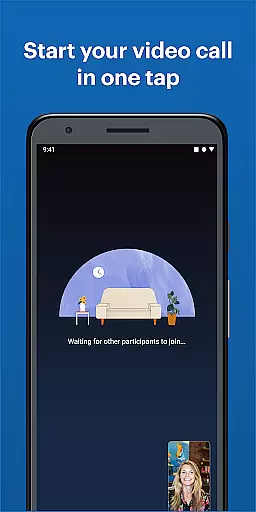
Another key aspect is the user-friendly interface that requires no technical expertise. Sessions begin with a single tap, making it easy for both tech-savvy individuals and those less familiar with digital tools. Additionally, the absence of account creation streamlines the process, focusing solely on delivering uninterrupted therapeutic support.
In the realm of telehealth, the credibility of medical content and expert review is paramount. Telehealth by SimplePractice ensures that all shared information during therapy sessions meets high standards of accuracy and professionalism.
The platform employs rigorous verification processes to maintain HIPAA compliance, ensuring that every session not only adheres to legal requirements but also upholds the integrity of medical advice provided.
Users benefit from knowing that their therapy sessions are conducted under strict guidelines, with clinicians who are vetted professionals. This guarantees a reliable source of expert-reviewed content in each interaction.
Teleconsultation quality is crucial for effective remote healthcare delivery. With Telehealth by SimplePractice, users experience seamless video appointments that mimic in-person consultations without any need for login credentials or passwords.
This application leverages advanced technology to provide instant start times for sessions, enhancing both convenience and efficiency for clients and clinicians alike. The clarity and immediacy of communication contribute significantly to the overall effectiveness of the consultation process.
Ultimately, this focus on high-quality teleconsultations ensures that patients receive timely care while maintaining privacy and security standards expected in professional healthcare environments.
User-friendly interface
Secure video sessions
No login required
HIPAA compliant
Cross-device compatibility
Limited to therapy use
No offline mode
Requires stable internet
Premium pricing
Few customization options

Health Care at Your Fingertips
 4.60
4.60
MySafeRide simplifies booking and managing rides for health plan members.
3.50
The OptumRx app empowers you to become an advocate of your pharmacy benefits.
4.40
Amplify surrounding sounds, conversations, TV or lectures for louder hearing.
4.70
Control your hearing aids discreetly with the touch of a finger
4.30
Zepbound & Mounjaro support & resources for savings, tracking & more
3.90
Internal medicine literature at your fingertips.
4.50
CPR Timer for High Performance AHA BLS / ACLS
5.00
X-Vein: Advanced vein detection for medical practice
3.10
Spruce is the leading platform for HIPAA-compliant communication and care.
4.90
Hear far away sounds, conversations, TV and surrounding sounds more clearly.
4.70
The doctor will see you now
4.70
Log your symptoms in the MyZio app — the perfect companion to the Zio monitor!
4.60
Check and Track your Blood Pressure & Heart Rate.
4.50
Beat alcohol and drug addiction with a revolutionary treatment program in an app
4.50
Voice pitch monitor for speech therapy, LSVT, Parkinson's, singing & trans
4.30
Easy access to benefits and rewards
3.70
HealtheLife lets you easily manage your health online.
3.20
OKN Strips, OptoDrum, OKN
4.5


User Reviews