
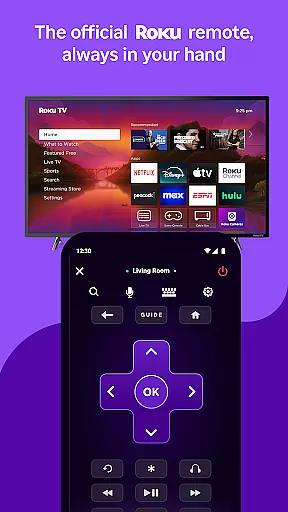
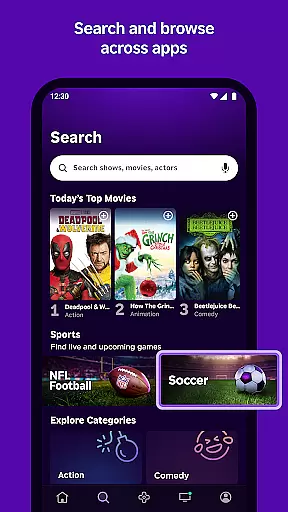
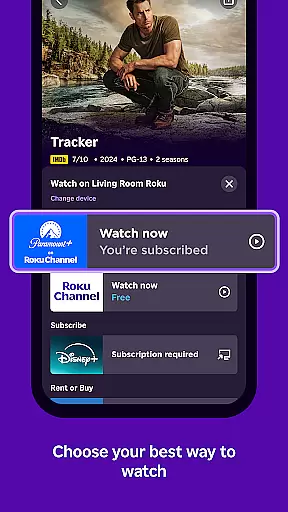
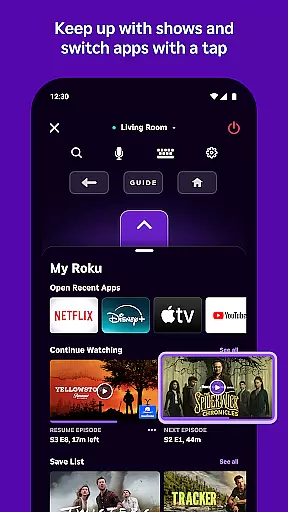
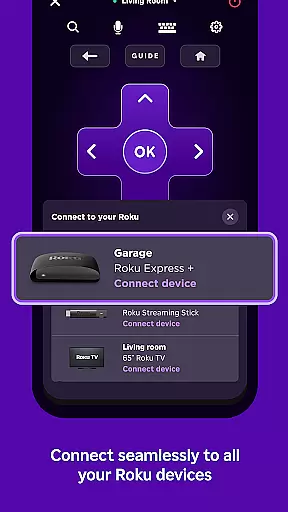
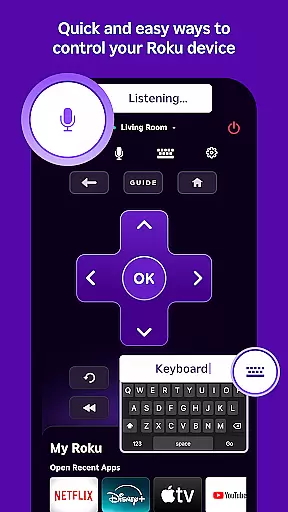
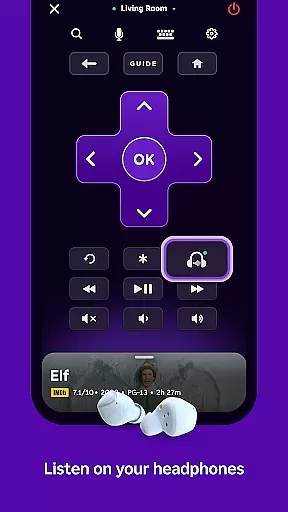
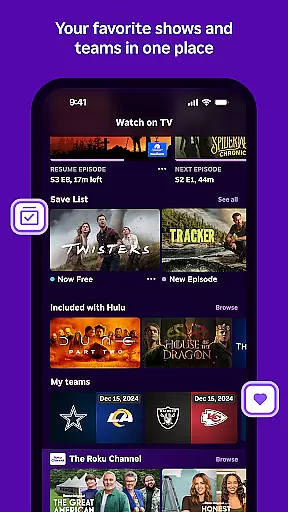
The Roku App serves as an essential streaming companion, offering users a convenient way to control their Roku devices. With this app, you can use your mobile device as a remote, search for entertainment using voice or keyboard, and enjoy private listening through headphones. It also allows you to stream free movies and live TV on the go via The Roku Channel, cast media files from your phone to your TV, add and launch channels, and enter text more easily with your mobile keyboard.
For seamless functionality, ensure your phone or tablet is connected to the same wireless network as your Roku device. Some features may require a compatible Roku device and logging into your Roku account. Voice search is available in English in the US, UK, and Canada, and in Spanish in Mexico and the US. The Roku Channel is accessible within the mobile app in the US only, while some channels may require payment, can change, and vary by country.
The Roku App boasts a variety of features designed to enhance your streaming experience. Control your Roku devices effortlessly with the built-in remote functionality, allowing you to navigate menus and manage content with ease. Utilize voice or keyboard search to quickly find your favorite shows and movies, providing a smooth and intuitive user experience.
Enjoy private listening by connecting your headphones directly to the app, perfect for late-night viewing without disturbing others. Stream free movies and live TV on the go through The Roku Channel, giving you access to a wide range of content wherever you are. Additionally, cast media files such as videos and photos from your phone to your TV, making sharing memories effortless. The app also simplifies adding and launching channels on your Roku devices and offers an easy-to-use mobile keyboard for entering text.
The Roku App offers a diverse range of entertainment options, ensuring users have access to varied content. With the ability to stream free movies, live TV, and more through The Roku Channel, it provides an extensive selection tailored to different preferences.
Users can enjoy updated content regularly, thanks to partnerships with numerous channels that cater to various interests. This constant refreshment ensures that there is always something new and engaging available for viewers.
In addition to streaming services, the app allows casting media files from your phone, such as videos and photos, directly to your TV. This feature enhances user engagement by enabling personal content sharing on a larger screen.
While some channels may require payment or vary by country, the overall offering remains rich and dynamic, keeping the audience entertained with fresh choices consistently.
User engagement is at the core of The Roku App's design, aiming to keep viewers hooked with its interactive features. By providing a convenient remote and voice search capabilities, it simplifies navigation and content discovery, encouraging longer usage sessions.
The private listening feature with headphones adds another layer of user retention, allowing individuals to enjoy their favorite shows without disturbing others. This thoughtful addition caters to diverse viewing habits and environments.
Moreover, easy text entry using a mobile keyboard for Roku device interactions enhances the overall user experience. Simplified data input leads to seamless interaction, reducing friction and promoting continued use.
With these engaging features combined, The Roku App not only attracts but also retains users by offering a comprehensive entertainment solution that adapts to individual preferences and lifestyles.
User-friendly interface
Voice search functionality
Private listening mode
Free streaming options
Media casting capabilities
Limited voice search regions
Restricted channel availability
Network connectivity required
Device compatibility issues
Varied channel pricing

Air Horn - Siren Sounds Prank, Fun way to wake up your Friends and Family
 4.0
4.0
Heroclix search units with multi filter , team builder, collection manager.
4.40
A wonderful collection of the most beautiful sounds of animals and birds
4.3
The JBL Portable app works with JBL portable Bluetooth speakers.
4.60
Unleash Your AI Imagination
4.60
Build and Share AI
4.20
VR 360 Cinema Player is the ultimate VR player for playing videos on mobile
3.50
Daily immersive workout plan: Body warm up & finger yoga exercises
3.80
Earn big rewards like PayPal & Amazon gift cards by playing games you love!
4.30
Companion app for Elden Ring to track quests, bosses, progress and more.
4.70
Classic dynamic pixel art from Mark Ferrari.
4.70
* Multiple Matches * Intuitive UI * Scoring Made Easy!
4.40
Earn gift cards for playing games. Become a real game tester!
4.40
Rain and lightning effects for your Philips Hue lights
4.30
Practice and master your ESP and intuition with five mode trainer.
4.20
Himnario LLDM - Fast and Easy to read , updated Hymnal 2019 Edition Official
4.20
Catch the latest episodes of The Voice or live stream NFL games with The NBC App
4.20
Alice Box is an Instrumental Trans Communication app.
3.80
Your choice of 350+ networks plus movies and full TV series on-demand.
3.70


User Reviews