
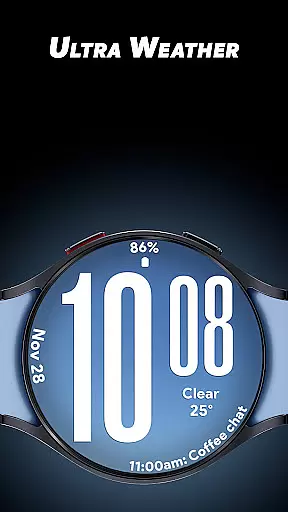
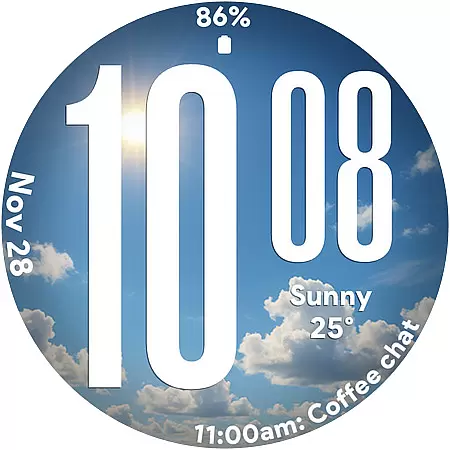
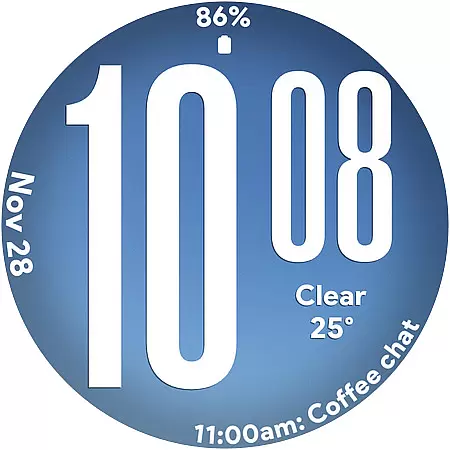
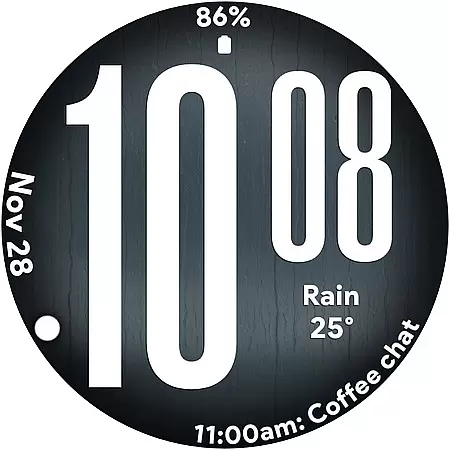
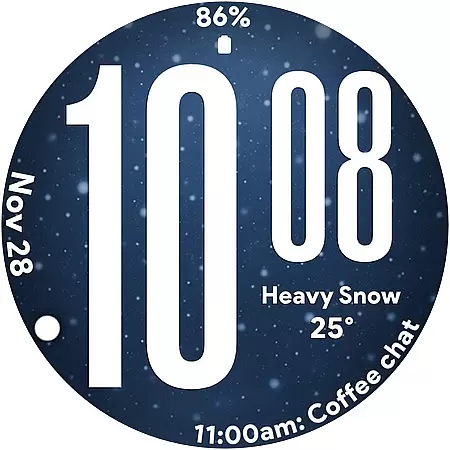
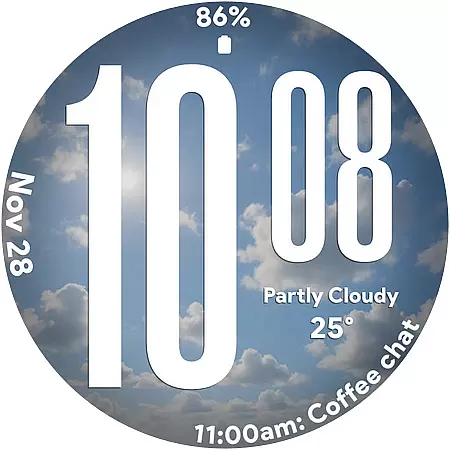
Ultra Weather is a dynamic Wear OS watch face that combines bold aesthetics with real-time weather updates. Designed for maximum readability, it features oversized digital time digits and customizable complications, making it ideal for users who value both style and functionality on their smartwatches.
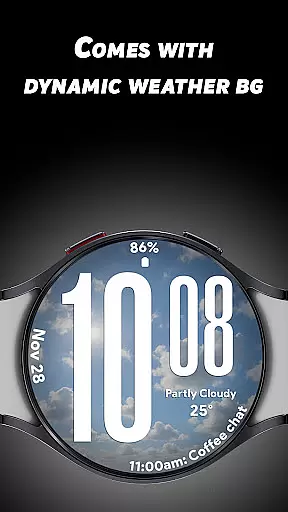
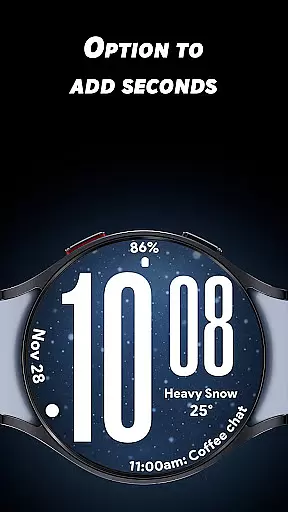
The app's standout feature is its ability to adapt its visuals based on live weather conditions. Whether sunny, cloudy, or rainy, the watch face transforms to reflect the current environment, offering users an immersive and personalized experience. This makes it perfect for everyday use, fitness tracking, or travel.
Ultra Weather offers a range of innovative features tailored for Wear OS users. Its Big Bold Digital Time ensures instant readability, while Dynamic Weather Backgrounds provide visually stunning, real-time updates based on your location's weather conditions.
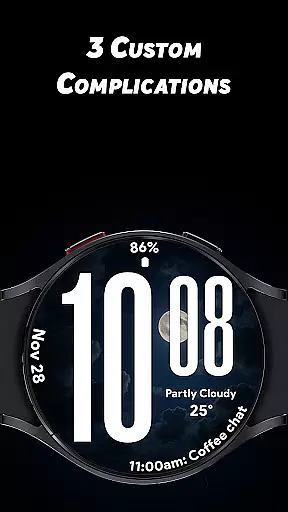
With support for 12/24-hour time formats and three customizable complications, users can personalize their watch face to display weather details, steps, battery status, heart rate, and more. Additionally, the Battery-Friendly Always-On Display (AOD) ensures efficient performance throughout the day without compromising style.
Ultra Weather - Watch face offers extensive lifestyle category coverage by integrating real-time weather visuals that dynamically change based on current conditions. This feature ensures that users are not only informed about the time but also about the prevailing weather, making it highly relevant for everyday use, travel, and fitness activities.
The watch face is designed with oversized time digits and smooth readability, providing instant clarity at a glance. Whether you're outdoors hiking or in a business meeting, the bold typography ensures maximum visibility and ease of reading, adapting to various lifestyle scenarios effortlessly.
With three customizable complications, Ultra Weather allows users to tailor their smartwatch experience according to their personal preferences. You can add details such as weather information, step counts, battery status, calendar events, and heart rate data, aligning the watch face functionality with your daily lifestyle needs.
The content delivered through Ultra Weather - Watch face is sourced from reliable weather data providers, ensuring high authenticity and accuracy. The dynamic weather backgrounds update in real time, reflecting the true atmospheric conditions outside, which adds an element of trust and credibility to the information displayed on your smartwatch.
Expertly crafted for Wear OS, this watch face leverages professional design principles to bring a perfect mix of style and function. The designers have paid meticulous attention to detail, ensuring that every visual element serves a purpose and enhances the overall user experience.
Furthermore, Ultra Weather has been optimized for efficient all-day performance, including a battery-friendly Always-On Display (AOD). This optimization reflects the developers' commitment to delivering a product that is not only visually appealing but also practical and reliable, reinforcing the expert credibility behind the application.
Real-time weather updates
Customizable complications
Bold and clear design
Battery-friendly AOD
Dynamic backgrounds
Limited to Wear OS
Requires data connection
Premium features locked
No analog option
Weather-dependent visuals

Get roadside help, discounts, travel tools & more — AAA is with you everywhere.
 4.80
4.80
Unique informative Dial with Live Moon Phase at a glance!
3.60
Use your device sensors to detect energy and convert it into spoken words.
4.10
Discover the "To Be a Christian" App: Your Guide to Deepening Faith!
5.00
Good magnifier app to see tiny things bigger and more clearly!
4.80
Zodiac & Horoscope Launcher: Daily Sign Predictions & Astrology
4.40
A smart Siddur with halachic times
4.50
Futuristic watchface inspired by Back to the Future: sleek, retro, timeless
4.0
No more juggling multiple apps, now you can control everything in one place!
4.60
Your store’s deals, where you are.
4.80
Retro animated weather with hourly forecast Watch Face for Wear OS
4.60
Earn money & gift cards when you take surveys, play games, scan receipts & more.
4.50
Cute Adorable Animals now on your wrist with our Wear OS watch face!
4.40
Mixing Colors for Menswear
4.20
SmartHQ: Your Connected Home Command Center
4.10
Unique BIG BOLD TIME with amazing colors and customisations.
3.70
An Eerie Musical Trigger Toy for Spirits to Play with!
3.50
Falling Fruit is a massive collaborative map of food in our cities.
3.20
Duo Watch Face (animated)
4.0


User Reviews