
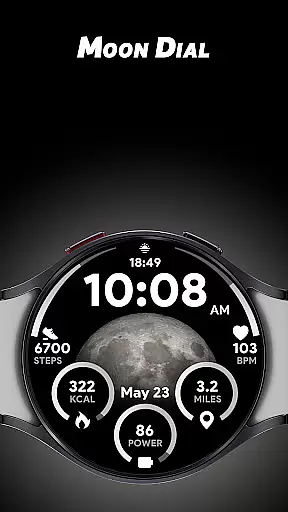
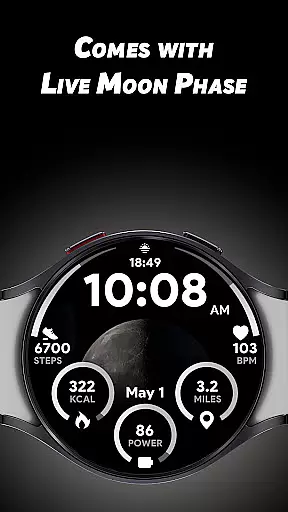
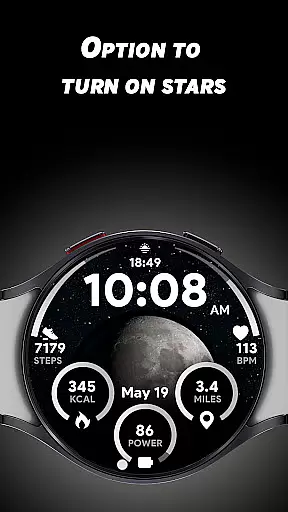
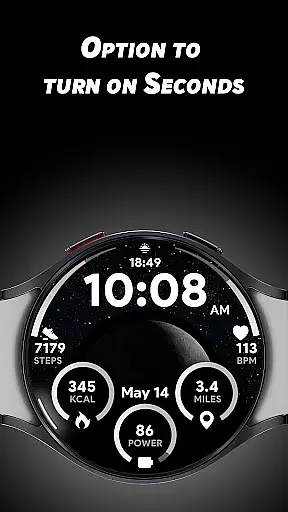
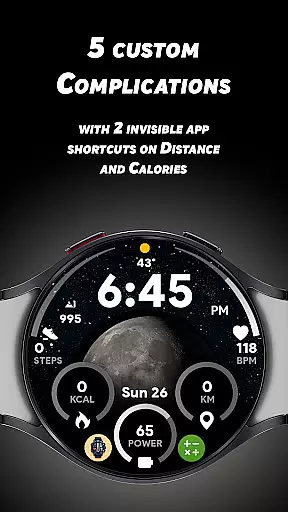
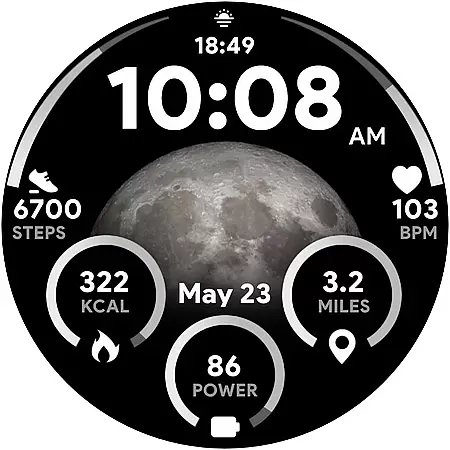

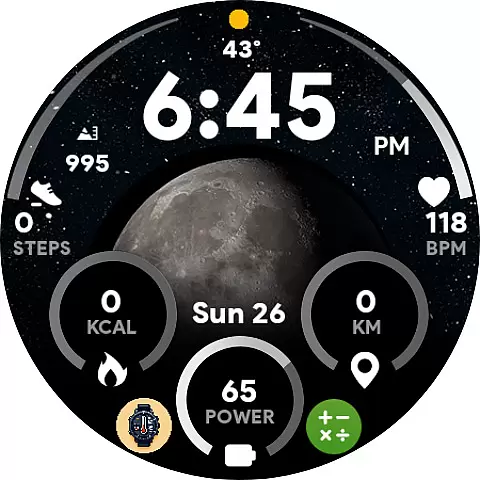
Moon Dial is a feature-rich watch face designed for Wear OS devices, offering users an innovative way to track Moon Phases directly from their smartwatch. The app provides essential information at a glance, including time, battery percentage, and heart rate, while also allowing customization through five unique complications.
With its live Moon Phase display and optional star effects, Moon Dial enhances the visual appeal of your smartwatch while delivering practical functionality. Whether you're tracking daily activity or simply curious about lunar patterns, this app caters to both lifestyle enthusiasts and tech-savvy users seeking a personalized wearable experience.
The Moon Dial watch face stands out with its customizable features that allow users to tailor their smartwatch experience. The live Moon Phase display offers real-time lunar tracking, while the optional star effect adds a touch of celestial beauty to your watch face.
Users can choose from five custom complications to display additional data such as calories burned or distance traveled. Two invisible app shortcuts provide quick access to favorite applications without affecting core functionalities like fitness tracking. Practical features include 12/24-hour time display, kilometer/mile conversion, and direct access to battery and heart rate apps through simple taps on respective indicators.
Moon Dial - Watch face offers a comprehensive lifestyle experience by integrating essential daily information with customizable features. The app provides real-time data on Moon Phases, allowing users to stay informed about lunar activities effortlessly.
With 5 custom complications, users can personalize their watch faces to display additional data that suits their preferences. This flexibility ensures that the app caters to a wide range of interests and needs within the lifestyle category.
The inclusion of features such as live Moon Phase updates, optional star effects, and shortcuts for favorite apps enhances the overall utility. These elements collectively contribute to a rich lifestyle management tool that goes beyond basic timekeeping.
The content delivered by Moon Dial is both authentic and credible, ensuring users receive accurate information regarding Moon Phases and other metrics. The integration of live updates guarantees that the displayed data reflects current lunar statuses.
Expertise is evident in the app's design, which includes detailed customization options like invisible app shortcuts for calories and distance tracking. These features are crafted to maintain functionality while offering personalized convenience.
Furthermore, the app supports both 12/24-hour formats and KM/Miles measurements, catering to global audiences with precision. Such attention to detail underscores the reliability and authenticity of the content provided by Moon Dial.
Live Moon Phase tracking
Customizable complications
Optional star effect
Invisible app shortcuts
Essential info at a glance
Limited to Wear OS
No iOS support
Battery intensive
Complex setup
Few customization options

Healthy eating timer app to track meal pace, improve habits, and eat slowly.
 4.1
4.1
Cute Adorable Animals now on your wrist with our Wear OS watch face!
4.40
Bring the warm colors of fall directly to your wrist with Autumn Leaves!
4.0
Earn money & gift cards when you take surveys, play games, scan receipts & more.
4.50
Play fun games, complete quick surveys, and earn money. It's fun and easy!
4.40
Zodiac & Horoscope Launcher: Daily Sign Predictions & Astrology
4.40
Crochet made easy: step-by-step tutorials, beginner patterns & projects
4.60
Communicate with your vehicles and Powerwalls anytime, anywhere
3.60
Wear your favorite memories, loved ones, pets or travel photos on your watch
4.0
Good magnifier app to see tiny things bigger and more clearly!
4.80
Get roadside help, discounts, travel tools & more — AAA is with you everywhere.
4.80
Simple, stylish & fresh watch face. Customize colors, gradients & complications.
4.70
This app is intended to support professional EMDR therapy.
4.50
Chat, meet genuine singles in your area. Real connections start with being real.
4.30
This minimalist yet classic board design brings a futuristic twist to your wrist
4.20
Digital watch face design. Modern looking, hi-res & battery friendly.
4.00
Going above and beyond known spirit communication
3.60
Falling Fruit is a massive collaborative map of food in our cities.
3.20
Discover how to help puppies stay calm around noise with this helpful app.
4.1


User Reviews