
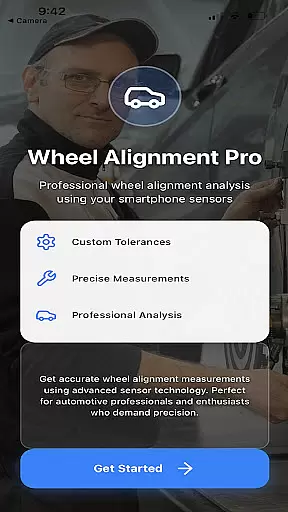
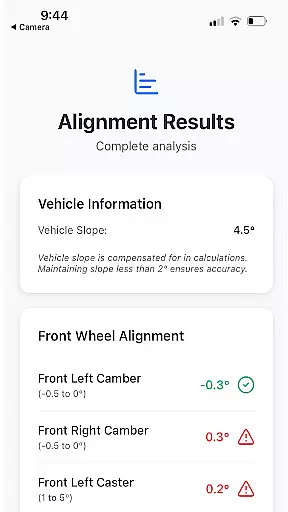
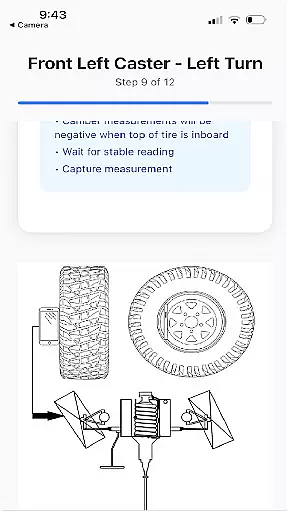
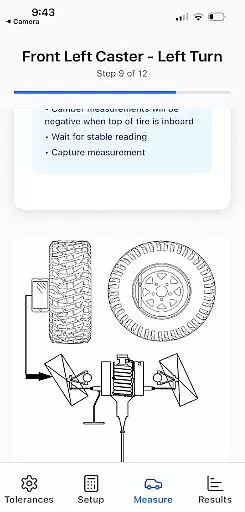
Alignment Pro is an innovative mobile application designed specifically for automotive professionals and enthusiasts who require precise wheel alignment solutions. The app utilizes your phone's internal sensors in combination with a simple tape measurement to accurately collect essential wheel alignment data. With intuitive on-screen instructions, users can effortlessly perform alignments without the need for expensive equipment.
The application supports industry-standard specifications while also allowing manual updates to match the specific requirements of different vehicle models. One standout feature is its ability to compensate for uneven surfaces through vehicle slope compensation. Additionally, Alignment Pro provides a comprehensive alignment summary that highlights potential issues arising from out-of-tolerance conditions, helping users understand and communicate these problems effectively to customers.
This tool is particularly useful in professional garage settings where quick and reliable alignment checks are necessary. By offering detailed insights into alignment discrepancies, it empowers mechanics to make informed decisions and deliver high-quality service. Whether you're diagnosing issues or explaining technical details to clients, Alignment Pro ensures accuracy and clarity throughout the process.
Alignment Pro stands out with its array of specialized features tailored for efficient wheel alignment processes. At its core, the app leverages advanced sensor technology within smartphones to gather critical alignment metrics. This eliminates the need for bulky traditional alignment tools, making it both cost-effective and portable. Furthermore, the inclusion of step-by-step on-screen guidance simplifies complex procedures, enabling even novice users to achieve professional-grade results.
Another key feature is the flexibility it offers regarding specification inputs. Users can rely on established industry standards or customize settings based on their vehicle’s unique requirements, which are readily available online. The vehicle slope compensation function addresses common challenges posed by uneven surfaces, ensuring consistent readings regardless of environmental factors. Moreover, the detailed alignment summary not only identifies existing issues but also educates users about potential consequences, facilitating better communication with clients.
Overall, Alignment Pro combines cutting-edge technology with user-centric design principles. Its ability to transform any smartphone into a powerful diagnostic tool revolutionizes how wheel alignments are performed. By focusing on precision, adaptability, and ease of use, this app sets a new benchmark in the auto diagnostics sector.
Alignment Pro provides comprehensive details about your vehicle's alignment specifications, ensuring accuracy and precision in the process. By utilizing your phone's internal sensors alongside a simple tape measurement, the app collects essential wheel alignment data.
The application supports industry standards for specification but also allows users to manually update these parameters to match their specific vehicle's requirements. This flexibility ensures that every vehicle, regardless of its make or model, can be catered to with the correct alignment settings.
One standout feature is the vehicle slope compensation, which accounts for uneven driveways. This ensures that the alignment data collected is not skewed by external factors, providing a true reflection of the vehicle's condition.
While Alignment Pro focuses primarily on delivering precise alignment data, it also emphasizes clarity in its operational instructions rather than monetary costs. The app offers straightforward on-screen guidance that eliminates any guesswork from the user, making the process accessible even to those unfamiliar with vehicle maintenance.
Users are not subjected to hidden fees or charges when using the app. Instead, they benefit from clear instructions that guide them through each step of collecting alignment data. This approach fosters trust and confidence in the information provided.
Additionally, detailed alignment summaries help explain potential issues arising from out-of-tolerance conditions. These insights empower users to understand better the implications of misalignments, facilitating informed decisions regarding necessary adjustments or repairs.
User-friendly interface
Cost-effective solution
Accurate sensor integration
Customizable specifications
Detailed alignment reports
Limited to smartphone capabilities
Requires manual measurements
Potential sensor inaccuracies
No real-time adjustments
Dependent on external references

On the CarShield app, you can view contracts, make payments, & request roadside.
 4.40
4.40
Monitor specific TOYOTA parameters by adding this plugin to Torque Pro.
2.00
App Mirroring for Tesla Car's Browser
2.80
Get your personalized financing options and shop for used cars today!
4.20
Blink Charging Mobile app makes finding an EV charger an intuitive experience.
3.80
Lexus app currently supports 2010 or newer vehicles (2018 or newer for Hawaii).
4.80
Car Sounds Engine Sounds app welcomes Auto Lovers to feel Car Simulator Sound
4.20
Find, search, and browse 40,000+ used cars, SUVs, and trucks.
4.50
A smarter way to park and reserve your spot ahead of time.
4.40
Practice the drills within MotoJitsu Master Riding Program Volume 1 & 2!
4.80
Find Your Local Store or Shop Online for the Car, Truck, or SUV Parts You Need
4.70
OBD1 ECMs application. Data log or tune directly from your phone or tablet!
4.60
Find Fast EV Chargers | Charge Your Vehicle at 1,100+ Fast Car Charging Stations
4.60
Easy connect & control your cars from afar. Remote Lock & unlock car and carplay
4.60
Digital Car Key/Launcher, Screen Mirror, Android Dashboard, Remote Wireless Link
4.40
OBD2 car scanner and diagnostics: read Check Engine, DTC, economy....
4.30
Boost profits and hit your goals faster with GigU's amazing tools for gigworkers
4.00
Mobile Phone Parking - So easy to park
3.70
Theme for Car Launcher
4.5


User Reviews