
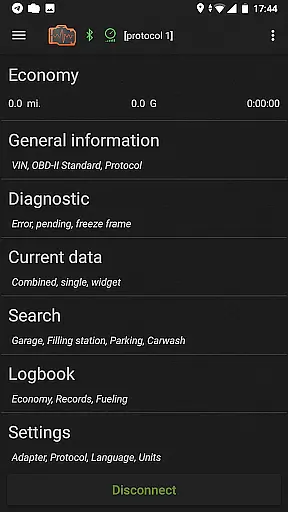
inCarDoc Pro is a comprehensive vehicle diagnostics and monitoring tool designed for car owners and automotive professionals. The app serves as an OBD-II scanner, reading real-time parameters from your car's ECU and providing detailed diagnostic information. It supports multiple connection types including Bluetooth, WiFi, and BLE through compatible scanners like ELM327.
The application offers advanced features such as real-time parameter recording, GPS tracking, and detailed logbook functionality. Users can monitor engine performance, track fuel economy, and maintain service records. Its professional-grade tools make it suitable for both personal and commercial use in the automotive service industry.
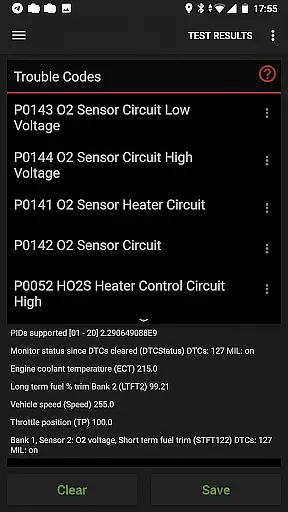
With its ability to read and clear diagnostic trouble codes (DTCs), inCarDoc Pro helps users understand and address vehicle issues efficiently. The app's compatibility with various OBD-II scanners and its extensive parameter support make it a versatile solution for maintaining and optimizing vehicle performance.
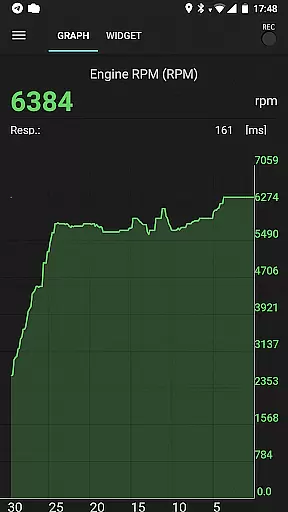
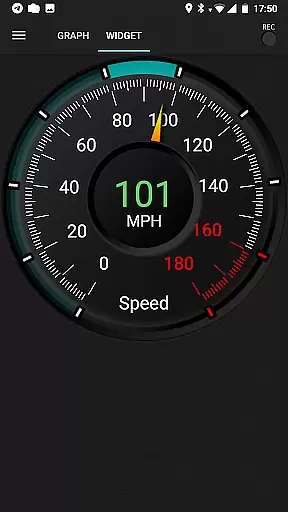
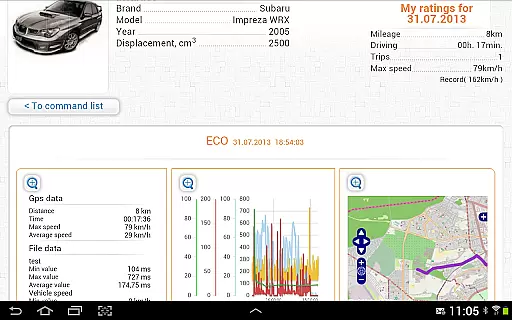
inCarDoc Pro stands out with its robust feature set tailored for automotive diagnostics. The app provides real-time monitoring of engine parameters including speed, RPM, coolant temperature, and oxygen sensor data. These readings are presented through customizable charts and widget displays, giving users clear visual representations of their vehicle's performance.
One of the key advantages is its comprehensive logbook functionality. Users can maintain detailed records of fueling, services, and maintenance activities. The app also supports GPS-based tracking, allowing users to record location-based data alongside diagnostic information. This combination of features makes it easier to track vehicle history and plan maintenance schedules.
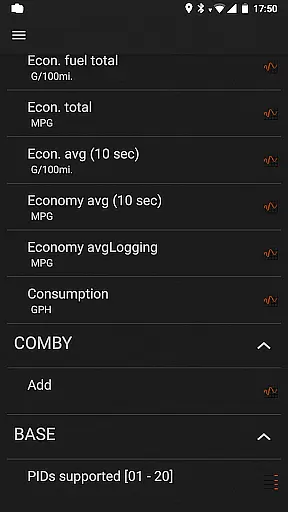
The application's pro version removes advertisements and enables background parameter recording. It includes advanced widgets for fuel economy and acceleration monitoring, plus an overlay feature that displays economy data on top of other applications. These capabilities, combined with server upload functionality and extended protocol support, make inCarDoc Pro a powerful tool for serious automotive enthusiasts and professionals.
Accessing detailed vehicle information is crucial for both car owners and mechanics to ensure optimal performance and timely maintenance. inCarDoc Pro excels in this area by providing comprehensive diagnostics of your vehicle's Engine Control Unit (ECU). The app reads real-time and stored parameters from OBD-II compliant cars, offering insights into engine speed, coolant temperature, pressure, and more.
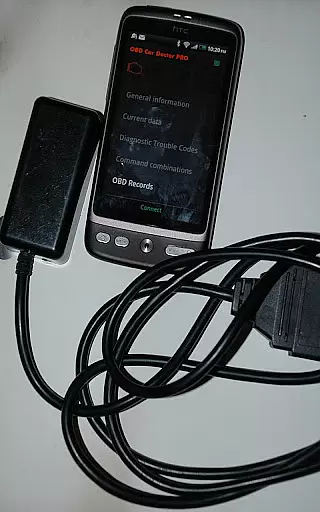
The application supports multiple protocols including Bluetooth, WiFi, and BLE through devices like ELM327, Kiwi 3, and V-Gate iCar 3. This compatibility ensures that a wide range of vehicles can be diagnosed effectively. By presenting data through digital/analog widgets and charts, users can easily interpret complex diagnostic information.
With the Pro version, users benefit from advanced features such as background parameter recording and GPS trace support. These capabilities allow for thorough tracking of vehicle performance over time, which is invaluable for preemptive maintenance and troubleshooting. Additionally, the ability to upload data to a server provides an extra layer of security and convenience for professional assistance.
Price transparency in automotive applications is essential for users to understand the value they receive for their investment. inCarDoc Pro offers a free version with basic functionalities, allowing users to test its compatibility with their vehicle before committing financially. This approach ensures that customers are well-informed about the product's capabilities and limitations prior to purchase.
The Pro version of inCarDoc eliminates advertisements and unlocks extensive features such as real-time parameter recording, extended widgets, and fuel economy overlays. These enhancements provide significant added value compared to the free version, justifying the cost for users seeking deeper insights into their vehicleu2019s performance.
Moreover, the app clearly outlines its system requirements, specifying the need for an ELM327 or compatible OBD scanner. By detailing these prerequisites, potential buyers can make informed decisions based on their existing equipment and budget constraints. Such clarity fosters trust and satisfaction among users who appreciate straightforward pricing models.
Comprehensive OBD-II diagnostics
Real-time parameter monitoring
Advanced logbook features
Customizable display options
Professional-grade tools
Requires compatible OBD-II scanner
Complex for beginners
Some features need premium hardware
Occasional connectivity issues
Limited without ELM327 adapter

The Smarter Way Forward
 3.30
3.30
Attention! This is the theme for the Car Launcher app
4.4
Theme for Car Launcher
4.2
AlfaOBD software for Fiat Group cars native diagnostic
3.70
Control maps, media and messaging, with the Google Assistant while you drive
4.10
Monitor your behind-the-wheel behavior to become a safer driver and save.
4.10
Trip computer+car diagnostic tool with widest variety of features and dashboard!
4.70
Find, search, and browse 40,000+ used cars, SUVs, and trucks.
4.50
7-Day Returns on All Cars
4.80
Play what you want through Android Auto
4.90
Take Control of Your Car
4.80
The Texaco App allows you to pay for fuel from the comfort of your car!
4.80
Get more out of your AAWireless adapter with this companion app | aawireless.io
4.80
Quick and easy car diagnostics to get you the right fix.
4.70
Find Fast EV Chargers | Charge Your Vehicle at 1,100+ Fast Car Charging Stations
4.60
Instant diesel savings. No credit checks or fees. Nationwide growing network.
4.40
Car Sounds Engine Sounds app welcomes Auto Lovers to feel Car Simulator Sound
4.20
BlueDriver® is a Premium Diagnostic OBD2 Scan Tool. www.BlueDriver.com
3.90
Earn and save with Fuel Rewards®
3.20


User Reviews