
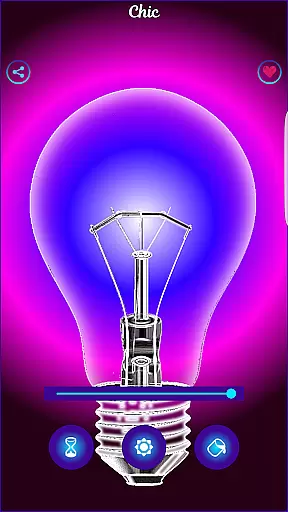
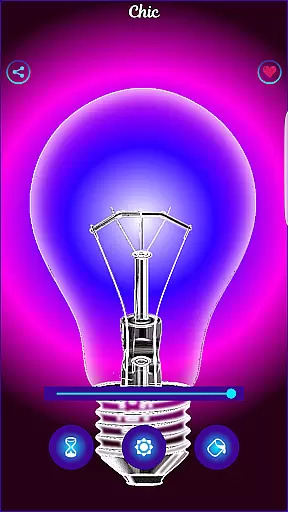
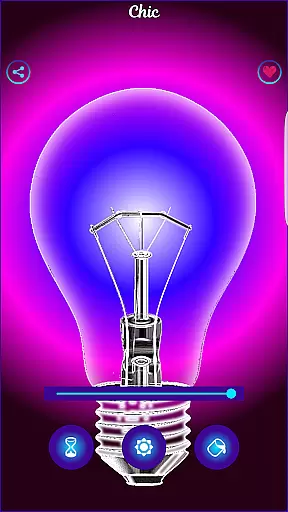
Black Light is a unique simulator app designed to mimic the effects of real black light. The app allows users to customize their experience by adjusting the tone, time, and brightness settings. With deep purple color variations optimized for a radiant effect in the dark, it creates an engaging visual experience. While this app does not produce actual black light, it offers a fun way to simulate its appearance on your mobile device.
The app's interface provides intuitive controls for modifying display settings. Users can choose from various shades of deep purple tones, set the duration for screen activity, and adjust brightness levels to suit their preferences. This makes Black Light ideal for entertainment purposes or enhancing nighttime environments with vibrant hues. Whether you're hosting a party or simply exploring creative lighting options, Black Light delivers an immersive experience.
Black Light stands out with its customizable features that enhance user interaction. One key feature is the ability to select from multiple deep purple tones, allowing users to create their desired ambiance. Additionally, users have control over how long the screen remains active, ensuring they can enjoy uninterrupted sessions tailored to specific activities.
Brightness adjustment is another notable aspect of Black Light. By fine-tuning brightness levels, users can achieve optimal visibility without straining their eyes. These features collectively contribute to a dynamic and visually appealing experience. Although primarily designed for fun, these functionalities make Black Light versatile enough for various scenarios where simulated lighting effects are desired.
Functionality completeness is a critical aspect of any application, ensuring that all promised features are fully operational and provide meaningful value to users. Black Light delivers on this front by offering users the ability to simulate a real black light experience. The app provides options to change and select the tone of color, with a focus on deep purple variations, allowing for a customizable experience.
In addition to color customization, Black Light also lets users set the duration for which the screen will be active, as well as adjust the brightness to their preference. These features ensure that the app covers various user needs, from aesthetic customization to practical screen time management. By optimizing all colors to exhibit a powerful radiant effect in the dark, the app enhances its functionality, providing an immersive experience.
The comprehensive feature set of Black Light ensures that users have control over their experience without overwhelming them with unnecessary options. This balance contributes to the overall usability of the app, making it both enjoyable and easy to navigate. Such attention to detail in feature delivery underlines the app's commitment to functionality completeness.
Usability and operational smoothness refer to how easily and efficiently users can interact with an application, impacting overall satisfaction and retention. Black Light excels in this area by offering an intuitive interface where users can effortlessly modify settings such as color tone, timer, and brightness. This ease of use makes the app accessible even to those who may not be tech-savvy.
Furthermore, the app ensures operational smoothness by optimizing its performance to mimic the effects of a black light convincingly. While it does not produce real black light, the simulation is crafted carefully to provide a fun experience without draining device resources. This optimization helps maintain smooth operation, preventing lags or crashes during usage.
By focusing on a seamless user experience, Black Light guarantees that users can enjoy its features without interruption or frustration. The app's dedication to usability and operational fluidity ensures that users can dive into a unique visual experience with confidence, knowing they are engaging with a polished and reliable product.
User-friendly interface
Customizable color tones
Adjustable screen duration
Vibrant visual effects
Optimized for dark environments
No real black light emission
Limited practical applications
May drain battery quickly
Interface could be more polished
Occasional performance lags

Collection of high-quality, trendy skins and outfits!
 4.5
4.5
Tune your game graphics with our GFX optimizer for optimal gaming experience
4.50
SmartCast mirrors Android phone to TV screen With Cast Screen, Chromecast.
4.80
An essential GFX utility developed for specific FPS mobile games
4.50
Block, disable and secure phone camera from secretly taking photos by spyware.
4.50
Al QURAN-القرأن الكريم app to read Quran offline just like an actual Quran book
4.30
Turn your phone into a wireless Xbox controller – play, stream & control anytime
4.5
Barcode scanning made simple!
4.40
Expo is a free & open source platform to build apps using JavaScript and React.
4.70
Demo for Key Attestation feature of the Android system.
4.80
The Free Catholic Latin American Bible in complete Spanish
4.60
Test DPC is a sample device policy controller for use with Android Enterprise.
4.20
charging your phone by other phone easly
4.00
The best PS2 games from your childhood come to life in their mobile version!
4.00
Mirror link car connector to share your screen with car dashboard
3.80
CloudEye 365 is a easy-handling APP
3.60
Experience virtual reality on your smartphone with Cardboard.
3.50
DamonSx2 is the open Source LGPL Emulator
3.20
Zlink Carplay Android a mirror link app with a Carplay interface style
4.4


User Reviews