
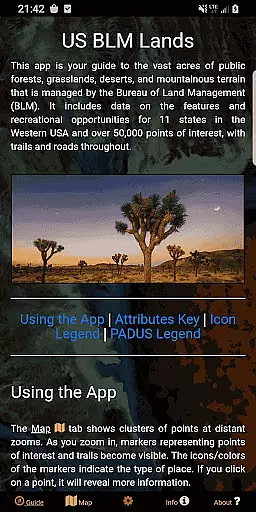
BLM Public Lands Map Guide USA is a comprehensive navigation tool designed for outdoor enthusiasts and travelers exploring the vast public lands managed by the Bureau of Land Management in the Western United States. The app provides access to over 52,000 recreational points of interest, including campgrounds, hiking trails, boating access points, scenic vistas, and more.
What sets this app apart is its intuitive interface and detailed mapping features. Users can switch between four different basemaps, download offline imagery for remote areas, and enable geolocation services for real-time tracking. Additionally, the app includes a unique My Points tool that allows users to create custom markers with personalized colors and icons, making trip planning easier than ever.
Whether you're an avid hiker, camper, or simply someone who appreciates the great outdoors, BLM Public Lands Map Guide USA offers a wealth of information to enhance your exploration of America's natural beauty. With color-coded icons and categorized points of interest, this app ensures you'll never miss an opportunity to discover hidden gems across the country.
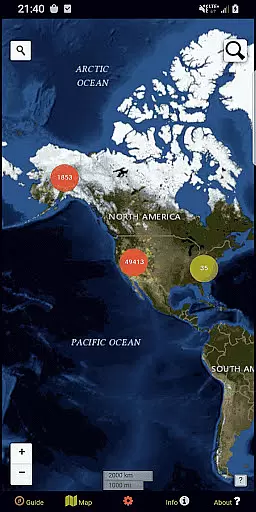
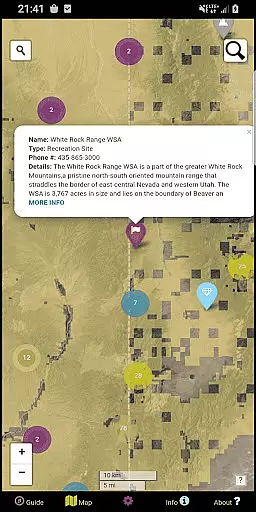
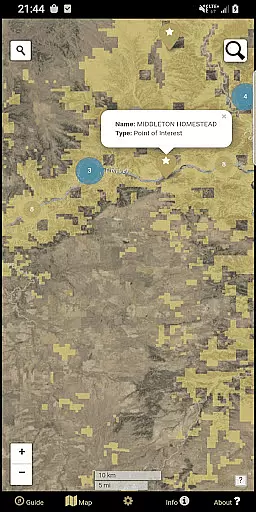
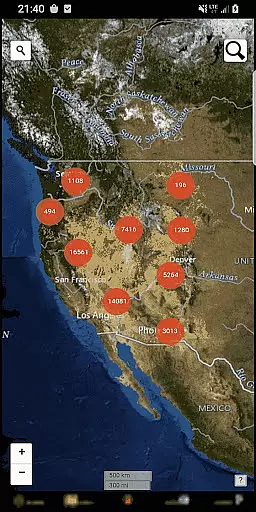
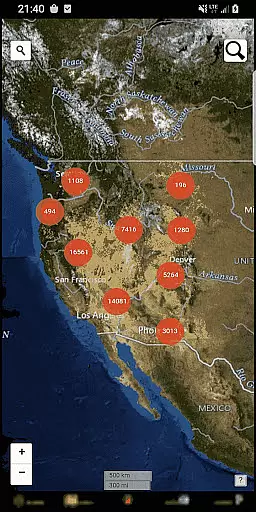
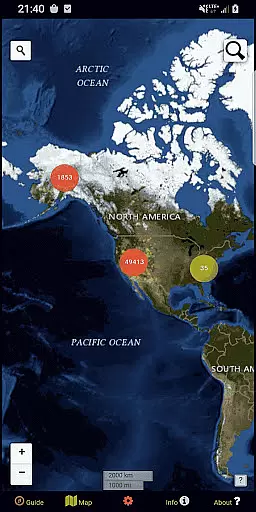
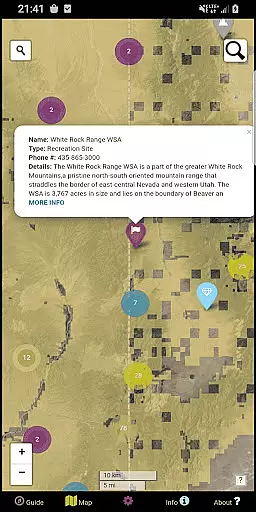
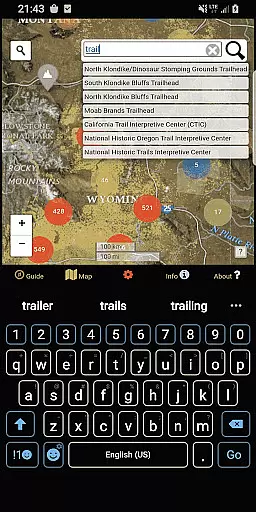
The app boasts a variety of advanced features tailored to improve user experience when navigating public lands. One standout feature is the cluster system on the Map screen, which groups nearby points of interest into circles at distant zoom levels. As users zoom in, these clusters break down into individual points, revealing detailed information such as names, locations, and descriptions.
Another key functionality is the Map Settings screen, where users can customize their viewing preferences. This includes toggling specific point categories, switching basemaps, and downloading offline maps for areas without cellular service. The inclusion of geolocation services further enhances usability, allowing users to track their current position in relation to nearby landmarks.
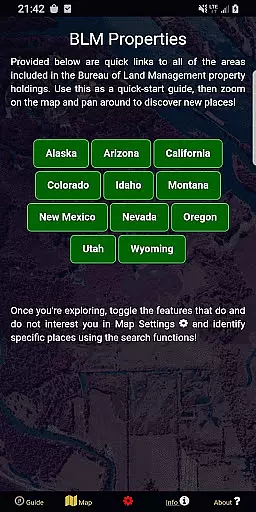
Additionally, the app incorporates open-source resources and spatial links to various BLM properties, ensuring accurate and up-to-date data. These tools not only help users locate popular destinations but also encourage discovery of lesser-known sites, fostering a deeper connection with America's diverse landscapes.
Map accuracy is essential for any navigation app, and BLM Public Lands Map Guide USA excels in this area. The app provides up-to-date data as of Summer 2024, featuring over 52,000 recreational points on Bureau of Land Management property.
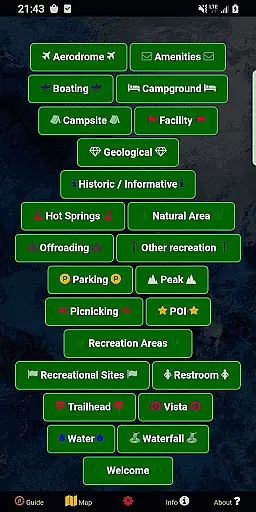
These points are meticulously color-coded with icons that represent different categories such as Access Points, Boating, Campgrounds, and more. This detailed representation ensures users can easily distinguish between various types of locations and plan their visits accordingly.
Additionally, the app includes property boundaries, hiking trails, and roads, enhancing the precision of its maps. Users can rely on these features to navigate public lands confidently, whether they're experienced explorers or newcomers eager to learn about their surroundings.
The comprehensive mapping system not only aids in exploration but also enriches the user's understanding of the vast landscapes within the Western US, making every journey both safe and informative.
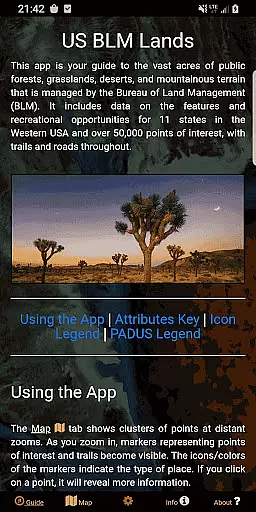
Effective route planning is a cornerstone of successful travel, and BLM Public Lands Map Guide USA offers robust tools for this purpose. With five distinct screens, including the Guide, Info, About, Map Settings, and Map screens, users have all the resources needed to optimize their navigational experience.
The Map Settings screen allows users to switch between four different basemaps, download offline imagery, enable geolocation, and toggle specific point categories. These options ensure personalized and efficient route planning tailored to individual preferences and needs.
On the Map screen, circle clusters indicate point density, which helps in identifying areas of interest. As users zoom in, individual points become visible, revealing trails, roads, and boundaries along with useful information like names and locations.
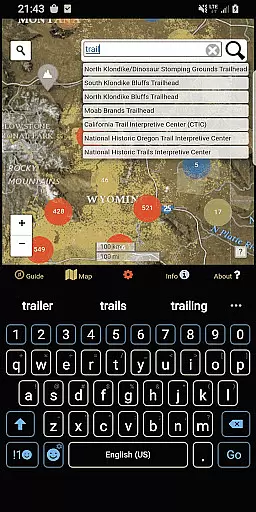
Moreover, two search tools facilitate address lookups and feature queries, streamlining the process of finding destinations. Such thorough route planning capabilities empower adventurers to explore the rich tapestry of natural and cultural landmarks across the United States with ease and confidence.
User-friendly interface
Offline map support
Customizable points
Comprehensive POI database
Real-time geolocation
Limited to BLM lands
No live traffic updates
Occasional data delays
Requires storage space
Premium features cost extra

Compass is an accurate compass and a great tool for any outdoor activities
 4.2
4.2
Explore the world with Live Satellite View, 3D Maps, GPS Navigation & Earth Map.
2.90
Turn your Android device into a real off-road GPS using off-line topo maps!
4.40
Voice GPS with driving directions, offline maps navigation GPS for safe travel
4.50
Parcel map, property lines, owner, acres, land use, zoning and more from Regrid.
4.60
Explore Live Earth Map with 3D World Map & locate cites, mountains real time.
3.80
ParkWhiz, an Arrive Mobility brand, part of the Arrive Network
4.30
Use GPS Maps and GPS Voice Navigation to find your way and get directions
4.10
Avoid delays. Get real-time GPS navigation, safety alerts and live traffic.
4.10
Get there with the Waymo Driver — The World’s Most Experienced Driver™
4.90
Affordable rides and food delivery with incredible discounts in just one app.
4.50
Instant diesel discounts - save big with each fill up!
4.40
"Balad" is a map and navigator with a Persian voice assistant and a complete city guide
4.40
GPS navigation offers route finder, compass, translator, currency converter, etc
4.30
Simple & easy to use a compass app. Get accurate directions.
4.20
Navigate seamlessly with Real-Time Traffic, Offline Maps, and Voice Navigation.
4.10
Get route, find shortest path, near by places and weather update
3.90
Start your next adventure confidently using our Accurate Compass App
3.70
Explore Earth with live GPS, satellite view & street navigation
3.60


User Reviews