
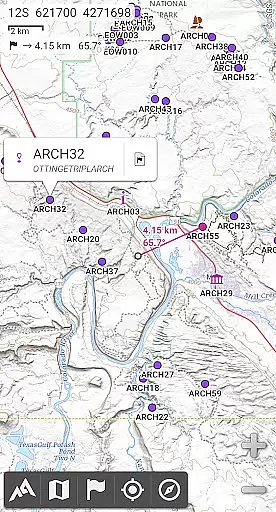
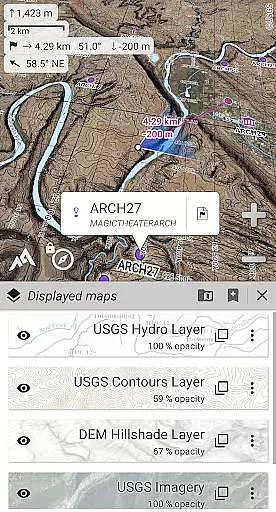
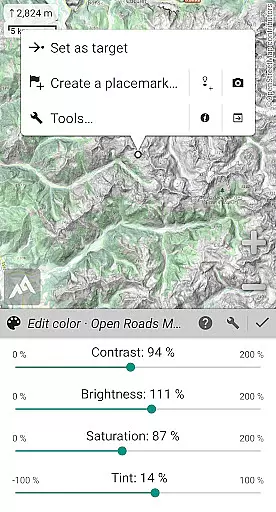
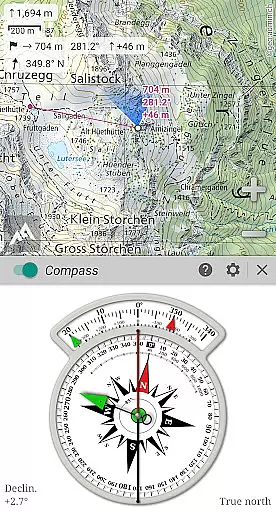
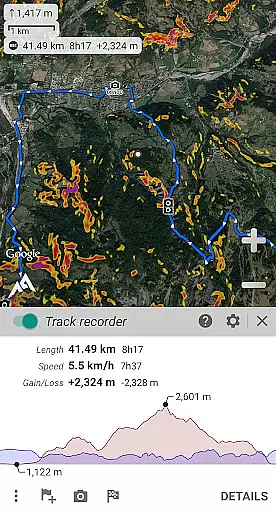
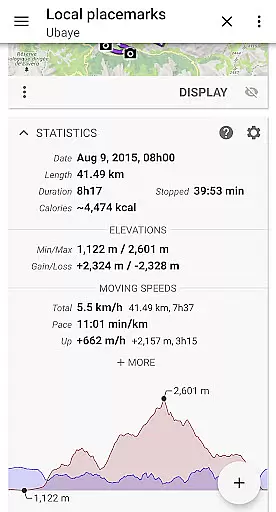
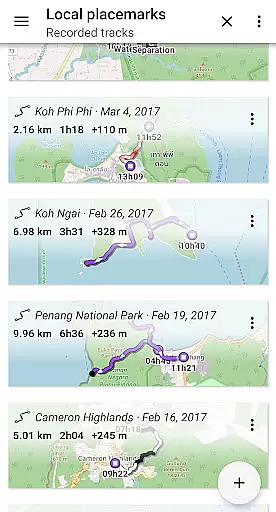
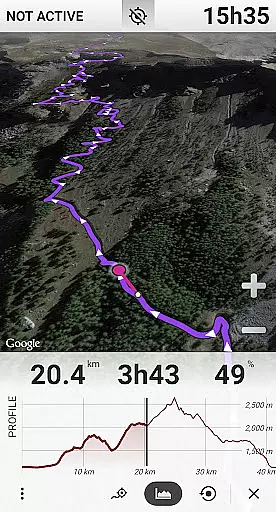
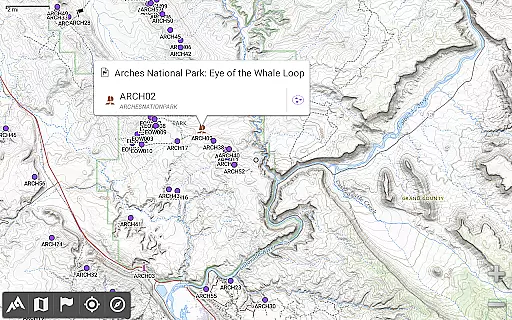
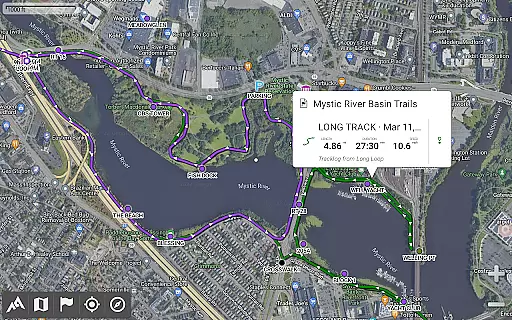
AlpineQuest Off-Road Explorer is a comprehensive outdoor navigation app designed for adventurers and sports enthusiasts. It offers access to numerous online topographic maps, which can be stored locally for offline use, ensuring availability even without cell coverage. The app utilizes your device's GPS and magnetic sensors to provide real-time location tracking on the map, which can also be oriented to your viewing direction.
In addition to its mapping capabilities, AlpineQuest supports advanced features such as placemark management, path tracking, and interactive graphics. Whether you're hiking, hunting, or geocaching, this app provides the tools necessary for accurate navigation and exploration. Its support for various raster map formats and digital elevation models makes it an invaluable tool for those venturing into remote areas.
The true value of AlpineQuest lies in its ability to function seamlessly without internet access, making it ideal for deep wilderness exploration where connectivity is often unavailable. With no advertisements or third-party data sharing, users can trust that their information remains private while they focus on their outdoor pursuits.
AlpineQuest stands out with its extensive map support, including built-in online maps and layers, offline maps, and specialized formats like GeoTiff and MbTile. The app allows users to store large map areas for offline use, ensuring navigation continuity in areas lacking cellular service. Additionally, the inclusion of a digital elevation model and polar map support enhances terrain visualization.
Placemark functionality is robust, allowing users to create, save, and share an unlimited number of waypoints, routes, and tracks. Import/export options are versatile, supporting GPX, KML/KMZ, and CSV files among others. This flexibility ensures compatibility with popular mapping and GIS software, facilitating easy data exchange.
Real-time GNSS positioning, compass orientation, and target finding make navigation intuitive. Advanced features include a track recorder, proximity alerts, and support for barometric devices. These tools, combined with multiple unit systems and coordinate formats, cater to a wide range of activities and user preferences, solidifying AlpineQuest's position as a top-tier navigation app.
Map accuracy is a critical feature for any navigation application, and AlpineQuest Off-Road Explorer excels in this area. The app provides access to a wide range of online topographic maps, which can be stored locally and remain accessible even without cell coverage. This ensures that users have reliable map data at all times, regardless of their location.
In addition to online maps, AlpineQuest supports various file-based raster map formats, allowing users to utilize their own offline maps. With built-in image calibration tools, users can even transform scans or pictures into usable maps. The inclusion of digital elevation models and support for HGT elevation files further enhances the terrain representation, providing an accurate depiction of the landscape.
The significance of having precise mapping capabilities cannot be overstated for outdoor enthusiasts. Whether hiking through remote areas or sailing across open waters, the ability to orient oneself with confidence is invaluable. AlpineQuest's commitment to delivering high-quality, detailed maps means that adventurers can trust the information they rely on when venturing into the wilderness.
Route planning is another cornerstone of AlpineQuest Off-Road Explorer, empowering users to chart their courses with precision. By leveraging the deviceu2019s GPS and magnetic sensors, the app delivers real-time localization on the map, ensuring that users always know their exact position. This feature is complemented by advanced orientation options, enabling the map to align with the direction the user is facing.
Users can save and retrieve unlimited placemarks, effectively marking points of interest or milestones along their journey. These placemarks can be shared with fellow explorers, fostering collaboration and enhancing group activities. Furthermore, the tracking functionality records paths taken, offering insights through advanced statistics and interactive graphics that help users understand their progress and performance.
For those who venture beyond the reach of cellular networks, AlpineQuest remains fully operational, continuing to assist with route planning and navigation. This autonomy ensures that users can explore the most secluded corners of the world without worrying about losing guidance or connectivity, making every adventure as safe as it is thrilling.
User-friendly interface
Extensive map support
Offline functionality
Advanced tracking features
Privacy-focused design
Steep learning curve
High cost compared to alternatives
Limited augmented reality features
Occasional performance lags
Complex setup for beginners

Explore the world with Live Satellite View, 3D Maps, GPS Navigation & Earth Map.
 2.90
2.90
Route schedules, maps, and real-time tracking of MTA buses in New York City.
4.20
Your guide to the recreational opportunities of the Bureau of Land Management!
3.40
CamSam PLUS - The speed and red light camera warning system!
4.40
America’s largest public fast charging network, with over 500 charging stations.
4.50
Number locator, real connection map
4.10
Order a cab online. An affordable taxi ride and driver in no time. What a bolt!
4.80
Navigate confidently with our precise Digital Compass app & Direction Compass!
4.70
Your real-time window to the world. Explore anywhere, anytime.
3.30
Ride or drive at YOUR price
4.70
Explore with GPS Navigation with GPS offline, voice GPS, speed camera radar
4.60
Track friends in real-time and explore worldwide live cameras.
4.60
Affordable rides and food delivery with incredible discounts in just one app.
4.50
Neshan: map & navigation app with 20M+ monthly active users
4.50
Navigate seamlessly with Real-Time Traffic, Offline Maps, and Voice Navigation.
4.10
GPS Navigation: Get map directions and find the shortest routes to avoid delays!
4.00
Explore Live Earth Map with 3D World Map & locate cites, mountains real time.
3.80
NJ TRANSIT information and ticketing at your fingertips
3.70
Fully offline 1:50k New Zealand topographical map North Island
4.0


User Reviews