

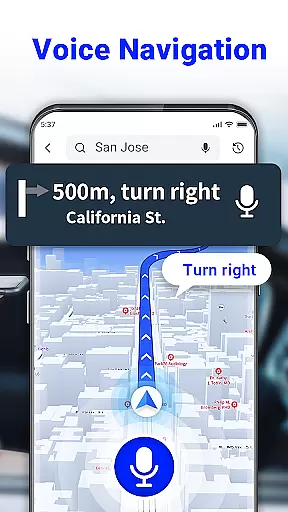
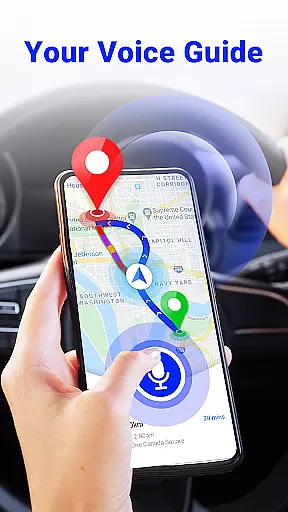
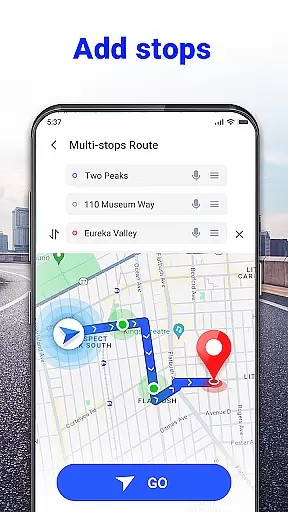
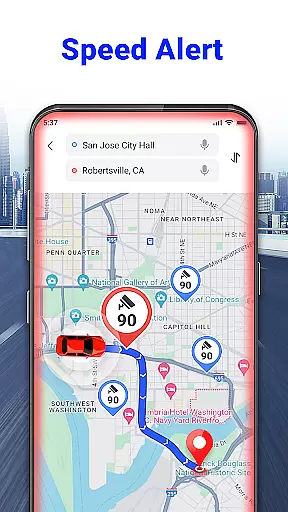
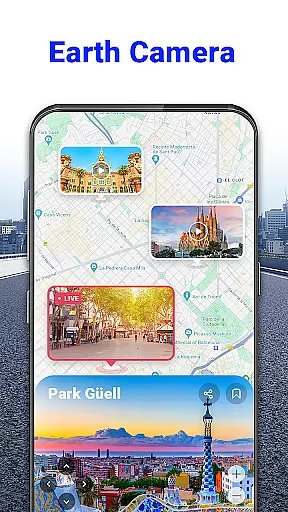
GPS Voice Navigation: Live Map is a cutting-edge navigation application designed to provide drivers, hikers, and travel enthusiasts with accurate location tracking and voice-guided directions. The app eliminates the need for paper maps by offering an intuitive digital solution that ensures users reach their destinations safely and on time. With its robust offline capabilities, this free GPS Route Planner allows users to plan the shortest routes using simple voice commands, making it an essential tool for hands-free navigation.
In addition to basic route planning, the app includes advanced features such as radar maps that alert users to speed cameras, over-speed alerts, and real-time traffic updates. Whether you're commuting daily or exploring new cities, this app provides valuable insights into nearby places like grocery stores, hotels, and parking lots. Its comprehensive functionality makes it particularly useful for travelers who want to discover local attractions without worrying about connectivity issues.
The true value of GPS Voice Navigation lies in its ability to enhance road safety. By providing clear audio instructions and allowing users to input destinations through voice commands, the app helps drivers maintain focus on the road. This feature is especially beneficial in situations where quick detours are necessary, ensuring that users can rearrange their routes efficiently without taking their hands off the wheel. Overall, this app represents a significant upgrade from traditional navigation methods, offering a modern, reliable, and user-friendly alternative.
One of the standout features of GPS Voice Navigation: Live Map is its sophisticated voice recognition system. This functionality allows users to interact with the app hands-free, simply by speaking commands. Whether you need to set a destination, find the shortest route, or locate nearby amenities, the app processes your requests quickly and accurately. This innovative approach not only saves time but also enhances safety by minimizing distractions while driving or hiking.
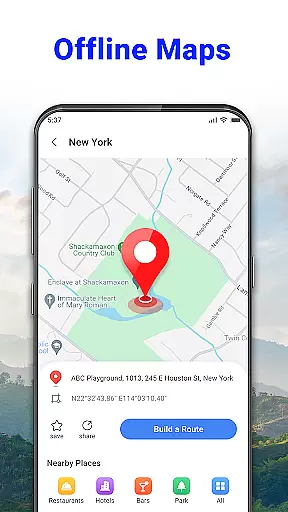
The app also excels in providing detailed and up-to-date mapping data. Users can access offline maps that cover major cities worldwide, including Barcelona, Paris, and Tokyo. These maps highlight points of interest such as restaurants, bars, and tourist attractions, making them invaluable for travelers. Additionally, the built-in radar map feature informs users about speed checks and potential traffic hazards, helping them avoid fines and delays. Such comprehensive coverage ensures that users have all the information they need at their fingertips.
Another key aspect of the app is its commitment to user safety. Through features like over-speed alerts and a GPS speedometer, the app keeps users informed about their driving behavior and current speed. These tools encourage responsible driving habits and contribute to overall road safety. Furthermore, regular updates promise even more functionalities, such as weather forecasts and enhanced offline capabilities. With these continuous improvements, GPS Voice Navigation: Live Map remains at the forefront of navigation technology, delivering unparalleled convenience and peace of mind.
Map accuracy is essential for any navigation app, and GPS Voice Navigation: Live Map excels in this area. The app provides up-to-date maps that ensure precise location tracking whether you're driving, hiking, or traveling. With its detailed mapping data, users can trust the app to guide them accurately through unfamiliar terrains and cityscapes.
The application's map data is continuously updated, ensuring that changes in road networks and new locations are promptly reflected. This commitment to currency means that users will not encounter outdated information that could lead them astray. Furthermore, the comprehensive coverage of areas around the globe, from Barcelona to Tokyo, makes it an ideal companion for international travelers.
By integrating advanced GPS technology, the app delivers real-time positioning with remarkable precision. Users benefit from reliable guidance that helps them reach their destinations efficiently and safely. Whether searching for nearby amenities like grocery stores or hotels, or avoiding speed checks with radar alerts, the accuracy of GPS Voice Navigation: Live Map proves invaluable.
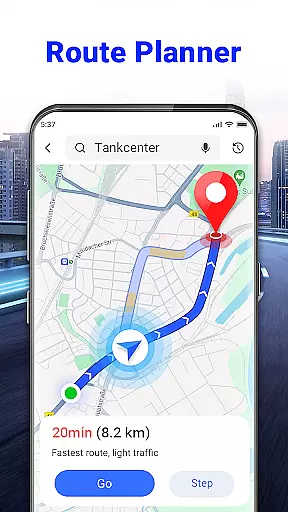
Effective route planning is a cornerstone of GPS Voice Navigation: Live Map, empowering users to navigate with confidence. By calculating the shortest and fastest routes available, the app minimizes travel time and avoids congested pathways. This feature is particularly beneficial for regular drivers who wish to optimize their daily commutes or long-distance travelers seeking efficient paths.
Voice commands enhance the route planning experience by allowing hands-free operation. Drivers can simply speak their destination, and the app swiftly rearranges the journey, accounting for detours or immediate route changes. This seamless interaction ensures that users can keep their focus on the road while the app takes care of navigation intricacies.
In addition to basic routing, the app offers smart alternatives considering live traffic conditions. It alerts users about congestion, accidents, or roadblocks and suggests alternate routes dynamically. Such responsiveness not only aids in arriving on schedule but also contributes significantly to safer driving practices by reducing stress and distraction.
User-friendly interface
Accurate voice navigation
Offline map support
Real-time traffic alerts
Speed camera warnings
Limited customization options
Occasional voice command errors
Heavy battery consumption
Some features require internet
Interface may feel cluttered

Play in the outdoors with Android as your Handheld GPS and offline topo maps!
 3.50
3.50
Complete offline 1:50k South Island topo map including DOC Hunting Permit Areas
4.60
America’s largest public fast charging network, with over 500 charging stations.
4.50
"Balad" is a map and navigator with a Persian voice assistant and a complete city guide
4.40
Navigate confidently with our precise Digital Compass app & Direction Compass!
4.70
Get directions, Maps, GPS navigation & GPS Maps using GPS App
4.10
Explore with GPS Navigation with GPS offline, voice GPS, speed camera radar
4.60
Simple & easy to use a compass app. Get accurate directions.
4.20
Lets explore the world's famous places by using Live Cams, GPS & Satellite View.
4.20
Ride or drive at YOUR price
4.70
Instant diesel discounts - save big with each fill up!
4.40
ParkWhiz, an Arrive Mobility brand, part of the Arrive Network
4.30
Find radar, speed camera, flight tracker. Use hud, location tracker, speedometer
4.20
Number locator, real connection map
4.10
TACNAV-X: Precision MGRS navigation, built specifically for the military.
4.00
Discover over 800 points of interest along the canal.
3.70
Get route map navigation with 3D satellite view, and live earth camera streaming
3.70
Off-Roading Navigation App With Trails, Public Lands, & Private Property Info
3.30
Ride CTA, Metra & Pace: Manage your fares, buy Metra tickets, get arrivals.
3.00


User Reviews