
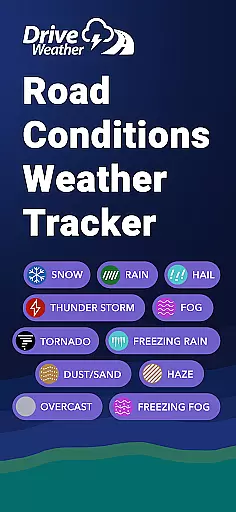
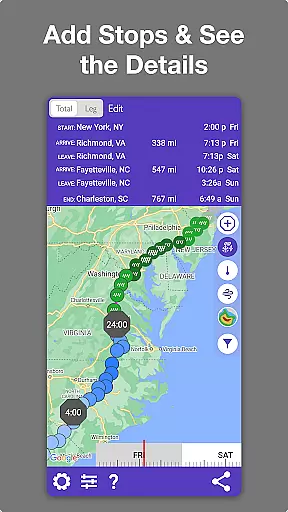
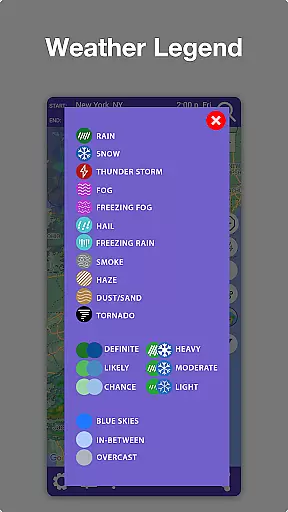
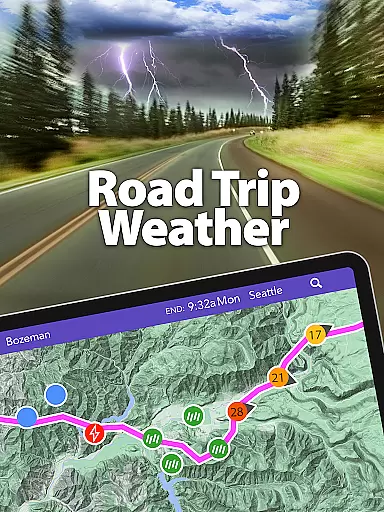
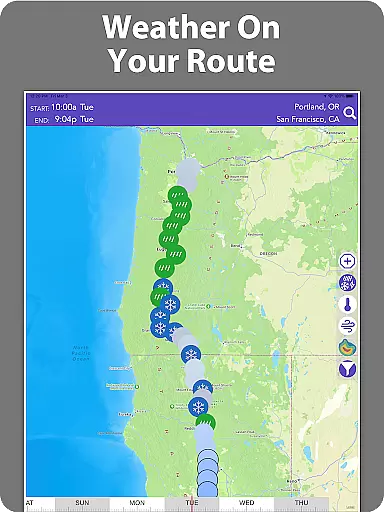
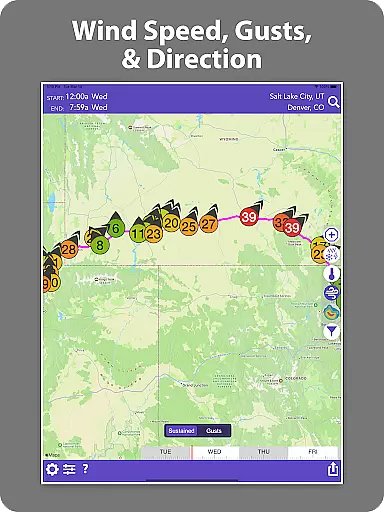
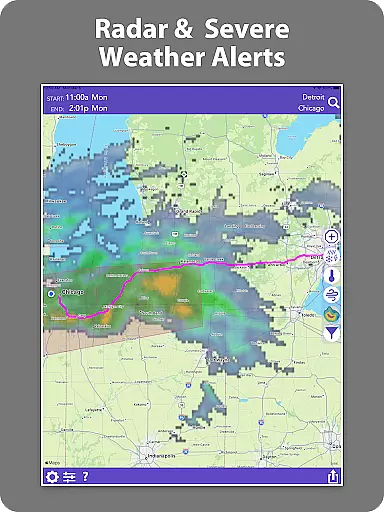
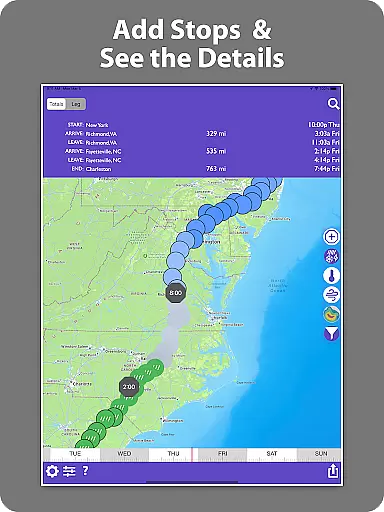
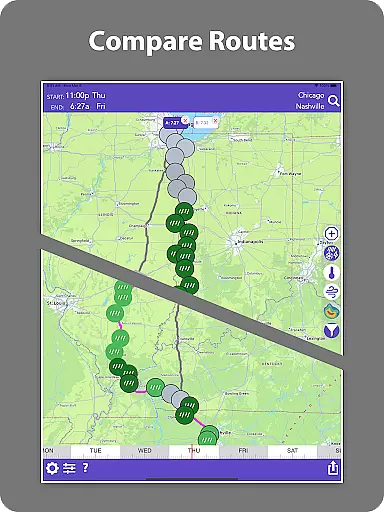
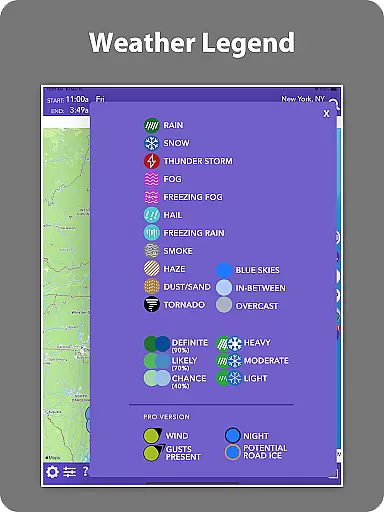
Drive Weather is a specialized weather application designed to provide real-time weather updates tailored specifically to your driving routes. This app ensures safer and smarter travel by offering detailed insights into road conditions, live radar, wind speeds, snow, rain, and storm alerts for your entire journey.
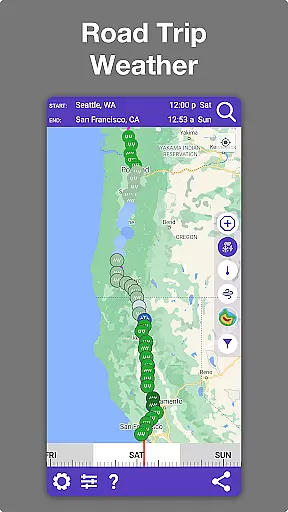
Whether you are a truck driver, daily commuter, or planning a long road trip, Drive Weather helps you avoid hazardous weather conditions and choose the optimal time to drive. By entering your start and end points, you can instantly view weather forecasts along your route, including temperature, precipitation, wind conditions, and severe weather impacts. The app dynamically adjusts forecasts based on your travel speed and estimated arrival time.
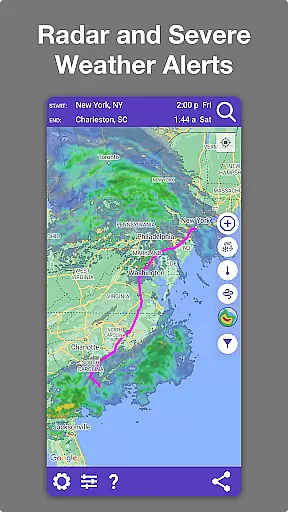
With its user-friendly interface, Drive Weather provides live weather radar directly on your route, allowing you to track storms, snowfall, wind gusts, and other weather hazards ahead. It highlights areas of concern such as road conditions, snow levels, visibility changes, icy road risks, and storm warnings, ensuring you know exactly what lies ahead before you depart.
Drive Weather stands out with its comprehensive set of features tailored for drivers. One of its key functionalities is providing weather updates specifically along your driving route. This includes detailed information about road conditions like snow, rain, ice, wind, and visibility, which are crucial for safe driving.
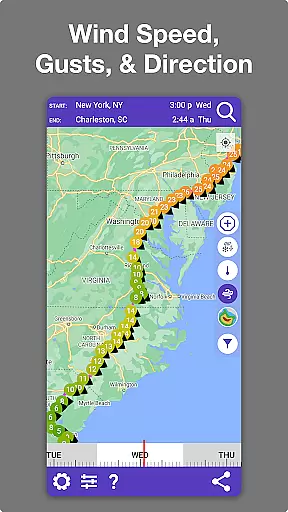
The app offers live radar coverage over your route and destination, enabling you to monitor ongoing weather events such as storms and heavy snowfall. For those driving large vehicles like semis, RVs, or trailers, the app provides critical wind condition reports. Additionally, it supports highway weather conditions for major interstates, ensuring that drivers are well-prepared for any weather-related challenges on significant routes.
Another standout feature is the route weather forecast, which adjusts based on your travel timing. This allows users to plan their trips more effectively by choosing the best departure times using the timeline slider. With an easy-to-use map interface optimized for drivers and accurate travel weather forecasts powered by advanced modeling, Drive Weather consolidates all necessary weather and road condition information in one place, reducing the need to switch between multiple apps.
Accurate weather forecasting is essential for safe driving, and Drive Weather excels in this area. The app uses advanced modeling techniques to provide precise weather predictions tailored specifically to your driving route.
The application pulls data from reliable meteorological sources, ensuring that users receive credible and up-to-date information. This includes detailed insights into temperature changes, precipitation levels, wind conditions, and severe weather impacts along your journey.
By automatically adjusting forecasts based on travel speed and arrival times, Drive Weather offers a dynamic forecasting system that keeps drivers informed about changing conditions. This feature allows users to make real-time decisions, helping them avoid hazardous weather such as storms or heavy winds.
Ultimately, the accuracy of Drive Weather's forecasts not only enhances driver safety but also contributes to more efficient trip planning by allowing users to anticipate and navigate around adverse weather conditions.
Drive Weather provides comprehensive coverage over both time and space, delivering detailed forecasts across your entire route. This ensures that whether you're embarking on a short commute or a long road trip, you have access to relevant weather information throughout your journey.
The temporal aspect of these forecasts means that users can view expected weather changes at different points in time, using features like the timeline slider to pick optimal departure times. This helps in avoiding sudden storms or other dangerous conditions during travel.
Spatially, the app covers major interstates and highways, offering localized weather details that are critical for truckers, RV owners, and daily commuters alike. With live radar overlays directly on your route map, it becomes easier to track approaching storms or snowfall zones ahead of you.
This extensive range empowers drivers with actionable insights into upcoming weather patterns, enabling safer travels regardless of distance or destination.
User-friendly interface
Real-time weather updates
Comprehensive road conditions
Live radar integration
Customizable travel forecasts
Limited offline functionality
Premium features require subscription
Occasional data inaccuracies
High battery consumption
Interface can be complex for beginners

A powerful tool for ultimate weather awareness
 3.50
3.50
Weather for Indiana, Kentucky and Ohio
4.90
Retro TV-style digital watch face with weather, heart rate, steps & events!
4.4
Get instant weather & temperature predictions right on your Wear OS smartwatch!
4.5
Weather - Local weather forecast, weather daily & hourly, weather radar
4.80
Local Weather provides accurate and current hourly and daily forecasts.
4.80
Stay ahead of the weather with Daily Weather
4.10
3D Animation Weather Icon
4.00
Precision Weather, Right at Your Fingertips
4.40
NOAA forecast & radar for your exact location.
4.80
View weather widget and map. Wind direction and speed. Tides times and waves
4.70
Weather channel forecasts weather daily & hourly, local and national air quality
4.70
Prepare for severe weather with notifications, future radar, and live alerts.
4.60
Weather watch face for Wear OS 5+
4.40
Weather watch face for Wear OS 5
4.40
Analog Weather Watch Face for Wear OS 5+
4.10
An unofficial app version of the National Weather Service (Weather.gov)
3.90
Storm Radar, Alerts & Live Weather Forecasts Right on Your Home Screen
3.70
Determine Best Hunting Times for any date, any location.
2.50


User Reviews