
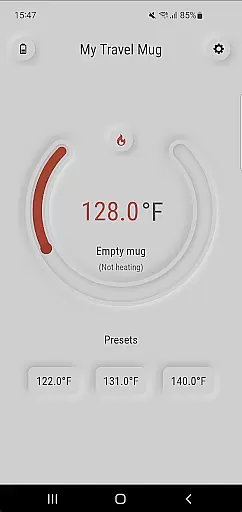
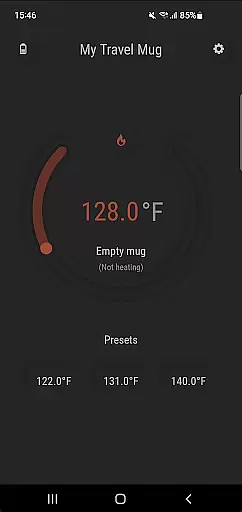
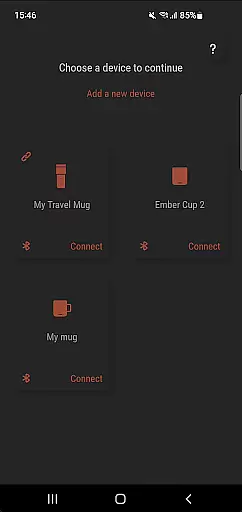
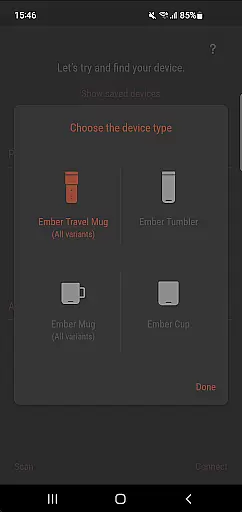
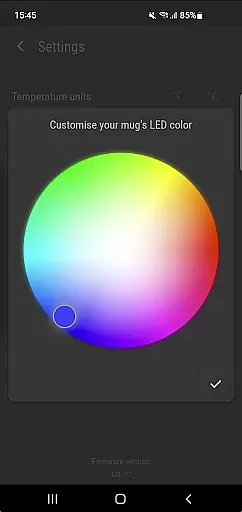
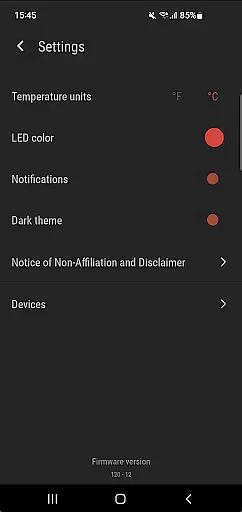
Ember Supreme is a feature-rich companion app designed specifically for users of Ember smart mugs. This application allows you to control and customize various settings of your Ember mug, including setting the target temperature in your preferred unit, adjusting the LED color, and even naming your mug. The app supports multiple versions of Ember products, such as Ember Mug 1 & 2, Ember Cup 1 & 2, Ember Travel Mugs, and Ember Tunblers.
With its intuitive interface and reliable performance, Ember Supreme enhances your smart mug experience by providing precise temperature control and personalization options. Whether you're at home or on the go, this app ensures that your beverage is always at the perfect drinking temperature, tailored to your preferences.
Ember Supreme offers an array of features that cater to both functionality and personalization. One of its standout features is the ability to set and maintain your desired drinking temperature with precision. You can choose between Fahrenheit or Celsius, ensuring that your beverage is just the way you like it. Additionally, the app lets you change the LED color of your mug, allowing for a personalized touch that matches your style.
Beyond temperature and aesthetics, Ember Supreme provides the convenience of naming your mug, making it easily identifiable, especially in multi-user environments. The app also supports a wide range of Ember products, from classic mugs to travel tumblers, offering a unified control hub for all your Ember devices. With regular updates and a user-friendly design, Ember Supreme stands out as an essential tool for smart mug enthusiasts.
Ember Supreme offers a comprehensive lifestyle solution for users who want to enhance their daily routines with smart technology. This app is specifically designed to work seamlessly with Ember smart mugs, providing an intuitive interface that allows you to customize your mug's settings according to your preferences.
The application supports a wide range of Ember products including Ember Mug 1 & 2, Ember Cup 1 & 2, Ember Travel Mugs, and Ember Tumblers. With this broad compatibility, users can enjoy a consistent and personalized experience across different devices, making it a versatile addition to their lifestyle gadgets.
By enabling features such as setting the target temperature, choosing temperature unit preferences, and adjusting LED colors, Ember Supreme ensures that every aspect of your beverage consumption is tailored to your liking. These customization options contribute significantly to a more enjoyable and convenient user experience.
When it comes to content authenticity and expert credibility, Ember Supreme stands out by offering reliable and accurate control over your Ember smart mugs. The app has been developed with precision, ensuring that all functionalities are aligned with the technical specifications of Ember products.
Each feature within the app, from temperature adjustments to LED color changes, reflects a deep understanding of user needs and product capabilities. This level of detail reassures users that they are interacting with a genuine and trustworthy application that respects the integrity of their smart mugs.
Moreover, the developers behind Ember Supreme have integrated expert knowledge into the appu2019s design, ensuring that every interaction is both meaningful and effective. Users can trust that the guidance and options provided by the app are based on thorough research and development, enhancing the overall reliability of their smart mug experience.
User-friendly interface
Precise temperature control
Wide product compatibility
Customizable LED colors
Regular software updates
Limited to Ember products
No cross-platform support
Requires constant connectivity
Premium pricing for mugs
Occasional connectivity issues

Countdown to Christmas 2025 with festive games & activities in a virtual village
 4.80
4.80
Take Hobby Lobby with you wherever you go!
3.40
Tap to the beat with interactive videos — warm up your reflexes & have fun
4.70
Spirit Communicator is a real paranormal ghost hunting app with many fun modes.
3.90
An Eerie Musical Trigger Toy for Spirits to Play with!
3.50
LineLearner, the quick way to learn lines.
2.90
Your store’s deals, where you are.
4.80
AAA Mobile provides on-the-go access to the services you know and trust.
4.60
No more juggling multiple apps, now you can control everything in one place!
4.60
A unique and customizable watch face which rotates its layout every minute.
4.80
Simple, stylish & fresh watch face. Customize colors, gradients & complications.
4.70
Crochet made easy: step-by-step tutorials, beginner patterns & projects
4.60
The App can control Roborock vacuum cleaners from anywhere with rich features.
4.60
Discover your Nationality, Family Origin, and Ancestry from one selfie
4.50
Subwoofer school’s in session! You’ve now enrolled into KICKER U.
3.80
Unique BIG BOLD TIME with amazing colors and customisations.
3.70
Falling Fruit is a massive collaborative map of food in our cities.
3.20
Turn your watch into a key fob for your Tesla
2.90
Healthy eating timer app to track meal pace, improve habits, and eat slowly.
4.1


User Reviews