
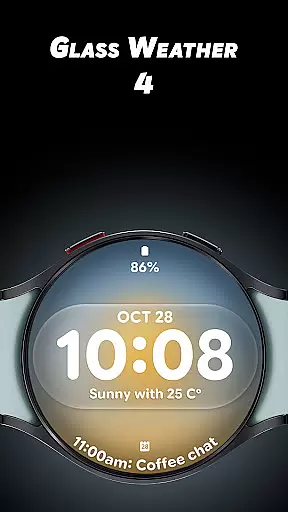
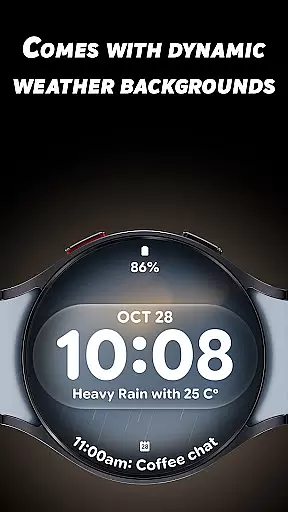
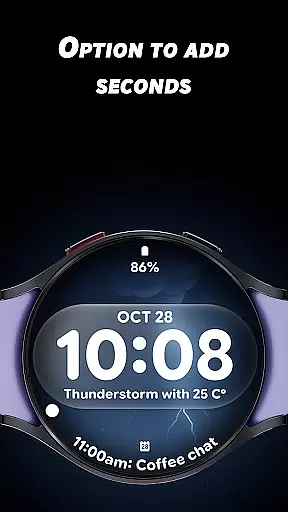
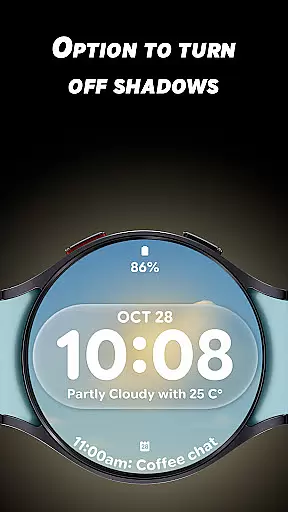
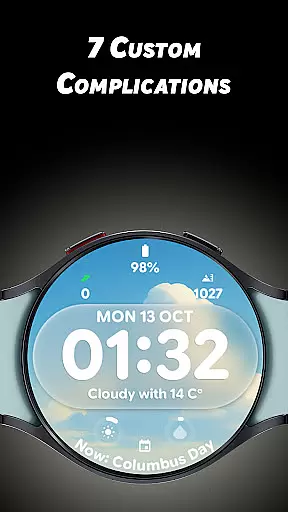
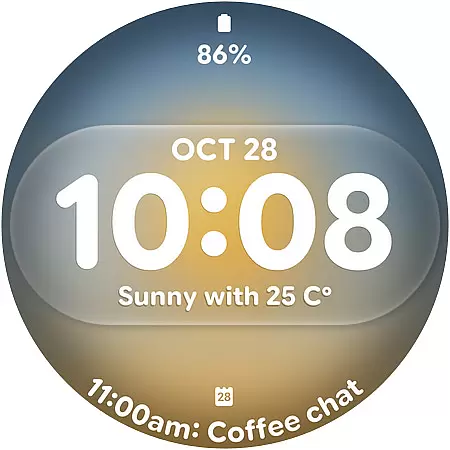
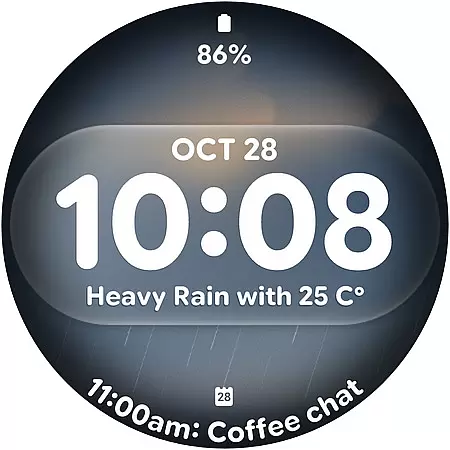
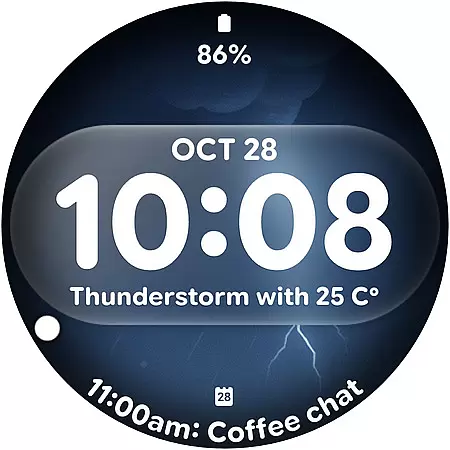
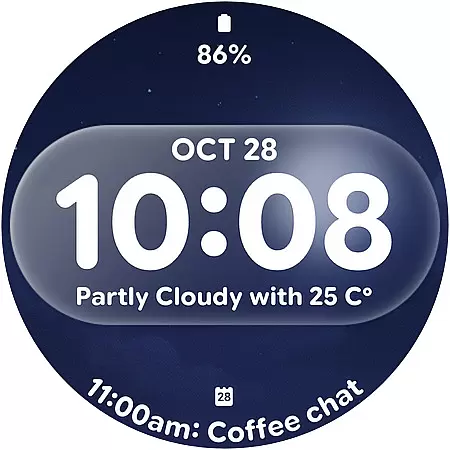
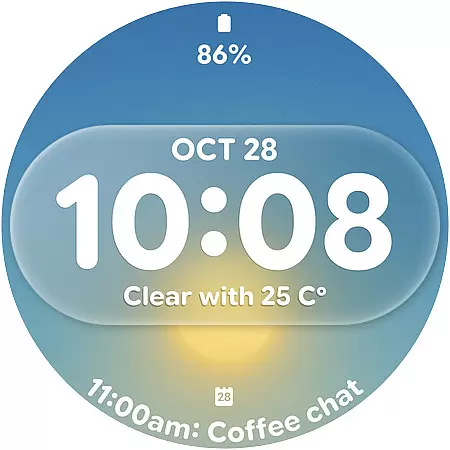
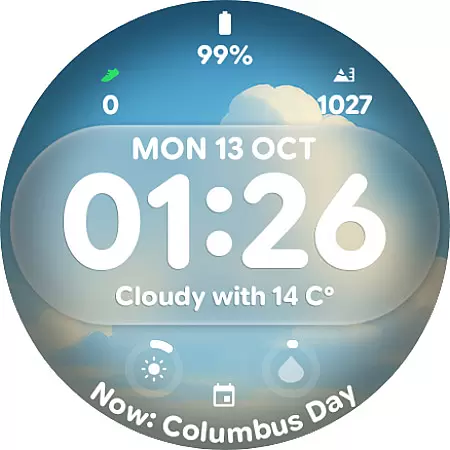
Glass Weather 4 is a premium watch face designed for Wear OS smartwatches, offering users a sleek and modern glass-inspired aesthetic. The app stands out with its dynamic weather-based backgrounds that adapt in real-time to reflect current weather conditions, whether sunny, cloudy, rainy, or snowy.
It features a bold digital time display, customizable complications, and advanced settings like shadow control and always-on display (AOD) functionality. With its elegant design and customizable options, Glass Weather 4 provides both style and utility for everyday wear.
Glass Weather 4 offers a range of innovative features tailored for smartwatch users who value aesthetics and functionality. Its live dynamic weather backgrounds change based on real-time weather data, ensuring your watch face stays relevant and visually appealing.
The app includes a big, bold digital time display with options to show or hide seconds, toggle shadows for depth control, and support for both 12-hour and 24-hour time formats. Additionally, it supports up to 7 fully customizable complications, allowing users to personalize their watch with essential information such as battery status, heart rate, and step count.
Accurate weather forecasting is essential for planning daily activities and ensuring safety during adverse conditions. Glass Weather 4 excels in this area by providing live dynamic weather backgrounds that update in real-time, reflecting current weather conditions such as sunny, cloudy, rainy, or snowy scenarios.
The application pulls data from reliable meteorological sources to ensure the forecast displayed on your Wear OS smartwatch is both accurate and credible. This commitment to data integrity means users can trust the information they receive, whether they're checking the time or monitoring specific weather details.
By integrating these precise forecasts with an elegant design, Glass Weather 4 offers not just functionality but also a visually appealing experience. The crystal-clear interface ensures that users can quickly interpret weather conditions at a glance, making it an indispensable tool for those who need to stay informed while on the go.
Understanding weather patterns over time and space is crucial for effective planning. Glass Weather 4 addresses this need by offering a temporal and spatial forecast range that keeps users informed about upcoming weather changes throughout the day and across different locations.
The always-on display (AOD) feature provides continuous access to critical weather updates without requiring any user interaction. This ensures that even when glancing briefly at their smartwatch, users can obtain a snapshot of the forecasted conditions, including temperature trends and potential precipitation events.
Furthermore, the customizable complications allow users to tailor the information presented on their watch face according to their preferences and needs. Whether tracking heart rate, battery life, or steps taken, these additional data points complement the core weather forecasting capabilities of Glass Weather 4, enhancing its utility as a comprehensive personal assistant on your wrist.
Real-time weather updates
Fully customizable design
Battery-efficient AOD
Dynamic backgrounds
Intuitive usability
Premium cost applies
Wear OS only
Requires data connection
Limited free features
Not for all devices

Hourly and daily weather forecast, current condition, temperature, UV and more!
 4.70
4.70
Personal Weather Station PRO - Meteo monitor to check your WU info and charts.
4.20
Ultimate Lunar Calendar for 2021!
4.80
Get accurate rainfall and snowfall totals for pinpoint locations on a map.
4.60
Your local weather app with storm radar, rain tracker, weather maps & AQI.
4.0
Powerful US and worldwide earthquake feed with earthquake alerts and maps.
4.70
Local weather forecast app, your personal 7*24 local weather forecast assistant.
4.90
The weather channel, tiempo weather forecast, weather radar & weather map
4.70
All-in-one weather radar launcher with rain, temperature maps & local forecast.
4.30
Weather for Indiana, Kentucky and Ohio
4.90
No ads, No data collected. Beautiful and powerfully customizable weather app
4.90
Local Weather provides accurate and current hourly and daily forecasts.
4.80
weather forecast, weather radar, weather widget in one local weather app
4.70
Get the ad-free version of the highly rated WeatherBug app for accurate weather!
4.50
The most accurate weather app, hourly and daily weather, severe weather alerts
4.50
Accurate Local Weather Forecast, let you easily understand the nearby weather!
4.20
Live NOAA weather app to track storm, rain, wind, lightning & real local updates
4.20
Weather watch face for Wear OS 5+
4.10
Detailed weather info and moon phase, subtle animation, customizable
4.0


User Reviews