
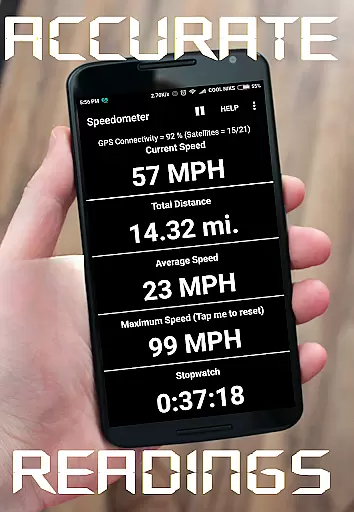
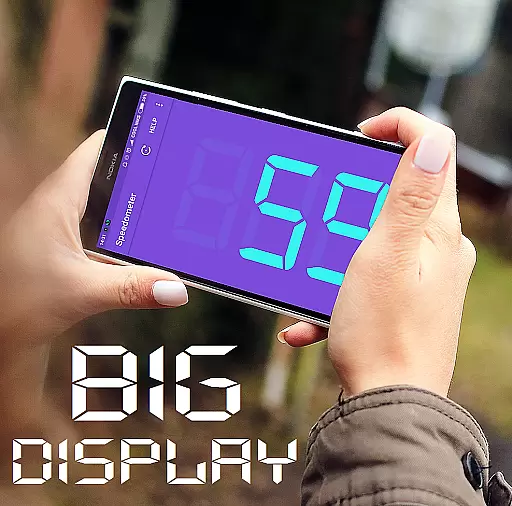
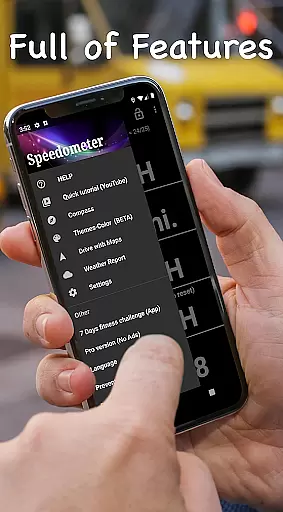
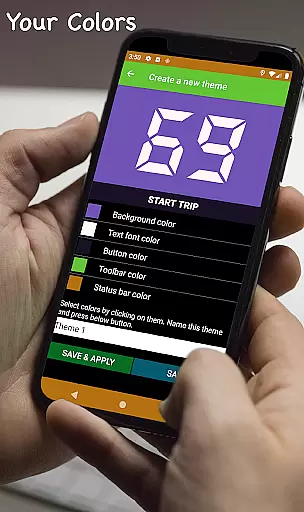
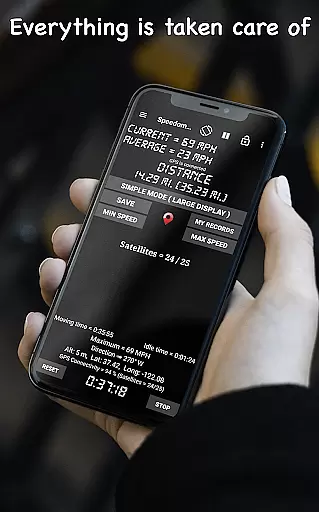
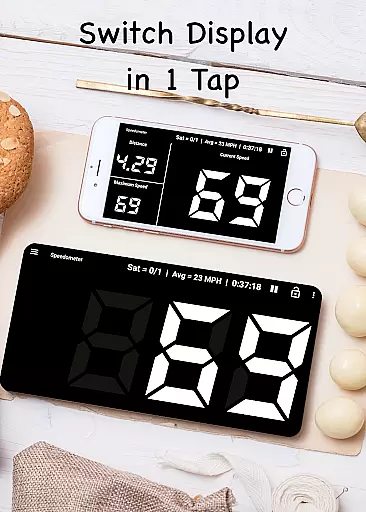
GPS Speedometer is a powerful navigation app designed to provide real-time speed tracking with GPS accuracy. Whether you're driving, cycling, or walking, this app delivers precise speed and distance data through its intuitive interface. The application supports multiple units of measurement including mph, km/h, m/s, and knots, making it versatile for various users worldwide.
One standout feature is the Heads-Up Display (HUD) mode, which projects your speed onto your windshield for easy viewing during night drives. Additionally, the app offers customizable speed alerts, trip history, and live weather updates, ensuring that users stay informed about their journeys. Its lightweight design and offline functionality make it an essential tool for anyone needing reliable speed and distance tracking without internet dependency.
The GPS Speedometer app boasts an array of features tailored to enhance user experience. First and foremost, the real-time GPS speed tracking provides highly accurate readings, ensuring users are always aware of their current speed. The digital odometer allows for meticulous tracking of trip distances, whether you're in a car, on a bike, or even walking.
Another notable feature is the HUD mode, which mirrors the speed display, allowing it to be reflected on your windshield for convenient viewing. Users can also set up speed alerts with customizable thresholds to avoid unintentional speeding. Furthermore, the app includes a floating window option, enabling speed monitoring over other applications like Google Maps. With its battery-efficient design and support for multiple speed units, GPS Speedometer stands out as a comprehensive navigation tool.
Map accuracy is essential for any navigation or tracking application, and GPS Speedometer excels in this area. The app uses advanced GPS technology to provide real-time speed and location data with remarkable precision.
The digital odometer feature tracks trip distances accurately, whether you're driving a car, riding a bike, or hauling with a truck. This ensures that users can rely on the app for precise mileage information, which is crucial for logistics professionals and everyday drivers alike.
With its high level of accuracy, GPS Speedometer supports various units of measurement including mph, km/h, m/s, and knots. This versatility allows users worldwide to utilize the app according to their preferred measurement system without compromising on precision.
Route planning is a key component of the GPS Speedometer app, offering users the ability to prepare and manage their journeys effectively. While the primary focus is on speed tracking, the app includes features like Trip History and Compass Mode that are integral to efficient route management.
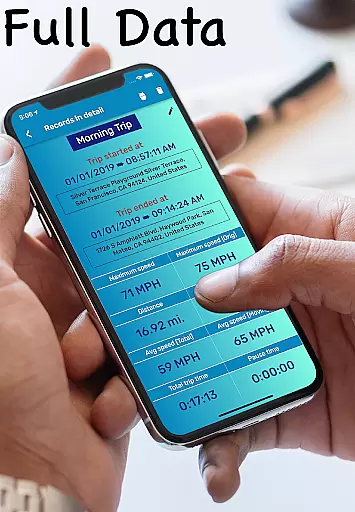
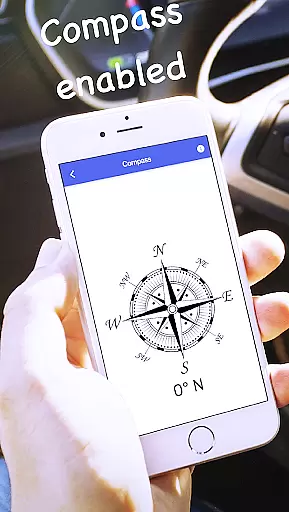
Trip History allows users to save and review past routes with detailed stats, providing valuable insights into their travel patterns and helping them plan future trips more efficiently. Meanwhile, Compass Mode ensures that users always know their direction, which is particularly useful when navigating unfamiliar roads or off-road terrains.
In addition to these features, GPS Speedometer offers a Floating Window option that lets users monitor their speed over other apps like Google Maps. This enhances the route planning experience by allowing seamless integration with other navigation tools, ensuring a comprehensive and user-friendly journey management solution.
Accurate GPS tracking
User-friendly interface
Customizable speed alerts
Offline functionality
Lightweight app size
Limited advanced features
No social sharing options
Basic UI design
Occasional GPS lag
Few customization settings

Easy, Moderate and difficult offroad adventures.
 4.00
4.00
Find shortest way and save energy . Distance and area calculator.
4.70
Complete offline 1:50k South Island topo map including DOC Hunting Permit Areas
4.60
All of NHSA's trail information at your fingertips for the 2025-2026 season
4.2
Order a cab online. An affordable taxi ride and driver in no time. What a bolt!
4.80
NJ TRANSIT information and ticketing at your fingertips
3.70
Explore with GPS Navigation with GPS offline, voice GPS, speed camera radar
4.60
Lets explore the world's famous places by using Live Cams, GPS & Satellite View.
4.20
Rideshare, taxi cabs, and more for your airport travels and everyday trips.
4.50
Navigate with your watch and keep the phone in your pocket!
4.60
America’s largest public fast charging network, with over 500 charging stations.
4.50
The fastest and most convenient way to pay for parking on our lots.
4.40
Explore a light pollution map to find suitable dark sky locations for observing.
4.30
Phone Tracker and GPS Location Sharing
4.20
Number locator, real connection map
4.10
GPS Navigation: Get map directions and find the shortest routes to avoid delays!
4.00
Gas Station & Fuel Rewards Points
3.70
Explore Earth with live GPS, satellite view & street navigation
3.60
Offline maps for phone and smart watch: topographic maps, satellite images...
3.30


User Reviews