
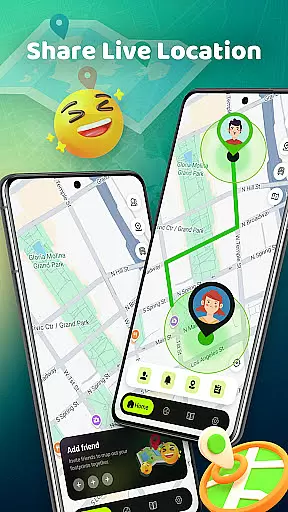
Phone Tracker - Location Share is a versatile navigation app designed to simplify daily life while keeping users connected. This app allows you to securely share your location with trusted contacts, making it ideal for families, friends, and individuals on the go. With features like live location tracking, custom alert zones, and nearby place recommendations, Phone Tracker ensures both safety and convenience.
The app also includes practical tools such as a built-in metro line map for easy commuting and privacy controls that let you toggle visibility on or off. Whether planning meetups or monitoring loved ones' whereabouts, Phone Tracker offers an intuitive solution tailored to modern lifestyles.
Phone Tracker - Location Share stands out with its robust feature set tailored for seamless navigation and secure location sharing. One of its key highlights is the ability to view live locations on an interactive map, ensuring real-time updates for users and their trusted contacts.
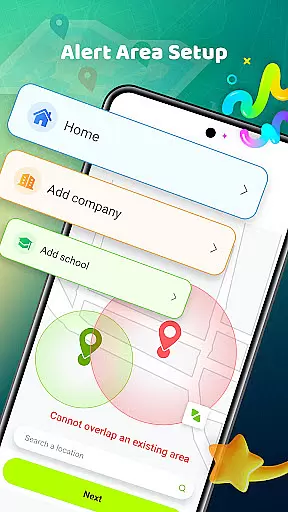
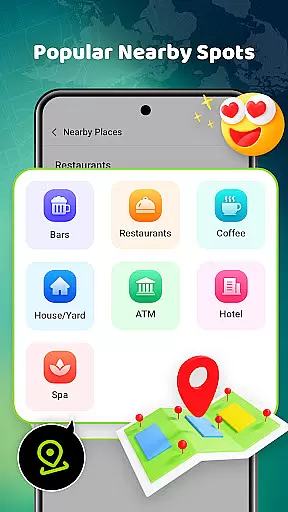
In addition to live tracking, the app provides advanced functionalities like customizable alert zones. These geofencing capabilities notify you when someone enters or leaves specific areas such as schools or workplaces. Another notable feature is the integration of nearby hotspots for dining, shopping, and leisure activities, enhancing exploration opportunities. The inclusion of a metro line map further boosts usability in urban environments.
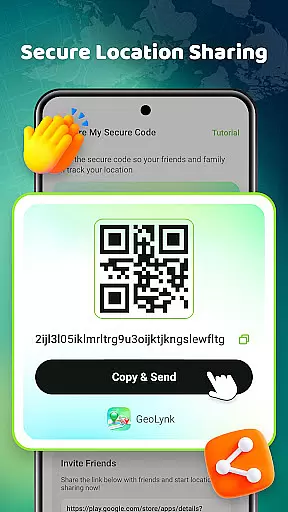
Privacy remains central to the app's design, offering secure sharing via unique codes and user-controlled visibility settings. By combining these innovative tools with a focus on security, Phone Tracker delivers a comprehensive navigation experience.
Map accuracy is essential for any navigation app, and Phone Tracker u2013 Location Share excels in this area. The application provides real-time location sharing with high precision, ensuring users can rely on the app to find their loved ones or navigate through unfamiliar areas.
The app uses advanced mapping technology that updates frequently to reflect changes in road networks and points of interest. This ensures that users have access to the most current map data available, which is crucial when planning meetups or exploring new places.
With its live location feature, users can see each other's positions on a detailed map interface. This function not only enhances safety by allowing family members to keep track of each other but also adds convenience for friends who want to meet up spontaneously.
Moreover, Phone Tracker offers additional tools such as nearby place recommendations and metro line maps, enriching the user experience beyond just tracking locations. These features are built upon accurate mapping data, making them reliable resources for both everyday commutes and leisure activities.
Route planning is a core component of Phone Tracker u2013 Location Share, designed to make travel more efficient and stress-free. By leveraging precise mapping data, the app allows users to plan their journeys with confidence, knowing they will be guided along optimal routes.
Users can explore various route options based on current traffic conditions, estimated travel times, and personal preferences like avoiding tolls or highways. This flexibility ensures that every trip is tailored to individual needs while maintaining efficiency.
In addition to basic routing services, Phone Tracker includes alert zones which notify users when someone enters or leaves predefined areas. This feature combines route planning with safety measures, providing peace of mind especially for parents monitoring childrenu2019s arrivals at school or work.
The integration of public transportation maps further enhances route planning capabilities. Commuters can easily visualize metro lines alongside road networks, facilitating seamless transitions between different modes of transport during their daily travels.
User-friendly interface
Real-time location updates
Customizable alert zones
Built-in metro map
Secure sharing options
Limited offline functionality
Requires mutual consent
Occasional syncing delays
Premium features locked
Ad-supported free version

This app is military GPS coordinate systems helper. (MGRS, UTM & DMS Maps)
 4.80
4.80
Navigate with your watch and keep the phone in your pocket!
4.60
Your guide to the recreational opportunities of the Bureau of Land Management!
3.40
Phone Tracker and GPS Location Sharing
4.20
Explore with GPS Navigation with GPS offline, voice GPS, speed camera radar
4.60
Live Satellite view app for find GPS navigation Direction and live location map
3.70
Route Planner is travel map to get turn by turn navigation & driving directions
3.90
Get there with the Waymo Driver — The World’s Most Experienced Driver™
4.90
Navigation, weather, offline maps & tools for smarter, safer travel planning.
4.00
Navigate confidently with our precise Digital Compass app & Direction Compass!
4.70
GPX Viewer PRO shows tracks, routes and waypoints from gpx and kml files.
4.60
Track accurate speed & distance with GPS Speedometer. Check speed limit & time.
4.50
Route tracker, Speedometer, Odometer, Fuel, HUD mode, save route as .GPX
4.40
ParkWhiz, an Arrive Mobility brand, part of the Arrive Network
4.30
Find routes fast with GPS Maps, GPS Navigation & driving directions.
4.10
NJ TRANSIT information and ticketing at your fingertips
3.70
Explore offline maps with radar, satellite view, and real-time alerts.
3.60
Your real-time window to the world. Explore anywhere, anytime.
3.30
Ride CTA, Metra & Pace: Manage your fares, buy Metra tickets, get arrivals.
3.00


User Reviews