
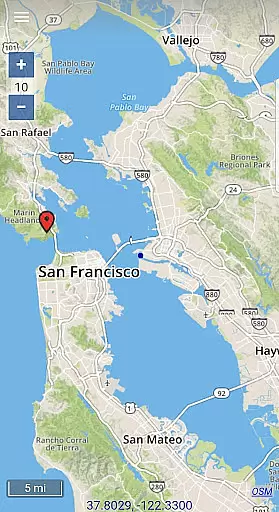
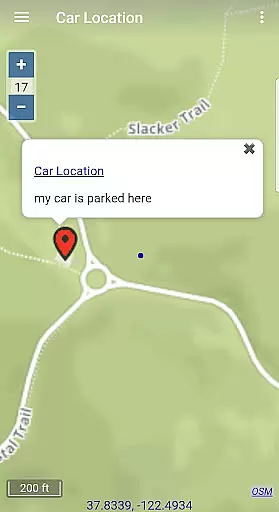
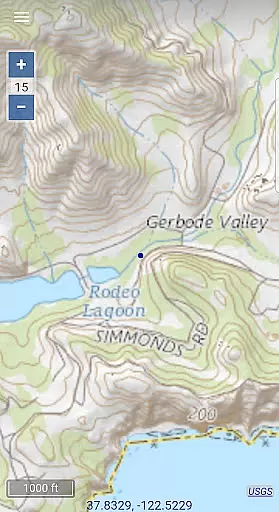
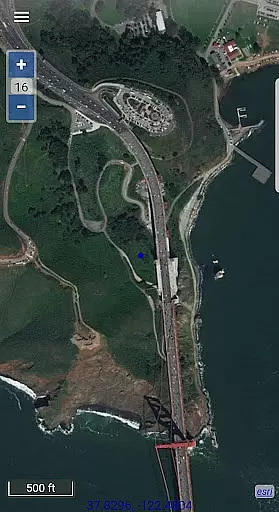
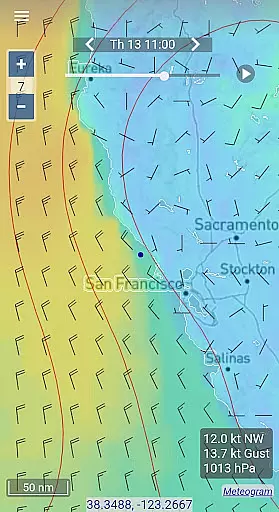
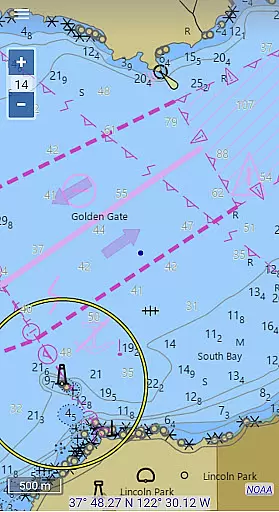
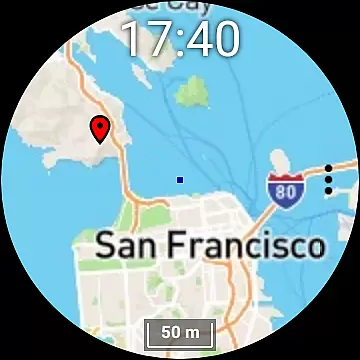
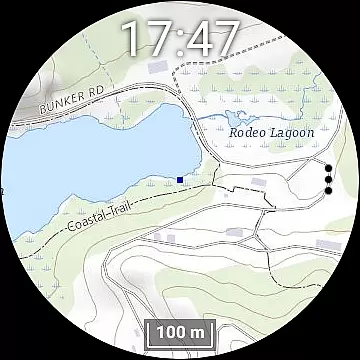
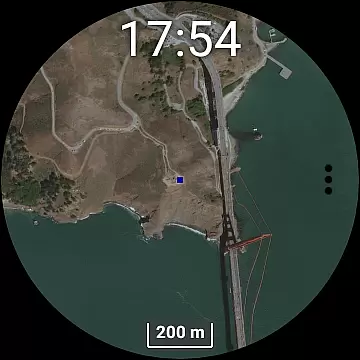
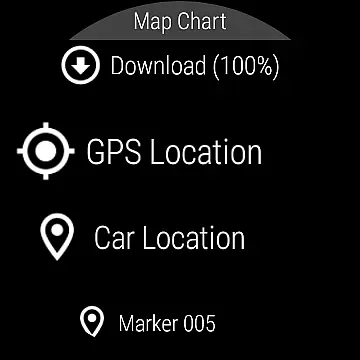
Map Chart Mosaic is a comprehensive offline mapping application designed for both smartphones and smartwatches. The app offers topographic maps, satellite images, GRIB weather forecasts, and road maps complete with cycling and hiking trails. A standout feature is its seamless switching between different map sources, providing users with detailed location information. Map views are automatically cached offline on your device, allowing access without an internet connection. Additionally, users can download maps to their smartwatches for phone-free navigation.
Beyond basic map viewing, the app supports adding markers and notes to offline maps, creating travel routes, recording GPS tracks, and sharing data as GPX files. It also provides essential GPS travel information such as speed, course, odometer readings, and estimated time of arrival (ETA). Weather forecast maps can be obtained via internet download, email, or Iridium Go satellite connections. This makes it an invaluable tool for outdoor enthusiasts who require reliable mapping services in remote areas.
One of the key features of Map Chart Mosaic is its ability to store map views in an offline cache, enabling users to view them later without an internet connection. This functionality extends to smartwatches, where maps can be downloaded and viewed independently of the phone. Users can add map markers and notes directly onto these offline maps, making it easy to mark important locations like parking spots or trailheads.
The app also allows for the creation of travel routes and the recording of GPS tracks, which can be shared as GPX files. These capabilities are complemented by real-time GPS travel information including speed, course, odometer readings, and ETA. For those needing weather updates, GRIB weather forecast maps can be accessed through various means such as internet downloads, email, or satellite connections. Furthermore, the Wear OS smartwatch version operates independently once maps are downloaded via the smartphone app, enhancing convenience and accessibility.
Map Chart Mosaic offers exceptional map accuracy by providing users access to a variety of map sources including topographic maps, satellite images, and road maps. This ensures that users receive detailed and precise information about any location they choose to explore.
The app seamlessly integrates maps from different providers, allowing for an enriched view that can be tailored to the user's specific needs. Whether it's for hiking, cycling, or nautical purposes, the accuracy of the maps is maintained across all platforms, including smartphones and smartwatches.
With its offline capabilities, Map Chart Mosaic guarantees that once a map is downloaded, the accuracy is preserved even without an internet connection. This feature is crucial for adventurers who venture into areas with limited connectivity but require reliable mapping data.
Route planning in Map Chart Mosaic is comprehensive and flexible, enabling users to create travel routes, record GPS tracks, and share this data as GPX files. The ability to plan routes with such precision adds significant value for users who rely on accurate navigation data.
In addition to basic route plotting, the app provides essential GPS travel information such as speed, course, odometer readings, and estimated time of arrival (ETA). These features ensure that users have all the necessary information at their fingertips for efficient and informed travel.
Furthermore, the app supports GRIB weather forecast maps which can be crucial for planning safe and successful trips. By considering weather patterns and forecasts, users can make well-informed decisions about their routes, ensuring both safety and convenience during their travels.
User-friendly interface
Offline map support
GPS tracking
Weather forecasting
Cross-device compatibility
Limited nautical charts
No turn-by-turn navigation
Additional hardware required
Complex setup process
Premium subscription needed

Explore the world with Live Satellite View, 3D Maps, GPS Navigation & Earth Map.
 2.90
2.90
Route schedules, maps, and real-time tracking of MTA buses in New York City.
4.20
Discover over 800 points of interest along the canal.
3.70
GPX Viewer PRO shows tracks, routes and waypoints from gpx and kml files.
4.60
Play in the outdoors with Android as your Handheld GPS and offline topo maps!
3.50
Navigate with your watch and keep the phone in your pocket!
4.60
Your real-time window to the world. Explore anywhere, anytime.
3.30
Find routes fast with GPS Maps, GPS Navigation & driving directions.
4.10
Route Planner is travel map to get turn by turn navigation & driving directions
3.90
This app is military GPS coordinate systems helper. (MGRS, UTM & DMS Maps)
4.80
Find shortest way and save energy . Distance and area calculator.
4.70
Find EV & Tesla charging stations with PlugShare
4.70
Navigate confidently with our precise Digital Compass app & Direction Compass!
4.70
Track friends in real-time and explore worldwide live cameras.
4.60
Plan routes, share locations, and set custom alert zones
4.40
"Balad" is a map and navigator with a Persian voice assistant and a complete city guide
4.40
GPS navigation offers route finder, compass, translator, currency converter, etc
4.30
Gas Station & Fuel Rewards Points
3.70
All of NHSA's trail information at your fingertips for the 2025-2026 season
4.2


User Reviews