
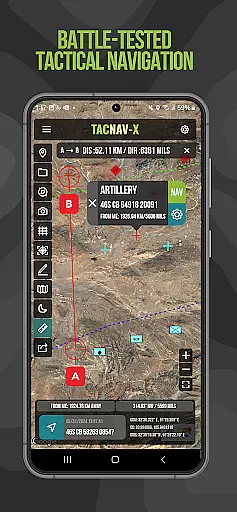
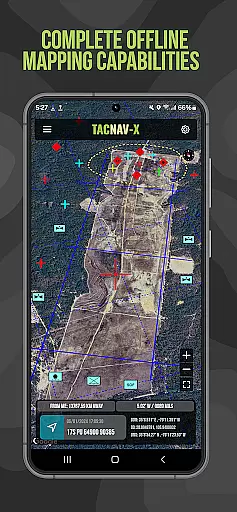
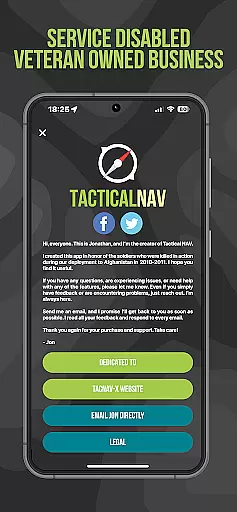
Tactical NAV is a specialized navigation application designed for military use, particularly by soldiers in the field. Developed during a combat deployment in Afghanistan, this app provides precise mapping and navigation capabilities using MGRS, UTM, and other military-standard coordinate systems. Its offline functionality ensures operational security by not emitting cellular signals, making it ideal for tactical missions.
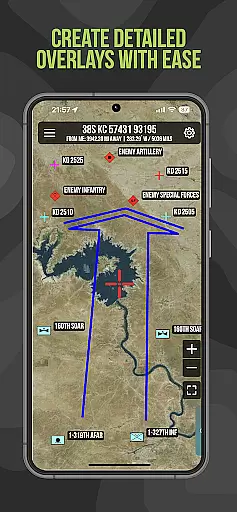
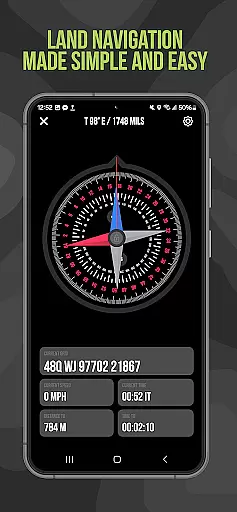
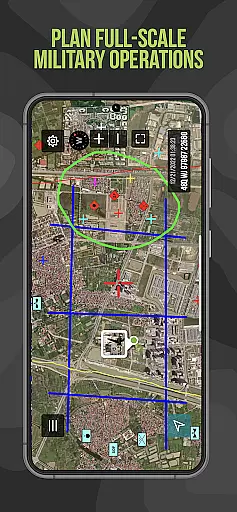
The app's key features include waypoint plotting with military graphics, a 'FastLock' compass function for quick azimuth capture, and tactical drawing mode for mission planning. These tools are built to support both training exercises and real-world combat scenarios, offering service members an accurate mobile navigation platform that aligns with DoD-issued systems.
Tactical NAV stands out with its military-grade precision targeting platform, specifically created for individual soldiers operating in austere environments. The app's offline mapping capability allows complete usage without emitting cellular signals, ensuring stealth operations. It supports multiple coordinate formats including WGS-84 standard, MGRS, UTM, BNG, and USNG.
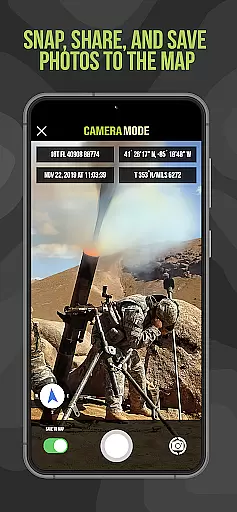
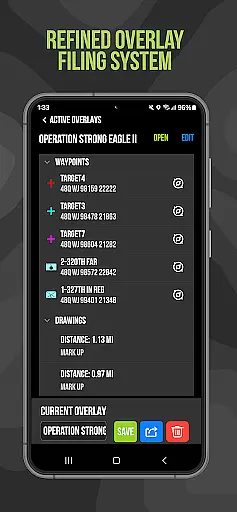
Additional notable features include tactical drawing mode for mission planning and overlay creation, waypoint plotting with standardized military graphics, and a unique 'Go to Grid' function for precise planning. The app also enables users to snap and save geotagged photographs directly onto maps, enhancing situational awareness. Location sharing through email and text further supports coordinated operations.
Map accuracy is a critical feature for any navigation application, especially one designed for military use like Tactical NAV. This app offers precision targeting and mapping capabilities that are essential in austere and contested environments.
Tactical NAV provides offline mapping capabilities, allowing users to operate without emitting a cellular signal. This ensures that the app can be used in areas where network coverage is limited or non-existent, which is often the case in rugged terrains.
The app supports various coordinate systems including MGRS, UTM, BNG, and USNG, all based on the WGS-84 standard. This compatibility ensures that users can accurately plot waypoints and plan missions with confidence in the data's reliability.
Overall, Tactical NAV's map accuracy empowers military service members with a powerful mobile navigation platform, enabling them to operate effectively in both training and combat scenarios.
Route planning is an integral part of mission success, particularly in military operations. Tactical NAV equips users with advanced features that facilitate efficient route planning and execution.
With Tactical NAVu2019s 'Go to Grid' feature, users can engage in precision planning by drawing overlays and dropping waypoints directly onto the map. This functionality is crucial for creating detailed mission plans and coordinating movements.
The app also includes waypoint plotting with military graphics as per FM 1-02.2 standards, ensuring that all plotted points adhere to recognized military protocols. Additionally, the Compass 'FastLock' function allows for capturing quick and precise azimuths, further enhancing route planning accuracy.
By integrating these sophisticated tools, Tactical NAV not only assists in successful route planning but also increases situational awareness, ultimately contributing to mission success and soldier safety.
Highly accurate military-grade navigation
Offline functionality ensures operational security
Supports multiple military-standard coordinate systems
Developed by a military professional with real-world experience
Regular updates with proceeds supporting veteran charities
Not officially endorsed by Department of Defense
Some advanced features require in-app purchases
Compass calibration can be challenging
Interface may appear outdated to civilian users
Steep learning curve for basic users

This app is military GPS coordinate systems helper. (MGRS, UTM & DMS Maps)
 4.80
4.80
Turn your Android device into a real off-road GPS using off-line topo maps!
4.40
Fully offline 1:50k New Zealand topographical map North Island
4.1
Complete offline 1:50k South Island topo map including DOC Hunting Permit Areas
4.60
Navigate confidently with our precise Digital Compass app & Direction Compass!
4.70
Get route map navigation with 3D satellite view, and live earth camera streaming
3.70
ParkWhiz, an Arrive Mobility brand, part of the Arrive Network
4.30
Ride or drive at YOUR price
4.70
GPS navigation offers route finder, compass, translator, currency converter, etc
4.30
Navigate with your watch and keep the phone in your pocket!
4.60
Track accurate speed & distance with GPS Speedometer. Check speed limit & time.
4.50
Affordable rides and food delivery with incredible discounts in just one app.
4.50
CamSam PLUS - The speed and red light camera warning system!
4.40
"Balad" is a map and navigator with a Persian voice assistant and a complete city guide
4.40
Get matched with a nearby driver — you’ll be on your way in minutes.
4.30
Explore Live Earth Map with 3D World Map & locate cites, mountains real time.
3.80
Gas Station & Fuel Rewards Points
3.70
Live Satellite view app for find GPS navigation Direction and live location map
3.70
Explore the world with Live Satellite View, 3D Maps, GPS Navigation & Earth Map.
2.90


User Reviews