
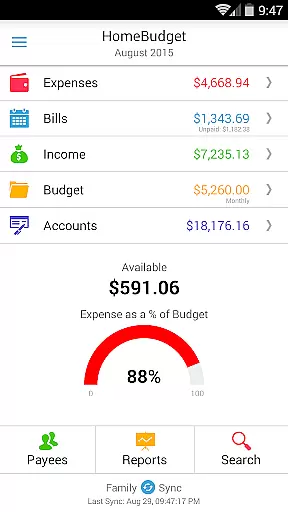
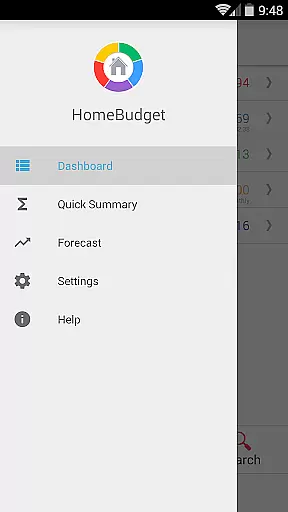
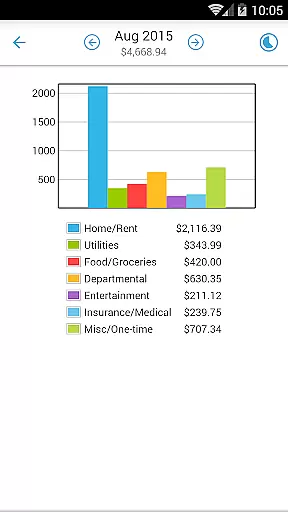
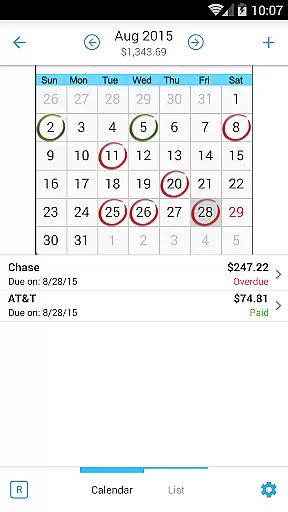
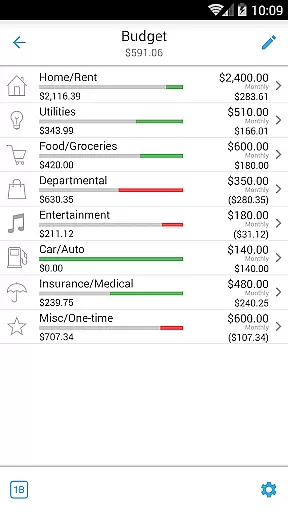
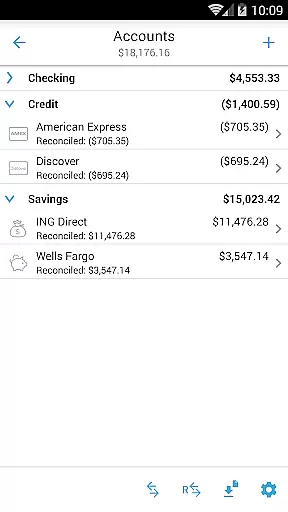
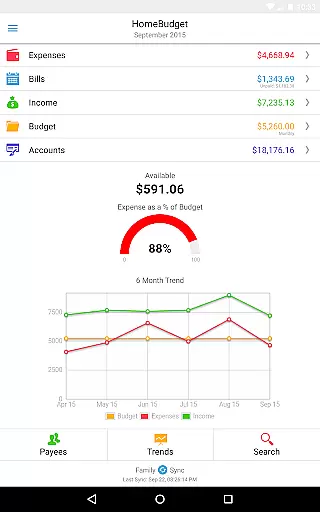
Home Budget with Sync is a comprehensive financial management application designed to help users track expenses, income, bills, and account balances across multiple platforms. Available on Android, iPhone/iPad, Windows, and Mac OS, this app offers instant data synchronization between devices, ensuring that your financial information is always up-to-date regardless of the device you use. The app stands out with its integrated feature set, allowing seamless transitions from bill payments to expense tracking and balance adjustments.
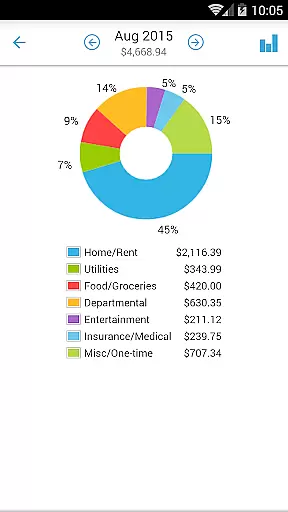
One of the key features of Home Budget with Sync is Family Sync, which enables multiple household members to collaborate within a single budget. This advanced functionality supports automatic over-the-air syncing among Android, iPhone, and iPad devices, making it easier for families to manage shared expenses and incomes collectively. Whether you're analyzing your spending habits through detailed charts and graphs or setting up bill reminders, Home Budget with Sync provides the tools necessary to maintain a clear overview of your financial health.
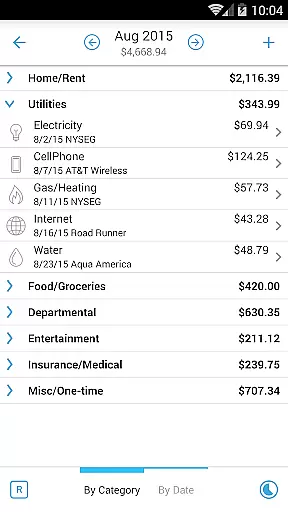
Home Budget with Sync boasts an extensive array of features tailored to simplify personal finance management. Users can create, edit, and delete expenses, income, and recurring bills with ease. The app allows browsing of entries by month, category, or date, offering drill-down capabilities for detailed analysis. Additionally, users can attach photo images of receipts and resize them directly on the screen, providing a visual record of transactions.
The app's budgeting tools are robust, enabling users to set budgets at both category and sub-category levels while tracking their progress through intuitive charts and graphs. With support for various account types such as checking, savings, credit, debit, and cash, Home Budget with Sync ensures accurate tracking of account balances. Furthermore, the Family Sync feature facilitates collaboration among household members, allowing them to work within a unified budget and view synchronized data across all connected devices.
Account and fund security is a critical aspect of any financial management application, ensuring that users' sensitive information remains protected. Home Budget with Sync offers robust security features designed to safeguard your financial data across all devices. The app employs advanced encryption protocols for data synchronization between mobile and desktop versions, guaranteeing that your information is securely transmitted.
In addition to encryption, the app provides password protection to prevent unauthorized access to your budgeting data. This feature ensures that only you can view your expenses, income, bills-due, and account balances. With support for various account types such as Checking, Savings, Credit, Debit, and Cash, the app meticulously tracks account balances while maintaining privacy and security.
Users benefit from peace of mind knowing their financial activities are shielded against potential threats. By associating expense and income entries with specific accounts, Home Budget allows accurate tracking without compromising personal information. This comprehensive approach to security empowers users to manage their finances confidently and efficiently.
A seamless transaction experience is essential for effective financial management, allowing users to effortlessly track and manage their expenses and income. Home Budget with Sync excels in providing an integrated set of features that streamline transactions. Users can create, edit, and delete expenses, recurring expenses, income, and recurring income with ease, ensuring that all financial activities are accurately recorded.
The app supports detailed transaction management by enabling users to associate accounts and payees with transactions, attach photo images of receipts, and search through expense entries. These capabilities facilitate thorough record-keeping and simplify the process of managing finances. Additionally, the calendar and list view of bills, along with bill reminders, ensure timely payments and organized financial planning.
Home Budget's innovative family sync feature enhances the transaction experience by allowing multiple devices within a household to exchange expense and income information automatically. This real-time synchronization ensures consistency across all devices, offering a unified view of the household's budget. As a result, users enjoy a smooth, efficient, and reliable transaction experience that supports informed financial decisions.
User-friendly interface
Comprehensive budgeting tools
Family Sync functionality
Cross-platform compatibility
Detailed financial reports
Separate purchase for each OS
No free version with full features
Limited customization options
Occasional sync issues reported
Advanced features may overwhelm beginners

Play for fun, earn for real. Collect rent by owning virtual land & get cashback
 4.60
4.60
Pay rent on your schedule.
4.70
Your Big Financial Friend
4.70
Change the way you money with Credit Genie
4.30
No credit check, no interest, no worries.
4.70
Easy budgeting planning on a calendar!
4.80
Currency Converter (200+ currencies) with live exchange rates and offline mode.
4.70
Access State Farm accounts, policies, ID cards and more
4.60
Pay, bank & build credit.
4.70
Currency Converter supports all currencies of the world.
5.00
The Citi Mobile® App lets you manage your accounts virtually anytime, anywhere
4.80
All expenses at a glance.
4.80
Money transfer made easy. Send money to friends and family with great rates.
4.70
Send money and bitcoin easily. Invest, bank and do more with your money
4.70
Over 180 currencies conversion rates with live exchange rates and offline mode.
4.60
Get a cash advance instantly. File taxes & cover unexpected bills in minutes.
4.60
Debt pay off. Build credit history. AI budget tool. Loan offers.
4.60
Save, spend & get paid faster²
4.50
Put crypto to work & earn rewards. Stake crypto like Ethereum, Solana & Cardano
4.40


User Reviews