
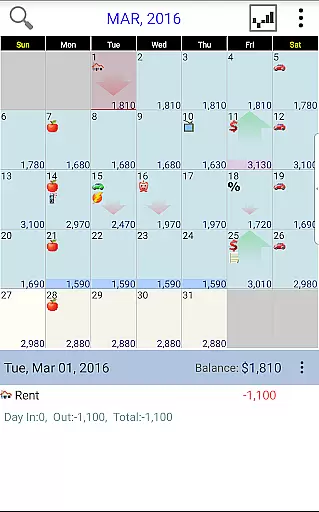
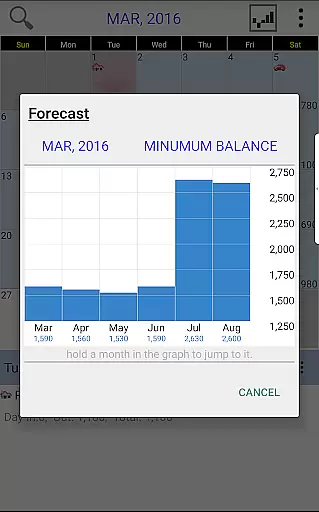
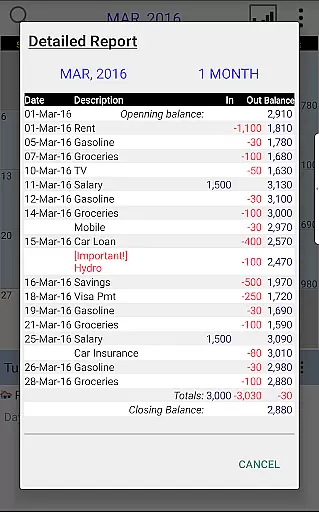
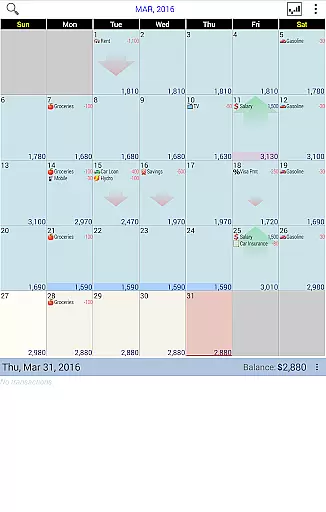
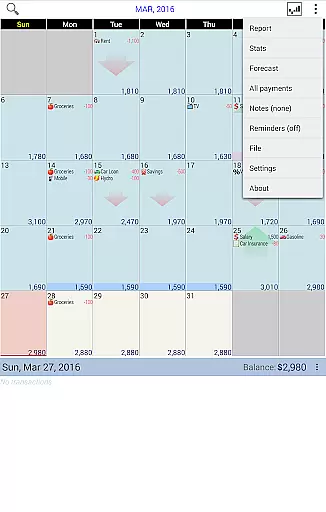
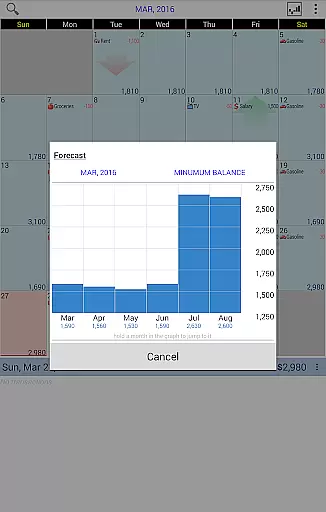
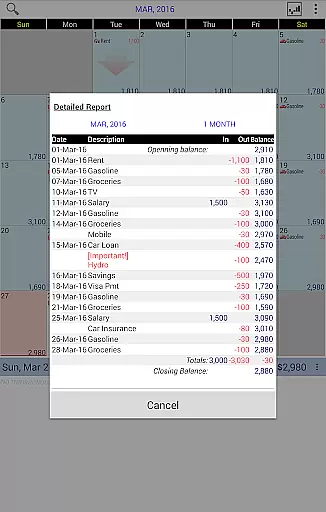
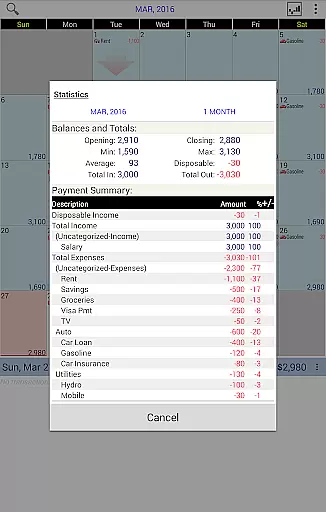
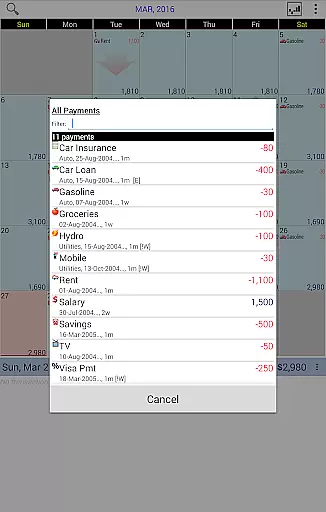
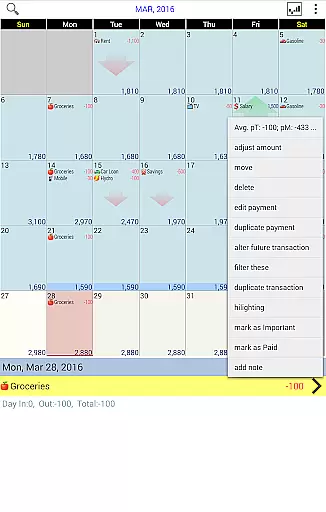
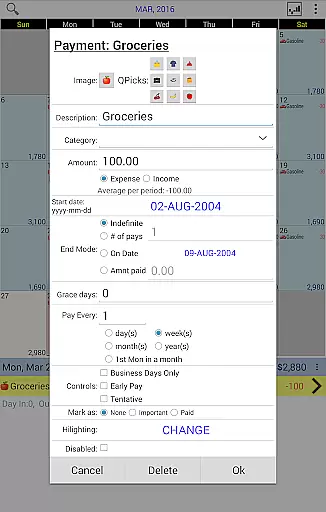
Budget Calendar is a comprehensive financial planning tool designed to simplify budget management through its intuitive calendar-based interface. Unlike traditional ledger systems, this application visually represents all transactions on a calendar, allowing users to easily track and adjust their payments. Each transaction can be customized with unique icons for quick identification, and entries can be moved across dates to accommodate changing needs. The app provides clear statistics and reports for single or multiple months, enabling users to maintain an accurate overview of their financial health. With compatibility between smartphone and desktop versions, Budget Calendar ensures seamless cross-platform functionality.
The application's standout feature is its ability to sync data via Google Drive, allowing users to access their financial information across various devices. Whether you're managing daily expenses or planning long-term budgets, Budget Calendar offers the tools needed to stay organized and in control. Its user-friendly design makes it suitable for both personal and small business use, providing a clear path to better financial management.
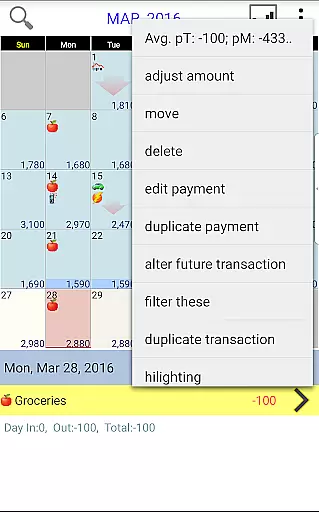
Budget Calendar stands out with its innovative approach to budget tracking through a visual calendar interface. This feature eliminates the complexity of traditional ledger systems by presenting all transactions in an easy-to-understand format. Users can assign unique icons to different payment types, making it simple to identify expenses at a glance. The drag-and-drop functionality allows for effortless rescheduling of transactions, while the app automatically updates balances and future projections accordingly.
Advanced reporting features provide detailed insights into spending patterns, with customizable reports covering daily, weekly, or monthly periods. The app maintains perfect synchronization between mobile and desktop platforms through Google Drive integration, ensuring that your financial data is always up-to-date across all devices. Additionally, the trial desktop version lets users explore full functionality before committing to purchase, demonstrating the developer's confidence in the product's value proposition.
Security and privacy are prioritized, with robust encryption protocols protecting sensitive financial information. The app also includes smart budget adjustment tools that help users align their planned budgets with actual account balances, preventing overspending and promoting better financial discipline.
Budget Calendar ensures robust account security through multiple layers of protection. The app employs advanced encryption protocols to safeguard your financial data, ensuring that all transactions and personal information remain confidential and secure.
One of the key features is its secure login mechanism, which allows users to protect their accounts with strong password requirements and additional authentication steps. This prevents unauthorized access and keeps your budgeting data safe from potential threats.
The app also provides real-time transaction monitoring, alerting users to any unusual activity or potential security breaches. With these proactive measures in place, you can manage your finances with peace of mind, knowing that your data is protected against fraud and cyber attacks.
Furthermore, Budget Calendar's synchronization with Google Drive is secured with industry-standard encryption, ensuring that your data remains protected while being backed up or accessed across multiple devices. This comprehensive approach to security makes it a reliable choice for managing your financial planning.
Budget Calendar offers an intuitive and visually engaging transaction experience by presenting all financial activities on a calendar interface. Unlike traditional ledger systems, this approach provides a clear overview of your spending habits and upcoming payments, making it easier to manage your finances effectively.
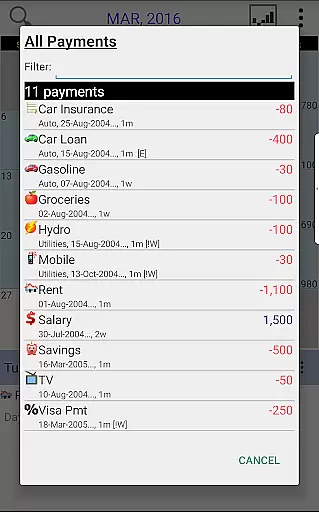
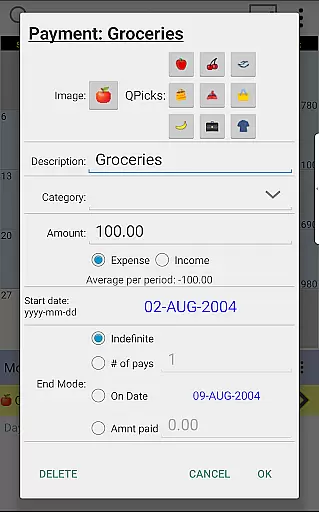
Each transaction can be customized with unique icons, allowing for quick identification and categorization of expenses. Users can effortlessly move transactions between dates to reflect changes in their financial schedule, providing flexibility and control over their budgeting process.
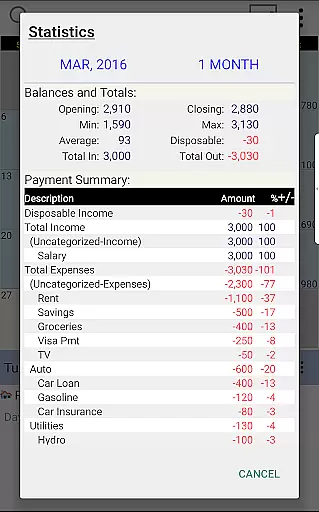
The app delivers detailed statistics and reports for single or multiple months, enabling users to analyze their spending patterns and make informed financial decisions. With the ability to adjust the budget balance to match your actual account status, maintaining an accurate financial overview has never been simpler.
Additionally, the seamless compatibility between smartphone and desktop versions ensures a consistent and efficient transaction management experience across all your devices, enhancing productivity and convenience in your daily financial planning.
User-friendly interface
Customizable transaction icons
Seamless cross-platform sync
Detailed financial reports
Intuitive drag-and-drop functionality
Desktop version separate purchase
Limited free features
Requires Google account
No automatic bank syncing
Learning curve for advanced features

The all-in-one app to save, earn, travel, and put more money in your pocket
 4.50
4.50
Download the MySynchrony App to manage your accounts securely and conveniently!
4.60
Earn cash & save money daily. Access instant cash advances* - no credit check!
4.50
Manage your prepaid cards and add to Google or Samsung Wallet.
4.60
PayMe helps you claim money from settlements on companies that harmed you.
4.80
Money App - Earn Cash back, Fast Cash Advance, Personal Loan Offers, Banking
4.70
All expenses at a glance.
4.80
Registration of your debts and Mdionatk and assembled, as well as a significant reports
4.30
StockTiles lets you view prices & charts of your favorite stock assets
2.30
Currency Converter supports all currencies of the world.
5.00
Simple & secure international money transfers - for personal & business needs.
4.80
The DailyPay app lets you access earned wages before your next payday.
4.70
Get 250$ Cash Advance to solve emergencies instantly in loan app called LendMe
4.70
Military retirement pay estimation calculator
4.70
Cash Advance, Credit Cards, Credit Lines, Score Monitoring, Saving, Budgeting
4.70
Early payday & cash advances with no-fee mobile banking!
4.60
Save, spend & get paid faster²
4.50
Make your paycheck work harder for you with Perpay.
4.10
Bill Manager is a simple app to help you keep track of your upcoming bills.
4.5


User Reviews