
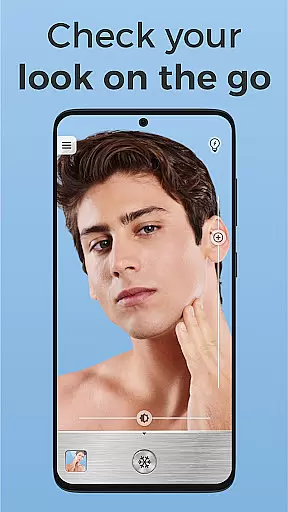
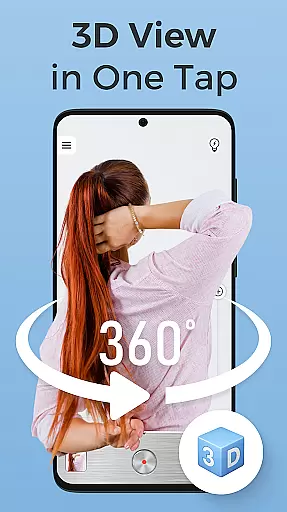
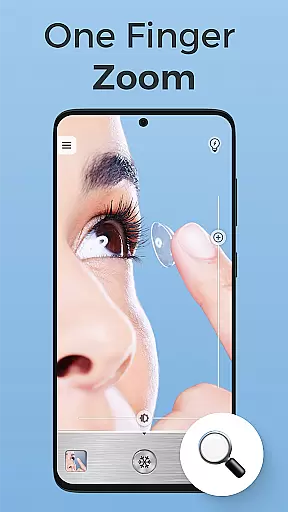
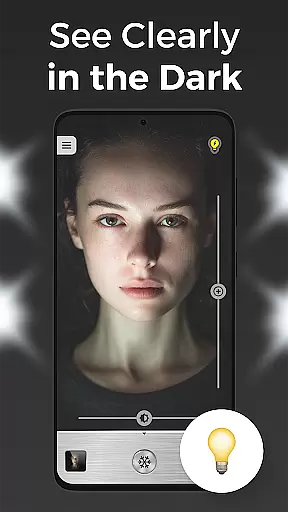
Mirror Plus is a versatile HD mirror app designed to transform your Android device into a high-definition true mirror. This free beauty tool not only magnifies your reflection but also illuminates it, making grooming precise even in low-light conditions. Whether you need a makeup mirror, zoom capabilities for detailed viewing, or a lighted mirror for dim environments, Mirror Plus has got you covered.
With its True Reflection feature, users can carry a magnifying mirror wherever they go. The app turns smartphones into powerful face mirrors, perfect for makeup application or shaving. Its Enhanced Beauty Features include an unflipped image function and a built-in makeup light, ensuring optimal visibility and precision during grooming sessions.
This multi-functional app offers more than just basic mirror functions. It includes fun imaging features, selfie mirror options, and the ability to freeze images for detailed inspection. Mirror Plus combines practicality with entertainment, allowing users to create before-and-after collages and enjoy grooming like never before.
Mirror Plus stands out with its array of innovative features tailored for beauty enthusiasts. One of its key highlights is the True Reflection functionality, which provides an unflipped view, letting users see themselves as others do. This feature is complemented by the app's lighted mirror capability, integrating seamlessly with a makeup light to ensure perfect illumination regardless of environmental lighting.
The app's Zoom Capabilities allow users to focus on intricate details, making it ideal for precision tasks such as applying makeup or shaving. Users can freeze the mirror image to closely examine their appearance, enhancing the grooming experience. Additionally, the Selfie Mirror feature enables capturing one’s best look effortlessly after using the beauty mirror functions.
Beyond its primary purpose, Mirror Plus incorporates Fun Mirror Effects that add an element of entertainment while grooming. These effects include creating before-and-after collages and experimenting with various imaging features. Such innovations make Mirror Plus not just a practical tool but also a source of enjoyment, setting it apart from other mirror apps in the market.
When it comes to beauty applications, having a comprehensive product database is essential for users seeking detailed information. Mirror Plus offers an extensive collection of beauty products, allowing users to explore various options and make informed decisions. The app's database includes not only basic product names but also in-depth details such as ingredients, usage instructions, and compatibility with different skin types.
The significance of a deep product database in a beauty app cannot be overstated. Users can search for specific items or browse through categories to discover new products that suit their needs. Mirror Plus ensures that each entry is meticulously curated, providing accurate and up-to-date information. This level of detail empowers users to understand what they are applying to their skin, promoting safer and more effective beauty routines.
By leveraging the detailed product information available in Mirror Plus, users gain several practical benefits. They can quickly identify potential allergens, compare product formulations, and even find alternatives to their favorite items. This functionality transforms the way individuals approach their beauty regimen, making it more personalized and precise. Ultimately, the depth of the product database in Mirror Plus enhances user experience by offering unparalleled access to critical beauty insights.
In the realm of beauty apps, personalization precision plays a pivotal role in delivering tailored experiences to users. Mirror Plus excels in this area by employing advanced algorithms that analyze individual preferences and characteristics. The app takes into account factors such as skin type, tone, and personal style to recommend products and routines that align perfectly with each user's unique profile.
The implementation of personalized recommendations in Mirror Plus involves sophisticated data processing techniques. By collecting and analyzing user input, the app continuously refines its suggestions, ensuring they remain relevant and effective over time. This dynamic approach allows users to receive customized advice that evolves with their changing needs and trends in the beauty industry.
Users of Mirror Plus benefit significantly from the app's precise personalization capabilities. They enjoy a more engaging and efficient beauty routine, as the app helps them discover products that truly resonate with their personal aesthetics. This tailored guidance not only saves time but also enhances satisfaction by reducing the trial-and-error often associated with beauty product selection. With Mirror Plus, personalization precision becomes a cornerstone of modern beauty care.
User-friendly interface
High-definition reflections
Built-in makeup light
Fun imaging features
Free to download
Requires good front camera
Drains battery faster
Limited offline functions
No iOS version available
Ads may interrupt usage

Beauty camera for perfect selfie with makeup, sticker and filter
 4.50
4.50
Professional HD Camera App: Capture Bright HD Selfie & Record Stunning Moments
4.40
Enjoy convenience wherever you are with the Tune Up, The Manly Salon app.
3.20
Intelligent Beauty calculator tool! Face scale and face symmetry in one app!
3.80
True mirror app with zoom, LED light, for makeup & shaving anywhere!
4.20
Wacky mirror filter, waves effect & wavy effect to make your own funny videos.
4.60
Manage your daily skin care beauty regimen & track your skin's progress.
4.70
Salon appointment booking and scheduling software for beauty pros and barbers.
4.80
Book beauty salon, hair or health and wellness experiences in an instant
4.90
Get Smart About Your Skin with Fully Personalized Beauty Tech!
4.80
Face Makeup Camera: Photo makeup app and perfect Lipstick app, beauty lip filler
4.70
Mirror app that shows your image with photo editor, zoom and light!
4.70
The mirror app you were looking for, simple and easy to use. Try Mirror now.
4.60
Unleash your (Pro)tential with the hottest hair, nails and beauty brands!
4.60
Top brand haircare & fragrance
4.60
Beauty camera to take nature selfie with photo filter. Photo makeup face editor.
4.50
Hair style app, Face shape finder, Face shape, Hair style, Face shape detector
4.30
The all new Cosmo Prof app offers exclusive pro products, deals, and training.
4.00
Design unique tattoos and preview them on your body image using Tattoo Maker App
3.30


User Reviews