
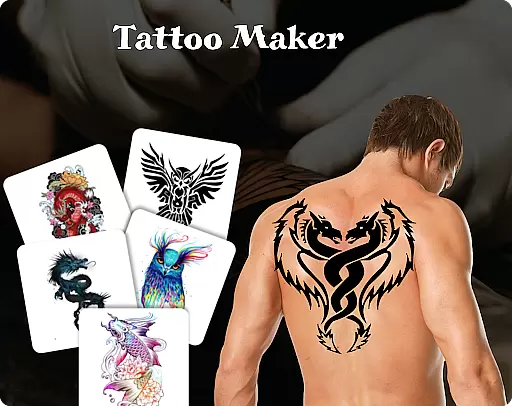
Tattoo Maker: Design & Art is a creative app designed for tattoo enthusiasts and artists alike. This powerful tool allows users to craft custom tattoos, preview them on their body through realistic AR technology, and explore an extensive library of tattoo designs. Whether you're a beginner or a professional artist, the app offers intuitive features that cater to all skill levels.
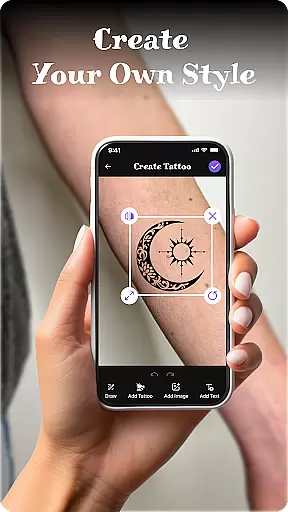
The app's standout feature is its ability to simulate how a tattoo will look on your body. By uploading a photo, users can adjust and scale their design to see how it fits before committing to ink. Additionally, Tattoo Maker provides professional-grade drawing tools, vibrant color options, and text customization, making it easy to create unique and personalized tattoos from scratch.
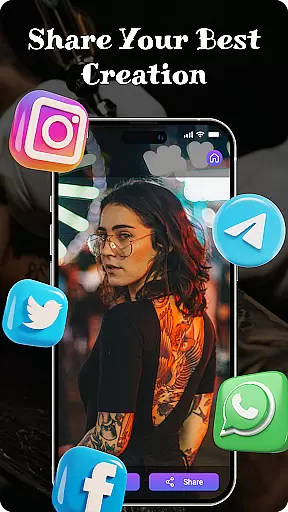
Perfect for both fun experimentation and serious design work, Tattoo Maker: Design & Art bridges creativity with practicality. It empowers users to bring their ideas to life while offering inspiration through its vast art library. With easy sharing capabilities, this app is ideal for anyone looking to design, share, or simply enjoy the art of tattooing.
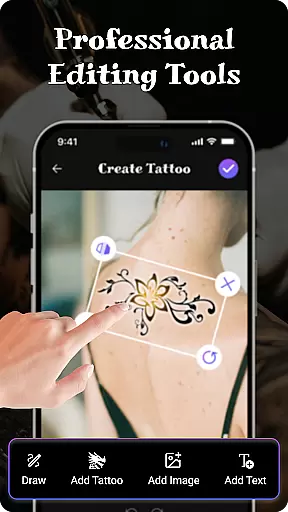
Tattoo Maker: Design & Art stands out with its robust set of features tailored for tattoo creation. One of its core strengths is the custom tattoo design tool, which lets users draw freehand, flip, rotate, and perfectly position their artwork. These tools ensure precision and flexibility in crafting one-of-a-kind designs.
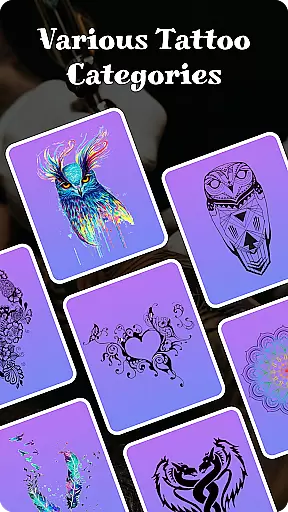
In addition to manual drawing, the app includes pro art tools such as brushes, adjustable sizes, and a wide range of colors. Users can also add text with customizable fonts and styles, allowing for even more personalization. The built-in tattoo art library offers countless design inspirations, ranging from small minimalist patterns to intricate masterpieces, catering to various tastes and preferences.
Another innovative feature is the AR-based body preview functionality. By uploading a photo, users can virtually try on their tattoo design, scaling and rotating it to achieve the perfect placement. This interactive experience not only enhances creativity but also helps users make informed decisions about their tattoos. Combined with seamless sharing options, Tattoo Maker ensures a comprehensive and enjoyable design process.
When it comes to creating realistic and personalized tattoos, having access to a comprehensive product database is essential. Tattoo Maker: Design & Art offers an extensive collection of tattoo designs ranging from small minimalist patterns to intricate masterpieces. This vast library ensures that users can find inspiration for any style they desire.
The app's database includes detailed information about various tattoo elements, allowing users to understand the components that make up each design. Whether you're looking for specific symbols, animals, or abstract art, this depth provides countless options to explore and incorporate into your custom creations.
Users benefit greatly from this feature as it enables them to mix and match different elements, adjust colors, and experiment with sizes. The ability to customize every aspect of their tattoo based on reliable data enhances the overall design process, making it both intuitive and enjoyable.
One of the standout features of Tattoo Maker: Design & Art is its exceptional personalization precision. This app allows users to create truly unique tattoos by offering advanced customization tools. You can flip, rotate, and scale your designs to fit perfectly on the desired area of the body.
In addition to design manipulation, the app provides professional art tools such as various brushes, sizes, and vibrant color palettes. These tools enable users to draw freehand or add intricate details to their tattoos. Moreover, the option to insert text with cool fonts and colors adds another layer of personalization, ensuring that each tattoo reflects the user's individuality.
The personalization precision extends to the augmented reality preview feature, where users can upload photos and see how their tattoo would look on their actual body. This realistic preview helps in making informed decisions before committing to a final design, thus enhancing user satisfaction and confidence in their creative choices.
User-friendly interface
Extensive art library
Realistic AR previews
Vibrant color options
Easy sharing tools
Limited free features
Occasional ads
Premium cost
Learning curve
Device compatibility

Color haircut changer style on
 3.30
3.30
Professional HD Camera App: Capture Bright HD Selfie & Record Stunning Moments
4.40
Design your nails, manicure and pedicure with nail paint art and nail idea app
3.90
Use your phone as a makeup mirror, shaving mirror. Magnifying mirror with light!
4.80
Unique selfie filter camera! Upload live sticker & face filter every week!
4.70
The mirror app you were looking for, simple and easy to use. Try Mirror now.
4.60
Beauty Camera AI Photo Editor with effect, filter, makeup tools for photo editor
4.30
Change your hairstyle and color instantly with AI-powered virtual makeovers.
3.90
Never run out of your go-to beauty & get 5% off with auto-replenish deliveries!
4.00
Try interesting trending filters allows you switch to a cute girl
4.70
Mirror app that shows your image with photo editor, zoom and light!
4.70
Beauty Camera - Selfie Camera with beauty editing tool, makeup, filter, sticker
4.60
Transform your sweet selfies with Selfie Beauty Camera Filters And Effects!
4.60
Beauty camera for perfect selfie with makeup, sticker and filter
4.50
Beauty Mirror - True mirror app with light, shaving mirror, makeup mirror app
4.50
Your on-demand aesthetician
4.40
Glow up with science: cosmetics, ingredients scanner, tracking & face analysis
4.10
Try On Style with AI: Virtual Dressing Room & Personal Fashion Stylist App
4.00
Enjoy convenience wherever you are with the Tune Up, The Manly Salon app.
3.20


User Reviews