
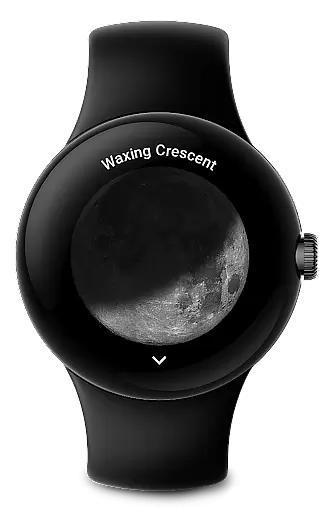
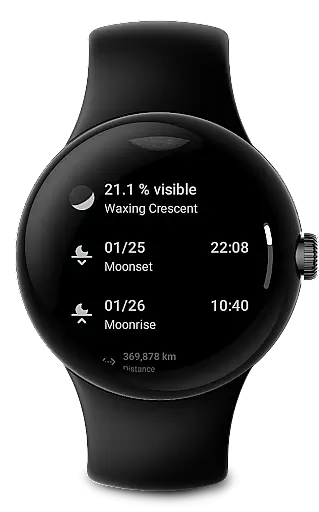
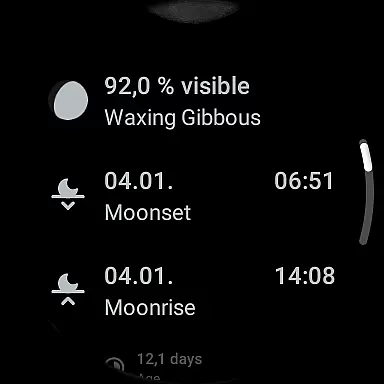
Moon on Wear is a specialized application designed for Wear OS, offering users a realistic and dynamic display of the moon's phases and rotation. The app accurately calculates and presents the moon's current phase, distance from Earth, rise and set times, and upcoming super moons. This functionality is particularly useful for astronomy enthusiasts or those who appreciate celestial displays.
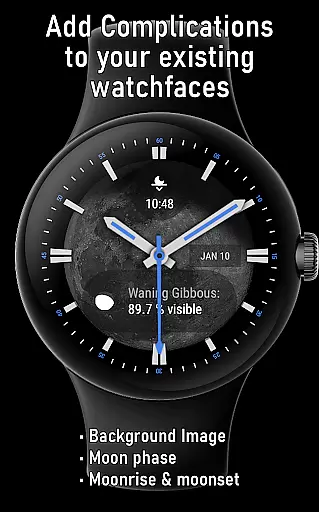
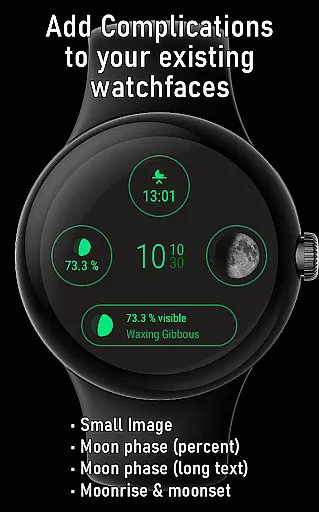
One of the standout features of Moon on Wear is its integration with watch faces through complications and the Moon-Tile view. Users can customize their watch faces with various moon-related data points, such as moonrise and moonset times or detailed lunar images. These customizations allow for both aesthetic enhancement and practical information delivery directly on your wearable device.
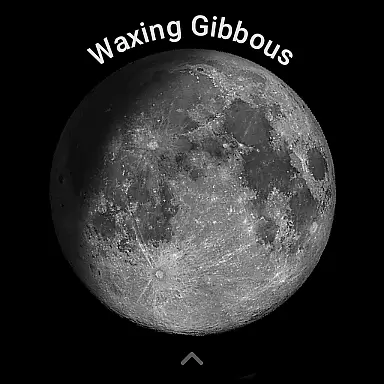
The app offers an array of distinctive features tailored to enhance user experience on Wear OS devices. Notably, it provides multiple complication types that can be added to compatible watch faces, including moon phase percentages, small and large lunar images, and moonrise/moonset data. The large image feature even allows users to set the moon as a dynamic wallpaper if supported by their watch face.
In addition to visual enhancements, Moon on Wear delivers essential lunar information such as the moon's age in its current cycle, its distance from Earth, and predictions for upcoming moon phases and super moons. All calculations are performed offline, ensuring user privacy while maintaining reasonable accuracy comparable to established astronomical websites like timeanddate.com and mooncalc.org.
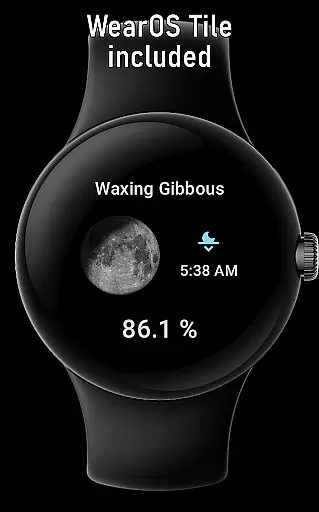
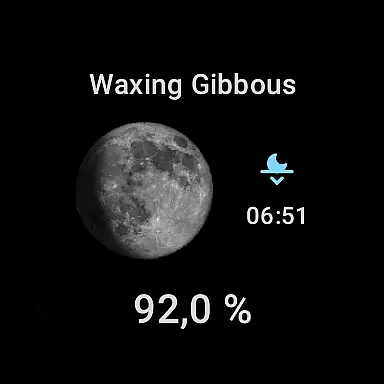
The app also includes a unique Moon-Tile feature, providing quick access to lunar information alongside your watch face. This thoughtful design ensures that users can effortlessly stay informed about celestial events without disrupting their regular smartwatch usage.
When it comes to e-books and digital content, the size of the library and the authenticity of copyrights are crucial factors for readers. Moon on Wear, while primarily a moon phase app, integrates a rich set of lunar information that could be considered akin to an e-book library focused on astronomy. The app provides users with detailed lunar data including moon phases, rise and set times, and cycle information, all curated in a manner similar to chapters in a book.
The app's content is extensive, covering not just basic moon phases but also more intricate details like the moon's current distance from Earth and predictions for upcoming super moons. This depth ensures that users have access to a comprehensive collection of lunar information, much like having a vast e-book library at their fingertips. Each piece of information acts as a standalone chapter, allowing users to explore different aspects of the moon's behavior and significance.
Regarding copyright authenticity, Moon on Wear assures users that all integrated data and images are either self-generated or come from public domain sources. This commitment to copyright integrity mirrors the standards expected in e-book libraries where content must be legally obtained and used. Users can trust that the information they access is both accurate and legally sound, providing peace of mind alongside educational value.
For any digital content platform, format compatibility plays a pivotal role in user accessibility and satisfaction. Moon on Wear excels in this area by ensuring its content is compatible with various formats and devices, particularly within the Wear OS ecosystem. The app offers several complications designed to integrate seamlessly with different watch faces, enhancing the user experience across multiple devices.
Moon on Wear supports text-based complications such as moon phase percentages and descriptions, which can be displayed on most watch faces. Additionally, it includes image-based complications like small and large images of the moon, which can serve as dynamic wallpapers if the watch face supports this feature. This versatility in format compatibility allows users to customize their smartwatch interfaces according to their preferences and needs.
Moreover, the app's Moon-Tile feature further extends its format compatibility by providing a dedicated view that can be placed next to the watch face. This tile format ensures that even users with less customizable watch faces can still access essential lunar information conveniently. By supporting diverse formats and ensuring broad device compatibility, Moon on Wear maximizes user engagement and delivers a consistent experience across different platforms.
Realistic moon display
Customizable complications
Offline calculations
Battery-efficient algorithms
Comprehensive lunar data
Location permission required
Limited watch face support
Potential slight inaccuracies
No iOS compatibility
Initial location detection delay

The Original Tropical Freshwater Aquarium Fish And Plant Care Guide
 4.80
4.80
"BIG A, little a. What begins with A?"
4.10
CleverBook Pro makes the popular guide for the game even better!
4.00
Mirror Bible - eye-opening paraphrase translation of the NT by Francois du Toit
4.30
Translate into 100+ languages with the world’s most accurate AI translator.
4.70
Read aloud texts, audiobooks, PDFs or any eBook with text to speech AI audio
4.60
Werewolf novels & romance stories in audiobooks for book lovers! Werewolf storie
4.60
Universal Zoom, learn about sizes & distances of the universe and microcosmos
4.80
America's best dictionary and thesaurus - with premium content and no ads
3.40
Flora of Virginia Project (www.floraofvirginia.org)
5.00
What’s that bird? Just answer 5 questions, snap a photo, or record its song!
4.90
Daily Prayer, personalized Bible Study, AI-guided Insights, and Spiritual Growth
4.80
Learn Electricians' Handbook PRO complete guide beginners to advance.
4.40
Holy Bible with verses and audio for studying and prayer
4.30
“There was one last piece of cake. My little sister said ‘Me too!’”
4.00
Read Trending Romance Stories
4.00
All in one Calibre libraries on your phones and tablets.
3.80
Guide for dōTERRA® Products
3.60
Enjoy your favorite books
3.50


User Reviews