
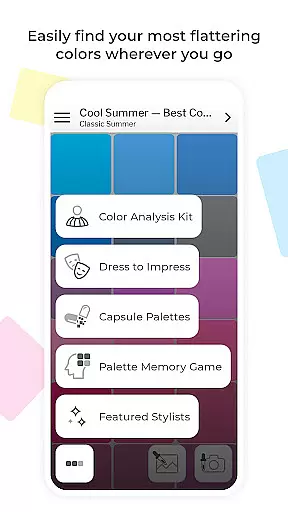
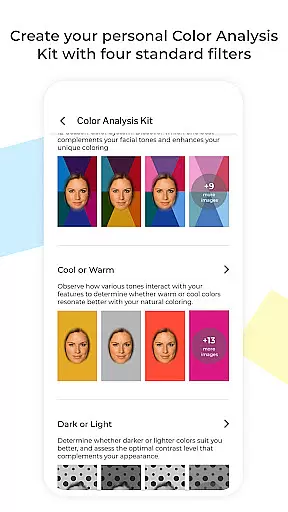
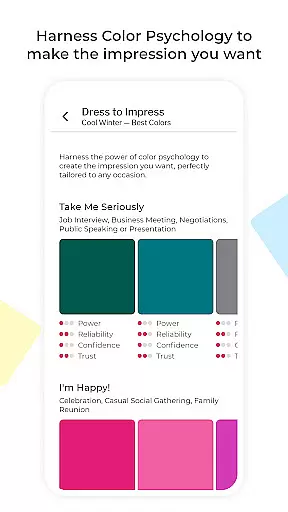
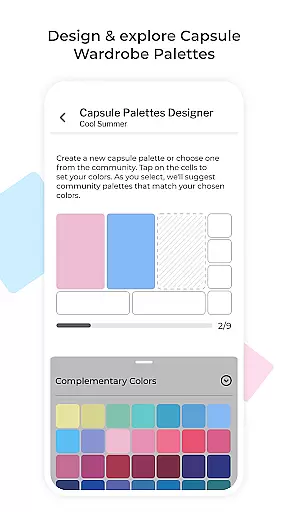
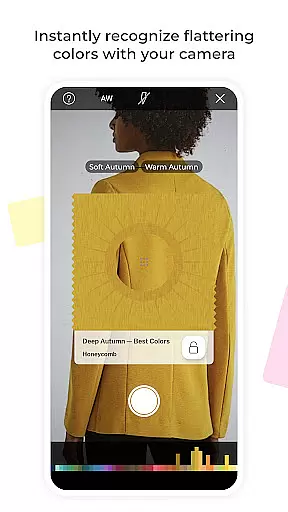
My Best Colors is a revolutionary mobile application designed to serve as your personal color consultant. The app utilizes your smartphone's camera to identify the most flattering hues for your unique features, eliminating wardrobe guesswork. Whether you're at home or out shopping, My Best Colors helps you choose outfits, accessories, cosmetics, and jewelry that enhance your natural beauty.
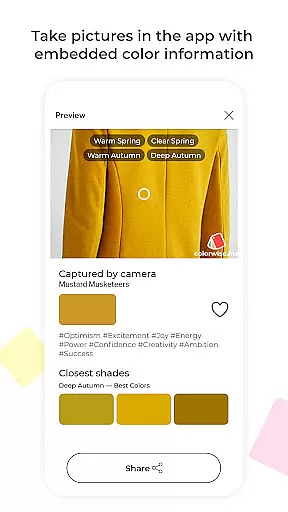
The app offers tailored color palettes based on the 12 Season Color System, including free Best Colors palettes and premium options like Complementary, Neutral, Accent, Jewelry, Eyeshadow, and Lipstick Colors. Additionally, it provides fashion-forward Trending Palettes and emotionally curated Impression Palettes rooted in color psychology. With features like the Color Analysis Camera© and interactive tools such as the Color Picker and Fabric Previews, users can virtually try on colors, save favorites, and capture images with embedded shade names.
Since its launch in 2017, My Best Colors has empowered millions of users worldwide to discover their best colors, build confident wardrobes, and shop with purpose. Available in a free, ad-supported version, the app also offers a one-time upgrade for lifetime access to all premium features.
My Best Colors stands out with its comprehensive suite of features designed to enhance personal style through color analysis. At its core, the app employs the 12 Season Color System to provide users with personalized color palettes. These include free Best Colors palettes and premium selections such as Complementary, Neutral, and Accent Colors, ensuring every user finds shades that suit them perfectly.
Beyond basic palettes, the app introduces Trending Palettes inspired by runway shows and designer collections, adapted to individual color types. The Impression Palettes leverage color psychology to help users make the right emotional impact, with tags like Joy, Trust, and Elegance. Interactive features like the Color Picker allow users to find their best shades from real-life objects or images, while the Color Type Detection tool identifies the most likely color type for any clothing item or accessory instantly.
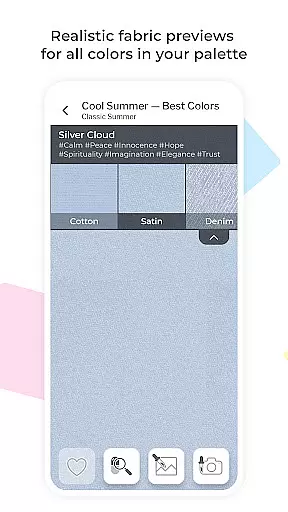
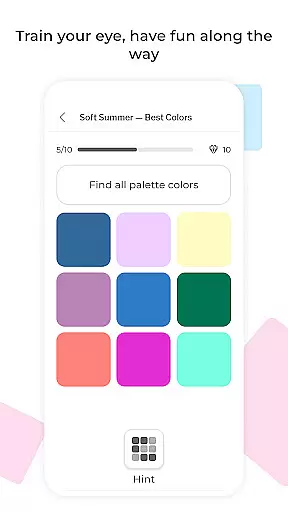
Additional smart wardrobe tools include Capsule Palettes for harmonious outfit combinations, Dress to Impress guidance for situational dressing, and Custom Palettes imported from Colorwise.me. Users can also enjoy Fabric Previews, Favorites saving, and a Memory Game to improve color recognition skills. All these features are available in a free version, with a one-time upgrade unlocking lifetime access to premium content.
My Best Colors offers an extensive product database that goes beyond simple color suggestions. The app provides tailored color palettes based on the 12 Season Color System, ensuring users can find shades that genuinely suit their complexion and style. With features like Trending Palettes and Impression Palettes, users have access to fashion-forward and emotionally curated shades that align with both current trends and personal moods.
The app's Color Picker and Fabric Previews allow users to explore colors from real-life objects and see how they appear in various textures. This level of detail ensures that every user can make informed decisions about their wardrobe and beauty choices. Additionally, the app includes thousands of community-curated capsule wardrobe color schemes, offering endless inspiration for mixing and matching.
By leveraging advanced technology such as the Color Analysis Camera, My Best Colors delivers precise color analysis directly to your smartphone. Users can virtually try on different colors using filters that mimic in-person draping, providing a highly personalized experience. These tools collectively empower users to build a wardrobe that enhances their natural beauty and expresses their unique personality.
Personalization is at the heart of My Best Colors, where the app uses sophisticated algorithms to deliver accurate and meaningful color recommendations. By analyzing individual features through the smartphone's camera, the app identifies the most flattering hues for each user. This personalized approach extends to its premium palettes, which include options like Complementary, Neutral, Accent, Jewelry, Eyeshadow, and Lipstick Colors, all designed to enhance natural beauty.
The app also incorporates Color Psychology Insights, tagging each color with emotions such as Joy, Trust, or Elegance. This feature helps users understand the emotional impact of their color choices, allowing them to dress in a way that aligns with their mood and goals. Furthermore, interactive features like the Memory Game improve users' ability to recognize their best colors, adding an educational and engaging layer to the personalization process.
With lifetime access to all premium features available after a one-time upgrade, My Best Colors ensures sustained personalization without recurring fees. This commitment to personalization precision makes it an invaluable tool for anyone looking to refine their personal style and shop with confidence.
User-friendly interface
Comprehensive color analysis
Interactive wardrobe tools
Premium palettes available
One-time purchase option
Limited free features
Occasional ads in free version
Advanced tools require payment
Learning curve for new users
Texture previews not always accurate

Beauty camera for perfect selfie with makeup, sticker and filter
 4.50
4.50
Make beautiful Hairstyles for girls with your own hands in little bit of time
4.00
Crown Heart Emoji Photo Editor has given you the chance to look cute girl
4.40
Beauty Camera - Selfie Camera with beauty editing tool, makeup, filter, sticker
4.60
Try interesting trending filters allows you switch to a cute girl
4.70
HD Camera, Selfie Camera, Camera filters, is a fully featured 4K camera
4.60
Try On Style with AI: Virtual Dressing Room & Personal Fashion Stylist App
4.00
Unleash your (Pro)tential with the hottest hair, nails and beauty brands!
4.60
Mirror app that shows your image with photo editor, zoom and light!
4.70
Blushify is a beauty camera for makeup, face editing, and glowing selfies!
4.70
Face Makeup Camera: Photo makeup app and perfect Lipstick app, beauty lip filler
4.70
Beauty camera & Selfie camera for perfect selfie with filter, sticker, makeup
4.70
Manage your daily skin care beauty regimen & track your skin's progress.
4.70
Selfiechat Filters for amazing photos with Funny face filters
4.60
The mirror app you were looking for, simple and easy to use. Try Mirror now.
4.60
For businesses, Booksy Biz allows you to manage your schedule & more on the go.
4.60
Beauty Camera AI Photo Editor with effect, filter, makeup tools for photo editor
4.30
Seasonal color palette, my personal color, hair color changer, makeup, wardrobe
4.20
Your future self face age old or young from camera selfie into beautify videos
4.3


User Reviews