
Seconds Pro Interval Timer stands as the most advanced interval training timer available for mobile devices, designed to cater to fitness enthusiasts who demand precision and flexibility in their workout routines. With over 2 million downloads and more than 7000 5-star reviews, this app has set a benchmark in quality, features, and ease of use that other interval timers struggle to match.
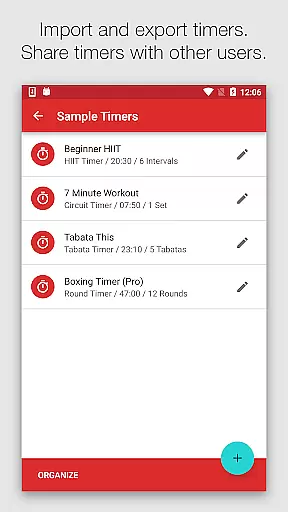
The app offers an extensive range of functionalities including large clear timer displays, templates for HIIT, Tabata, Circuit Training, and custom timers for any imaginable intervals. It also speaks interval names, provides loud or soothing alerts, coordinates music with intervals, allows sharing or importing timers, and runs in the background. These features make Seconds Pro an indispensable tool for anyone engaged in high-intensity workouts, circuit training, or any exercise regimen requiring precise timing.
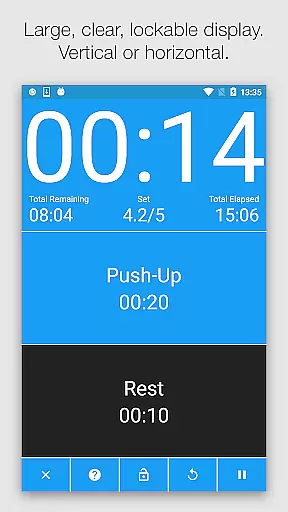
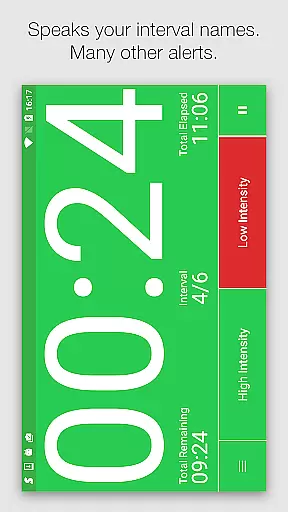
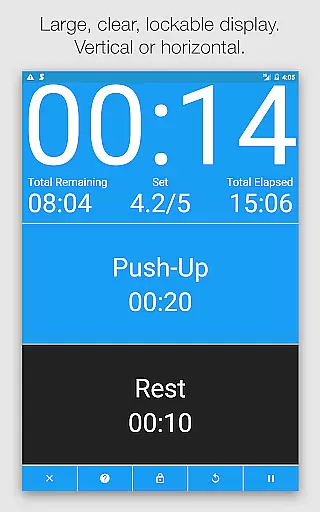
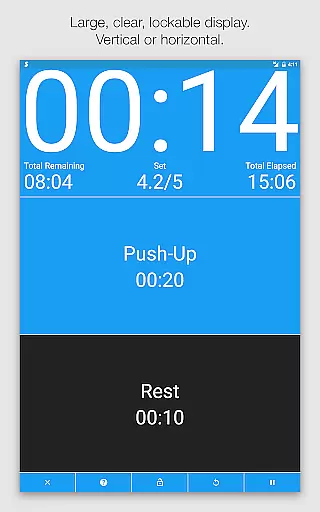
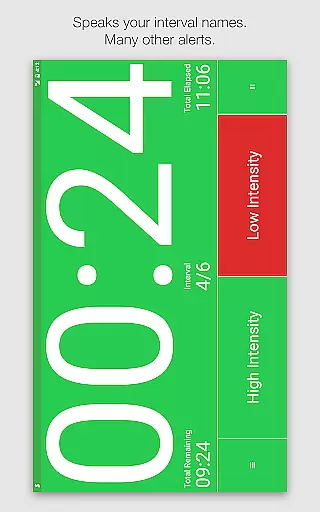
Seconds Pro boasts a plethora of features that enhance the user's workout experience. The large clear timer display is complemented by color coding, ensuring users can easily read the time from a distance without needing to focus on text. This feature works seamlessly in both portrait and landscape modes, displaying current and next intervals for uninterrupted flow.
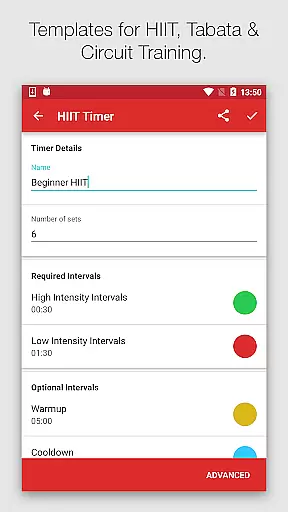
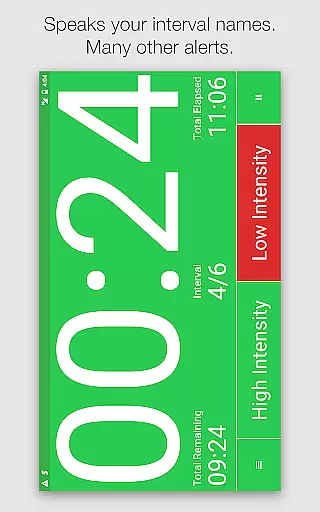
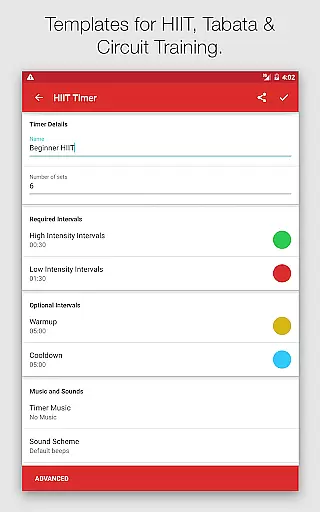
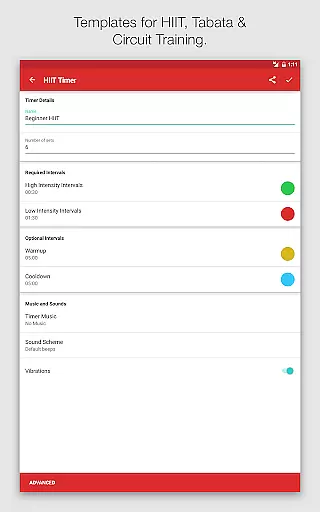
Templates for High-Intensity Interval Training (HIIT), Tabata, and Circuit Training simplify programming, allowing quick setup for workouts. For those seeking customization, Seconds Pro excels by enabling users to create completely custom timers one interval at a time or combine timers into compound timers. Text-to-speech functionality announces interval names, providing advance warnings, while built-in alerts range from simple beeps to MMA air horns and boxing bells.
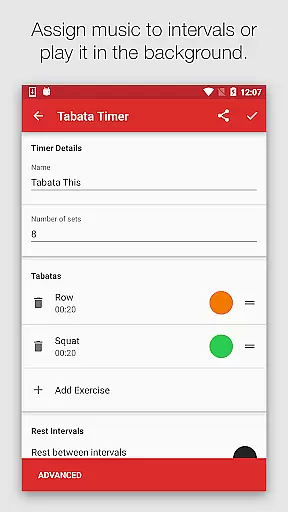
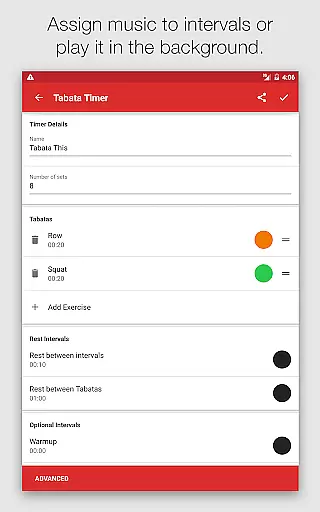
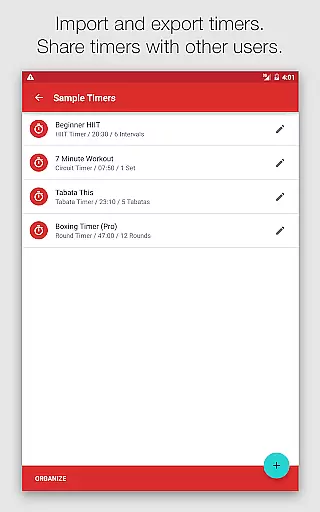
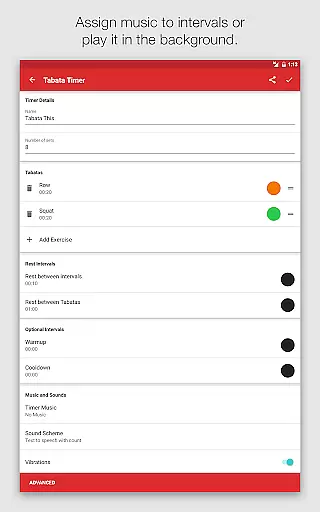
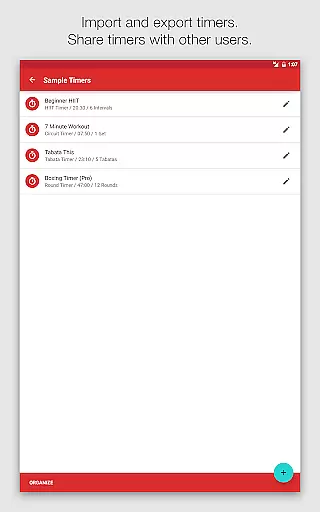
Music integration further enriches the workout experience by matching music intensity to workout phases. Users can select songs, albums, artists, or playlists for each interval, or play another music source in the background. Sharing capabilities allow users to share their created interval timers with friends via the companion website or email attachments, fostering a community of shared fitness goals.
Personalized planning in fitness applications refers to the ability to create tailored workout schedules that adapt to individual needs and goals. Seconds Pro excels in this area by offering users the option to utilize pre-made templates for popular training methods such as HIIT, Tabata, and Circuit Training.
This level of customization allows for an adaptable fitness experience, where interval names can be spoken aloud through text-to-speech functionality, ensuring clarity and ease of use during workouts. Users can receive advance warnings or choose from a variety of built-in alerts, enhancing their exercise routines with either motivational or soothing cues.
The benefit of personalized planning within Seconds Pro is the seamless integration into the user's lifestyle, promoting adherence to fitness regimes. By matching music intensity to workout phases, the app further personalizes the experience, making each session more engaging and effective.
Ultimately, the personalized planning feature empowers users to craft any conceivable interval timer, thus supporting diverse training preferences and helping maintain motivation through a highly customized and responsive workout environment.
Progress visualization is a critical component of maintaining motivation and tracking improvement over time in fitness apps. Seconds Pro offers a visually intuitive interface with a large, clear timer display that uses color coding to represent different intervals, providing immediate visual feedback without the need to read text.
This health and fitness application stands out by allowing users to see both current and upcoming intervals at a glance, which helps in preparing for the next phase of their workout. The entire background changes color according to the interval, creating an immersive and easily interpretable visual experience.
For users, this means they can focus on their exercises without distraction, as the vibrant visuals keep them informed about their progress. Such an approach not only aids in maintaining the flow of the workout but also makes it accessible even from a distance, accommodating various workout settings and equipment placements.
In essence, progress visualization in Seconds Pro transforms the abstract concept of time into a dynamic visual tool, reinforcing commitment to personal fitness goals while ensuring workouts remain varied and challenging.
User-friendly interface
Customizable timers
Text-to-speech alerts
Music synchronization
Background operation
Premium version costly
Complex for beginners
Limited free features
Occasional bugs
Ads in free version

Your plan in your pocket 24/7
 3.00
3.00
Your Health Has Met Its App (℠)
3.90
Build Healthy Habits!
4.60
When the night comes, we prepare your eyes for deep, sweet dreams
4.70
A brain game that moves you
4.70
Pupillary distance PD with camera quick and easy, checking glasses frames on you
3.70
Download MadMuscles to start your positive body transformation!
4.30
Walk, track, and burn calories with step counter & GPS walking tracker
4.20
The most accurate heart rate app to monitor and track your heart rate & pulse.
4.40
Power-lifting, weightlifting and Wendler 531 app to track your workout program.
4.90
You deserve easy access to important insurance information. Download for FREE.
4.70
Drink water reminder app. Track water intake. Smart simple hydration tracker.
4.70
Period Tracker, the easiest way to track your periods!
4.50
Pack of 66 calming lullabies for smooth fall asleep and relaxation
4.10
Understand your body’s most meaningful messages and transform your health.
3.90
Make sense of your health data.
3.80
FitCloudPro takes care of your health every minute.
3.70
Live Heart Rate Pro - Real Time Heart & Workout Data For Wear OS & Bluetooth BLE
3.20
Measure real-time wrist & ambient temperature with your Galaxy Watch (Wear OS)
3.20


User Reviews