
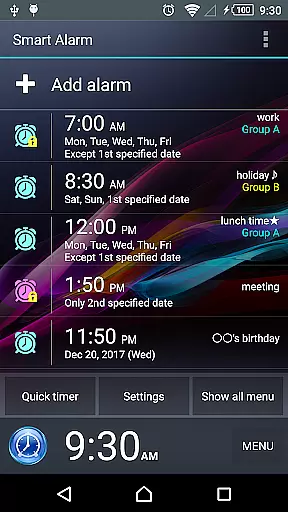
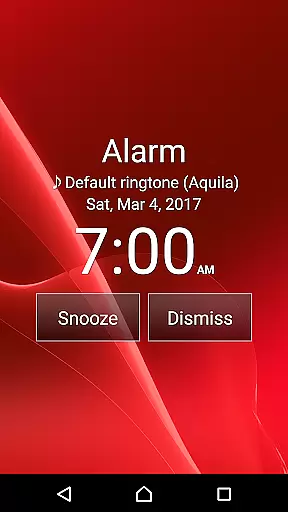
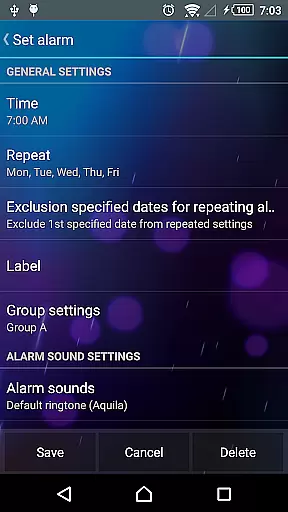
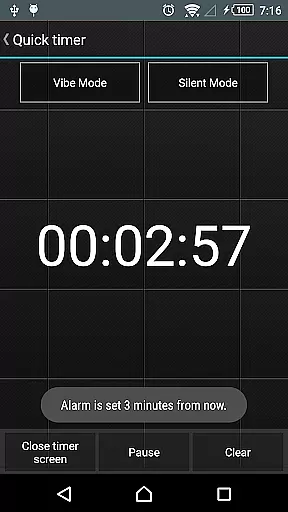
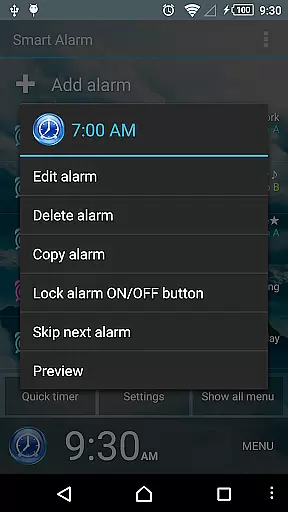
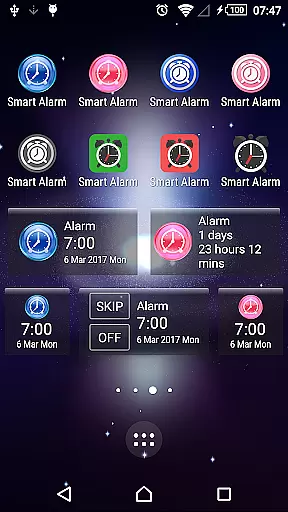
Smart Alarm is a premium alarm clock application designed for users seeking both simplicity and advanced functionality. This app offers a highly intuitive interface while incorporating powerful features such as snooze functionality, weekly repeat settings, and holiday exclusions for recurring alarms. The transparency setting allows users to display their device's wallpaper as the app background, creating a personalized experience.
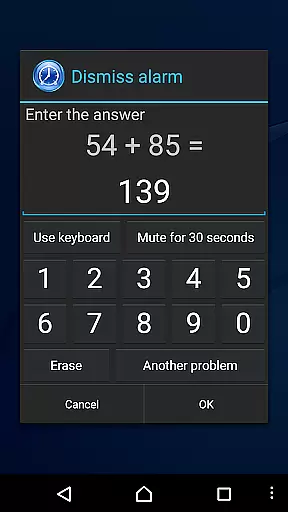
In addition to its core alarm functions, Smart Alarm includes gradual volume increase, dual-stage vibration settings, and customizable buttons to prevent accidental stops. Users can also solve math problems or input numbers to turn off the alarm, ensuring they wake up on time. With support for SD card music as alarm tones, silent mode customization, and headphone detection, this app caters to a variety of user preferences. It is ideal for individuals who need a reliable and versatile alarm system.
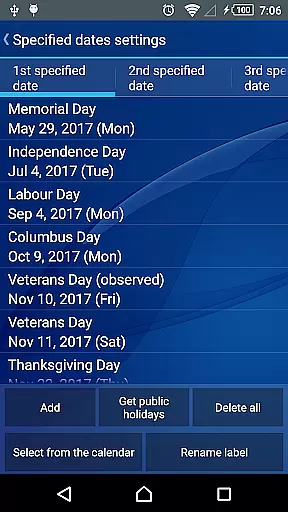
Smart Alarm stands out with its extensive range of innovative features tailored to enhance the user experience. One notable feature is the ability to exclude public holidays from weekly repeat settings, ensuring alarms only activate on relevant days. The app also supports using music stored on an SD card as the alarm tone, providing users with endless customization options.
Another standout feature is the dual-stage vibration and gradually increasing alarm sound, which help users wake up naturally without sudden loud noises. The app allows users to adjust button sizes for stopping or snoozing alarms, minimizing accidental actions. Additionally, customizable hardware keys enable users to define specific functions like stopping alarms or adjusting volumes. These thoughtful features collectively create a seamless and personalized alarm experience.
Smart Alarm offers extensive coverage of essential lifestyle features, ensuring it fits seamlessly into daily routines. The app provides robust alarm functionality with options for snoozing, repeating on specific days, and even excluding public holidays from repeat settings.
One standout feature is the ability to use music stored on an SD card as an alarm tone, adding a personalized touch to the wake-up experience. Additionally, the gradual increase in alarm volume and two-stage vibration settings help users wake up gently without sudden shocks.
The app also includes practical customization options such as adjustable button sizes for stopping alarms or enabling snooze, preventing accidental stops. Moreover, users can set math problems or number inputs as conditions to stop the alarm, reducing the chances of oversleeping.
Smart Alarm ensures content authenticity by offering reliable and verified features that enhance user trust. Each function, from setting alarms to customizing key actions, has been designed with precision and tested for accuracy.
The application's transparency extends to its disclaimers, which clearly outline the limitations and responsibilities associated with using the app. This openness reinforces the credibility of the content provided, assuring users of its genuine nature.
Furthermore, permissions required by the app are justified with clear explanations, such as preventing the device from sleeping during alerts and managing vibrations. These details highlight the expert consideration behind each feature, enhancing user confidence in the app's reliability and safety.
User-friendly interface
Highly customizable settings
Gradual alarm sound increase
Dual-stage vibration control
Math-based alarm dismissal
No built-in voice assistant
Limited free version availability
Requires device power-on
SD card dependency for custom tones
Potential compatibility issues

The Work of Byron Katie— the mobile app for inner peace.
 4.40
4.40
Fly your Solo like a boss.
4.10
Turn your watch into a key fob for your Tesla
2.90
Designed to delight, impress and energize your festive spirit every single day
4.3
Unique Dark Analog style for Wear OS watches.
4.5
Duo Watch Face (animated)
4.2
Spiritus Ghost Box is an Audio and Visual ITC tool for paranormal research.
4.00
Made To Order Faves
4.70
Colorful selection floral watch face with gyro for Wear OS
4.60
Good magnifier app to see tiny things bigger and more clearly!
4.80
Get the news, events and savings that matter to you with AARP Now.
4.80
The all-new Cync app. The simple, connected app for Cync and C by GE.
4.50
Discover your Nationality, Family Origin, and Ancestry from one selfie
4.50
Play fun games, complete quick surveys, and earn money. It's fun and easy!
4.40
Subwoofer school’s in session! You’ve now enrolled into KICKER U.
3.80
Immerse yourself in the serenity of lavender fields and white butterflies
4.3
Big bold hybrid watch face with 30 colors, 5 fonts & 5 complications.
4.4
The cutest Autumn watchface featuring the adorable Mr. Squirrel
4.5
Celebrate the holidays with Advent Calendar: daily surprises and festive fun!
4.0


User Reviews