

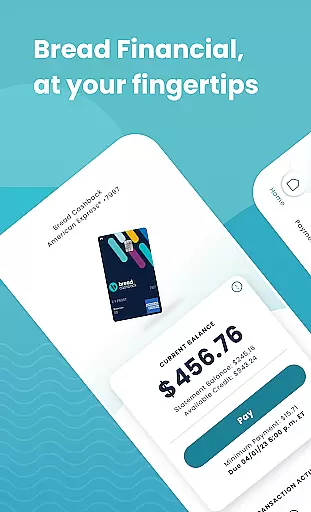
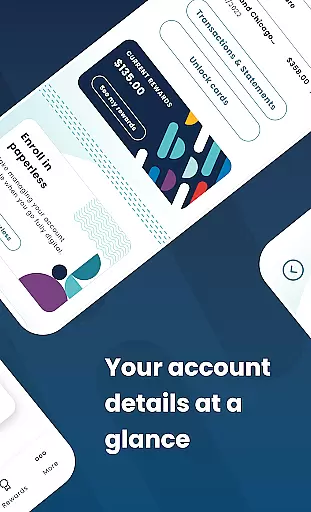
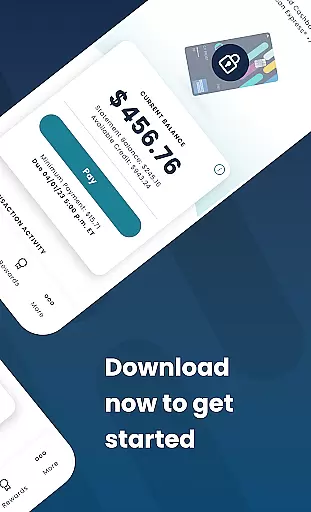
Bread Financial is a mobile application designed to simplify the management of your Bread Cashback™ American Express® Credit Card, Bread Rewards™ American Express® Credit Card, and AAA Visa Signature® credit card accounts. With this app, you can access your account anytime, anywhere, using the same login credentials as on Account Center. The app offers essential features such as making payments, redeeming rewards, and reviewing transaction history at your fingertips.
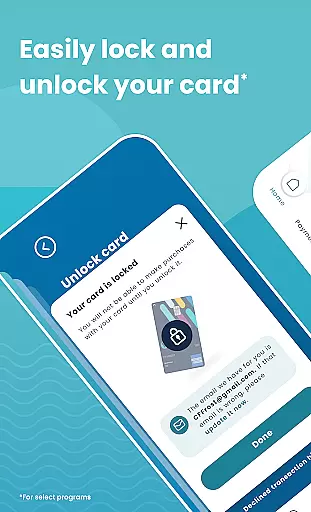
One of the standout features of Bread Financial is its user-friendly interface that allows for quick and secure login via username/password or biometrics. Additionally, users can manage their accounts by reviewing transactions, activating cards, adding authorized buyers, and even locking or unlocking their cards. This makes it an ideal tool for those who want to keep track of their financial activities while on the go.
The true value of Bread Financial lies in its ability to provide users with a comprehensive suite of tools to manage their credit card accounts efficiently. Whether it's setting up automatic payments, tracking reward earnings, or communicating securely through the message center, this app ensures that users have everything they need to maintain control over their finances.
Bread Financial stands out due to its rich array of features tailored to enhance user experience. One of the key functionalities is the ability to log in quickly and securely using either a username/password combination or biometric authentication. This ensures that your financial data remains protected while providing convenient access.
In addition to secure login options, the app allows users to review transactions and statements, search recent activity, and filter results as needed. Users can also activate their cards, add authorized buyers, and lock or unlock their cards for select programs. These features collectively ensure that managing your credit card account is both straightforward and efficient.
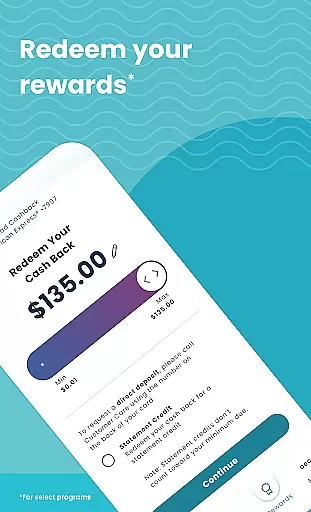
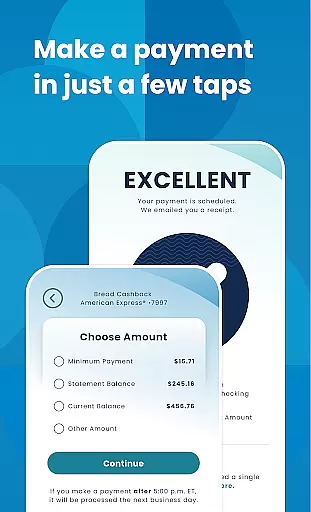
Another significant feature is the capability to make payments easily. You can set up automatic payments, schedule one-time payments, and edit or delete scheduled payments. For select programs, users can track their reward earnings, redeem them in any amount they prefer, and unlock exclusive offers on the partner site linked within the app. This comprehensive functionality makes Bread Financial a powerful tool for anyone looking to manage their credit card accounts effectively.
Account and fund security is a critical aspect of any financial application, ensuring that users' sensitive information and funds are protected from unauthorized access. Bread Financial employs advanced encryption protocols and multi-factor authentication to safeguard user accounts. This includes secure login options such as username/password or biometric verification, providing an additional layer of protection.
The app also allows users to manage their card security by enabling them to lock and unlock their cards directly from the app interface. This feature is particularly useful in preventing fraudulent transactions if a card is lost or stolen. Furthermore, the ability to add authorized buyers ensures that only approved individuals can make purchases using the account.
By integrating these comprehensive security measures, Bread Financial not only protects users' financial assets but also enhances their peace of mind while managing credit card accounts on the go. The secure communication channels, including the Secure Message Center, further reinforce the commitment to maintaining a safe environment for all financial activities.
A seamless transaction experience is essential for any financial app, allowing users to efficiently manage their payments and review financial activities. Bread Financial offers a streamlined process where users can make payments, schedule automatic transactions, and edit or delete upcoming payments with just a few taps. This flexibility empowers users to maintain control over their financial obligations without hassle.
In addition to payment functionalities, the app provides detailed transaction histories and statements, enabling users to monitor their spending patterns and financial health. The search and filter features for recent activity ensure that users can quickly locate specific transactions, enhancing their overall experience when reviewing account details.
Moreover, the app's intuitive design simplifies navigation through various financial tasks, making it easy for users to redeem rewards and access exclusive offers linked within the platform. By prioritizing user convenience and clarity in every transaction, Bread Financial significantly improves customer satisfaction and engagement with their financial management tools.
User-friendly interface
Secure login options
Comprehensive account management
Easy payment scheduling
Reward tracking and redemption
Limited to specific cards
No budgeting tools
Occasional bugs reported
Customer support delays
Interface not highly customizable

BA Financial Calculator PRO – Perfect for CFA/FRM/CPA and finance professionals
 4.90
4.90
Earn cash & save money daily. Access instant cash advances* - no credit check!
4.50
Managing your money just got easier. Get the new Mobile app.
4.70
Easily invest, save, and plan—all in one app.
4.60
Save, spend & get paid faster²
4.50
Earn cash back. Build credit.
4.60
Loan Calculator, Mortgage Calculator, Compound Interest Calculator
4.70
Read and extract public data on NFC Contactless banking card (VISA, MasterCard
4.30
Military retirement pay estimation calculator
4.70
No credit checked needed.
4.80
Your Big Financial Friend
4.70
Cash Advance, Credit Cards, Credit Lines, Score Monitoring, Saving, Budgeting
4.70
Send money and bitcoin easily. Invest, bank and do more with your money
4.70
The US Debt Clock .org App gives you a Real-Time glimpse of US Financial Stats
4.60
The all-in-one app to save, earn, travel, and put more money in your pocket
4.50
Make Real Cash by Playing Games! Fetch Playful Rewards, Win & Triumph
4.50
All your crypto & stocks in one secure and trusted app.
4.40
Get, Earn, and Save Money
4.30
NFC mobile payment app Use your phone as a contactless bank card
4.00


User Reviews