
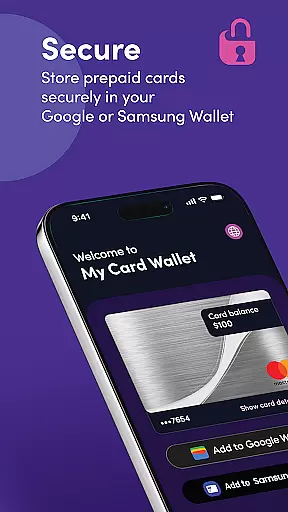
My Card Wallet is a comprehensive financial management application designed to simplify the way users handle their prepaid cards. The app allows you to securely store your card information, check balances in real-time, and make both in-store and online payments with ease. By integrating with Google or Samsung Wallet, it provides a seamless payment experience while ensuring top-level security for your financial data.
The application's standout feature is its ability to consolidate all your card-related activities into one convenient platform. Whether you're looking to pay via contactless methods at retail stores or need quick access to complete card details for online transactions, My Card Wallet has got you covered. This makes it an essential tool for anyone seeking efficient digital payment solutions without compromising on safety or accessibility.
One of the key features of My Card Wallet is its support for contactless payments through Google and Samsung Wallet integration. Users can simply tap their devices to pay at any retailer that accepts their prepaid cards, streamlining the checkout process significantly. Additionally, setting a primary payment method within the wallet ensures that transactions are not only fast but also personalized according to user preferences.
Beyond facilitating payments, this finance app offers robust tools for managing your funds effectively. You can view your current card balance directly within the app interface, eliminating guesswork about available funds before making purchases. Furthermore, easy access to full card details means users won't face hurdles during online checkouts even if retailers don't support specific mobile wallets—providing flexibility across different shopping environments.
Account and fund security is a critical aspect of any financial application, ensuring that users' sensitive information and funds are protected. My Card Wallet employs advanced encryption protocols to safeguard your card details and personal data, providing peace of mind when you store your cards digitally.
The app also features secure authentication methods, such as biometric login or PIN protection, adding an extra layer of security to prevent unauthorized access. This ensures that only you can view your balance, card details, and make transactions using the stored cards.
By prioritizing account and fund security, My Card Wallet allows users to manage their prepaid cards with confidence. The robust security measures in place protect against fraud and unauthorized transactions, making it a reliable choice for digital payments both in-store and online.
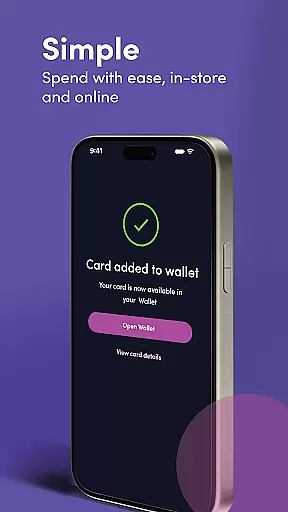
A seamless transaction experience is essential for user satisfaction in financial applications. My Card Wallet offers intuitive functionality that makes paying in-store effortless. By simply adding your prepaid card to Google or Samsung Wallet, you can tap to pay at any retailer accepting your card, streamlining the payment process.
For online purchases, the app simplifies checkout by storing your card details, eliminating the need to manually enter long card numbers. If a retailer doesn't support digital wallets, you can easily retrieve your full card details within the app for manual entry.
This smooth transaction experience enhances convenience without compromising security, allowing users to focus on their shopping rather than the payment process. With real-time balance updates after each transaction, My Card Wallet keeps you informed about your spending at all times.
User-friendly interface
Secure storage solution
Real-time balance updates
Seamless payment integration
Comprehensive customer support
Limited banking services
No investment options
Possible transaction fees
Device compatibility issues
Dependent on network connectivity

The all-in-one app to save, earn, travel, and put more money in your pocket
 4.50
4.50
BA Financial Calculator PRO – Perfect for CFA/FRM/CPA and finance professionals
4.90
Get a cash advance instantly. File taxes & cover unexpected bills in minutes.
4.60
Retirement plan, IRA, retail and HSA customers serviced by Empower.
3.10
Managing your money just got easier. Get the new Mobile app.
4.70
Get up to 500, get paid early, earn interest and find work with no hidden fees.
4.40
Manage your credit card account with the Credit One Bank mobile app.
4.70
Read and extract public data on NFC Contactless banking card (VISA, MasterCard
4.30
Send money and bitcoin easily. Invest, bank and do more with your money
4.70
Currency Converter, Exchange Rates, Widgets
4.90
Companies owe you money.
4.80
Check EBT, SNAP, WIC balances, manage food stamps, and save money with benefits
4.80
Your Big Financial Friend
4.70
Cash Advance, Credit Cards, Credit Lines, Score Monitoring, Saving, Budgeting
4.70
The US Debt Clock .org App gives you a Real-Time glimpse of US Financial Stats
4.60
Put crypto to work & earn rewards. Stake crypto like Ethereum, Solana & Cardano
4.40
Bank better with our new app
3.80
StockTiles lets you view prices & charts of your favorite stock assets
2.30
Bill Manager is a simple app to help you keep track of your upcoming bills.
4.1


User Reviews