
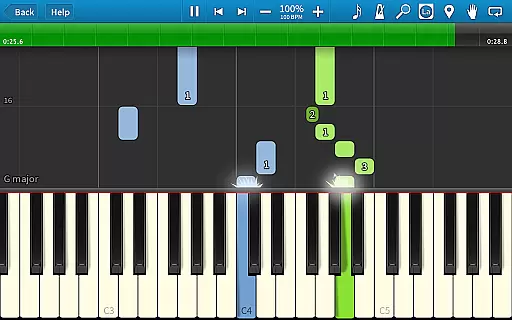
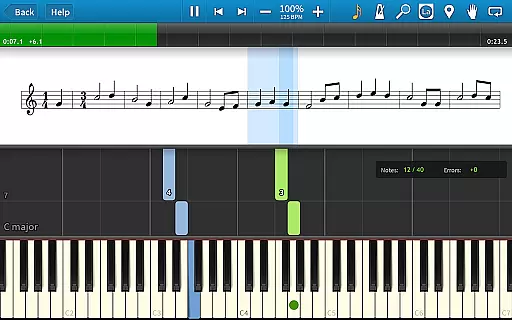
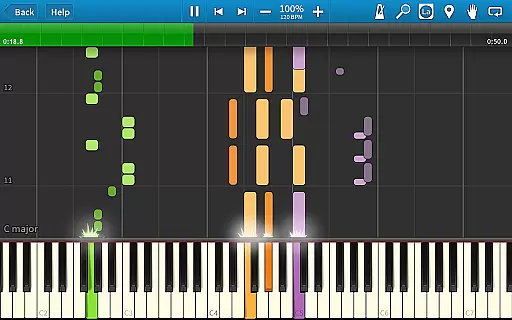
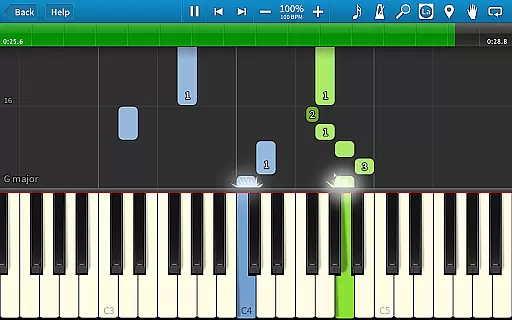
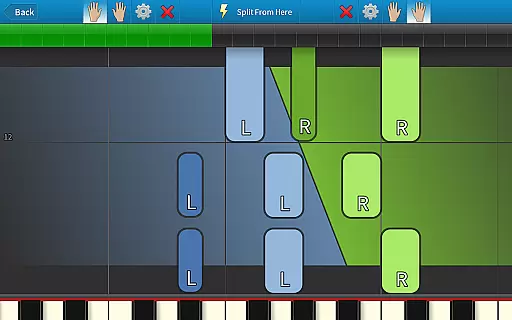
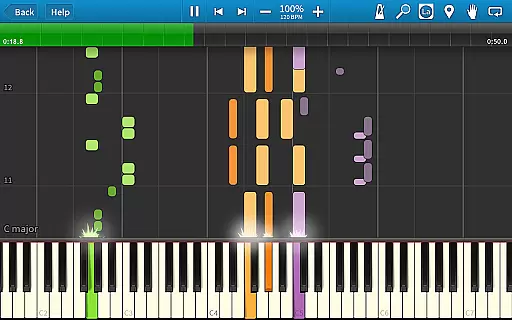
Synthesia is an innovative music learning application that allows users to start playing piano immediately, even without the ability to read sheet music. The app supports both touchscreen interaction and connection with a digital keyboard, providing a realistic piano-playing experience. Users can practice melodies with Synthesia waiting for correct notes, making it ideal for beginners.
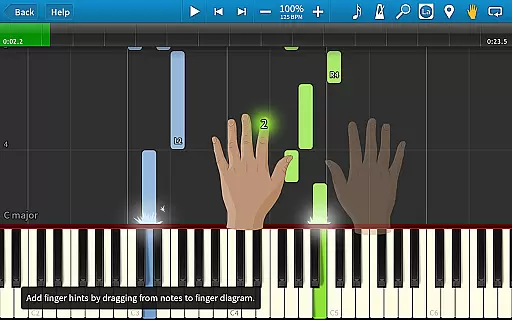
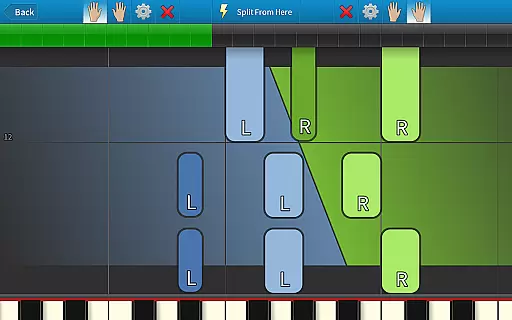
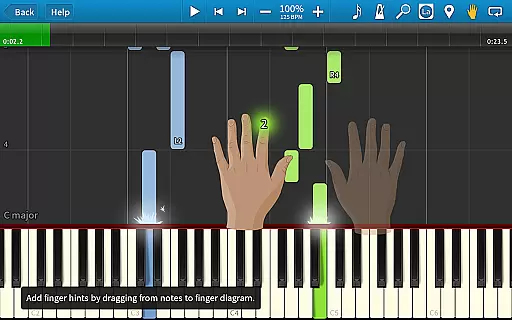
The app offers various learning modes including separate hand practice, falling note visualization, and finger-position hints. With compatibility for lighted keyboards and a built-in metronome, Synthesia caters to learners of all levels. Whether you're practicing included songs or importing MIDI files, this app provides a comprehensive platform for improving your musical skills.
Synthesia stands out with its versatile feature set tailored for music learners. The app's Melody Practice mode ensures users hit the correct notes before proceeding, while supporting both hands separately or together. This creates a personalized learning pace suitable for different skill levels.
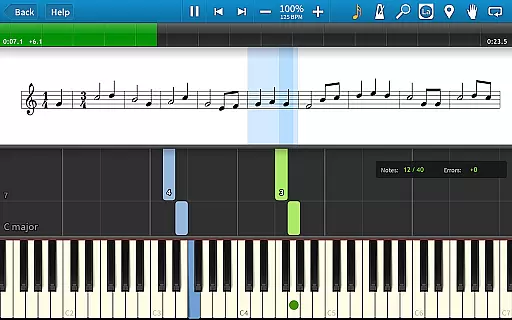
One of the key highlights is the compatibility with digital pianos and lighted keyboards, allowing seamless integration with existing musical instruments. The app also offers multiple visual feedback options including sheet music and falling note blocks. Additional features like loops, bookmarks, and a multi-track recorder provide advanced tools for both casual learners and serious musicians.
The one-time purchase model unlocks lifetime access to 150+ songs and future upgrades, making it a cost-effective solution for long-term musical development.
Synthesia offers an extensive music library that caters to a wide range of musical tastes and skill levels. With over 150 included songs, users have access to a diverse selection of compositions ranging from classical pieces to contemporary hits.
The app ensures copyright authenticity by allowing users to play any MIDI song ever created, which means musicians can explore a vast array of legally distributable content. This feature not only enhances the learning experience but also provides endless opportunities for discovery and growth.
Moreover, Synthesia's compatibility with user-created MIDI files expands the music library infinitely, limited only by the creativity of its users. This flexibility allows learners to practice with their favorite songs or explore new genres without worrying about copyright infringement.
Synthesia delivers exceptional audio quality options that enhance the overall music learning experience. The app supports high-quality sound output, ensuring that every note played is clear and true to the original composition.
Users can connect their own digital piano and enjoy an authentic playing experience with realistic instrument sounds. This integration capability guarantees that the audio quality matches the standard expected by serious musicians and hobbyists alike.
In addition to supporting external instruments, Synthesia includes features like adjustable tempo and dynamics, giving users control over how their performance sounds. These options allow for personalized practice sessions tailored to individual preferences and skill levels.
User-friendly interface
Supports external keyboards
Comprehensive learning modes
One-time purchase model
Versatile practice options
Limited free content
Requires hardware for best experience
No advanced music theory
Interface may feel dated
Occasional sync issues

VB-AUDIO Software / VBAN-Receptor allows listening to any VBAN Streams
 4.10
4.10
Enhance the sound quality of your devices, listen to what you want
4.50
Enjoy singing any song, no matter how high or low it is
4.30
Play your hearts out on TouchTunes jukeboxes & connect with fellow music lovers.
4.80
No wifi music app. Mp3 offline. Tuner radio, young radio music. Music downloader
4.20
Let your Android device with the sound effects you want
4.50
Turn Every Moment into Music
3.60
Get alarms that fit your lifestyle and wake up to the sounds you love.
4.80
Play your music offline without limits
4.80
24,000 free audio books and no ads!
4.90
JBL PartyBox APP works with 110/310/710/120/320/520/Encore/Encore 2/Encore Ess 2
4.80
Make songs with AI! Any genre, custom lyric, song generator for music creation!
4.80
Taal player that lets you sing any Indian & Western song with Tabla & Tanpura
4.60
Recording studio w/ 10k beats, pro vocal FX and a network of 20M rappers & fans!
4.60
Save hundreds of dollars for a physical strobe tuner and instead use this app.
4.50
DJ Music Mixer Pro is a real DJ controllers and DJ Music Studio to remix DJ.
4.40
Master Salsa Rhythm quickly and with a lot of fun!
4.30
Smart piano keyboard, Classical to Pop, Real-time multiplayer connection!
4.20
Permanently backup Now Playing. Maps, filters & listening stats.
4.00


User Reviews