
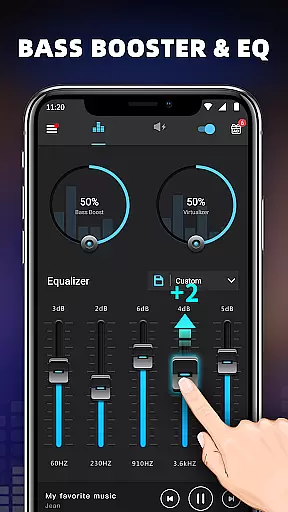
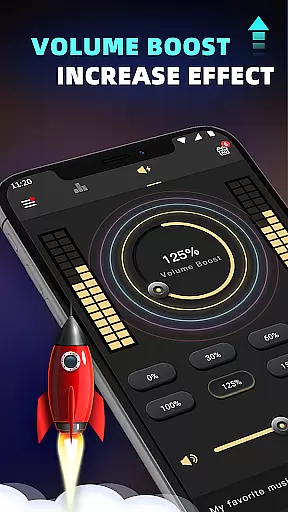
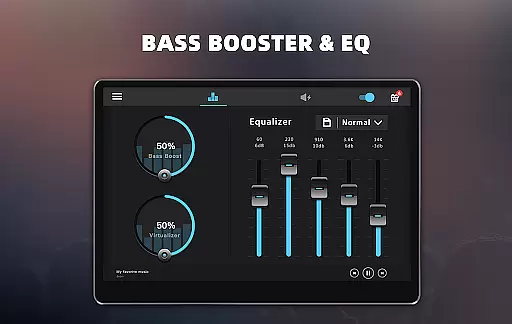
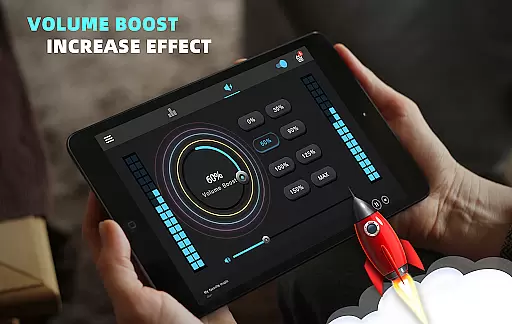
Bass Booster & Equalizer PRO is a premium audio enhancement application designed for Android users who want to elevate their sound experience. This app offers advanced features like Bass Boost, Volume Boost, Virtualizer, and a five-band Equalizer that work together to significantly improve the audio quality of music, videos, and other media on your device.
With its user-friendly interface and customizable options, this app caters to both casual listeners and audiophiles alike. Whether you're using it with headphones or external speakers, Bass Booster & Equalizer PRO ensures an immersive audio experience by allowing precise control over sound levels and frequencies.
The app's standout feature is its ability to provide a personalized listening experience through 10 preset equalizations and a customizable option. Additionally, users can enjoy an ad-free environment, priority support, and access to 16 colorful themes, making it not only functional but also visually appealing.
Bass Booster & Equalizer PRO stands out with its comprehensive suite of audio enhancement tools. The app includes a Bass Boost effect that adds depth to low-frequency sounds, a Volume Boost feature that amplifies overall volume, and a Virtualizer that creates a surround sound effect for a more immersive experience.
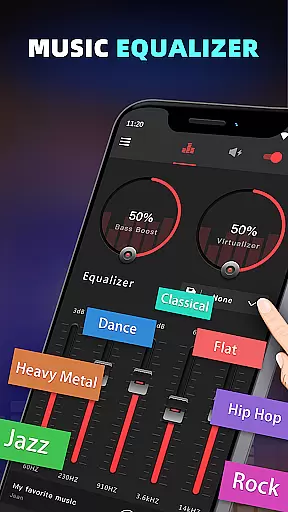
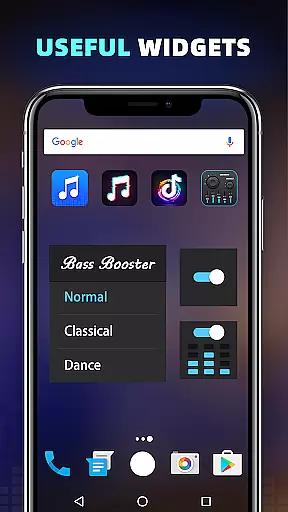
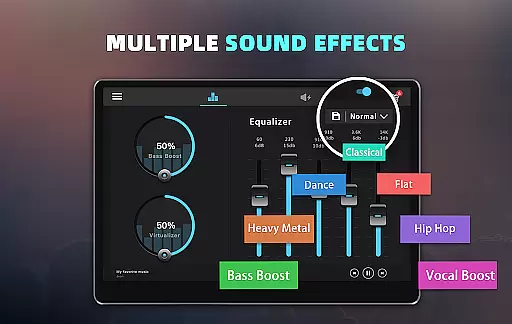
One of the key highlights is the five-band Equalizer with 10 preset options ranging from Normal to Rock genres. Users can further customize their listening preferences with a fully adjustable equalizer setting. The inclusion of 16 Colorful Themes and 3 Widgets (1x1, 1x1, 2x2) provides both aesthetic variety and quick access to frequently used controls.
Designed for seamless integration, the app works with most music and video players. Its simple installation process and intuitive controls make it easy to use, whether adjusting settings for music playback or enhancing video sound quality while running in the background.
When it comes to music applications, the size and authenticity of the music library are crucial factors that define user experience. Bass Booster & Equalizer PRO offers a vast array of sound effects and presets that enhance your music's quality without infringing on copyright laws.
This application provides ten distinct equalization presets ranging from Normal to Rock genres, ensuring that users have access to a wide variety of audio enhancements that suit their preferences. These presets are crafted in-house and do not violate any copyright restrictions, making them safe and legal for use.
Moreover, the app allows customization of these presets, giving users the freedom to adjust frequencies according to their liking while maintaining the integrity of the original tracks. This feature enriches the listening experience by allowing personalized audio settings tailored to individual tastes.
By focusing on delivering high-quality audio processing tools rather than a traditional music library, Bass Booster & Equalizer PRO ensures that all its features comply with copyright regulations, providing peace of mind alongside an enhanced auditory experience.
Audio quality is paramount when selecting an audio enhancement tool, and Bass Booster & Equalizer PRO excels in offering various options to improve sound output significantly. With features like Bass Boost, Volume Boost, and Virtualizer, this app transforms ordinary audio into an extraordinary listening event.
The five-band equalizer included in the application enables precise control over different frequency ranges, allowing users to fine-tune their audio experience. Whether you're looking to enhance the depth of bass or clarify treble sounds, this app provides the necessary tools to achieve studio-like audio quality directly from your Android device.
In addition to the manual adjustments, there are multiple preset options available such as Classic, Dance, Folk, and more. Each preset is designed to optimize specific types of audio content, ensuring that every track sounds as intended by the artist while also catering to personal preferences.
Bass Booster & Equalizer PRO stands out by integrating seamlessly with most music and video players, enhancing audio playback without compromising quality. Its ability to run efficiently in the background further underscores its commitment to delivering uninterrupted, superior sound performance across all media formats.
Enhances audio quality
Customizable equalizer
Ad-free experience
Priority customer support
Multiple color themes
Premium version costly
Complex for beginners
Limited video support
No iOS compatibility
Drains battery faster

The Music Journey in Your Hands
 4.30
4.30
VB-AUDIO Software / VBAN-Receptor allows listening to any VBAN Streams
4.10
The only true audiophile music player with Hi-Fi audio rendering and DSP engine
3.90
Super Sound Editor, Song Maker & Mixer, Vocal Remover, Voice Recorder & Changer!
4.60
Smart piano keyboard, Classical to Pop, Real-time multiplayer connection!
4.20
The official Sonos app
4.10
Offline Music Player&MP3 Player with themes, equalizer, lyrics, music play mode
4.60
Offline Tunes, Unlimited Vibes
3.90
Get alarms that fit your lifestyle and wake up to the sounds you love.
4.80
Save hundreds of dollars for a physical strobe tuner and instead use this app.
4.50
Let your Android device with the sound effects you want
4.50
DJ Music Mixer Pro is a real DJ controllers and DJ Music Studio to remix DJ.
4.40
Ringtone Maker is free app create ringtone from music files or your recording.
4.40
Your HD audio recorder on the go for music, meetings, ambience, animal sounds…
4.30
Time Trainer: accurate metronome w tools to help you develop your internal time!
4.20
The alternative folder based music player.
4.20
No wifi music app. Mp3 offline. Tuner radio, young radio music. Music downloader
4.20
PowerAudio is a powerful offline music player.
4.20
The ultimate media player for Android devices
3.90


User Reviews