

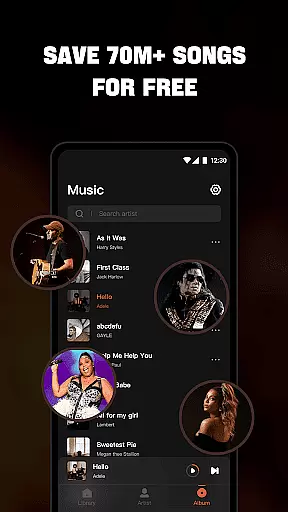


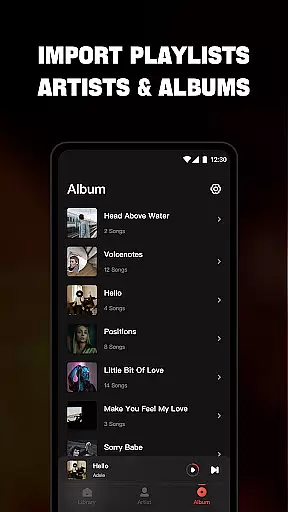
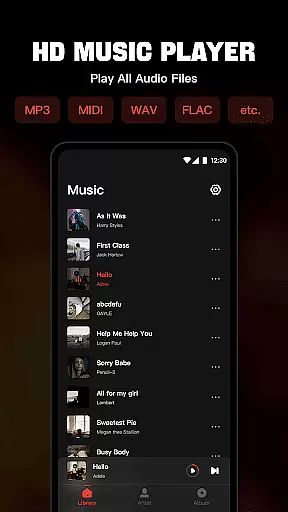
Mixtube is a versatile offline music player designed for uninterrupted audio enjoyment. This application allows users to import and play all their favorite songs in various formats, including MP3, MIDI, WAV, FLAC, AAC, and APE, ensuring high-quality sound output. With its built-in top-quality equalizer, Mixtube elevates the listening experience to the next level.
One of the standout features of Mixtube is its ability to run in the background, enabling users to listen to music while performing other tasks such as housework, studying, or working. The app also offers comprehensive library management, allowing users to organize their music by songs, artists, albums, folders, and playlists. Additionally, it provides lock screen controls and widget support, making it a powerful tool for managing and enjoying your music collection without an internet connection.
Mixtube stands out with its extensive format compatibility, supporting all major audio file types for seamless playback. The integrated equalizer offers customizable sound settings, catering to audiophiles who demand the best audio quality. Users can create personalized playlists and mark favorite songs, enhancing music discovery and replay value.
The app's background play functionality ensures that music continues uninterrupted, even when using other applications or locking the device. Its intuitive interface includes lock screen controls and notification bar playback options, providing effortless music management. Furthermore, Mixtube's widget feature allows quick access to frequently used functions, streamlining the user experience and making it an indispensable tool for offline music enthusiasts.
Offline Music Player offers an extensive music library that allows users to import and manage all their audio files seamlessly. The app supports a wide range of formats including MP3, MIDI, WAV, FLAC, AAC, and APE, ensuring high-quality playback for every song in your collection.
The application's commitment to copyright authenticity is evident through its support for legally owned music files. Users can access their entire music library without concerns about copyright infringement, as the app does not provide streaming or downloading services but focuses on playing locally stored tracks.
With features like viewing songs by artists, albums, folders, and playlists, users have complete control over how they organize and enjoy their music. This level of personalization enhances the listening experience while respecting the intellectual property rights associated with each track.
One of the standout features of Offline Music Player is its top-quality equalizer, which elevates the sound listening experience to the next level. Users can customize their audio settings to suit different genres and preferences, ensuring that every note sounds crisp and clear.
In addition to superior sound quality, this mp3 player provides lock screen controls and notification bar play functions, allowing for seamless management of music playback. These practical features ensure convenience without compromising on audio excellence.
Furthermore, widget support adds another layer of accessibility, enabling quick access to favorite songs and custom playlists. Whether you're at home or on the go, Offline Music Player delivers an uninterrupted, high-fidelity audio experience that caters to audiophiles and casual listeners alike.
User-friendly interface
High-quality audio playback
Extensive format support
Background music play
Customizable equalizer
No online music streaming
Premium version required for ad-free experience
Limited free trial period
Subscription auto-renews
In-app purchases can be costly

Equalizer, Bass Booster and Volume Booster (Eq & Bass) improve sound quality
 4.30
4.30
Tune in to the greatest hits on UK Radio | The home of Capital, Smooth & Heart.
4.90
Enhance the sound quality of your devices, listen to what you want
4.50
Advanced 10-Band Audio Graphic Equalizer Sound Booster Pro
4.30
Bass Booster Pro takes auto-equalizing to the next level!
4.30
The Minimalistic Premium Music Player. Handmade with passion for music
2.20
Reverse your voice & songs instantly! Fun singing challenge with cool effects.
4.60
Uninterrupted Tunes, Unmatched Vibes
3.90
Be a true music maker: create beats, mix and make music like a real DJ!
4.30
Gorgeous UI, Powerful music Search and Equalizer, the great choice for you!
4.70
Most Advanced AI Song Generator and Music Creator. Rap, Pop, Rock, Gospel & more
4.70
A complete sound package for the sound engineer or enthusiast
4.60
Let your Android device with the sound effects you want
4.50
Time Trainer: accurate metronome w tools to help you develop your internal time!
4.20
A High-Precision Audio Spectrum Analysis App
4.20
The alternative folder based music player.
4.20
PowerAudio is a powerful offline music player.
4.20
Turn your Android phone into a professional audio analyser with up to 120 bands.
4.00
MilkDrop for Android TV
3.00


User Reviews