
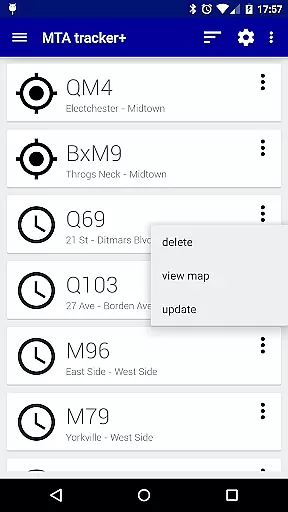
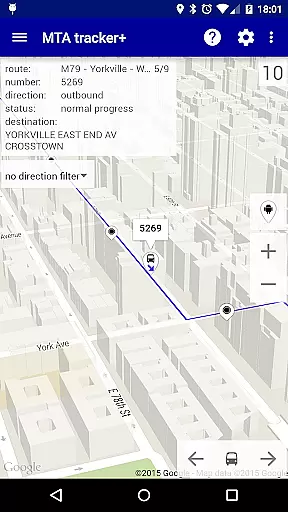
Transit Tracker+ is a comprehensive navigation app designed for New York City's Metropolitan Transportation Authority (MTA) users. This ad-free version offers advanced features beyond the basic Transit Tracker, including real-time vehicle tracking, route schedules, and stop alerts. The app leverages MTA's public APIs to provide accurate data on bus and train movements across supported routes.
Key functionalities include the ability to track specific vehicles by route or stop number, view detailed schedules on a map, and receive notifications when a vehicle approaches a designated stop. Users can also explore nearby stops based on their current location and filter results by route. With additional customization options like light/dark themes, traffic data overlays, and adjustable update intervals, Transit Tracker+ ensures an optimal user experience tailored to individual preferences.
This app is particularly useful for daily commuters who rely on MTA services and need precise arrival times to plan their journeys efficiently. By providing timely updates and customizable alerts, Transit Tracker+ helps users save time and reduce uncertainty in their daily commutes.
Transit Tracker+ stands out with its robust feature set tailored for NYC transit users. The app provides real-time tracking of MTA buses and trains using vehicle numbers, route identifiers, or stop codes. This granular level of detail allows users to monitor exact vehicle locations and estimated arrival times, ensuring they never miss their ride.
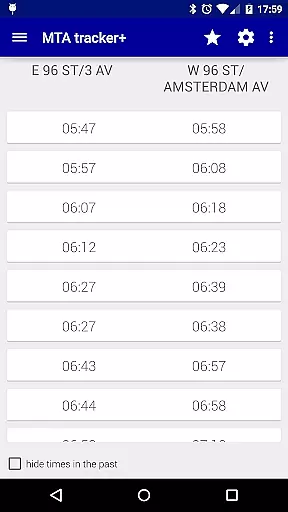
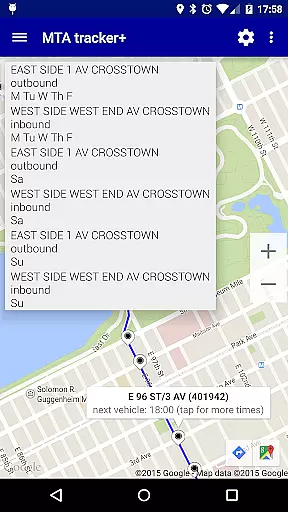
In addition to live tracking, the app offers downloadable route schedules that can be viewed as origin/destination tables or interactive maps. Users can tap on any stop to see upcoming arrivals, making it easy to plan connections. The close stops feature lets users search for nearby stations based on their current location or a custom address, with options to limit search results and apply route filters.
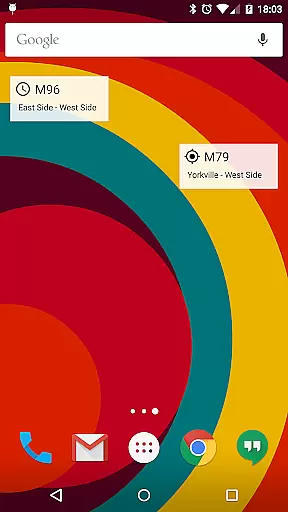
Advanced customization options enhance usability, including theme selection, map display settings with satellite imagery and traffic data, and adjustable update intervals for vehicle locations. Users can also create home screen widgets for quick access to frequently used routes and set personalized alert tones for approaching vehicles. These features collectively create a powerful tool for navigating NYC's complex transportation network.
Map accuracy is a critical feature for any navigation app, and Transit Tracker+ - NYC excels in this area. The application uses real-time data provided by the MTA through public APIs to display the location of vehicles on various routes. This ensures that users have access to the most up-to-date information regarding bus and train locations.
The app allows users to input specific route numbers, stop numbers, or vehicle numbers to see all relevant vehicles on the map. By tapping on a stop, users can view the scheduled arrival times of upcoming buses or trains. This level of detail provides an accurate representation of transit operations, which is essential for effective trip planning.
Additionally, Transit Tracker+ offers features such as satellite imagery and color-coded traffic data overlay on the map. These enhancements contribute to a more precise understanding of current traffic conditions and potential delays, allowing users to make informed decisions about their travel plans.
Route planning is a fundamental aspect of Transit Tracker+ - NYC, empowering users to efficiently navigate the metropolitan transportation system. The app enables users to request route schedules for any MTA route by entering its number. Schedules are presented as origin/destination tables or visually on a map, providing flexibility in how users digest the information.
For those seeking nearby stops, the close stops feature allows users to select their current location or input an address to find MTA stops within proximity. Users can specify the maximum number of stops to return and apply optional route filters, streamlining the process of identifying suitable transit options.
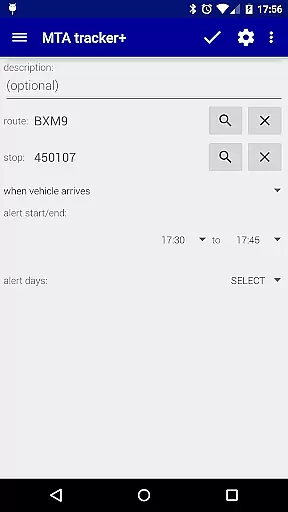
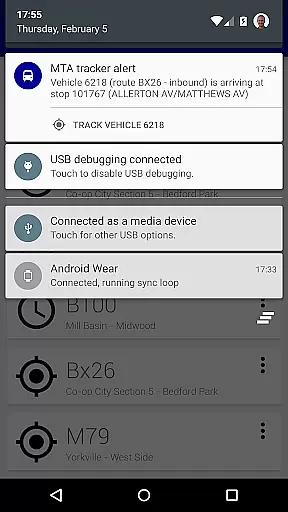
Transit Tracker+ also supports alerts for when an MTA vehicle is approaching or arriving at a particular stop. These alerts are based on the distance from the stop and follow the defined route shapes provided by the MTA. With these tools, users can plan their journeys with confidence, knowing they will be promptly notified of impending arrivals.
User-friendly interface
Real-time tracking
Customizable alerts
Comprehensive route data
Ad-free experience
Limited route coverage
No official MTA support
Occasional data delays
Requires internet connection
Premium price point

OpenCPN is a full featured ChartPlotter and Navigator for Android.
 3.60
3.60
Airport parking, with airport shuttle (TPS shuttle), reservations, and Spot Club
4.80
Number locator, real connection map
4.10
Order a cab online. An affordable taxi ride and driver in no time. What a bolt!
4.80
Your real-time window to the world. Explore anywhere, anytime.
3.30
LIRR and Metro-North tickets and trips
4.80
Live Satellite view app for find GPS navigation Direction and live location map
3.70
Navigate MTA, NJ Transit, MBTA, SEPTA, BART, MARTA, CTA & 900+ cities
4.60
Get matched with a nearby driver — you’ll be on your way in minutes.
4.30
Parcel map, property lines, owner, acres, land use, zoning and more from Regrid.
4.60
Maps, Driving Directions & GPS navigation using directions app & GPS App
4.30
Simple & easy to use a compass app. Get accurate directions.
4.20
Lets explore the world's famous places by using Live Cams, GPS & Satellite View.
4.20
Navigation, weather, offline maps & tools for smarter, safer travel planning.
4.00
Start your next adventure confidently using our Accurate Compass App
3.70
Gas Station & Fuel Rewards Points
3.70
Play in the outdoors with Android as your Handheld GPS and offline topo maps!
3.50
Offline maps for phone and smart watch: topographic maps, satellite images...
3.30
Ride CTA, Metra & Pace: Manage your fares, buy Metra tickets, get arrivals.
3.00


User Reviews