
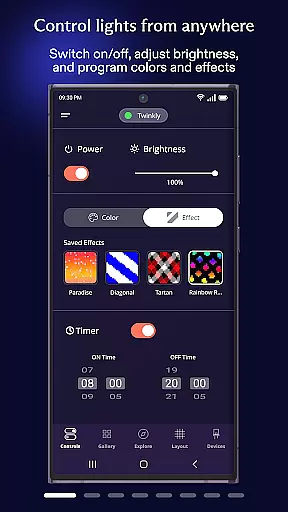
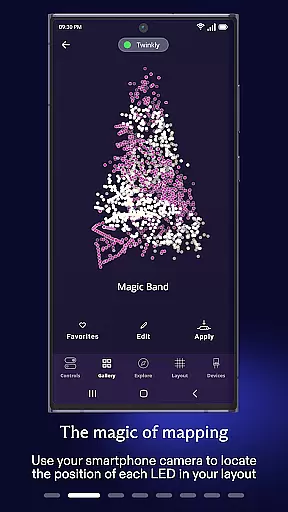
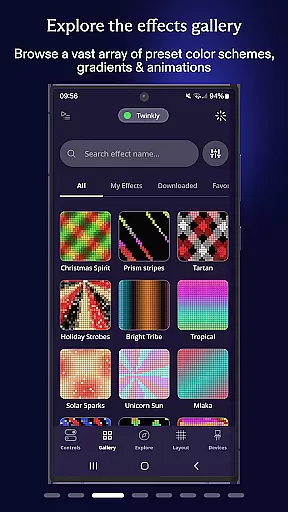
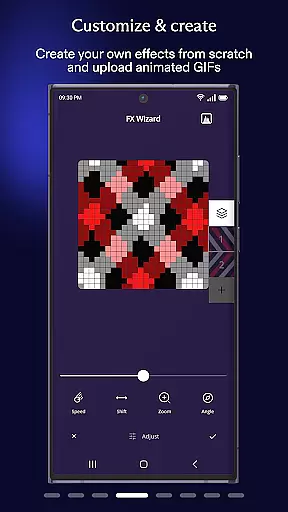
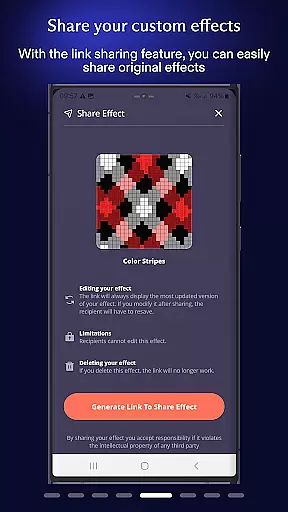
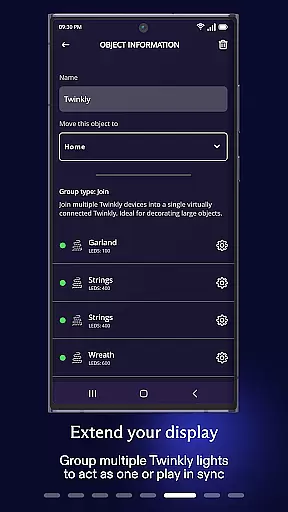
Twinkly is a smart lighting control application designed to enhance your home's ambiance through customizable and dynamic light effects. The app allows users to manage Twinkly devices with precision, offering features such as mapping lights for customized effects, grouping devices for larger installations, and setting timers for automated control.
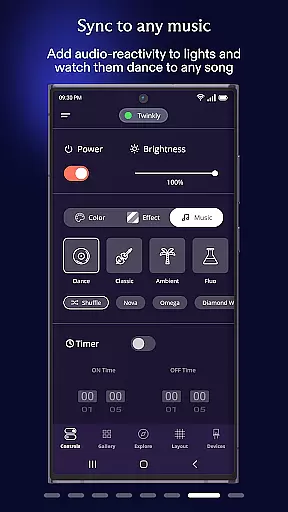
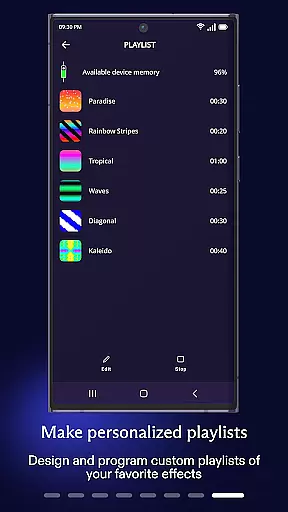
With the ability to adjust brightness, create playlists of effects, and even sync lights to music via Twinkly Music, this app provides a versatile platform for creating the perfect atmosphere. Integration with Amazon Alexa and Google Assistant enables hands-free voice control, making it an ideal solution for modern smart homes.
Twinkly stands out with its advanced customization options that let users design unique lighting experiences. The app's mapping feature allows precise placement of lights, enabling intricate effect designs tailored to specific layouts. Grouping functionality supports complex installations by combining multiple devices into cohesive units, while user role assignment ensures secure and organized management.
Automation features like timers and playlists provide convenience, allowing users to schedule lighting changes without manual intervention. The app also includes a brightness adjustment tool for fine-tuned control over illumination levels. With seamless integration into smart home ecosystems through Amazon Alexa and Google Assistant, Twinkly offers intuitive voice commands for effortless operation.
When it comes to managing your smart home devices, the authenticity and accuracy of listings are crucial. The Twinkly App ensures that every device you connect is accurately represented within the app's ecosystem.
This means that when you map your lights or group devices, the app provides precise control over each device. You can trust that the effects you create and customize will display exactly as intended on your connected lights.
The app also allows users to set timers and playlists with reliable precision, ensuring that your lighting schedules perform consistently. This level of authenticity in device representation offers peace of mind, knowing that your home setup is both efficient and effective.
Effective home management is at the core of the Twinkly App's offerings. With its comprehensive suite of features, the app empowers users to take full control of their lighting installations.
You can adjust brightness levels, sync lights to music through Twinkly Music, and even integrate with Amazon Alexa or Google Assistant for seamless voice control. These capabilities allow for a dynamic and interactive home environment tailored to your preferences.
Additionally, advanced options such as assigning user roles within the app make collaborative management easy, whether it's family members or professional installers accessing the system. Such robust home management features ensure an optimized and enjoyable smart home experience.
User-friendly interface
Voice control support
Customizable effects
Group device management
Music synchronization
Premium features locked
Occasional connectivity issues
Limited third-party integrations
Device compatibility restrictions
Subscription fees apply

The official app for Home Assistant. Control your home anywhere in the world.
 4.30
4.30
Wobble Fix Tool
4.40
Download today to join the community to help bring lost pets home faster.
4.70
IP camera view and playback, for your WiFi cam or home security cctv system.
3.70
USHUD.com helps you find the best homes for sale in your area
4.00
AI Home Designer & Room Planner: Decorate your interior space with AI
4.40
Fire & Power Safety
4.50
MLS-powered real estate app to find homes for sale & apartments for rent
4.70
Samsung remote app helps control all Samsung Smartthings TVs. Fast and Stable!
4.10
Find your next home, house, apartment, condo, casa, flat, rental, studio, or bed
4.70
Plants, Beauty, Collectibles
4.60
Parcel Pending Resident App
4.50
Control your Vivint Smart Home with the next generation Vivint App.
4.30
Turn your phone into a wifi cam with smart features and umlimited reach.
4.20
Book your local plumber 24/7, track your service order & get exclusive coupons
4.00
Use Home by ShowingTime to easily manage showings, tours, feedback and more
3.60
Draw house plans, floor plans 3d & house design with house plan drawing 3d app
3.60
Control Fire TV & mirror your phone screen instantly over Wi-Fi.
3.30
Universal TV remote Control for Roku TV brands via WiFi remote
4.4


User Reviews