

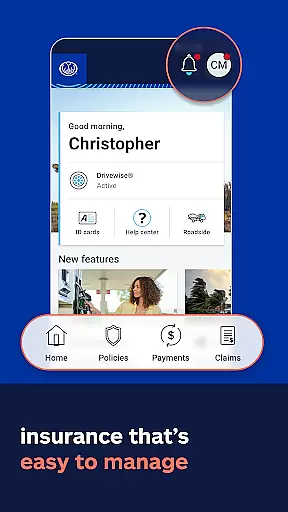

Allstate Mobile is a comprehensive financial and insurance management app designed to provide users with quick access to essential services. The app allows you to store digital ID cards, make bill payments, and manage your insurance policies all in one place. With features like the Good Hands® Repair Network, users can easily find trusted repair shops when needed.
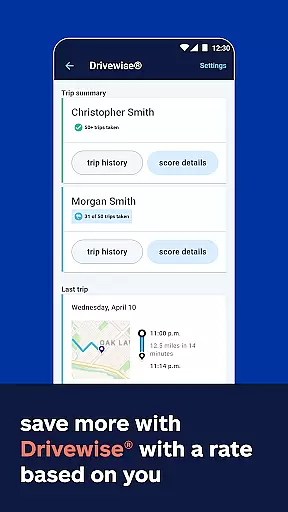
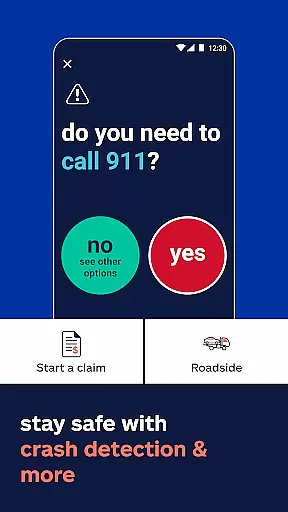
One of the standout capabilities of Allstate Mobile is its Drivewise® program, which promotes safe driving by offering rewards and feedback based on your driving behavior. Additionally, the app provides practical tools such as crash detection for immediate assistance and GasBuddy® integration to help you find the best gas prices. These features collectively ensure that users can drive smarter while saving money.
Beyond managing policies, the app offers valuable resources to protect what matters most. Users receive alerts about extreme weather, insights into their home's climate risks, 24/7 roadside assistance, and fraud protection through Allstate Identity Protection. Whether it's staying prepared for emergencies or optimizing your driving habits, Allstate Mobile delivers significant value by keeping users informed, safe, and in control of their insurance needs.
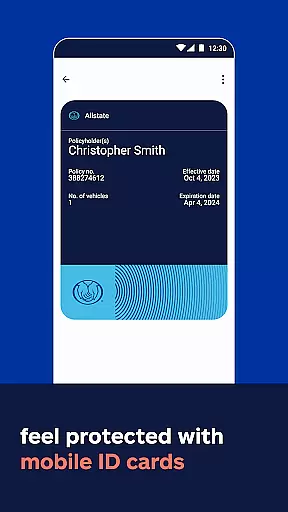
Allstate Mobile stands out with its diverse range of features tailored to enhance user convenience and safety. One of the key functionalities includes accessing digital ID cards, which can be added to Apple Wallet for easy retrieval. This feature ensures that users always have their proof of insurance readily available, although it's important to note that electronic proof may not be accepted in all states.
The app also excels in policy management by enabling users to pay bills, view detailed policy information, and handle claims efficiently. Furthermore, the Drivewise® program adds an innovative layer to the app by providing safe-driving rewards and personalized feedback, helping users save based on their driving behavior. Crash detection offers peace of mind by connecting users with help quickly after an accident, while GasBuddy® integration assists in finding the best local gas prices.
Additional protective features include receiving alerts about extreme weather conditions, assessing your home’s climate risks, accessing 24/7 roadside assistance, and safeguarding against identity theft with Allstate Identity Protection. Each feature is meticulously designed to offer practical benefits, ensuring users are well-prepared and protected in various scenarios, ultimately enhancing their overall experience with the app.
In the realm of finance applications, security is paramount. Allstate Mobile ensures top-tier account protection through advanced encryption protocols and multi-factor authentication. This safeguards your personal information and financial data against unauthorized access.
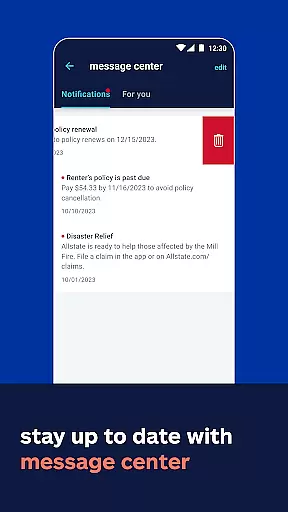
The app provides users with real-time notifications for all account activities, ensuring complete transparency. Whether it's a bill payment or policy update, you'll be instantly alerted, allowing you to act quickly if any suspicious activity is detected.
Furthermore, Allstate Mobile employs state-of-the-art fraud detection systems. These systems analyze your transaction patterns and flag any anomalies, providing an additional layer of security. This proactive approach helps prevent potential threats before they impact your account.
By prioritizing security at every level, Allstate Mobile offers peace of mind to its users. You can confidently manage your policies and payments, knowing that robust measures are in place to protect your financial well-being.
A seamless transaction experience is crucial for any finance app, and Allstate Mobile excels in this area. The app allows for effortless bill payments and policy management, consolidating all necessary functions into one intuitive interface.
Users can easily access their digital ID cards and add them to Apple Wallet, streamlining the process of providing proof of insurance. This feature not only enhances convenience but also ensures compliance with local regulations where electronic proof is accepted.
Allstate Mobile goes beyond basic transactions by offering value-added services. For instance, the Good Handsu00ae Repair Network helps you find trusted repair shops, while Drivewiseu00ae provides safe-driving rewards and feedback, enhancing your overall experience.
With real-time updates and alerts, users are always informed about their account status. This transparency, combined with user-friendly features, makes managing your Allstate account both efficient and enjoyable.
User-friendly interface
Comprehensive policy management
Safe-driving rewards program
24/7 roadside assistance
Extreme weather alerts
Limited digital ID acceptance
Drivewise not available in CA
Potential data privacy concerns
Dependent on smartphone usage
Varied savings by state

Expenses, Bills, Budget and Accounts - All seamlessly integrated in one app!
 3.80
3.80
Companies owe you money.
4.80
Download the MySynchrony App to manage your accounts securely and conveniently!
4.60
Managing your money just got easier. Get the new Mobile app.
4.70
The Citi Mobile® App lets you manage your accounts virtually anytime, anywhere
4.80
Read and extract public data on NFC Contactless banking card (VISA, MasterCard
4.30
Real-time tracking: Stocks, Indices, Futures, Commodities, ETF, & Funds prices.
4.60
Cash Advance, Credit Cards, Credit Lines, Score Monitoring, Saving, Budgeting
4.70
Wells Fargo Mobile allows you to access your investment and bank accounts.
4.80
Currency Converter supports all currencies of the world.
5.00
BA Financial Calculator PRO – Perfect for CFA/FRM/CPA and finance professionals
4.90
Simple & secure international money transfers - for personal & business needs.
4.80
Easy budgeting planning on a calendar!
4.80
Money transfer made easy. Send money to friends and family with great rates.
4.70
Get a cash advance instantly. File taxes & cover unexpected bills in minutes.
4.60
Make Real Cash by Playing Games! Fetch Playful Rewards, Win & Triumph
4.50
Manage budget, save money, or file tax. Build, track & improve your credit score
4.40
Invest, bank & save in one app. Trade stocks, earn high APY & budget smarter.
4.00
SuperQi, Your all-in-one Super App.
1.30


User Reviews