
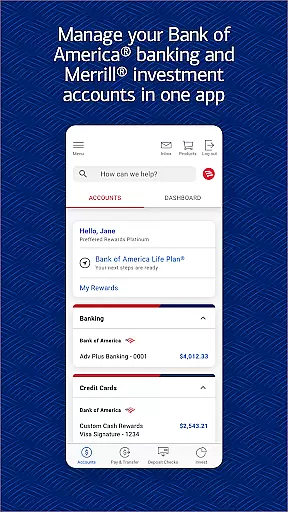
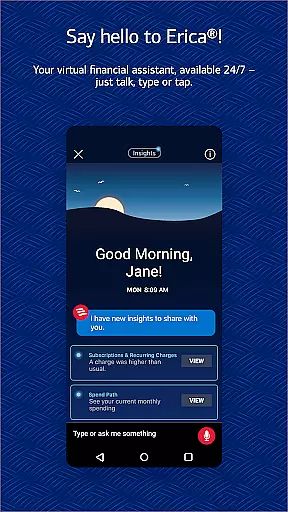
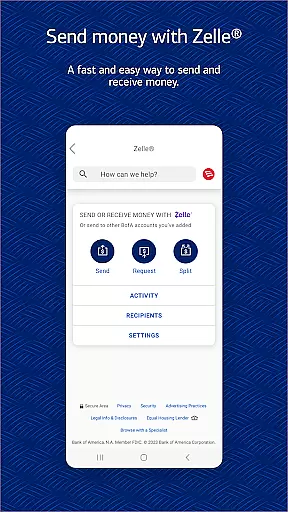
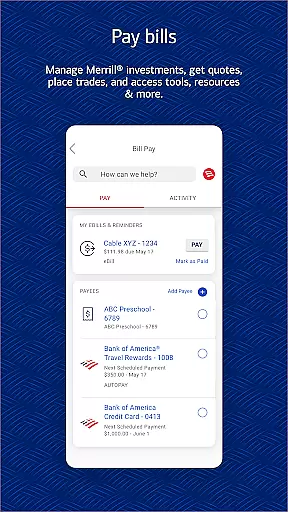
Bank of America Mobile Banking is a comprehensive financial management app designed for U.S.-based customers. It allows users to conveniently and securely manage their checking, savings, credit card, loan, and investment accounts all in one place. The app provides robust features such as account monitoring, money transfers via Zelle®, check deposits through mobile capture, and access to Erica, the virtual financial assistant.
With its user-friendly interface, the app ensures top-notch security by offering Touch ID® / Face ID® authentication and immediate fraud alerts. Users can also manage investments with Merrill, view FICO® Credit Scores, and utilize advanced budgeting tools. Whether you need to pay bills, track spending, or deposit checks remotely, this app delivers a complete banking experience tailored to modern digital lifestyles.
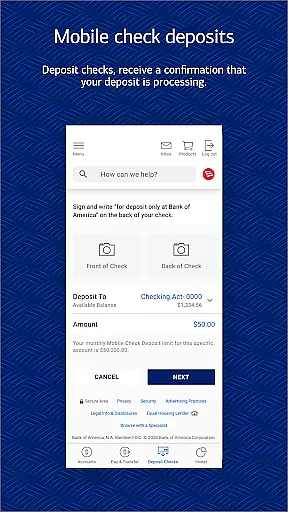
The Bank of America Mobile Banking app stands out with its diverse range of innovative features. One key highlight is the ability to send and receive money instantly using Zelle®, which requires only a U.S. mobile number or email address. For added convenience, users can deposit checks by simply taking photos of them, receiving immediate confirmation that their deposit is being processed.
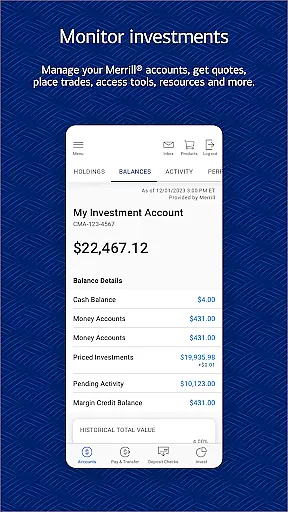
Another standout feature is Erica, the virtual financial assistant, who helps users find transactions, pay bills, and offers personalized insights to improve financial health. Additionally, the app provides powerful investment management tools, allowing users to trade stocks, ETFs, and mutual funds while accessing real-time market data. These capabilities are complemented by advanced budgeting tools that help users organize spending by category and create customized budgets based on past activity.
Security remains a top priority, with features like Touch ID® / Face ID® and instant fraud notifications ensuring peace of mind. Overall, these functionalities make the app an indispensable tool for anyone seeking efficient and secure banking solutions.
In today's digital age, securing your financial accounts is paramount, and the Bank of Americau00ae Mobile Banking app takes this responsibility seriously. The app incorporates advanced security measures to protect user data and transactions. Features such as Touch IDu00ae and Face IDu00ae provide biometric authentication, ensuring that only authorized users can access sensitive account information.
Additionally, the app actively monitors for fraudulent activity. If any suspicious behavior is detected regarding your cards, immediate notifications are sent out, allowing you to take swift action against potential threats. This proactive approach helps maintain the integrity of your funds without compromising convenience.
The Mobile Banking Security Guarantee further reinforces trust in the platform by assuring customers they won't be held liable for unauthorized transactions if reported promptly. By integrating these comprehensive security protocols, Bank of America not only safeguards your assets but also offers peace of mind while managing finances on-the-go.
A seamless transaction experience is at the heart of the Bank of Americau00ae Mobile Banking app's design. Users can effortlessly send and receive money using Zelleu00ae, a service that simplifies peer-to-peer payments through just an email address or U.S. mobile number. This feature streamlines personal finance management by making fund transfers quick and intuitive.
Beyond simple transfers, the app facilitates more complex financial operations with ease. Customers have the ability to pay bills directly from their accounts, transfer funds between different types of accountsu2014including those linked with Merrillu2014and even deposit checks remotely by taking photos. Each step is optimized for efficiency, reducing the time spent on routine banking tasks.
Moreover, Erica, your virtual financial assistant, enhances this experience by offering personalized assistance. Whether itu2019s finding specific transactions or scheduling bill payments, Erica provides valuable support tailored to individual needs. With real-time alerts and insights, users stay informed about their financial activities, ensuring a smooth and engaging transaction journey every time they use the app.
User-friendly interface
Secure transactions
Comprehensive account management
Instant check deposit
Virtual assistant support
Limited to U.S. accounts
Occasional bugs reported
Deposits have processing delays
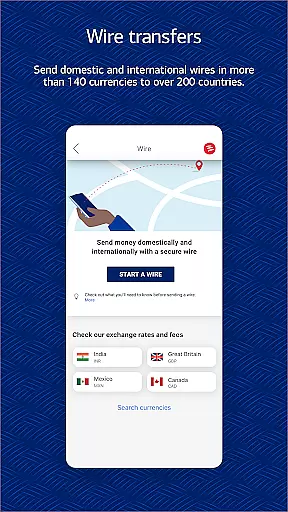
No international money transfers
Some features require enrollment

The all-in-one app to save, earn, travel, and put more money in your pocket
 4.50
4.50
Play for fun, earn for real. Collect rent by owning virtual land & get cashback
4.60
Secure, simple money transfer app. Send money to Mexico and worldwide fast.
4.80
Earn cash & save money daily. Access instant cash advances* - no credit check!
4.50
Money transfer made easy. Send money to friends and family with great rates.
4.70
Your insurance, anytime, anywhere
4.00
No credit checked needed.
4.80
Amazing Financial Calculator. Based on HP 10bII, but easier to use!
4.40
Send money and bitcoin easily. Invest, bank and do more with your money
4.70
Keep track of your subscriptions with no limitations
4.80
Pay rent on your schedule.
4.70
Get 250$ Cash Advance to solve emergencies instantly in loan app called LendMe
4.70
Manage your credit card account with the Credit One Bank mobile app.
4.70
Real-time tracking: Stocks, Indices, Futures, Commodities, ETF, & Funds prices.
4.60
The simplest way to budget, bank, save and invest.
4.50
Put crypto to work & earn rewards. Stake crypto like Ethereum, Solana & Cardano
4.40
Make your paycheck work harder for you with Perpay.
4.10
NFC mobile payment app Use your phone as a contactless bank card
4.00
Bank better with our new app
3.80


User Reviews