
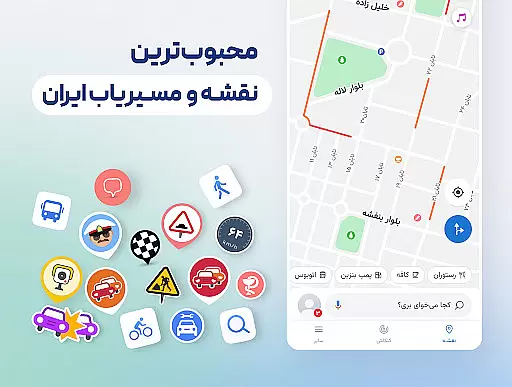
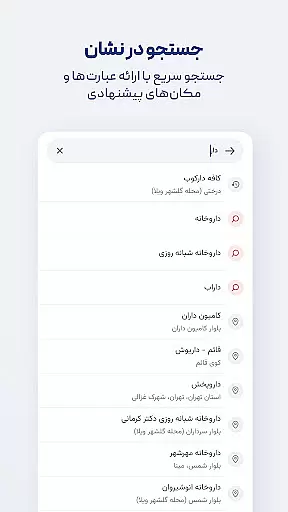

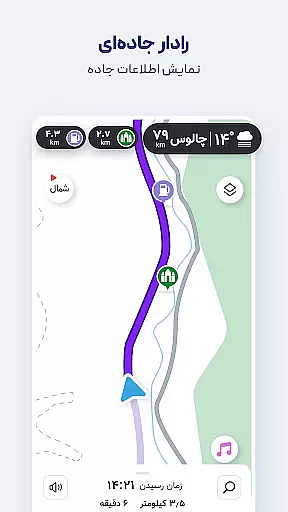
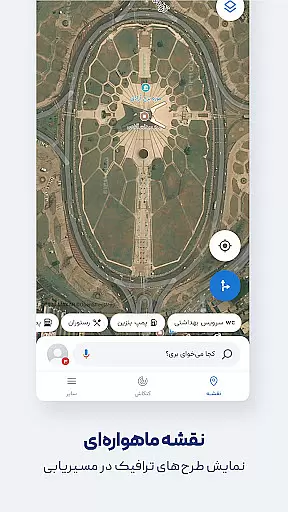
Neshan is a comprehensive navigation app that leverages GPS and real-time traffic data to provide users with the fastest routes while avoiding congestion. It stands out by offering unique features tailored to Iranian users, such as displaying air pollution levels in cities, warnings about speed bumps, and routing that considers traffic restrictions and low-emission zones. The app also supports combined bus-and-metro navigation and motorcycle routing, making it versatile for various transportation needs.
With detailed offline maps, global navigation capabilities, and Persian voice guidance, Neshan ensures users can navigate confidently without needing constant internet access or visual map checks. Its integration of local services like Snapp and Tapsi makes it particularly valuable for ride-hailing drivers and daily commuters alike.
Neshan offers an array of advanced features designed to enhance the navigation experience. Powered by OpenStreetMap data, it provides maps for all cities and countries worldwide, ensuring comprehensive coverage. The app's ability to display live traffic information and offer detailed offline maps allows users to plan their journeys effectively, even without an internet connection.
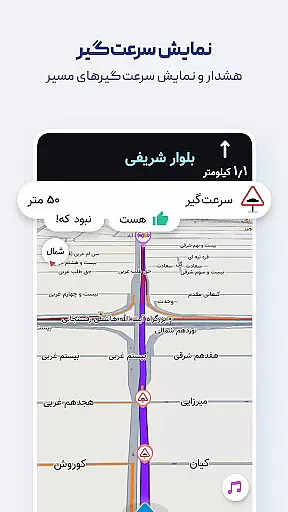
Unique functionalities include combined bus-and-metro routing for cost-effective travel, Persian voice guidance that announces street names, and search capabilities enhanced by Persian speech recognition. Additionally, Neshan helps users avoid unintentional entry into traffic restriction zones and low-emission areas, providing peace of mind during travel. Alerts for police presence, speed cameras, and speed bumps further contribute to a safer driving experience.
Map accuracy is essential for any navigation app, and Neshan excels in this area by providing detailed maps of all cities and countries worldwide. Powered by OpenStreetMap data, the app ensures that users have access to comprehensive and up-to-date map information.
Neshan stands out with its offline map functionality, allowing users to access live traffic information without an internet connection. This feature is particularly beneficial in areas with limited connectivity, ensuring that users can navigate confidently and efficiently.
The app also offers accurate location detection using GPS, which is crucial for providing reliable navigation. By leveraging real-time traffic data, Neshan suggests the fastest and least congested routes, enhancing the overall user experience.
Effective route planning is a core component of Neshan's navigation services. The app provides users with multiple routing options, including combined bus-and-metro navigation and motorcycle routing, catering to various transportation preferences.
Neshan takes into account traffic restriction zones and low-emission zones, helping drivers avoid unintentional violations. This thoughtful consideration makes it an invaluable tool for users who need to navigate complex urban environments.
Additionally, Neshan alerts users to speed cameras, police checkpoints, and speed bumps along their route. These notifications contribute to a safer and more informed driving experience, making Neshan a preferred choice for many Iranian users.
User-friendly interface
Real-time traffic updates
Offline map availability
Voice-guided navigation
Traffic restriction alerts
Limited international focus
Persian-centric features
Occasional GPS inaccuracies
Heavy on battery usage
Requires frequent updates

Offline maps for phone and smart watch: topographic maps, satellite images...
 3.30
3.30
Find shortest way and save energy . Distance and area calculator.
4.70
Plan routes, share locations, and set custom alert zones
4.40
Voice GPS with driving directions, offline maps navigation GPS for safe travel
4.50
Navigate confidently with our precise Digital Compass app & Direction Compass!
4.70
Your real-time window to the world. Explore anywhere, anytime.
3.30
Affordable rides and food delivery with incredible discounts in just one app.
4.50
Get there with the Waymo Driver — The World’s Most Experienced Driver™
4.90
Navigate MTA, NJ Transit, MBTA, SEPTA, BART, MARTA, CTA & 900+ cities
4.60
LIRR and Metro-North tickets and trips
4.80
Park in Chicago, NYC, Boston, SF, Houston & more!
4.70
GPX Viewer PRO shows tracks, routes and waypoints from gpx and kml files.
4.60
Complete offline 1:50k South Island topo map including DOC Hunting Permit Areas
4.60
Find radar maps, GPS coordinates, altitude, offline maps, location, travel route
4.40
Use GPS maps or search by property owner, address or parcel to view parcel data
4.30
Number locator, real connection map
4.10
Drive safe with real-time speed camera radar, police, and traffic alerts
3.80
Get route map navigation with 3D satellite view, and live earth camera streaming
3.70
Navigate via GPS Maps of GPS Voice Navigation, driving directions to find routes
3.60


User Reviews