
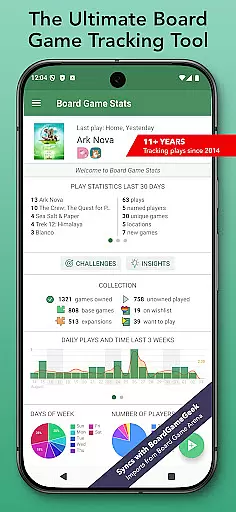
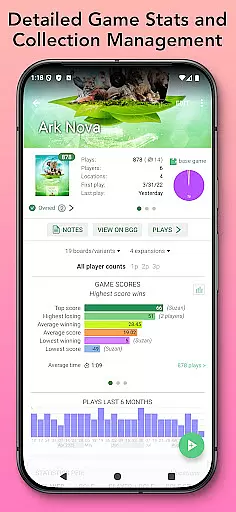
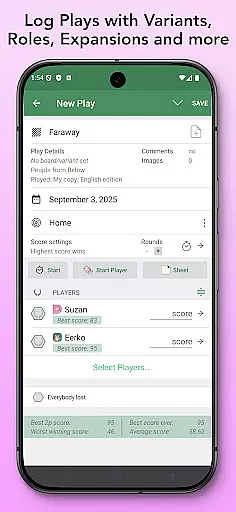
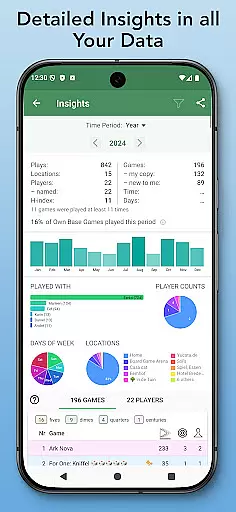
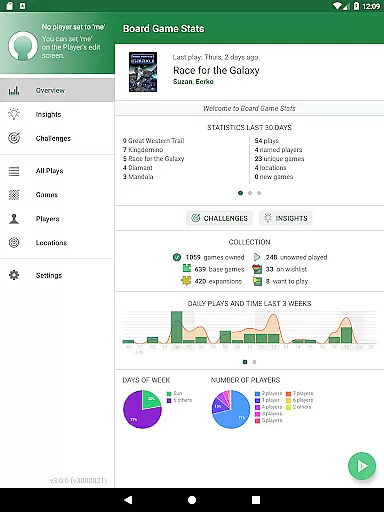
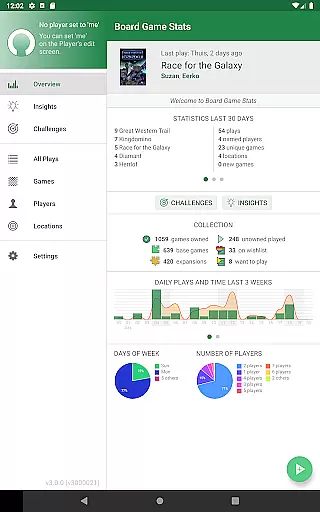
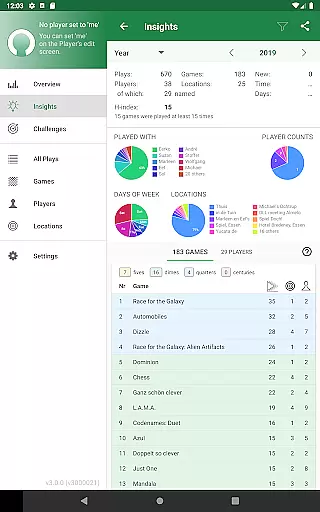
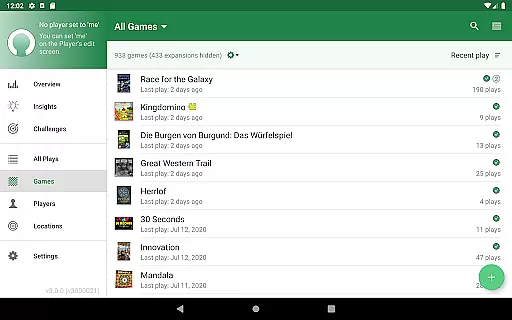
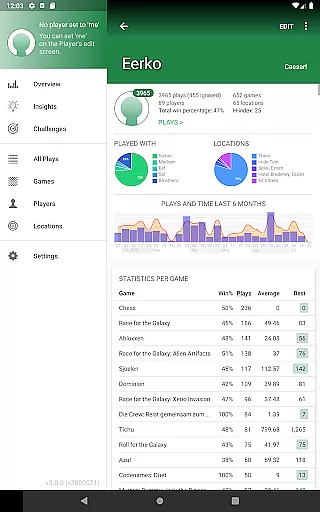
Board Game Stats (BG Stats) is a comprehensive lifestyle app designed for board game enthusiasts who want to track their collection, plays, and scores efficiently. The app offers detailed statistics and graphs for games, players, and plays, providing insights into gaming habits and performance. It works offline and supports syncing with BoardGameGeek, making it versatile for both casual and serious gamers.
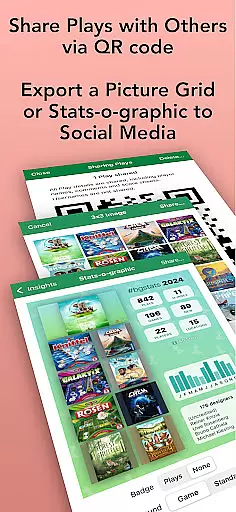
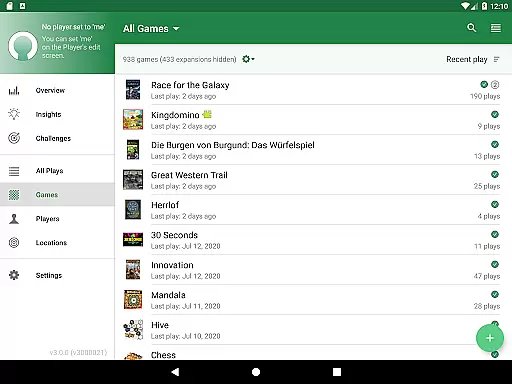
The app's collection management features allow users to maintain an organized record of owned games, wishlists, and play history. With play tracking capabilities, users can log game sessions, scores, and player details. Advanced statistics help users analyze their gaming trends through various charts and metrics. BG Stats also offers export functions, cloud sync, and supports dark mode on modern Android devices.
Whether you're looking to improve your gaming strategy, monitor your collection's value, or simply enjoy tracking your hobby, Board Game Stats provides the tools to enhance your board gaming experience.
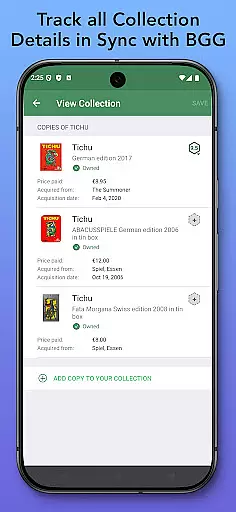
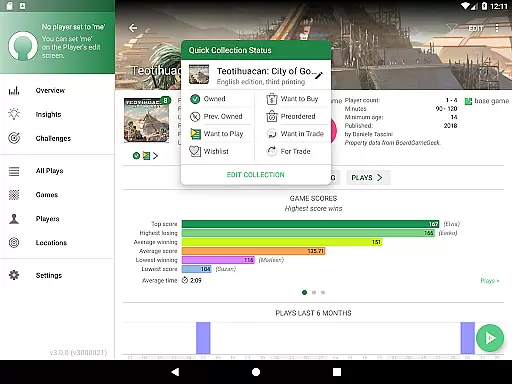
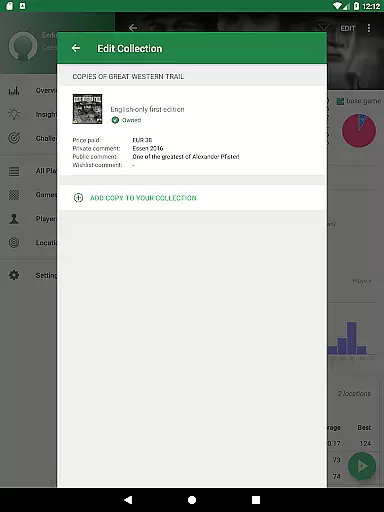
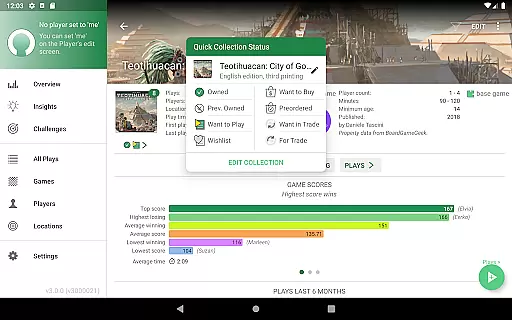
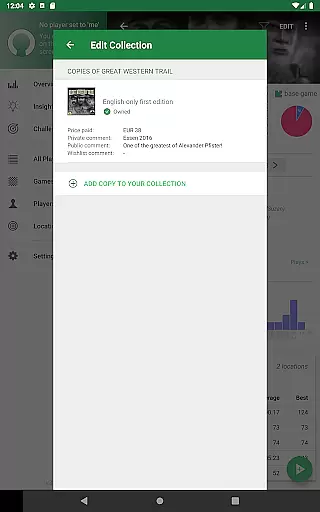
Board Game Stats stands out with its robust feature set tailored for board game enthusiasts. The app allows users to manage their entire board game collection, including tracking specific versions, images, and multiple copies of games. Users can set statuses like Owned, Wishlist, or Want to Play, and add acquisition details such as price and date.
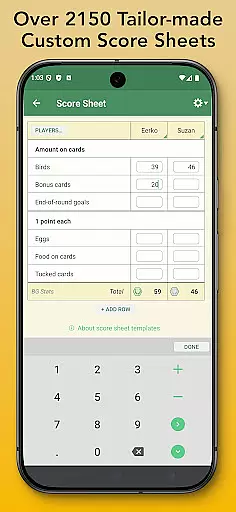
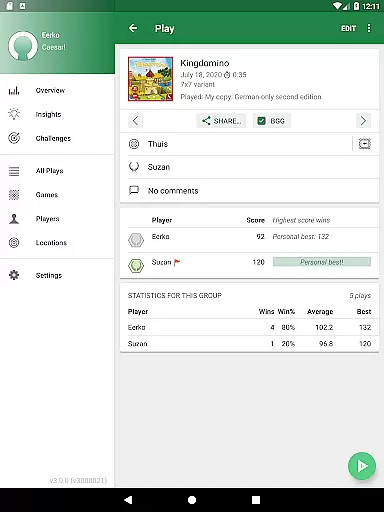
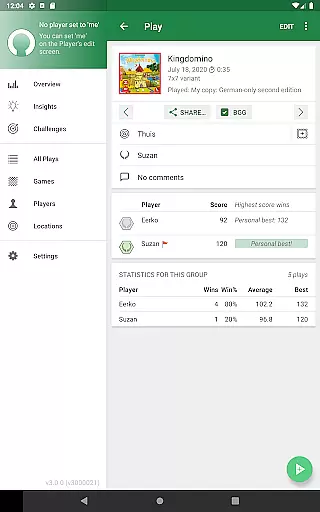
Play tracking in BG Stats is highly customizable. Users can define scoring rules, select expansions, and enter detailed session information including player roles, locations, and scores. The app includes over 2300 tailor-made score sheets for specific games and supports team play and anonymous players. Plays can be posted to BoardGameGeek directly from the app.
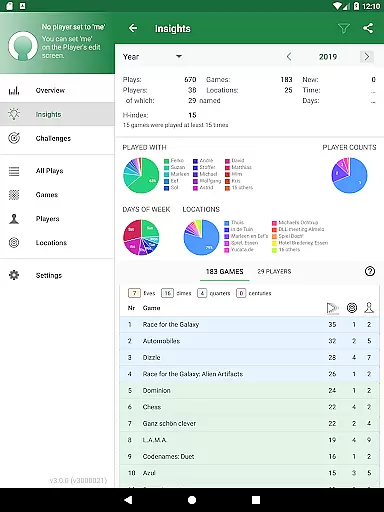
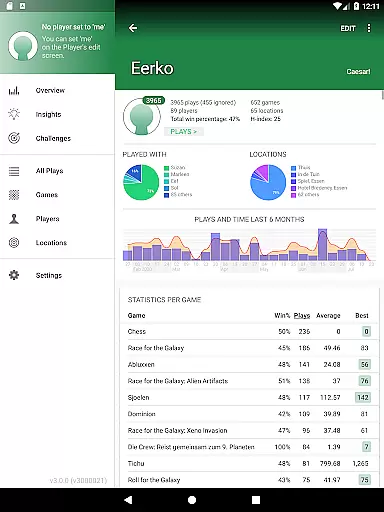
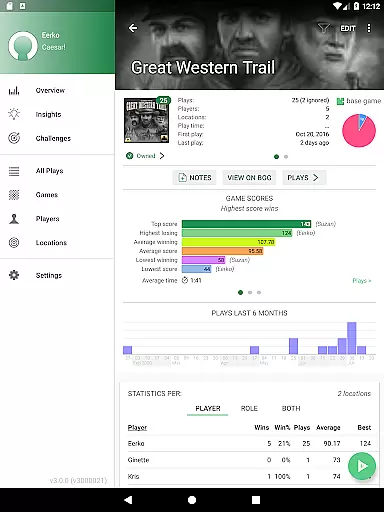
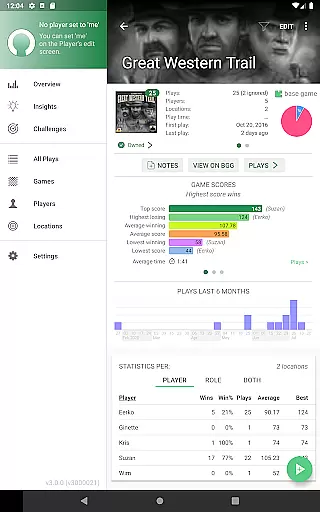
The statistics module provides deep insights through pie charts, play duration graphs, and score analysis. Users can view personal H-indexes, win percentages, and cost per play metrics. With optional Power and Challenges expansions, users gain access to advanced filtering, role-based stats, and personalized gaming challenges, offering even more ways to engage with their board gaming data.
Board Game Stats offers extensive coverage of the board gaming lifestyle, catering to both casual players and dedicated enthusiasts. The app allows users to manage their entire board game collection, track plays, and analyze performance through detailed statistics. With features like BoardGameGeek (BGG) syncing, tailor-made score sheets, and play tracking, it ensures that every aspect of the board gaming experience is captured.
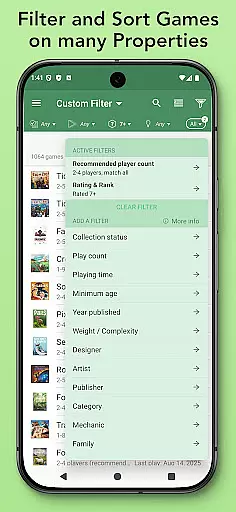
The app's collection management tools provide users with the ability to organize games by status, version, and personal details such as price and acquisition date. This level of detail supports a comprehensive approach to managing one's board game library. Additionally, custom filters allow users to curate selections for specific groups or occasions, enhancing the overall utility for social gaming scenarios.
For those invested in improving their gameplay, the app offers robust statistical insights. Users can view pie charts, graphs, and other visual aids that break down individual and group performances. These analytics empower users to refine strategies, compare progress, and celebrate milestones, making Board Game Stats an indispensable tool for anyone serious about their board gaming lifestyle.
Board Game Stats ensures content authenticity by integrating directly with BoardGameGeek (BGG), the largest online community for board game enthusiasts. This integration allows users to sync their collections and plays with BGG's vast database, which is curated and maintained by experts and enthusiasts worldwide. As a result, the information within the app is not only accurate but also reflective of the latest updates and trends in the board gaming world.
In addition to leveraging BGG's authoritative data, Board Game Stats incorporates user-generated content responsibly. Features like tailor-made score sheets and custom filters are designed based on feedback from the community, ensuring that they meet the practical needs of players. The app also includes over 2300 game-specific score sheets, each crafted to align with official game rules and scoring systems, further reinforcing its credibility.
With expansions like Power Expansion and Challenges, the app goes beyond basic tracking to offer advanced analytical tools. These features are developed with input from experienced gamers and statisticians, providing users with reliable methods to assess their skills and achievements. By combining expert-sourced data with user-driven enhancements, Board Game Stats establishes itself as a trustworthy resource for authentic and credible board gaming content.
User-friendly interface
Comprehensive statistics
Offline functionality
Sync with BoardGameGeek
Customizable play tracking
Premium features costly
Complex for beginners
Limited iOS support
Occasional sync issues
Steep learning curve

Cute Adorable Animals now on your wrist with our Wear OS watch face!
 4.40
4.40
Stay connected with your loved ones & vehicles | Share live GPS location updates
4.60
Bring the warm colors of fall directly to your wrist with Autumn Leaves!
4.3
View over 160,000 line dance stepsheets from the CopperKnob website.
3.30
Smart & Healthy Living
4.60
Discover your Nationality, Family Origin, and Ancestry from one selfie
4.50
Simple, stylish & fresh watch face. Customize colors, gradients & complications.
4.70
Digital smart watch face made for Wear OS.
4.70
Retro animated weather with hourly forecast Watch Face for Wear OS
4.60
Made To Order Faves
4.70
Colorful selection floral watch face with gyro for Wear OS
4.60
Premium floor cleaning robots
4.50
Unique "Isometric" style digital watch face for Wear OS
4.50
Play fun games, complete quick surveys, and earn money. It's fun and easy!
4.40
Your home in your hand
3.80
An Eerie Musical Trigger Toy for Spirits to Play with!
3.50
Designed to delight, impress and energize your festive spirit every single day
4.4
Unique Dark Analog style for Wear OS watches.
4.2
The cutest Autumn watchface featuring the adorable Mr. Squirrel
4.0


User Reviews