
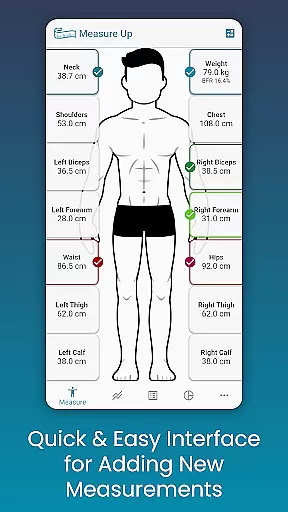
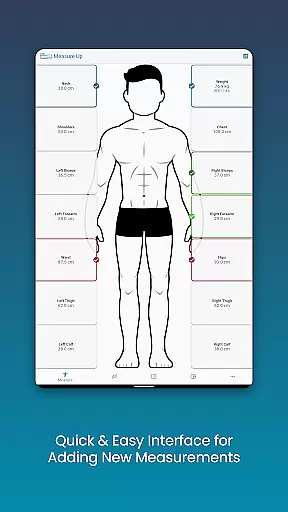
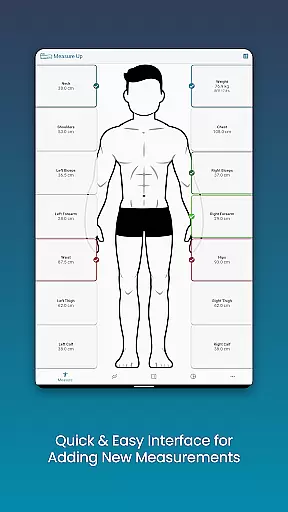
Body Measurement Tracker is a specialized Health & Fitness application designed to simplify the process of monitoring weight loss or muscle gain progress. The app's core functionality revolves around its intuitive measurement tracking system, which allows users to effortlessly record and monitor their body metrics.
What sets this app apart is its user-friendly interface that provides visual cues for daily tracking, ensuring users never lose track of their progress. The app supports various data visualization formats including charts, tables, and lists, giving users multiple ways to interpret their fitness journey. Additionally, it offers integration with Google Fit, enabling seamless synchronization with other health applications.
This application proves especially valuable for individuals seeking a straightforward solution for tracking their fitness progress without the complexity of spreadsheets or manual record-keeping. Its comprehensive features make it suitable for both casual users and serious fitness enthusiasts who need detailed body composition analysis.
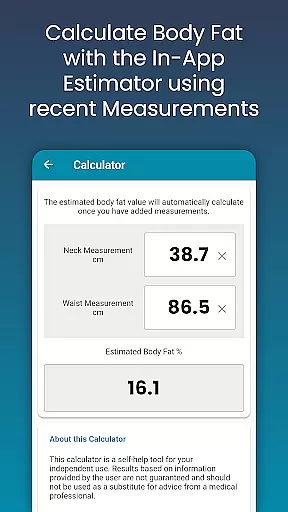
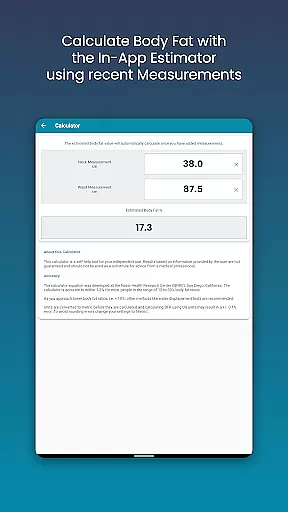
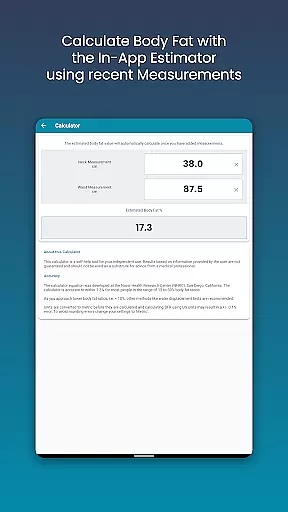
The Body Measurement Tracker stands out with its comprehensive set of features tailored for fitness tracking. One of its most notable capabilities is the streamlined measurement entry system, which includes past date adjustments and an integrated body fat calculator for quick estimations.
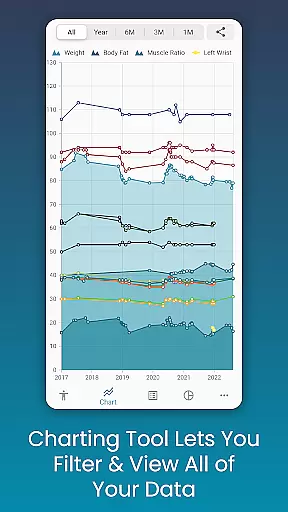
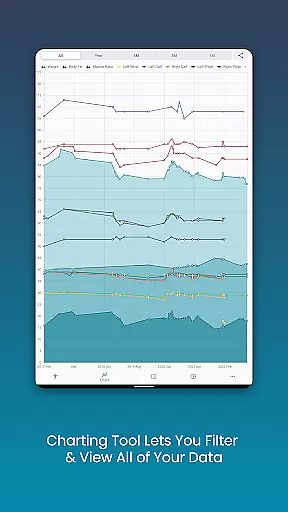
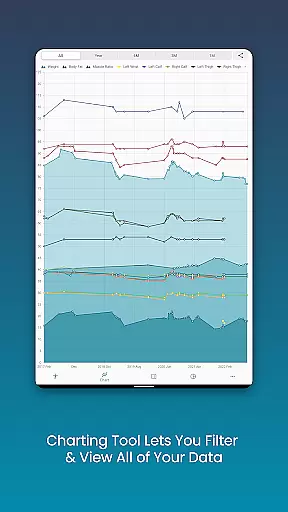
The app's chart analysis feature provides sophisticated data visualization options. Users can toggle different measurements on and off, stack various body composition metrics, and even export their progress charts as PNG images for sharing. This level of customization extends to the measurement types themselves, allowing users to create custom length, weight, or percentage-based metrics.
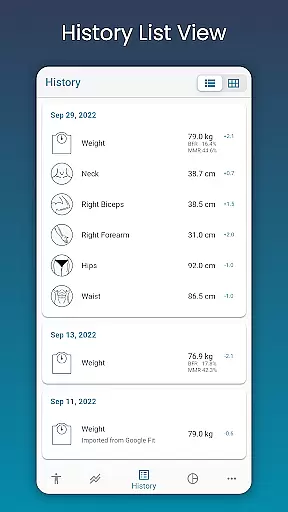
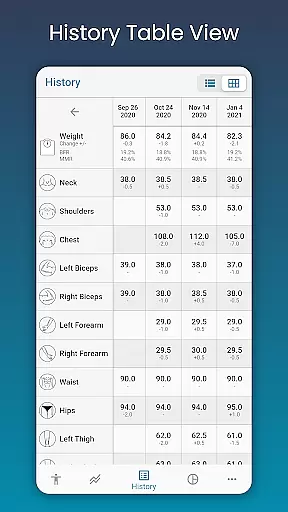
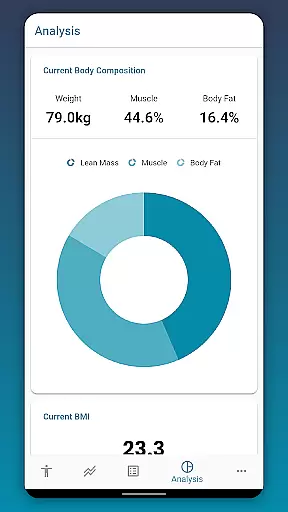
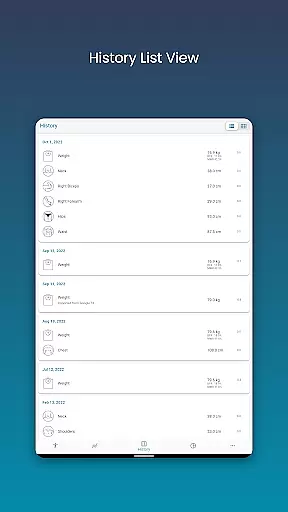
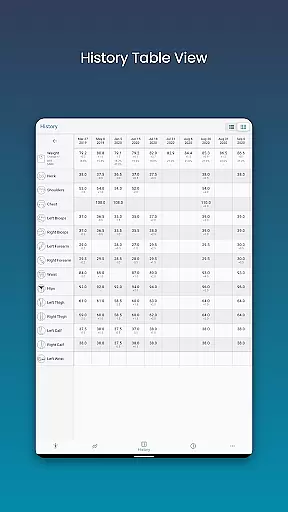
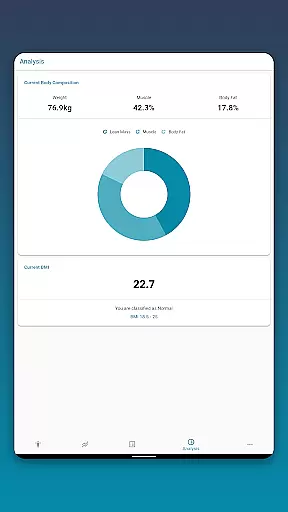
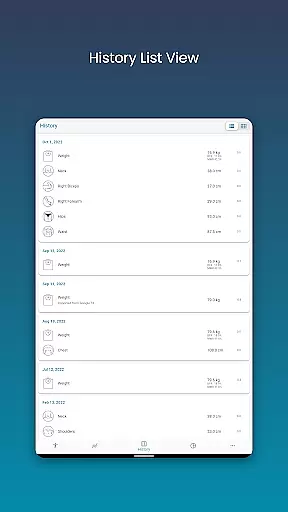
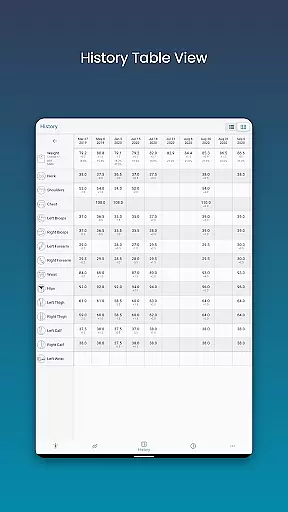
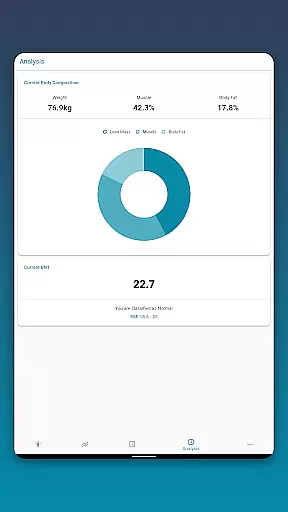
Additional practical features include robust data backup and restore functionality through cloud services, multiple data viewing formats (table and list views), and comprehensive body composition analysis tools that calculate BMI and display key statistics. These features collectively provide users with a complete toolkit for managing their fitness progress effectively.
Personalized planning in health and fitness applications refers to the ability to create tailored workout and diet plans based on individual goals, body metrics, and progress. This feature is crucial as it adapts to the unique needs of users, ensuring more effective outcomes.
Body Measurement Tracker excels in personalized planning by allowing users to input specific body measurements and track changes over time. The app provides an intuitive interface for recording various metrics such as weight, body fat percentage, and muscle mass. By integrating with Google Fit, it ensures that all health data is synchronized, providing a comprehensive view of the user's progress.
Users benefit from this feature by gaining insights into how their body composition changes with their fitness regimen. The app's capability to display data in charts, tables, and lists enables users to choose the most understandable format for their personal analysis. This empowers them to make informed decisions about adjusting their plans.
The true value of personalized planning in Body Measurement Tracker lies in its adaptability and ease of use. Users can effortlessly add past measurements, calculate body fat, and view key stats like BMI. This level of customization and detail supports users in achieving their fitness objectives efficiently.
Progress visualization is a critical component of any fitness app, transforming raw data into understandable and actionable insights through graphical representations. This feature helps users to see trends, evaluate their progress, and stay motivated.
In Body Measurement Tracker, progress visualization is brought to life via unique charting tools. Users can toggle different measurements on and off from the legend toolbar, creating a clear picture of their fitness journey. The app allows stacking of lean mass, body fat, and muscle data, offering a detailed view of physical improvements over time.
This app stands out by enabling users to export their progress charts as PNG images, making it easy to share achievements with trainers or friends. The ability to switch between table and list views further enhances accessibility, catering to different preferences for data presentation.
By delivering versatile visualization options, Body Measurement Tracker not only makes tracking body measurements straightforward but also engaging. Users can maintain motivation by clearly seeing their progress, which is essential for long-term commitment to health and fitness goals.
User-friendly interface
Multiple data views
Google Fit integration
Customizable metrics
Cloud backup support
Limited social features
No wearable sync
Premium features locked
Android only
Occasional bugs

The simplest way to track your 21 Day Program containers, exercises, and water.
 4.50
4.50
Transform your body and soul with DBFFitness, with a 40-day fitness journey.
4.1
Insanity blocks of intense physical activity, short breaks of 30 seconds.
4.4
Optimization for TRT & Enhanced Athletes
4.5
Binaural Beats - Fully Customizable Waves - Pure Sound - No Loops
4.50
Measure real-time wrist & ambient temperature with your Galaxy Watch (Wear OS)
3.20
Find Paid Clinical Trials In Your Area
3.70
Step Counter, track steps when you walk or run
4.70
Monitor blood sugar, gain insights, and manage diabetes with ease.
3.20
Show your support for the development of FitNotes - Gym Workout Log
4.90
Easy access to health benefits
4.70
A brain game that moves you
4.70
You deserve easy access to important insurance information. Download for FREE.
4.70
Effortlessly and naturally release anxiety by harnessing the power of your brain
4.60
Mind on steroids - relaxation, productivity, meditation and sleep!
4.60
Relax. Sleep Better. Feel Better.
4.50
For Absolute Novices to Strength Training. Simple. Effective.
4.40
Download MadMuscles to start your positive body transformation!
4.30
GloryFit is a companion app for the smart bracelet.
3.60


User Reviews