
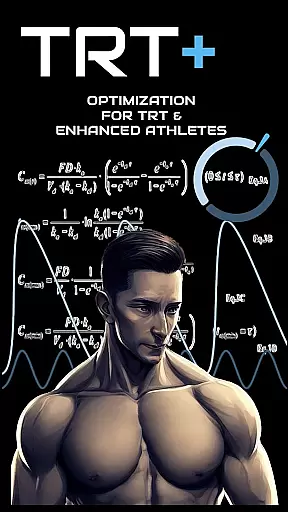
TRT Plus is a comprehensive health and fitness application specifically designed for individuals undergoing Testosterone Replacement Therapy (TRT) and those pursuing peak physical conditioning. The app offers an all-in-one solution to manage every aspect of your TRT journey, from tracking protocols and analyzing bloodwork to optimizing medication schedules and managing inventory.
With advanced features like pharmacokinetic modeling, compound half-life charting, and dynamic inventory tracking, TRT Plus ensures you stay organized and informed throughout your treatment. Whether you're monitoring daily injections or planning for contest prep, the app provides detailed insights into your health metrics and helps you make data-driven decisions tailored to your goals.
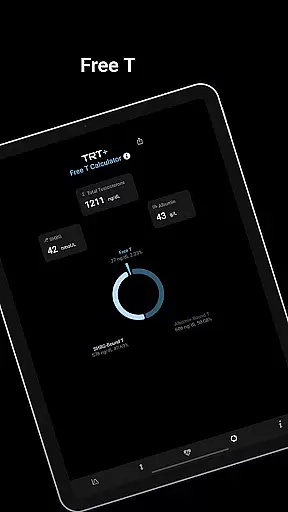
The app's standout feature is its ability to analyze bloodwork using enhanced reference ranges built for optimization, offering clear guidance on areas that need attention. Additionally, tools like The Testimator™ and My Free T calculator provide unparalleled accuracy in predicting testosterone levels and calculating free testosterone values. This makes TRT Plus an indispensable tool for athletes seeking precision and control over their health and performance.
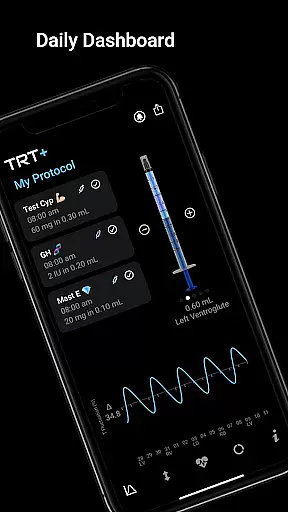
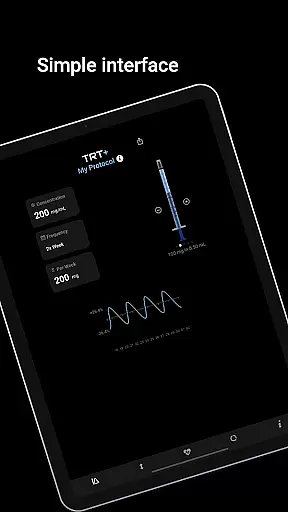
TRT Plus stands out with its robust set of features tailored for enhanced athletes and TRT users. One of its core functionalities is the protocol tracker, which includes a daily dashboard, visual syringe interface, and compound library with over 80 pre-configured options. These tools allow users to easily manage their medications and supplements while visualizing compound behavior through advanced pharmacokinetic modeling.
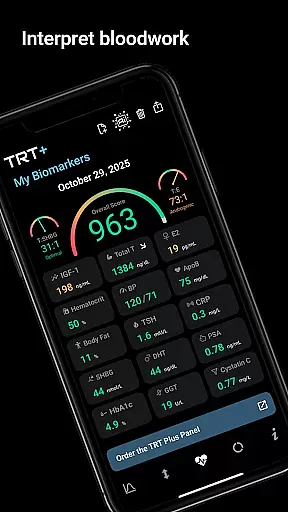
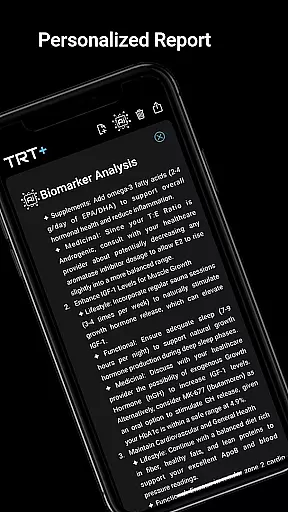
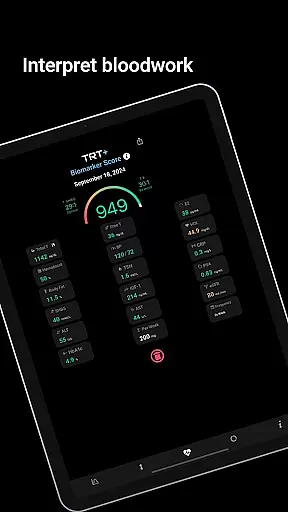
Bloodwork analysis is another highlight, featuring automated scanning, pathology partner integration, and detailed reports. Users can upload their lab results to receive personalized recommendations based on optimized reference ranges rather than general averages. The app also calculates muscle-building potential, hormonal balance, and responder type, empowering users to fine-tune their protocols effectively.
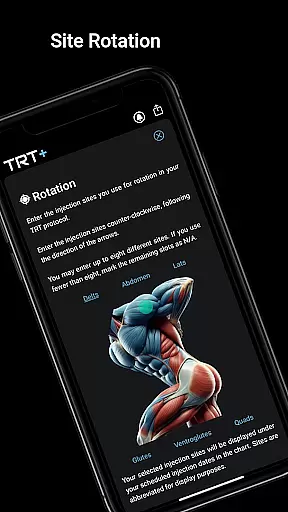
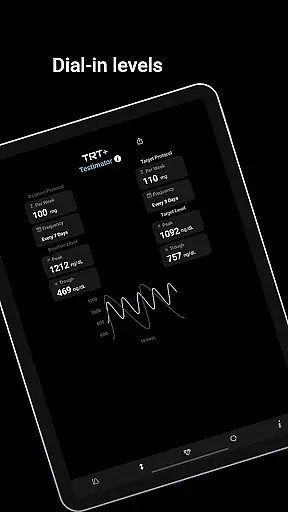
Additional innovative features include The Testimator™ for predicting testosterone responses, a state-of-the-art Free T calculator supporting multiple methods, and an extensive knowledge base backed by clinical research. With discreet reminders, rotation planners, and inventory management, TRT Plus ensures no detail is overlooked, making it the ultimate companion for anyone serious about their TRT regimen.
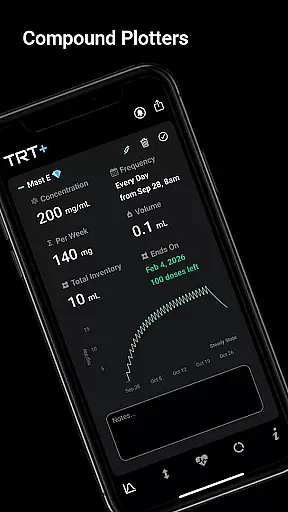
TRT Plus offers a highly personalized approach to testosterone replacement therapy and performance optimization. The app's advanced pharmacokinetic modeling allows users to visualize how different compounds behave over time, providing critical insights into peak levels, steady-state timing, and clearance patterns.
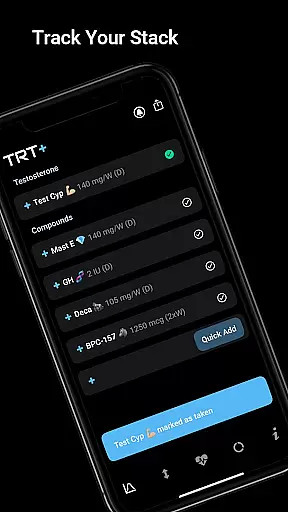
With over 80 pre-configured compounds available, users can easily add classic to cutting-edge substances to their protocol with just one tap. This tailored setup ensures that each individual's regimen is specifically designed for their unique needs and goals, whether they are focusing on TRT, muscle building, or contest preparation.
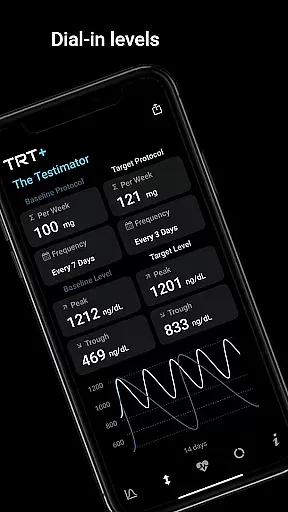
The Testimatoru2122 feature further enhances personalization by analyzing individual responses to testosterone. Users can predict and fine-tune their testosterone levels across different protocols, ensuring they remain within their ideal range. This level of customization empowers users to optimize their hormone levels effectively and safely.
Visualizing progress is crucial for staying motivated and making informed adjustments, and TRT Plus excels in this area. The app provides detailed visual charts such as the Compound Half-Life Charting and T Level Fluctuation graphs. These tools help users understand their hormonal balance and make necessary changes to their protocols.
The My Protocol section includes a Daily Dashboard where users can track their schedule with checkboxes, ensuring they never miss an injection or medication. The Visual Syringe feature simplifies the process by showing today's injections at a glance, which is particularly useful for those managing complex regimens.
Additionally, TRT Plus offers comprehensive reports through its My Biomarkers feature. Users receive clear red, amber, green breakdowns of their bloodwork, along with personalized recommendations for lifestyle, supplements, and medicinal options. This progress visualization not only tracks physical changes but also supports overall health optimization, keeping users engaged and informed throughout their journey.
User-friendly interface
Advanced analytics
Comprehensive tracking
Personalized insights
No subscriptions
Premium pricing
Complex for beginners
Limited free features
Region-specific tools
Requires bloodwork

Chair Workout: Women's Edition for safe, flexible, and personalized fitness.
 4.40
4.40
Enjoy the Gluten Free living with the best app. SCAN the barcodes & SEARCH.
3.60
Period Tracker, the easiest way to track your periods!
4.50
Measure your Pupil Distance for Eyeglasses and VR headsets in 3 quick steps.
4.70
Memory, mind & logic exercises. Puzzle games, IQ & brain test for kids & adults
4.50
Track heart rate & HRV in 30s! Get live health insights and anomaly alerts
4.40
FODMAP, Gluten, Allergy, Vegan
4.50
Make sense of your health data.
3.80
beat yesterday.
4.00
Power-lifting, weightlifting and Wendler 531 app to track your workout program.
4.90
Weight loss app: home workout for women to lose weight & burn calories.
4.80
Easy to use step counter, calorie counter helps lose weight, count steps offline
4.80
When the night comes, we prepare your eyes for deep, sweet dreams
4.70
Step Counter, track steps when you walk or run
4.70
Interval timer for High Intensity Interval Training, Tabata and Circuit Training
4.20
Measure real-time wrist & ambient temperature with your Galaxy Watch (Wear OS)
3.20
Your plan in your pocket 24/7
3.00
Insanity blocks of intense physical activity, short breaks of 30 seconds.
4.1
Using Recognise™ has been shown to reduce pain and improve performance.
4.4


User Reviews