

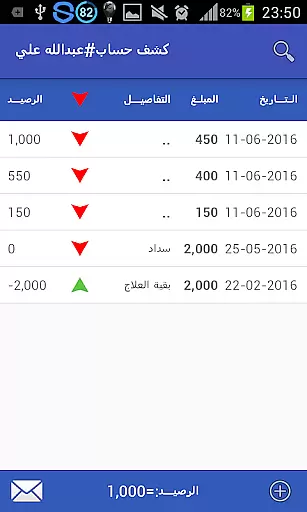


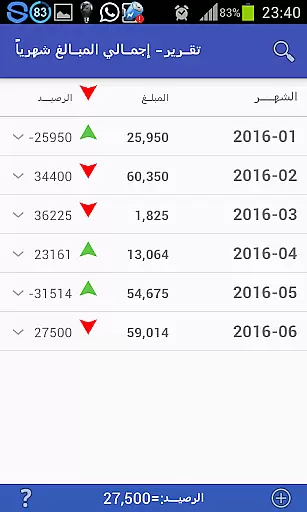


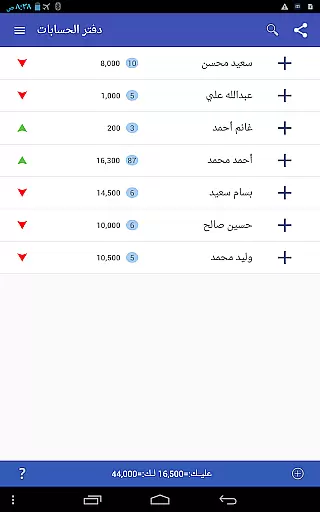
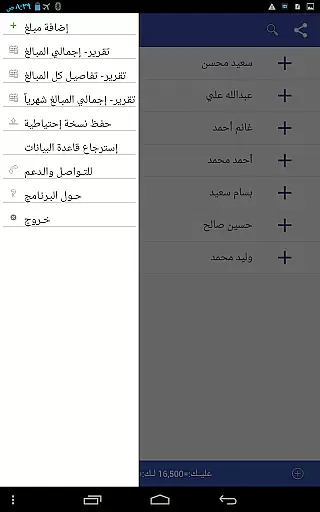


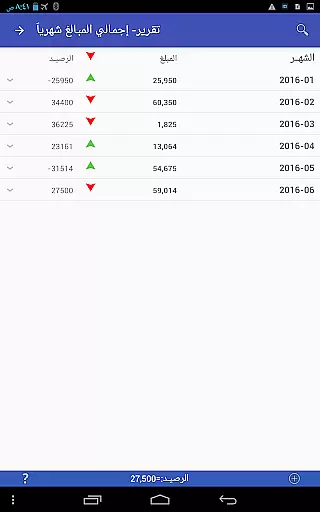

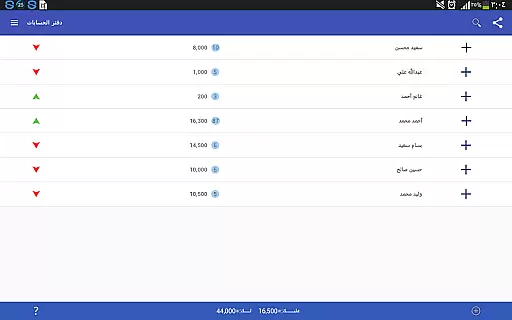
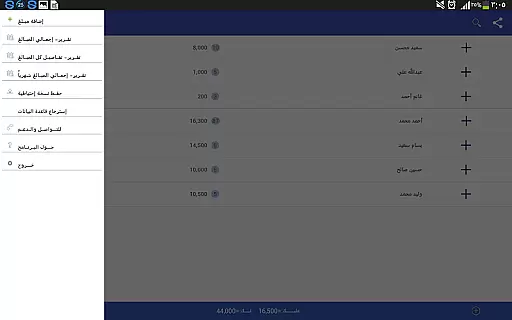
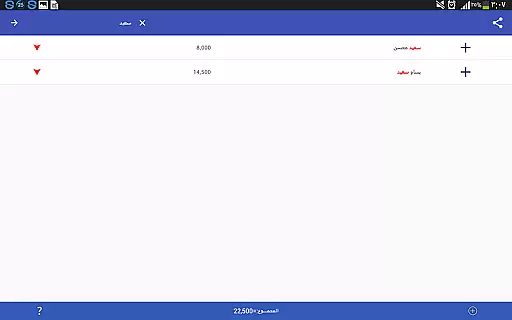
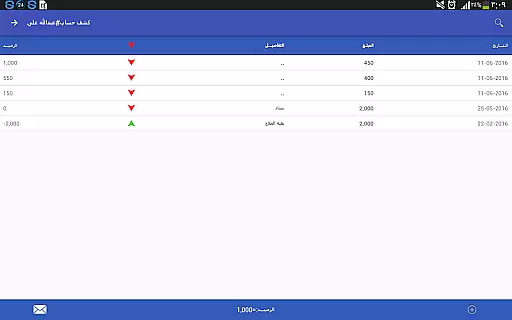
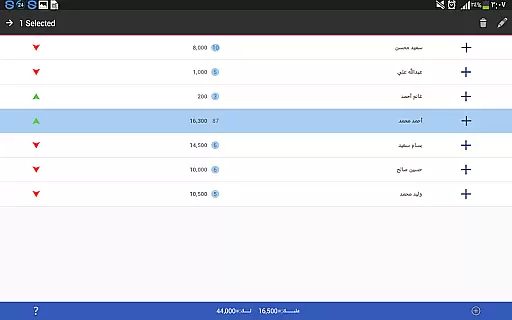
Pro Accounting Book is a comprehensive financial management application designed for users who need to track and manage their accounts efficiently. The app allows you to record debts, automate aggregate accounts, and generate reports that save both time and effort. With features like Bluetooth sharing and social media integration, it ensures your data is accessible wherever you go.
The app also provides advanced functionalities such as account closing, exporting/importing databases, and robust search capabilities. Whether you're managing personal finances or business accounts, Pro Accounting Book offers the tools needed to keep your financial data organized and secure. Its user-friendly interface makes accounting simple even for those with minimal experience in finance management.
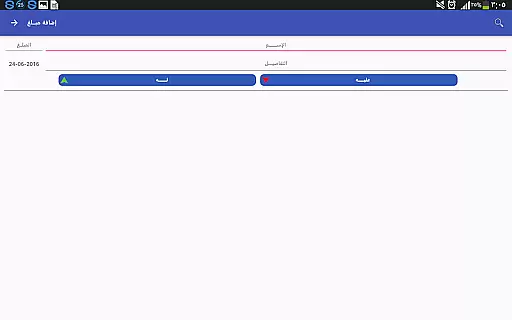
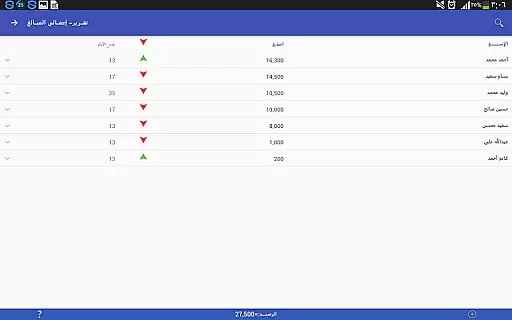
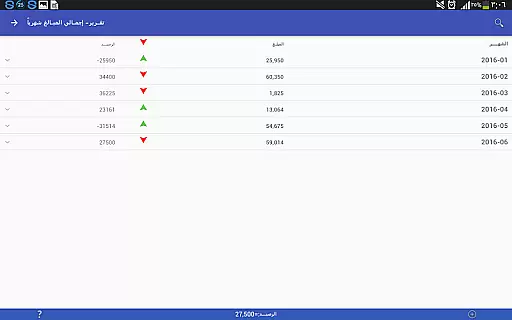
One of the standout features of Pro Accounting Book is its ability to handle complex accounting tasks with ease. You can add transactions quickly using the Add Amount (+) button, specify dates, and manage names through an intuitive interface. The app supports detailed reporting, enabling users to analyze their financial status comprehensively.
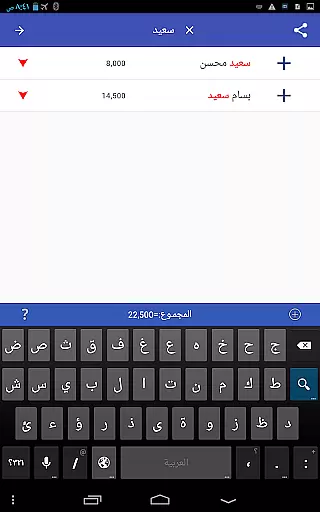
Additionally, the app includes powerful search and sorting functions. Users can filter data by date or amount and reorder entries with a single click. The database protection feature ensures that your financial records are safe, allowing you to create backups via Bluetooth, email, or social media platforms. This combination of functionality and security makes Pro Accounting Book an essential tool for anyone serious about managing their finances effectively.
In the realm of finance applications, security is paramount. Pro Accounting Book ensures that your financial data remains protected through various means. The app provides a feature to export and import the database, allowing users to create backups and store them securely on their preferred platforms.
Furthermore, the application allows sharing accounts via secure methods such as Bluetooth or direct integration with social networking sites, which often have their security protocols. This minimizes the risk of unauthorized access during data transfer.
For additional peace of mind, the ledger program offers database protection in the form of backup options. Users are encouraged to save a backup copy regularly, which can be restored in cases of device loss or damage. This ensures continuity and safety of financial records.
By incorporating these features, Pro Accounting Book delivers a secure environment for managing debts, credits, and other sensitive financial information, giving users control over their data's safety.
A seamless transaction experience is crucial for any accounting software, and Pro Accounting Book excels in providing just that. With an intuitive Add Amount (+) button, users can effortlessly record transactions. The process is streamlined by auto-completing names from existing entries or allowing new ones to be added easily.
The app goes beyond simple entry by offering automatic aggregation of accounts, which simplifies tracking finances. After inputting data, users can view their transaction history, with options to edit or delete entries by long-pressing on a record, ensuring mistakes can be corrected swiftly.
Pro Accounting Book also includes a 'Close Balance' feature, enabling users to consolidate all transactions under a single name into one final balance transaction. This declutters the ledger and maintains a clear overview of financial standings.
Additionally, the search and order functions allow quick access to past transactions, filtering them by date, amount, or keywords. Such capabilities enhance the overall transaction management experience, making it efficient and user-friendly.
User-friendly interface
Comprehensive reporting
Secure backup options
Quick transaction entry
Advanced search capabilities
Limited free features
Occasional bugs
No cloud sync
Ads in free version
Complex for beginners

Over 180 currencies conversion rates with live exchange rates and offline mode.
 4.60
4.60
Bitcoin gpu app helps you remote mine using your cell phone easily .
3.60
Need help before payday? Get cash advances with no interest or credit checks.
4.60
The DailyPay app lets you access earned wages before your next payday.
4.70
Early payday & cash advances with no-fee mobile banking!
4.60
Banking, Budgeting & Investing
4.60
NFC mobile payment app Use your phone as a contactless bank card
4.00
The US Debt Clock .org App gives you a Real-Time glimpse of US Financial Stats
4.60
Manage budget, save money, or file tax. Build, track & improve your credit score
4.40
Currency Converter supports all currencies of the world.
5.00
Get 250$ Cash Advance to solve emergencies instantly in loan app called LendMe
4.70
Manage your credit card account with the Credit One Bank mobile app.
4.70
Currency Converter (200+ currencies) with live exchange rates and offline mode.
4.70
Manage your account, make a payment, and redeem your rewards on the go.
4.50
Read and extract public data on NFC Contactless banking card (VISA, MasterCard
4.30
Invest, bank & save in one app. Trade stocks, earn high APY & budget smarter.
4.00
Expenses, Bills, Budget and Accounts - All seamlessly integrated in one app!
3.80
Retirement plan, IRA, retail and HSA customers serviced by Empower.
3.10
StockTiles lets you view prices & charts of your favorite stock assets
2.30


User Reviews