
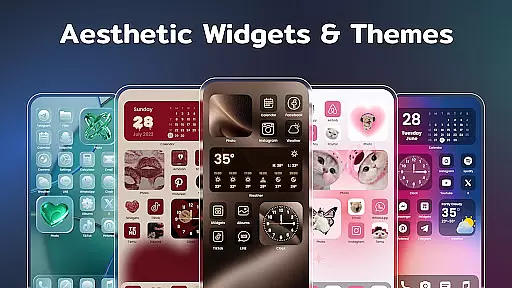
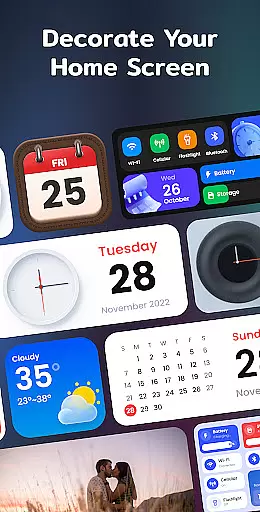
Color Widgets, Theme is a versatile lifestyle app designed to enhance your Android device's home screen with customizable widgets and themes. The app offers a wide range of aesthetic options including clock, photo, X-panel, calendar, weather, battery level, Bluetooth status, and event timer widgets. These widgets come in multiple sizes and styles, allowing users to tailor their screens to their unique preferences.
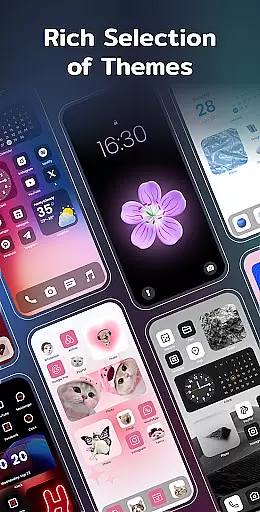
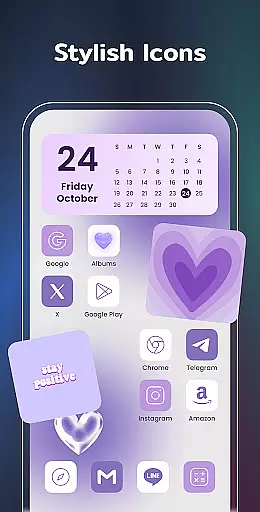
In addition to its diverse widget selection, the app provides stylish themes and custom icons that further personalize the user experience. Whether you're looking to redesign app icons or create a countdown for special events, Color Widgets, Theme empowers you to craft a home screen that truly reflects your personal style. Its compatibility with all Android devices ensures that everyone can take advantage of its features.
The true value of Color Widgets, Theme lies in its ability to transform a standard phone interface into a personalized dashboard. With practical widgets and elegant themes, users can keep their digital life organized while expressing their individuality. This makes the app not just a tool for customization but also an essential lifestyle companion for those who appreciate beauty and functionality in their daily tech interactions.
Color Widgets, Theme stands out with its extensive array of features designed to give users complete control over their device's appearance and functionality. One of the key highlights is the X-Panel Widget, which consolidates essential information like date, time, network connection, Bluetooth status, and battery level onto a single screen. This feature allows for quick access and management of your phone's critical functions without navigating through multiple menus.
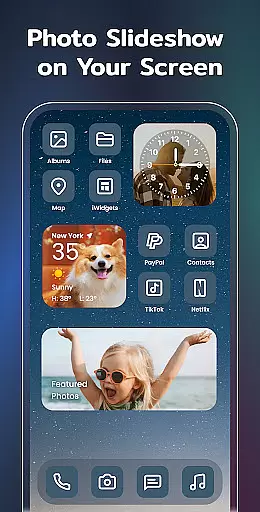
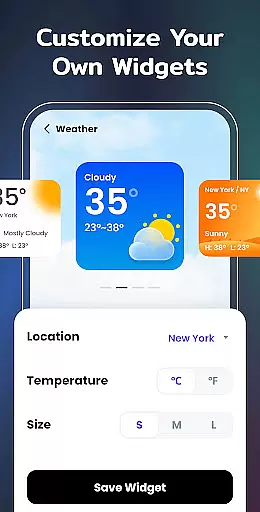
Beyond the X-Panel, the app offers specialized widgets such as Photo, Clock, Weather, Calendar, and Event Timer. The Photo Widget lets you display cherished memories directly on your home screen, while the Clock Widget provides various aesthetic styles in both analog and digital formats. The Weather Widget delivers real-time local weather updates, and the Calendar Widget enables creative displays of dates. Each widget type serves a distinct purpose, enhancing both the visual appeal and utility of your device.
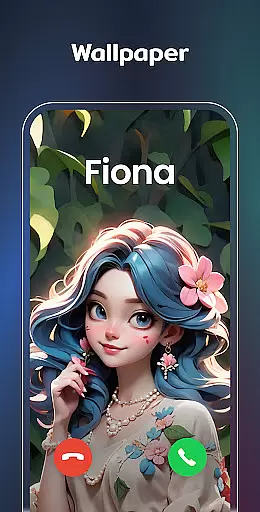
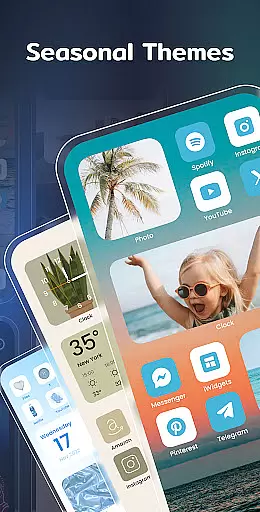
Customization is at the heart of Color Widgets, Theme. Users can modify app icons freely, choose from preset themes in different styles (anime, neon, etc.), and even customize wallpapers. The ability to set up timers for important events adds another layer of practicality. These features collectively ensure that every aspect of your home screen can be tailored to match your personal taste and functional needs, making this app a comprehensive solution for device personalization.
In the realm of mobile personalization, Color Widgets, Theme stands out by offering an extensive range of widgets and themes that cater to diverse lifestyle needs. This app provides users with a comprehensive suite of customization options including clock, photo, X-panel, calendar, weather, and battery level widgets. These features are designed to not only enhance the aesthetic appeal of your device but also improve its functionality according to your daily requirements.
The app's dedication to covering a wide array of lifestyle categories ensures that whether you're looking to streamline your productivity with task timers or beautify your home screen with cherished photographs, there is something for everyone. With multiple sizes available for each widget type, it allows for flexible integration into any home screen layout, making it suitable for all Android devices regardless of screen size or resolution.
Moreover, the inclusion of practical tools such as Bluetooth status indicators and event timers reflects an understanding of modern living where connectivity and time management are paramount. By tapping into these varied aspects of everyday life, Color Widgets, Theme empowers users to craft a digital environment that truly resonates with their personal style while remaining highly functional.
Color Widgets, Theme prides itself on delivering authentic content crafted with expertise, ensuring users receive reliable information through its various widgets. For instance, the weather widget provides real-time temperature updates and current conditions based on location permissions granted by the user. This commitment to accuracy extends across other functionalities like battery levels and Bluetooth statuses which reflect genuine system data.
Expertise shines through in how seamlessly these widgets integrate into your deviceu2019s ecosystem without compromising performance or securityu2014a testament to thoughtful design principles upheld throughout development. The app also supports custom icons allowing for personalized expression without sacrificing usability; each icon redesign maintains clarity so apps remain easily identifiable even after customization.
Furthermore, regular updates introduce new themes aligned with trending aestheticsu2014from anime-inspired designs to sleek neon stylesu2014each created under strict quality guidelines guaranteeing both visual appeal and operational consistency. Such attention to detail reinforces trustworthiness as users can be confident they're engaging with top-tier resources when utilizing this powerful widget toolset.
User-friendly interface
Wide variety of widgets
Highly customizable themes
Compatible with all Android devices
Regular feature updates
Requires multiple permissions
Some features may feel redundant
Premium themes cost extra
Occasional performance lags
Limited iOS support

The Work of Byron Katie— the mobile app for inner peace.
 4.40
4.40
What is my face shape? Find out your face shape from picture, see fitting frames
3.90
Get your life organized with My Agenda!
4.30
Kasa Smart is your portal to your TP-LINK Smart Home.
4.70
Creativity and savings for kids, beginners and experts in arts and crafts
3.50
Colorful selection floral watch face with gyro for Wear OS
4.60
Simple, stylish & fresh watch face. Customize colors, gradients & complications.
4.70
DailyGift can help you record your habits and get rewards along the way!
4.60
Remotely monitor the time and temperature of food cooking on your grill.
4.60
See wait times and check into a hair salon ahead of time with Online Check-In.
4.80
Play. Earn. Repeat. Get rewarded for playing mobile games. Welcome to Mobius!
4.80
Crochet made easy: step-by-step tutorials, beginner patterns & projects
4.60
Discover your Nationality, Family Origin, and Ancestry from one selfie
4.50
Paranormal Spirit Bell Trigger Device
4.30
Smart controls for your Ember Smart Mugs
4.10
Spiritus Ghost Box is an Audio and Visual ITC tool for paranormal research.
4.00
Unique BIG BOLD TIME with amazing colors and customisations.
3.70
Turn your watch into a key fob for your Tesla
2.90
Customize your Wear OS watch with festive Christmas figures and colors!
4.0


User Reviews