
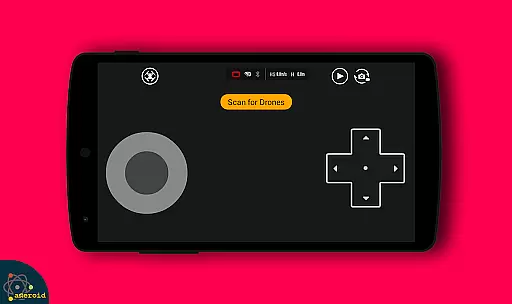
Drone Remote Control is an innovative application that transforms your Android smartphone into a powerful remote control for drones. Designed for drone enthusiasts, this app allows users to easily configure and operate various drone models with the same functionality as a physical RC controller.
The app supports key drone operations such as flight planning, automated takeoff and landing, live FPV streaming, and camera controls. Its intuitive interface makes it simple to capture images, record videos, and maintain precise control over your drone's movements. Whether you're a hobbyist or professional operator, Drone Remote Control provides a complete solution for managing your aerial devices.
This versatile tool is particularly useful in scenarios where traditional controllers might be unavailable or impractical. By turning your smartphone into a universal drone remote, the app enables seamless operation of both modern and compatible older drone models, making it an essential utility for any drone pilot.
Drone Remote Control stands out with its comprehensive feature set tailored for drone operators. The app's most notable capability is its universal compatibility - it can transform any Android device into a fully functional drone remote control system. This includes support for advanced features like automated flight planning, one-touch takeoff and landing, and real-time First Person View (FPV) streaming.
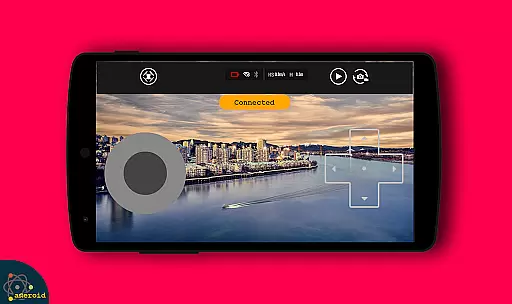
What truly sets this application apart is its integrated camera control system. Users can connect their drone's WiFi camera directly to the app, enabling them to capture photos, record videos, and view live streams directly from their mobile device. The app maintains precise control over drone movements while simultaneously managing media capture functions.
Additional features include non-interrupted flight modes for mapping large areas, adjustable FPS settings for video capture, and instant manual override capabilities. These features are implemented through an intuitive user interface that mirrors traditional RC controllers while adding the enhanced functionality of modern smart devices.
Functionality completeness in a drone remote control app is crucial for ensuring that users can fully operate their drones without limitations. Drone Remote Control offers an extensive range of features, including the ability to create flight plans on any device, automate takeoff and landing, and live stream First Person View (FPV). This comprehensive functionality allows users to execute complex drone operations with ease.
The app's compatibility with the latest drones showcases its wide coverage. It supports advanced capabilities such as disabling auto-flight and resuming manual control with a single tap, which is essential for both amateur and professional drone pilots. With these features, users can confidently undertake non-interrupted flights to map large areas, enhancing productivity and efficiency.
Drone Remote Control stands out by integrating video and capture FPS functionalities, providing users with creative control over their aerial photography and videography projects. The app also enables users to connect to WiFi camera devices, receive live camera views, take pictures, and record videos. These features collectively ensure that the app meets the diverse needs of drone enthusiasts.
Usability and operational smoothness are key factors in determining the overall user experience of a drone remote control application. Drone Remote Control excels in this area by offering a simple and easy configuration process, making it accessible even to beginners. The intuitive interface mimics the exact mode of use as traditional RC Drones, allowing users to quickly adapt to using their smartphones as drone controllers.
Operational smoothness is further enhanced by the app's responsive controls and seamless integration with drone hardware. Users can effortlessly manage their drones' movements, camera functions, and flight plans without experiencing lag or interruptions. This reliability ensures that users can focus on capturing the perfect shot or enjoying their flight experience without technical hindrances.
Moreover, the app's capability to smoothly transition between automated and manual flight modes adds to its operational fluidity. Whether automating routine tasks like takeoff and landing or taking direct control during critical moments, Drone Remote Control provides a consistently smooth and responsive user experience. This balance of automation and control empowers users to maximize their drone's potential while maintaining ease of use.
User-friendly interface
Wide drone compatibility
Advanced camera controls
Automated flight features
Real-time FPV streaming
Limited iOS support
Old hardware issues
WiFi connection only
Battery consumption high
Outdoor signal range

If you are looking for melon playground mod that fun you deffinitely try our app
 2.70
2.70
Enjoy Minecraft Mod Scary Neighbor Granny for Minecraft PE.
4.30
Demo for Key Attestation feature of the Android system.
4.80
charging your phone by other phone easly
4.00
Enjoy hours of entertainment with our Roblox mobile games app
4.5
Demo version of the mcpro24fps manual video camera. Try and buy a full version!
4.00
An impressive collection of tools, characters, weapons, skins and more!
4.30
Mirror phone to TV effortlessly! Stream, share & connect with Airplay ease.
3.60
Expo is a free & open source platform to build apps using JavaScript and React.
4.70
Test DPC is a sample device policy controller for use with Android Enterprise.
4.20
Unlock the hidden menus of your phone with our mobile secret codes app.
4.20
Mobile Connect To TV - HDMI USB & WiFi Screen Mirroring
3.70
Ps2 plugins for 64 bit artitechture
3.70
CloudEye 365 is a easy-handling APP
3.60
Collection of Maps and Mods for Dmod
3.30
Endoscope camera an app to connect with endoscope cam or any device
3.30
DamonSx2 is the open Source LGPL Emulator
3.20
A great tool help you to format Micro SD memory Card
3.10
Turn your phone into a wireless Xbox controller – play, stream & control anytime
4.2


User Reviews