
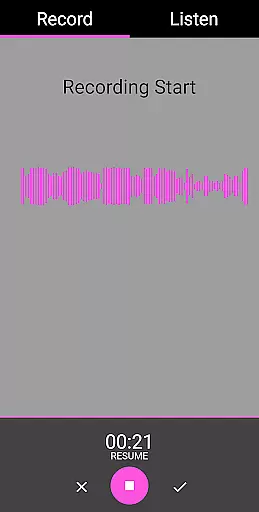
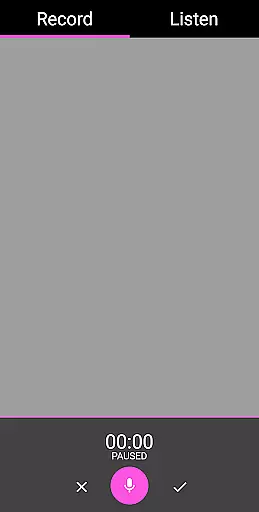
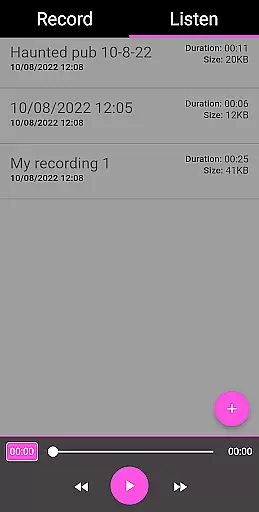
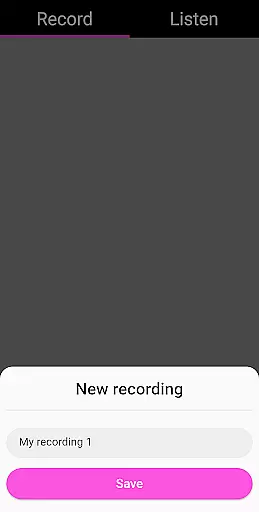
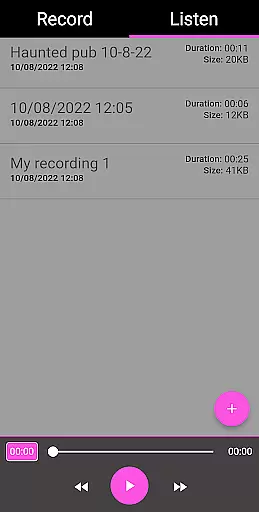
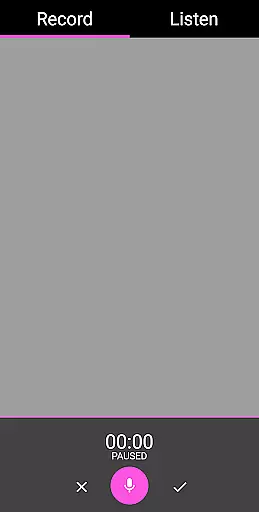
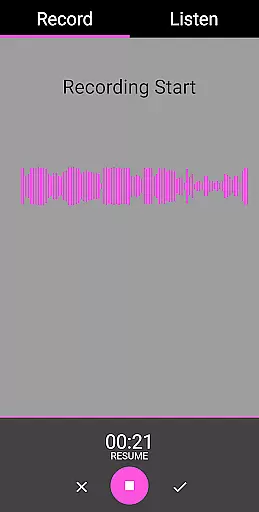
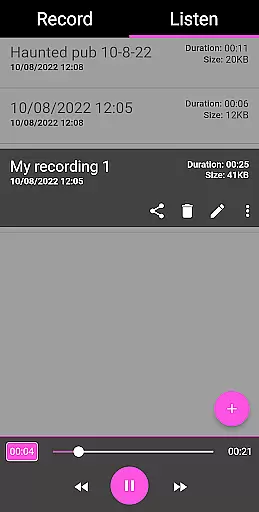
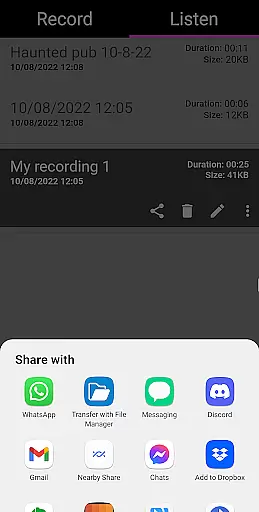
EVP Recorder is a specialized application designed for paranormal enthusiasts who are interested in ghost hunting. The app utilizes the device's built-in microphone to capture Electronic Voice Phenomena (EVP), which are believed to be responses from spirits. With features like recording, playback, and audio visualization, users can both hear and see potential spirit communications.
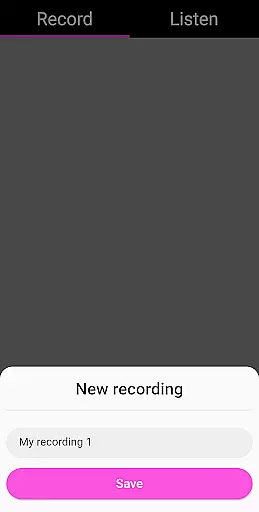
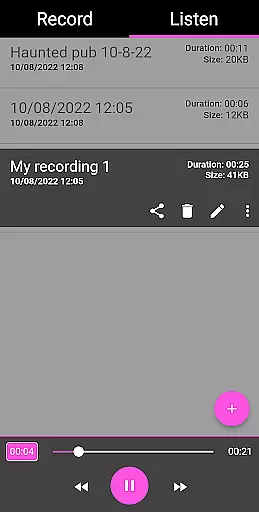
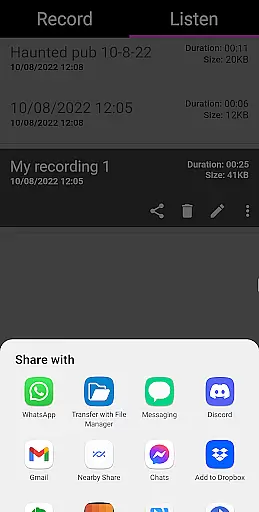
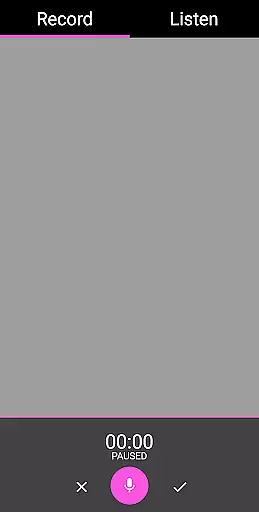
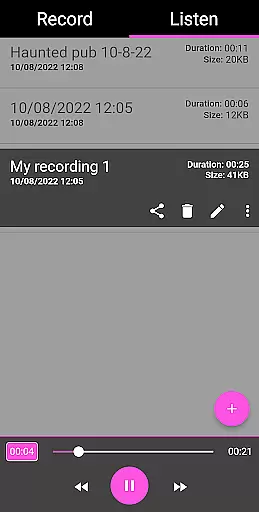
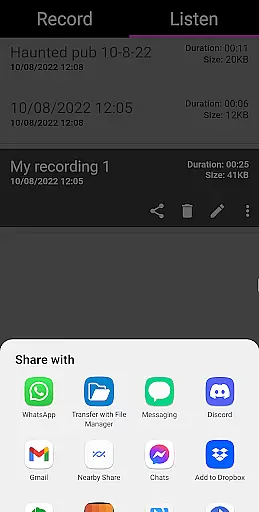
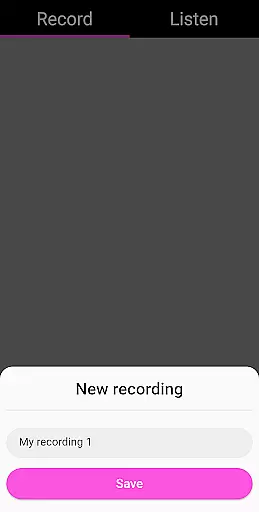
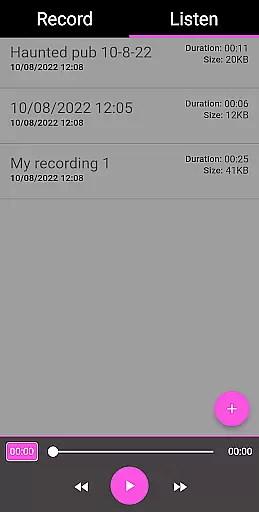
The app offers practical tools such as pause functionality during recording, options to save, delete, and rename recordings, and the ability to load existing audio files into the app. Additionally, users can share their findings via social media platforms like Facebook and WhatsApp. Its user-friendly interface ensures ease of use while providing essential recording information such as duration and file size.
Whether you're an amateur ghost hunter or a seasoned investigator, EVP Recorder provides the necessary tools to conduct thorough paranormal research. By asking questions and carefully analyzing the silence between queries, users may uncover intriguing responses that add depth to their explorations.
EVP Recorder stands out with its comprehensive set of features tailored specifically for ghost hunting. One of the key functionalities is the ability to record EVP sessions using the phone’s microphone. This allows users to capture potential spirit voices that might not be audible in real-time but can be identified upon playback.
In addition to basic recording, the app includes advanced options such as pausing during a session, saving recordings for future reference, and even deleting unwanted files. Users can also rename recordings for better organization and clarity. Sharing features enable hunters to distribute their findings across various platforms, enhancing collaborative efforts within the paranormal community.
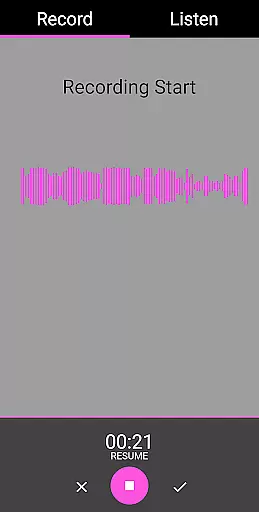
Another notable feature is the audio visualization tool, which provides a graphical representation of sound waves. This visual aid helps users identify anomalies that could indicate spirit activity. With no ads or in-app purchases, EVP Recorder delivers a seamless experience focused purely on facilitating meaningful interactions with the unknown.
In the realm of ghost hunting and paranormal exploration, content variety and freshness are crucial for maintaining user engagement. The EVP Recorder app excels in this area by offering a multitude of features that cater to both novice and experienced ghost hunters. With functionalities such as EVP recording, pause function during recording, and the ability to save and playback recordings, users have a wide array of tools at their disposal.
Moreover, the app allows for the integration of existing recordings, ensuring that users can revisit past sessions and potentially uncover new insights. This feature not only enhances content variety but also encourages users to continuously explore and document their experiences. By facilitating the sharing of recordings via social platforms like Facebook and WhatsApp, the EVP Recorder app fosters a community of enthusiasts who can exchange findings and theories.
The app's regular updates and improvements further contribute to content freshness. Users can look forward to new features and optimizations, ensuring that their ghost hunting endeavors remain exciting and cutting-edge. This commitment to ongoing development underscores the app's dedication to providing a dynamic and evolving platform for paranormal investigation.
User engagement duration and retention are pivotal metrics for any entertainment app, and the EVP Recorder app addresses these aspects effectively. By offering an intuitive and visually appealing interface, the app ensures that users can easily navigate through its features without feeling overwhelmed. The inclusion of audio visualization during recordings provides a captivating experience, allowing users to observe potential responses from spirits in real-time.
To enhance retention, the app incorporates several mechanisms that encourage prolonged use. For instance, the ability to rename and manage recordings enables users to organize their sessions systematically, making it easier to track progress and revisit specific moments. Additionally, the absence of ads and in-app purchases creates a seamless and uninterrupted user experience, which is likely to foster loyalty and long-term usage.
Furthermore, the EVP Recorder app's emphasis on user safety and respectful interaction with spirits promotes responsible engagement. By providing tips and guidelines for effective ghost hunting, the app not only educates users but also instills a sense of responsibility and respect for the paranormal realm. This educational component adds depth to the user experience, encouraging sustained interest and exploration within the app.
User-friendly interface
Comprehensive EVP tools
No in-app purchases
Free lifetime updates
Sharing capabilities
Limited to EVP phenomena
Requires quiet environments
No live monitoring
Dependent on device quality
Results may vary

* Multiple Matches * Intuitive UI * Scoring Made Easy!
 4.40
4.40
Heroclix search units with multi filter , team builder, collection manager.
4.40
Classic dynamic pixel art from Mark Ferrari.
4.70
Browser for Chromecast to stream webvideos, online movies, IPTV & HD livestreams
4.40
Just play games to earn gift cards. Keep playing, keep earning.
4.50
Browse popular images and videos from Reddit on Android TV!
3.90
The classic game of rock, paper, scissors
4.4
Your Avatar, Endless Fun
4.60
Earn big rewards like PayPal & Amazon gift cards by playing games you love!
4.30
Catalog & tracker of your DVD, Blu-ray & Digital Movie and TV Collection Library
4.80
Watch Reels, Drama Shorts & TV Series Anytime. Download DramaWave Now!
4.70
Unleash Your AI Imagination
4.60
Fetch money rewards all just for playing games. Cash out for gift cards in app.
4.50
The Xbox app keeps you connected to your gaming community.
4.50
Fire effects for your Philips Hue lights
4.20
Official KennysGifs Stickers
4.20
Fool your friends & Family with Fake ultrasound test report
3.60
Watch everything you want.
2.90
Stream over 80 hours of exclusive mashups and remixes by DJ Rehab.
4.4


User Reviews