
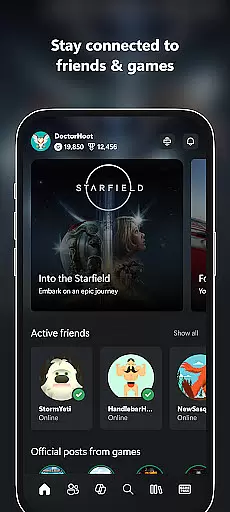
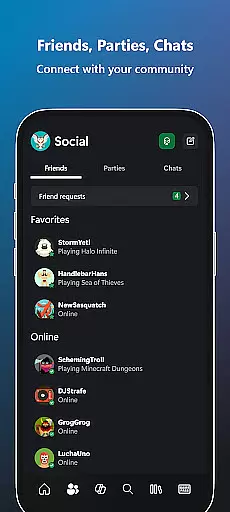
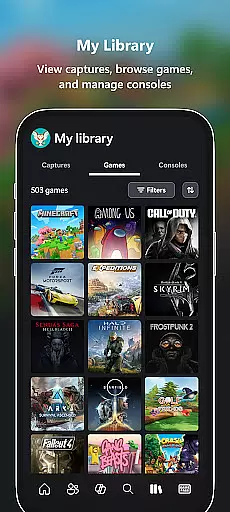
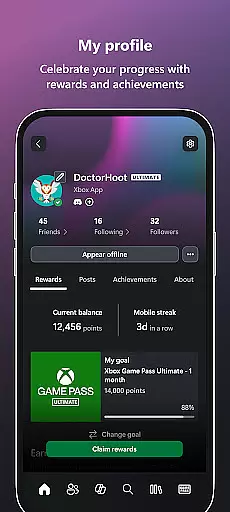
Xbox is a comprehensive entertainment app that bridges the gap between console gaming and mobile experiences. This application allows users to stay connected with their gaming community through integrated voice and text chat, regardless of whether friends are playing on console or PC. The app provides real-time notifications for game launches, party invites, and messages, ensuring you never miss important updates in your gaming circle.
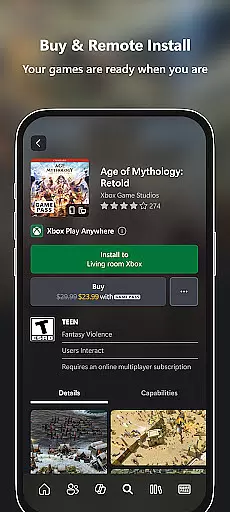
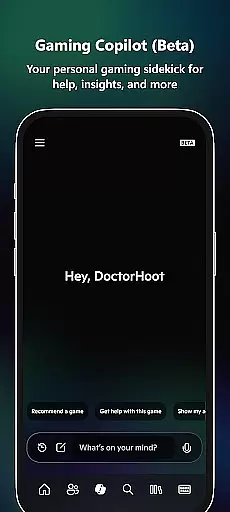
One of the standout features of Xbox is its ability to facilitate game purchases and downloads directly from mobile devices. Users can browse and buy games, add-on content, and explore the Game Pass catalog without needing to switch platforms. Additionally, the Gaming Copilot (Beta) offers personalized assistance, helping players overcome challenges and enhance their gameplay. With easy sharing options for game clips and screenshots to social networks, Xbox ensures that your best gaming moments are always at your fingertips.
This app is particularly useful for gamers who frequently switch between mobile and console gaming. By providing a seamless connection to the gaming ecosystem, Xbox enhances the overall gaming experience, making it easier than ever to stay engaged with your favorite titles and communities.
The Xbox app boasts an impressive array of features designed to enrich the gaming experience. One of its core functionalities is the integrated voice and text chat system, which allows users to communicate effortlessly with friends across different platforms. Whether you're coordinating strategies during a multiplayer session or simply catching up with fellow gamers, this feature ensures you're always connected.
Another significant aspect of the Xbox app is its robust notification system. Users receive timely alerts for new game releases, party invitations, and personal messages. This keeps players informed and engaged with their gaming community. Moreover, the app's purchasing capabilities enable gamers to buy new titles and add-ons directly from their mobile devices, streamlining the acquisition process and saving valuable time.
The inclusion of Gaming Copilot (Beta) sets Xbox apart from other gaming apps. This innovative tool serves as a personal gaming assistant, offering recommendations, insights, and in-game assistance to help users improve their skills and overcome obstacles. With the ability to share game clips and screenshots directly to social media, Xbox empowers players to showcase their achievements and memorable moments with ease.
In the realm of digital entertainment, content variety and freshness are paramount for user engagement. The Xbox app excels in this area by offering a dynamic range of features that cater to gamers' multifaceted needs. With integrated voice and text chat, users can connect with friends across different platforms, ensuring they're always in the loop.
Moreover, the app provides notifications on game launches, messages, and party invites, keeping the content timely and relevant. This constant stream of updates encourages users to frequently return to the app, enhancing their engagement with both the platform and their gaming community.
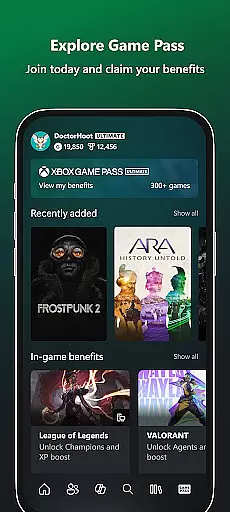
The inclusion of the Game Pass catalog and Gaming Copilot further diversifies the app's offerings. These features not only provide fresh content regularly but also offer personalized recommendations and assistance, enriching the user experience. By allowing gamers to buy games and add-ons directly, the app ensures that users have instant access to new releases.
Sharing game clips and screenshots to social networks is another aspect where the app promotes content variety. This functionality enables users to contribute to the gaming community's collective content, fostering a vibrant ecosystem of shared experiences and creativity.
User engagement duration and retention are critical metrics for any entertainment platform, and the Xbox app addresses these through its comprehensive suite of features designed to keep users connected and invested. The app's ability to follow friends and parties with voice and text chat means users can maintain their social connections effortlessly, which significantly boosts session lengths.
Notifications play a pivotal role in retaining users by alerting them to new game launches, achievements, and messages. This keeps the app at the forefront of users' minds and encourages regular usage. Additionally, the ease of purchasing games and add-on content without leaving the app streamlines the user journey, reducing friction and promoting longer engagement periods.
The exploration of the Game Pass catalog and redemption of Perks adds layers of interaction that naturally extend user sessions. As users sift through available titles and manage their subscriptions, they invest more time within the app, increasing overall retention rates.
Lastly, Gaming Copilot serves as a personal aide, helping users overcome in-game challenges and providing insights that enhance gameplay. This support system not only aids in overcoming obstacles but also fosters a deeper connection between the user and the app, leading to sustained engagement over time.
User-friendly interface
Seamless cross-platform integration
Comprehensive notification system
Direct game purchasing options
Innovative Gaming Copilot feature
Limited offline functionality
Occasional connectivity issues
Requires Xbox Live subscription for full access
Some features still in beta testing
Heavy reliance on internet connection

Find out if you're on Santa's Naughty or Nice List with this magical scanner!
 4.60
4.60
Fire effects for your Philips Hue lights
4.20
Earn gift cards for playing games. Become a real game tester!
4.40
Stream live TV shows, sports, news, movies & more - all without cable.
3.00
Control your AWTRIX 3 easily
4.0
Premium version to enjoy your favorite anime
4.60
Original short dramas with diverse genres for a rich viewing experience!
4.80
Connect. Discover. Control.
3.60
Play casual games to get gift cards and money. More playing, more earning.
4.70
Fetch money rewards all just for playing games. Cash out for gift cards in app.
4.50
Browser for Chromecast to stream webvideos, online movies, IPTV & HD livestreams
4.40
Come and watch short dramas, reels with diverse genres!
4.40
Catch the latest episodes of The Voice or live stream NFL games with The NBC App
4.20
Experience the video editing experience brought by our intuitive interface
4.10
Start EVP/Spirit Box tonight: real EMF, offline, recording. One-time purchase.
4.10
Realistic Baby Simulator App
4.00
Binge-worthy short dramas on DramaRush—engaging stories that fit your day.
3.90
Create your Songs. Cover Maker with any Voice, Song Generator
3.30
Stream over 80 hours of exclusive mashups and remixes by DJ Rehab.
4.1


User Reviews