
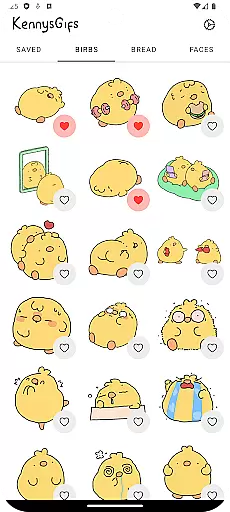
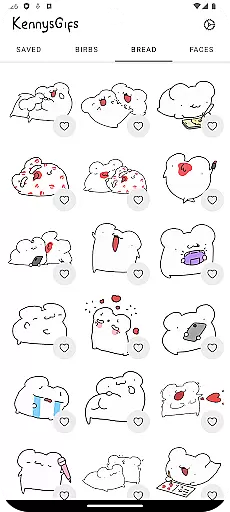
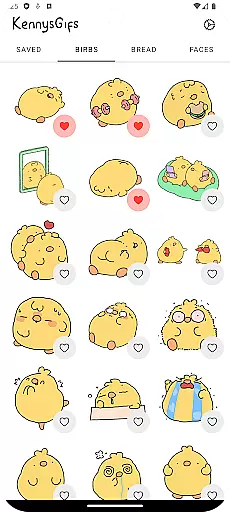
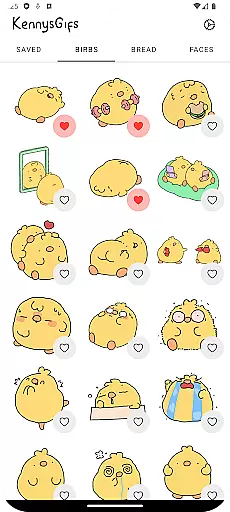
Kennys Gifs is an entertainment app designed to enhance your messaging experience with animated stickers. This app offers over 150 high-quality GIFs, each filled with personality and humor, perfect for expressing emotions in chats.
Users can easily drag and drop these animated stickers into conversations on platforms like iMessage, WhatsApp, and Telegram. Whether you want to make someone laugh or add excitement to your messages, Kennys Gifs provides the tools to make your conversations unforgettable.
The standout feature of Kennys Gifs is its extensive collection of over 150 animated stickers tailored for various moods and occasions. Each sticker is crafted to bring energy and fun to your chats, making them more engaging.
In addition to its rich content, the app supports seamless integration with popular messaging apps such as iMessage, WhatsApp, and Telegram. The intuitive drag-and-drop functionality ensures that users can effortlessly incorporate these GIFs into their conversations without any hassle.
Kennys Gifs brings a diverse range of over 150 animated stickers to your conversations, ensuring there's something for every mood and occasion. The app covers a wide spectrum of expressions, from hilarious reactions to relatable moments, making each message unique.
With high-quality GIFs, the app ensures that your chats are not only lively but also visually appealing. These GIFs are crafted to add energy and fun, transforming simple text exchanges into dynamic conversations that capture attention and entertain.
The app is regularly updated with fresh content, keeping the sticker library relevant and exciting. This constant refreshment means users always have new material to work with, preventing the chat experience from becoming stale and predictable.
Kennys Gifs is designed to keep users engaged with its easy-to-use interface that allows for drag-and-drop functionality directly into conversations. This seamless integration encourages longer and more frequent usage, as users can effortlessly enhance their chats without any hassle.
By allowing users to express themselves without typing, through an intuitive selection of GIFs, the app promotes extended interaction. Users find themselves spending more time exploring the available options and selecting the perfect GIF to convey their emotions.
Additionally, Kennys Gifs' compatibility with popular messaging platforms like iMessage, WhatsApp, and Telegram enhances user retention. People can use their favorite GIFs across different services, creating a consistent and engaging experience that keeps them coming back to the app for more expressive content.
Wide variety of GIFs
High-quality animations
User-friendly interface
Seamless platform integration
Regular updates with new content
Limited to messaging use
Some GIFs may feel repetitive
No option for custom GIFs
Occasional loading delays
Ads between selections

Create, chat & bond with AI souls who truly listen.
 4.50
4.50
Disney Stickers: Zootopia 2
4.3
Journey to the world’s oldest rainforest and meet its Indigenous Custodians.
4.4
Stream Movies & TV Series: Original Shows, Family Movies & New Releases Weekly
4.60
Practice and master your ESP and intuition with five mode trainer.
4.20
Atomus is a 10-finger multi-touch interactive visualizer.
4.30
VR 360 Cinema Player is the ultimate VR player for playing videos on mobile
3.50
Stream, Watch, Chat. Live.
4.00
Play casual games to get gift cards and money. More playing, more earning.
4.70
SpiritWave is paranormal ITC application.
5.00
Time tracking, lap counting and much more for Carrera® Digital 132/124
4.80
5 funny and lovely ponies waiting for you to style them!
4.80
Classic dynamic pixel art from Mark Ferrari.
4.70
The Xbox app keeps you connected to your gaming community.
4.50
Realistic Baby Simulator App
4.00
Music visualizer and party effects for Hue
3.90
Fool your friends & Family with Fake ultrasound test report
3.60
Create your Songs. Cover Maker with any Voice, Song Generator
3.30
NFL, NBA, NHL, MLB, local sports coverage, shows, movies & news!
3.20


User Reviews