
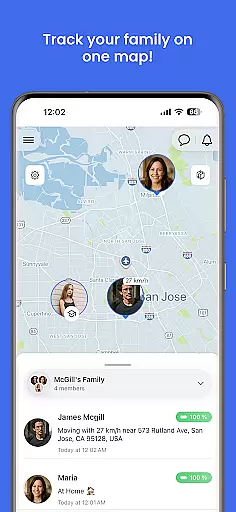
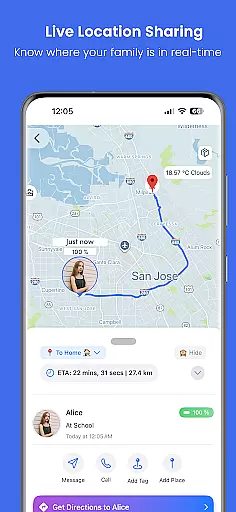
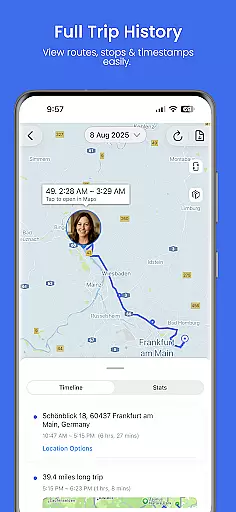
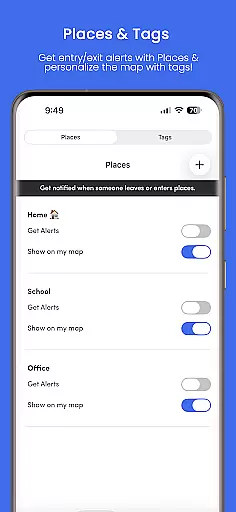
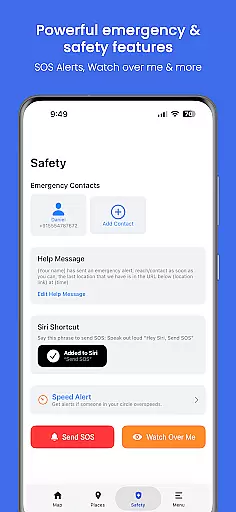
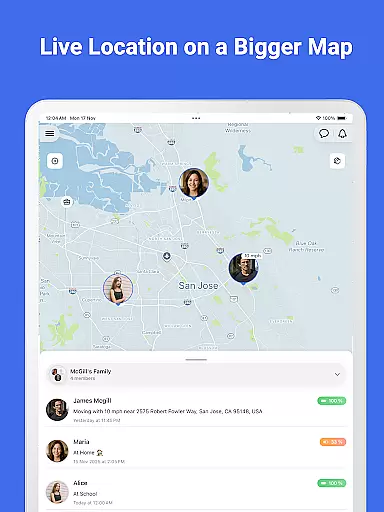
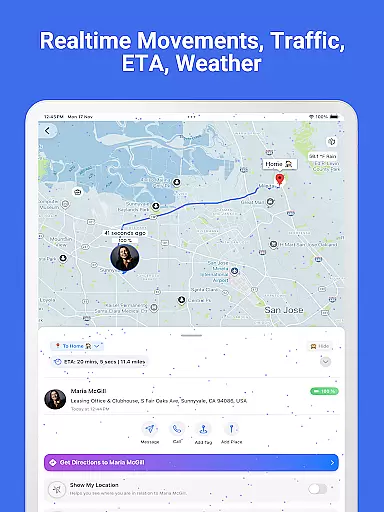
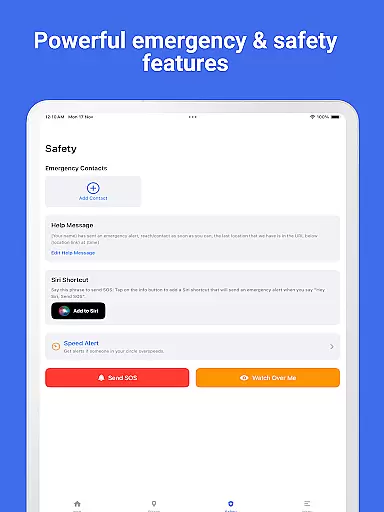
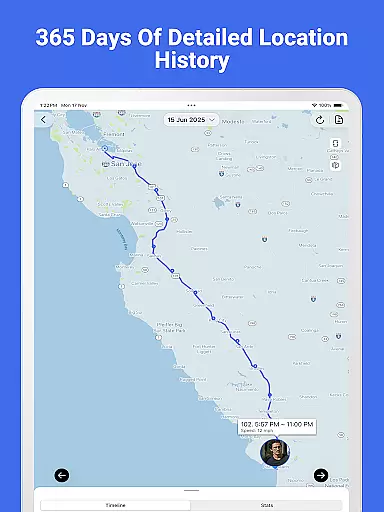
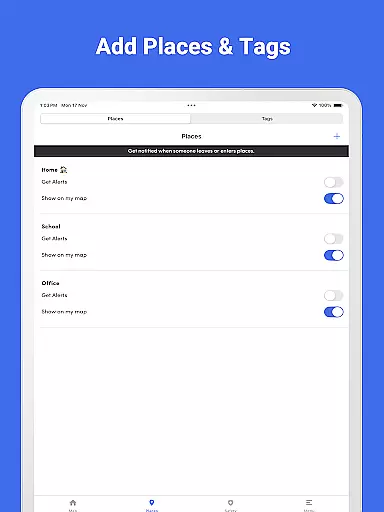

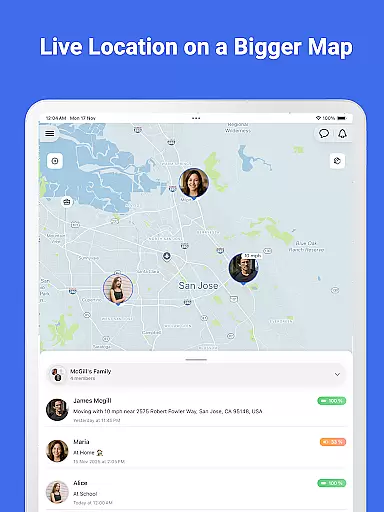
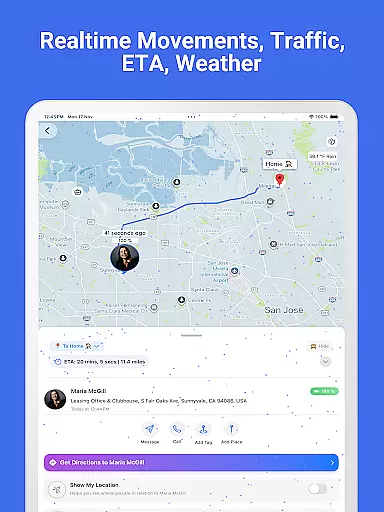
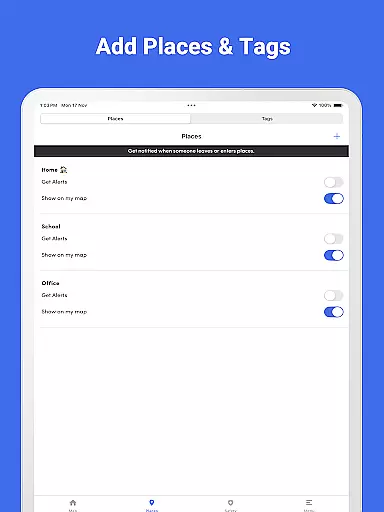
Family Nest is a secure child GPS tracker designed specifically for parents and legal guardians who want to ensure their children's safety. The app provides real-time location tracking with high GPS accuracy, allowing parents to monitor their child's whereabouts at any time. It also includes features like private Nests for organizing children, entry/exit alerts for safe zones, and trip history with detailed route patterns.
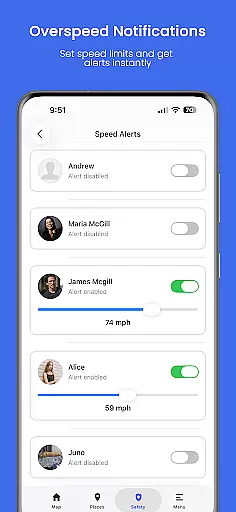
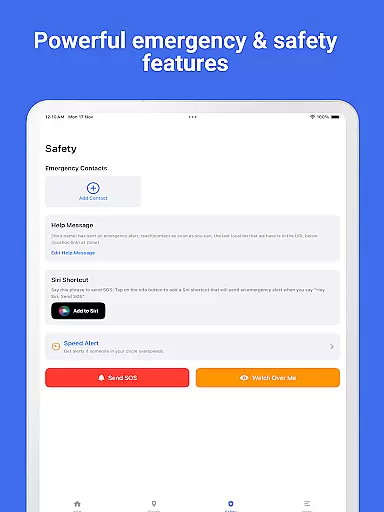
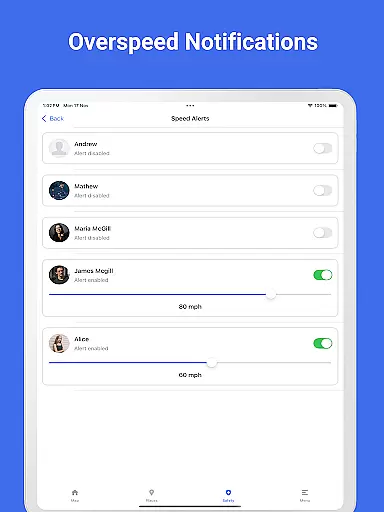
In addition to its core tracking capabilities, Family Nest offers advanced tools such as overspeeding notifications, detection of fake GPS usage, and an SOS emergency alert button. These features provide peace of mind to guardians by ensuring that they are always informed about their child's safety. With real-time traffic updates and no hidden data tracking, Family Nest stands out as a reliable solution for modern parenting needs.
Family Nest boasts a comprehensive set of features tailored for parental use. One of its standout capabilities is the real-time GPS tracking, which ensures parents can locate their children instantly with precise accuracy. The app allows the creation of private Nests, formerly known as Circles, enabling parents to group and organize their children efficiently.
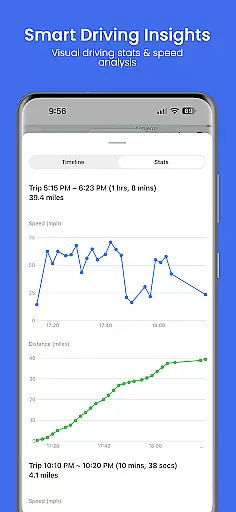
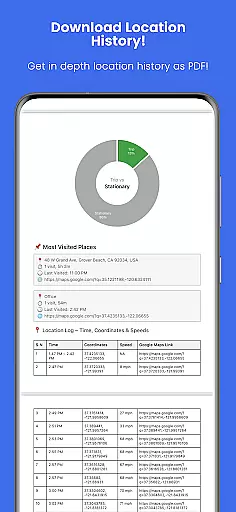
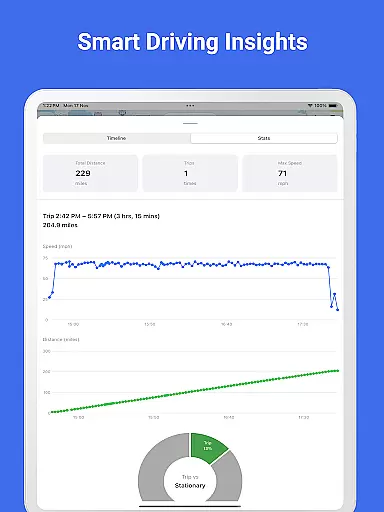
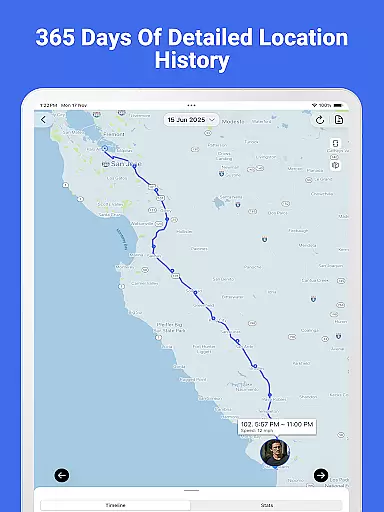
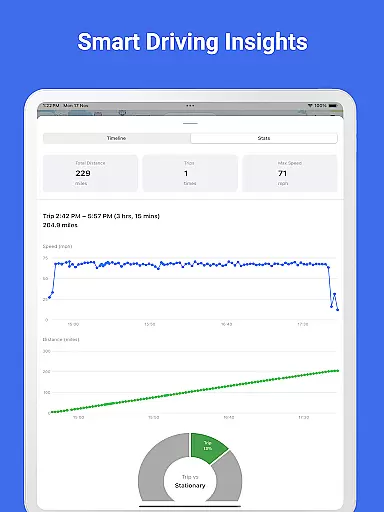
Beyond basic tracking, Family Nest provides practical alerts and reports. Parents receive notifications when their child enters or leaves predefined safe zones. They can also view detailed trip histories, including stops and route patterns, and export this data as a PDF report. Additional features include overspeeding alerts, detection of mocked locations, and an SOS button for emergencies, making it an all-encompassing tool for child safety.
Family Nest provides a reliable parenting solution designed exclusively for parents and legal guardians. The app's features are developed based on real parental needs, ensuring that every tool serves a practical purpose in child safety.
The app includes verified location tracking, driving safety monitoring, and emergency alert systems. These features have been refined through expert validation to ensure they meet the highest standards of accuracy and reliability. Parents can trust the app to deliver precise GPS data and real-time alerts without misleading information.
By focusing on ethical use and compliance with privacy laws, Family Nest ensures that its tools align with professional recommendations for child monitoring. This commitment to credibility makes it a trusted choice for modern families.
Growth tracking in Family Nest goes beyond basic location monitoring by offering detailed insights into a childu2019s daily movements and habits. The app records trip histories, speed patterns, and distance traveled, presenting this data in easy-to-understand formats such as graphs and PDF reports.
Parents can access up to 30 days of location history with premium features, allowing them to analyze their childu2019s routines over time. This longitudinal tracking helps identify behavioral trends and potential risks, contributing to more informed parenting decisions.
With accurate growth tracking, Family Nest empowers parents to create safer environments for their children while fostering independence within secure boundaries.
Real-time GPS tracking
Private Nests organization
Safe zone alerts
Trip history reports
No ads or hidden tracking
Premium features cost extra
Limited to parental use
Requires constant internet
Dependent on device GPS
Geofencing limit in free version

Discover fun videos, kids songs, bedtime stories and games
 3.60
3.60
Fake call application designed for parents and adults to discipline their children through the children's police.
4.20
The Baby’s Bounty App is your hub to register for our diaper banks in Nevada
3.70
Family GPS locator app — child location tracker. GPS kids tracker, family safety
4.70
Family parental control app: limit screen time, block apps, GPS tracker.
4.20
Kids story books for children. Baby reading books with audio for pre-k toddlers
4.70
FamilyMode helps you manage your family’s digital lives—at home or on the go.
4.30
Pinardin - Smart Parental Control, Online Safety & GPS Tracking!
4.80
Parental control App for Location, Remote Camera, Screen Mirroring, Block Apps.
4.60
A simple way to track your baby’s breastfeeding, diaper changes, sleep patterns.
4.90
Track baby’s development & growth week by week with BabyCenter’s pregnancy app!
4.90
Daily Routine & Timer for kids, ADHD, & Autism
4.80
Sleep better with white noise app! Discover rain sounds, fan noise and more.
4.70
App/Game blocker & GPS tracker
4.50
Join over 1MM parents & professionals who've used OFW to navigate co-parenting
4.40
Comprehensive Parental Control & Child Safety — Hear & Protect Your Child World
4.30
Cherish every beat - capture your baby's heart sounds with our app
4.30
Affirmations | Stories | Bible
4.10
Play activities, milestones, expert-led classes, baby tracker, and more!
3.00


User Reviews