

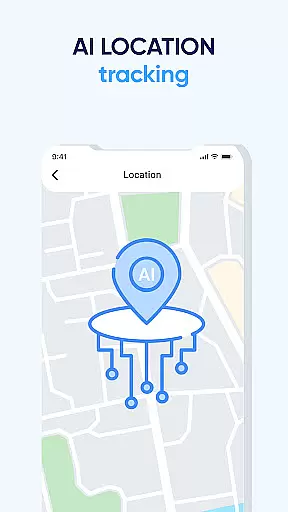
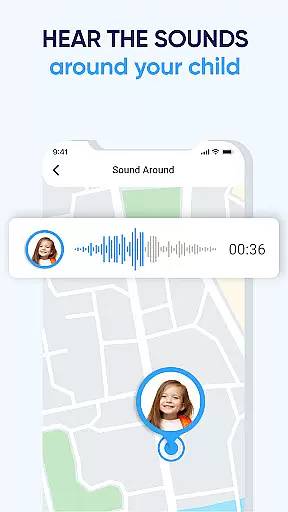
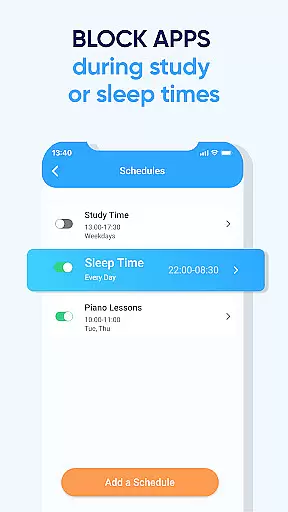
Family GPS Locator・Kids Safety is a comprehensive parental control application designed to ensure child safety through advanced GPS tracking technology. This essential parenting tool allows parents to monitor their children's real-time location with exceptional accuracy, providing peace of mind in today's digital world.
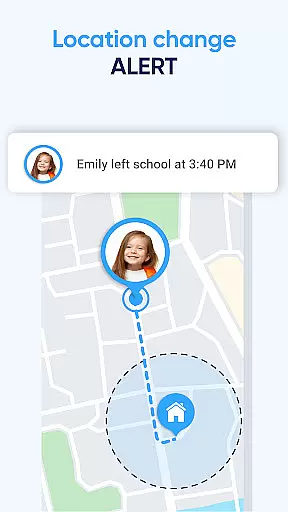
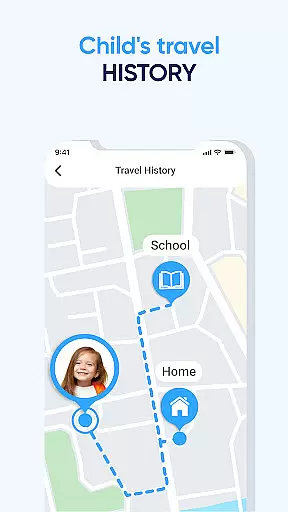
The application's core functionality revolves around three key features: real-time location tracking, geofencing capabilities, and historical location data. Parents can receive instant notifications when their children arrive at or leave designated locations such as schools or homes. The geofencing feature enables the creation of virtual boundaries around safe areas, triggering alerts when crossed. Additionally, the location history function maintains a detailed record of past movements.
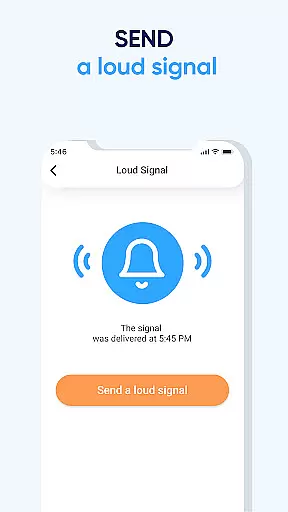
Beyond basic tracking, the application includes vital safety features like an emergency panic button for immediate SOS alerts. These capabilities make it particularly useful for modern families who want to maintain open communication while ensuring their children's security. Whether you're monitoring daily commutes or verifying safe arrivals, this application provides the tools necessary for responsible digital parenting.
Family GPS Locator・Kids Safety distinguishes itself through its sophisticated feature set tailored specifically for modern parenting needs. The application's most prominent capability is its precise real-time GPS tracking system, which utilizes advanced location technologies to provide accurate positioning information. Unlike basic tracking apps, this solution offers customizable geofencing options that allow parents to define multiple safe zones with varying radius parameters.
A key differentiator is the application's comprehensive location history database, which stores movement data with corresponding timestamps for up to thirty days. This feature proves invaluable when retracing steps or verifying whereabouts. The integrated panic button represents another crucial innovation, enabling children to send immediate distress signals directly to their parents' devices.
What sets this parental control solution apart is its seamless integration with Android device management systems, requiring minimal battery consumption while maintaining constant connection. The application also supports multi-device tracking, allowing parents to monitor all their children simultaneously through a single interface. These features collectively create a robust safety net that addresses contemporary parenting challenges effectively.
When it comes to parenting apps, the credibility of content and expert validation are paramount. GPS Tracker and Family Locator takes this responsibility seriously by providing features that are designed with both safety and child psychology in mind. The app's functionalities, such as real-time location tracking and geofencing, are backed by research on child safety and modern parental needs.
The app includes a suite of features developed in consultation with child safety experts. For instance, the Panic Button is not just a simple alert system; it is crafted based on expert advice regarding emergency response and child protection protocols. This ensures that when an emergency arises, parents can trust the app to deliver reliable and prompt notifications.
Parents using GPS Tracker and Family Locator can feel confident knowing that their actions are supported by expert-endorsed methodologies. The Geozone feature, which allows setting up safe virtual boundaries, is informed by studies on child mobility patterns and safety zones. This scientific approach provides peace of mind for parents who want to ensure their children remain within secure areas.
Growth tracking in the context of GPS Tracker and Family Locator refers to the ability to monitor a child's physical whereabouts and ensure their safety as they grow and explore the world. The app offers meticulous tracking features that provide accurate data about a childu2019s location history, empowering parents to keep track of their daily movements.
With real-time location tracking, parents receive precise updates on their child's position at any given moment. This feature uses advanced GPS technology to offer highly accurate location data, ensuring that parents know exactly where their children are, whether they're at school, a friend's house, or any other designated location. Such precision is crucial for verifying a child's safety throughout the day.
In addition to real-time tracking, the Location History feature allows parents to review a detailed timeline of past locations. This function not only helps in retracing steps but also serves as a valuable tool for understanding a child's routine and habits over time. By combining cutting-edge technology with user-friendly interfaces, GPS Tracker and Family Locator delivers unparalleled accuracy in growth tracking, giving parents the tools they need to foster a safe environment for their children.
Accurate GPS tracking
Instant location alerts
Customizable geofencing
Panic button for emergencies
Multi-device support
Requires separate child app
Subscription fees apply
Android only support
Drains device battery
Complex setup process

Block apps, set screen time limits, and customize usage schedules
 4.50
4.50
Discover fun videos, kids songs, bedtime stories and games
3.60
Educational resource for parents to inspire creativity in their children.
4.00
All-in-one pregnancy app, contraction timer, kick counter & due date calculator
4.40
Affirmations | Stories | Bible
4.10
Watching baby, helping parents
4.10
Screen Time, App and Web Block & Monitoring, Location Tracker
3.60
All-In-One Pregnancy Tracker, Your Baby's Milestones, Growth Stages & Parenting.
4.90
Monitor screen time and build healthy habits with Family Safety
3.90
Pinardin - Smart Parental Control, Online Safety & GPS Tracking!
4.80
Pregnancy+ App has helped 80m moms track their pregnancy with info & support!
4.80
Advanced baby tracking, expert sleep help & parenting support for every stage.
4.80
The Most Trusted Co-Parenting App.
4.60
It is a screen time management tool for games and mobile applications
4.50
Join over 1MM parents & professionals who've used OFW to navigate co-parenting
4.40
Protect kids online safety through GPS tracking,screen time control,app blocking
4.20
Limit screen time, Block Apps & Games, Monitor with Parental control app
4.20
Pregnancy and baby formula tips for moms, plus Enfamil coupons & cash back
4.10
Play activities, milestones, expert-led classes, baby tracker, and more!
3.00


User Reviews